#==============================================================================
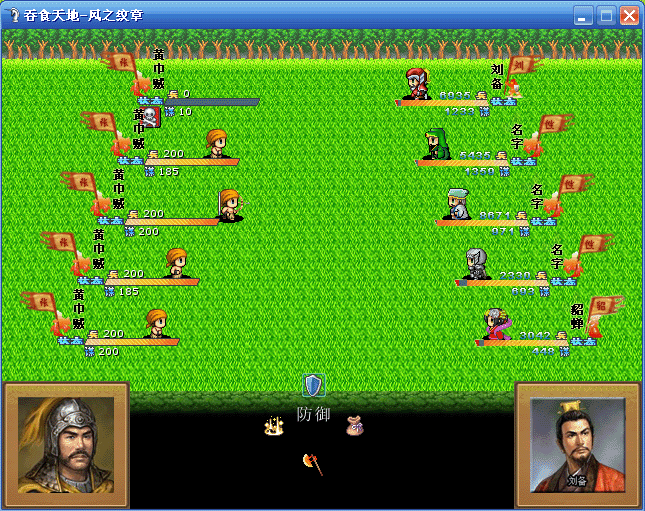
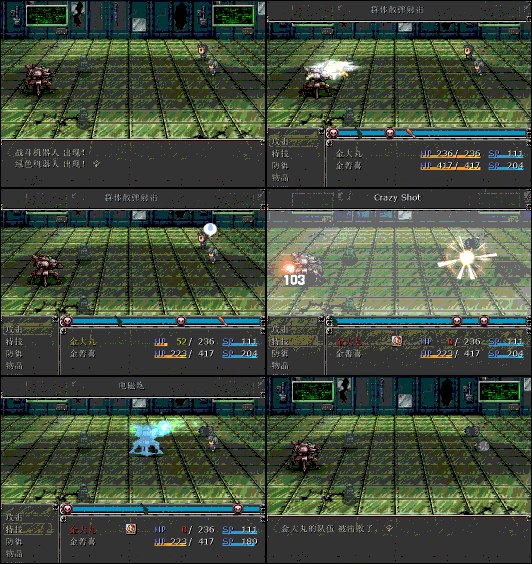
# ■ Enemy Animated Battlers for RPG Tankentai Sideview Battle System
# 1.17.09
#------------------------------------------------------------------------------
# Script by Kylock
# Updated by Mr. Bubble
# Visual Guide at:
# http://www.rpgrevolution.com/for ... ndpost&p=212499
#==============================================================================
# Easy to implement interface to specify animated battlers for enemies. Note
# enemy batters must be formatted THE SAME as your character battlers. Also,
# you must have 2 copies of your enemy battler:
# <game folder>\Graphics\Battlers\$<enemy name>.png
# <game folder>\Graphics\Characters\$<enemy name>.png
#
# If you are using this script with the Kaduki's Battlers setup, enemies must
# have "_1", "_2" and "_3" files in the Characters folder similar to the
# Kaduki actors. See inside Kaduki demo's Characters folder for an example.
#
# If used with IAB, enemies must have a 4x11 "_1" file in the Characters
# folder. See inside IAB demo's Characters folder for an example.
#
# When you set up your "troops" for the encounter, you may need to tweak the
# positioning of the enemy as the sprites look funny and the actual placement
# may be slightly off. A few battle tests should be sufficient.
# Enemy shadows may also look odd. You may adjust or change the shadow using
# the respective settings within this script.
#
# All settings in this add-on can also be done within the Configuration script.
#==============================================================================
module K_ENEMY_BATTLERS
ENEMY_ID = [1,2,3] # list of enemies with batter sprites(ex. [1,24])
end
class Game_Enemy < Game_Battler
#--------------------------------------------------------------------------
# ● Enemy Screen Positioning Adjustment
#--------------------------------------------------------------------------
# Postive Y-values move the battler down. Negatives move the shadow up.
# If the battler is offscreen, it is suggested to use this to function.
#
# return [ 0, 0] <- [X-coordinate、Y-coordinate]
alias bubs_eab_position_plus position_plus
def position_plus
case @enemy_id
when 1 # Enemy ID
return [0, 128] # Coordinates
when 2 # Enemy ID
return [0, 128] # Coordinates
end
bubs_eab_position_plus
end
#--------------------------------------------------------------------------
# ● Enemy Shadow
#--------------------------------------------------------------------------
# Define a separate shadow image file for an enemy battler.
#
# return "shadow01" <- Image file name in .Graphics/Characters
# return "" <- No shadow used.
alias bubs_eab_shadow shadow
def shadow
case @enemy_id
when 1 # Enemy ID
return "shadow00"
when 2 # Enemy ID
return "shadow00"
end
bubs_eab_shadow
end
#--------------------------------------------------------------------------
# ● Enemy Shadow Adjustment
#--------------------------------------------------------------------------
# Postive Y-values move the shadow down. Negatives move the shadow up.
#
# return [ X-Coordinate, Y-Coordinate]
alias bubs_eab_shadow_plus shadow_plus
def shadow_plus
case @enemy_id
when 1 # Enemy ID
return [ 0, 4]
when 2 # Enemy ID
return [ 0, 4]
end
bubs_eab_shadow_plus
end
#--------------------------------------------------------------------------
# ● Enemy Animated Battler Settings
#--------------------------------------------------------------------------
alias keb_anime_on anime_on
def anime_on
for x in K_ENEMY_BATTLERS::ENEMY_ID
return true if @enemy_id == x
end
keb_anime_on
end
#--------------------------------------------------------------------------
# ● Enemy Invert Settings
#--------------------------------------------------------------------------
alias keb_action_mirror action_mirror
def action_mirror
for x in K_ENEMY_BATTLERS::ENEMY_ID
return true if @enemy_id == x
end
keb_action_mirror
end
end




 写轮眼
写轮眼
 发表于 2011-1-19 00:12:48
 提升卡
提升卡 沉默号角
沉默号角 喧嚣号角
喧嚣号角 变色卡
变色卡 升龙剑
升龙剑