| 赞 | 159 |
| VIP | |
| 好人卡 | |
| 积分 | 163 |
| 经验 | |
| 最后登录 | 2026-7-18 |
| 在线时间 | 4014 小时 |
- 梦石
- 0
- 星屑
- 16261
- 在线时间
- 4014 小时
- 注册时间
- 2015-9-14
- 回帖
- 1322

|
 发表于 2019-8-7 00:39:56
|
显示全部楼层
发表于 2019-8-7 00:39:56
|
显示全部楼层
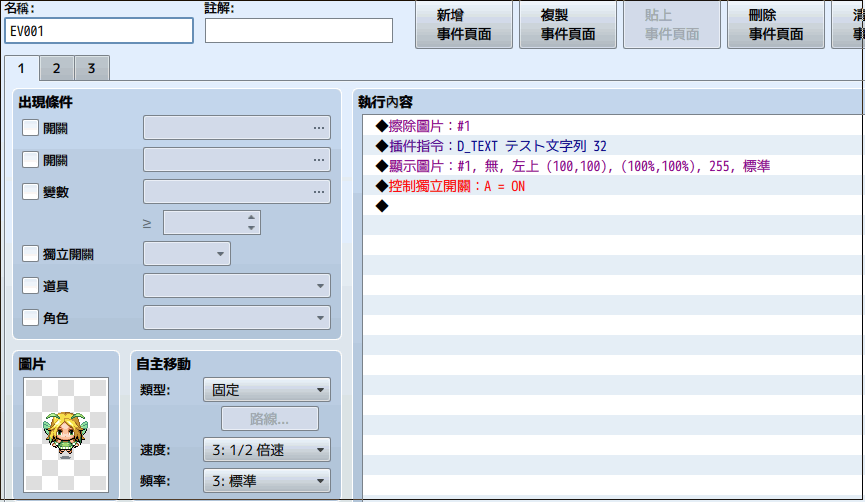
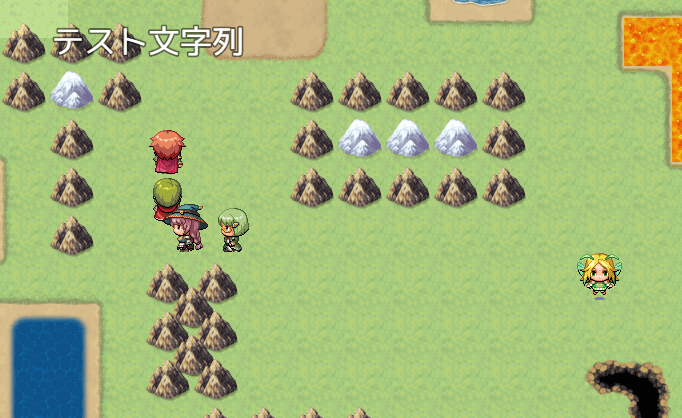
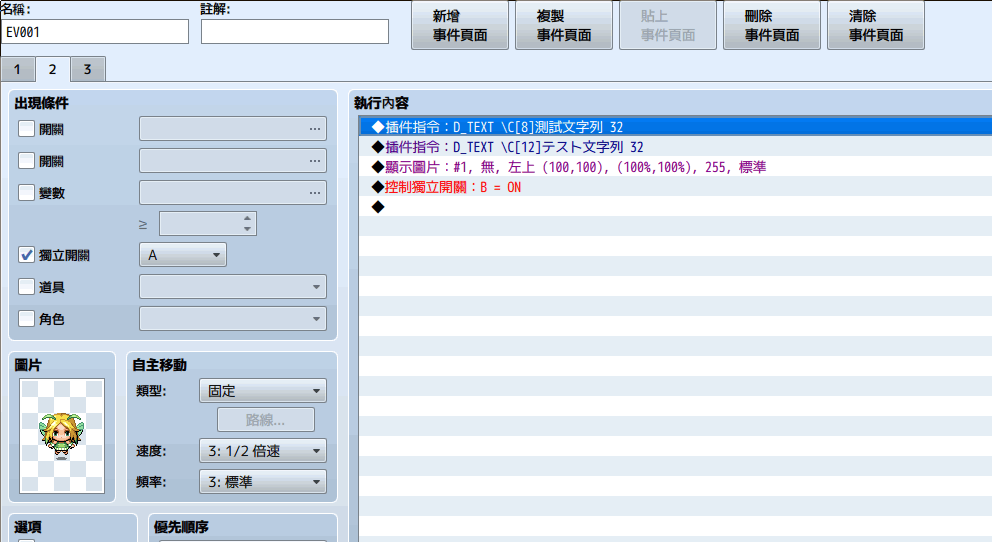
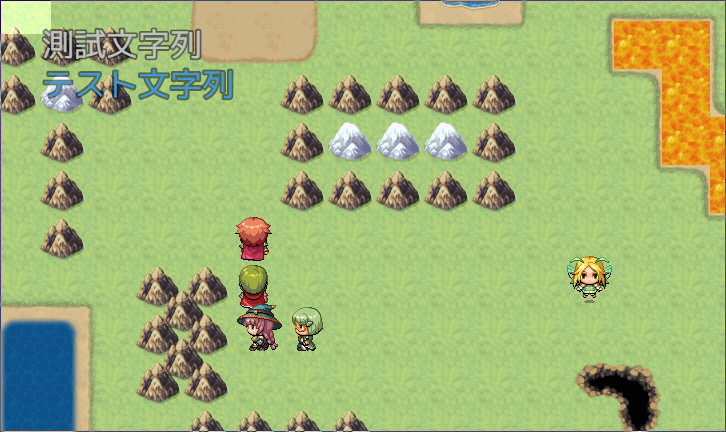
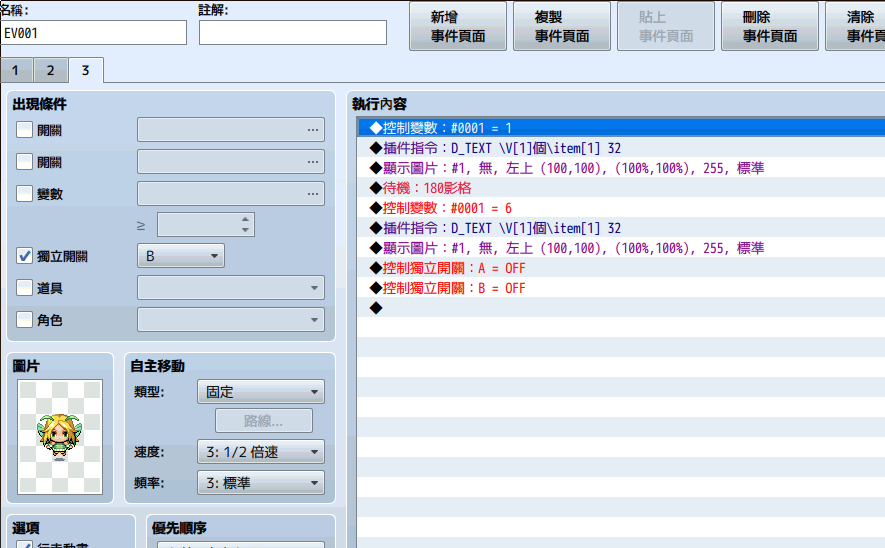
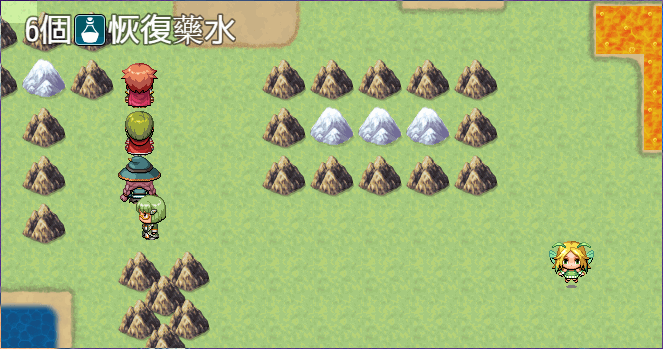
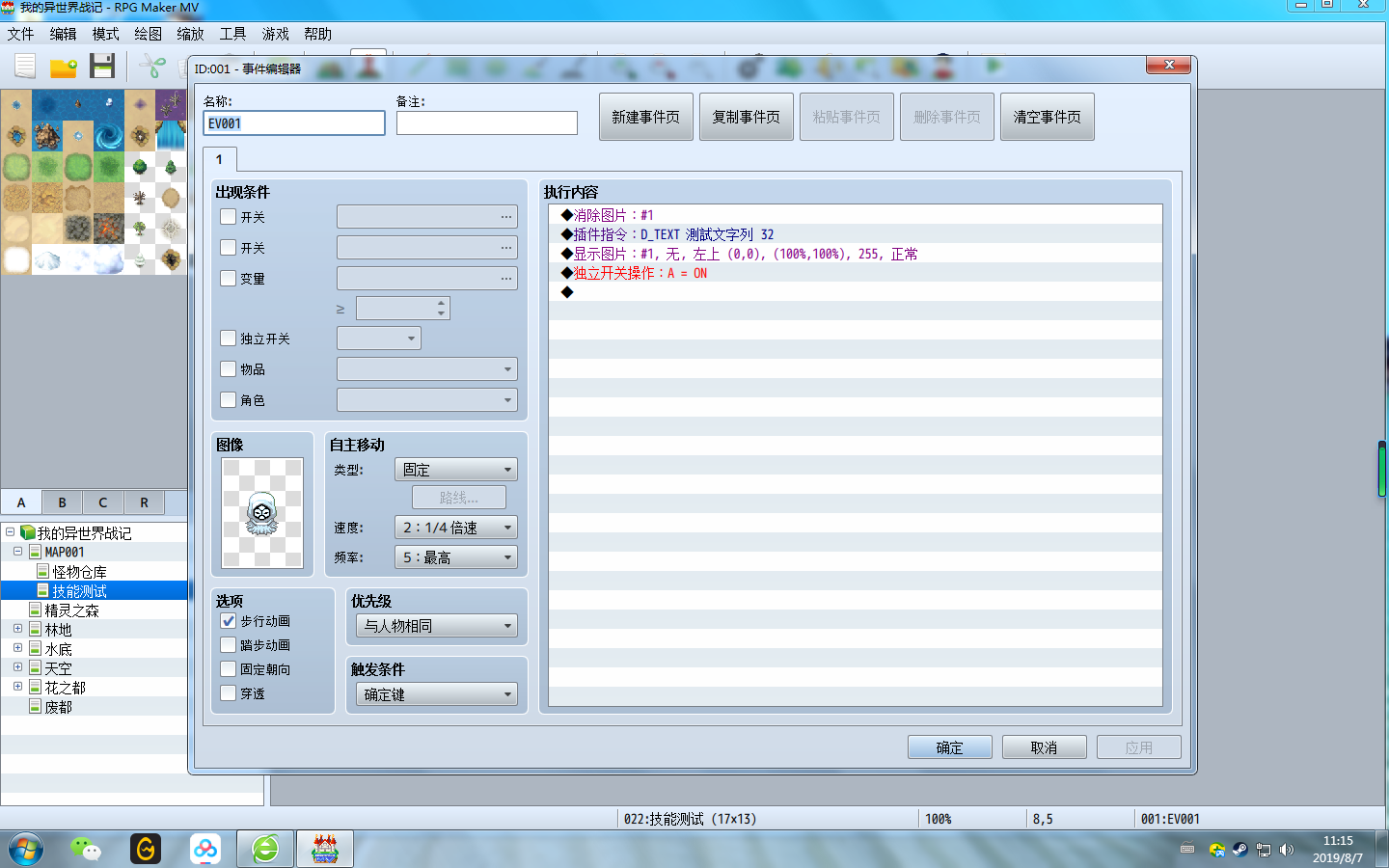
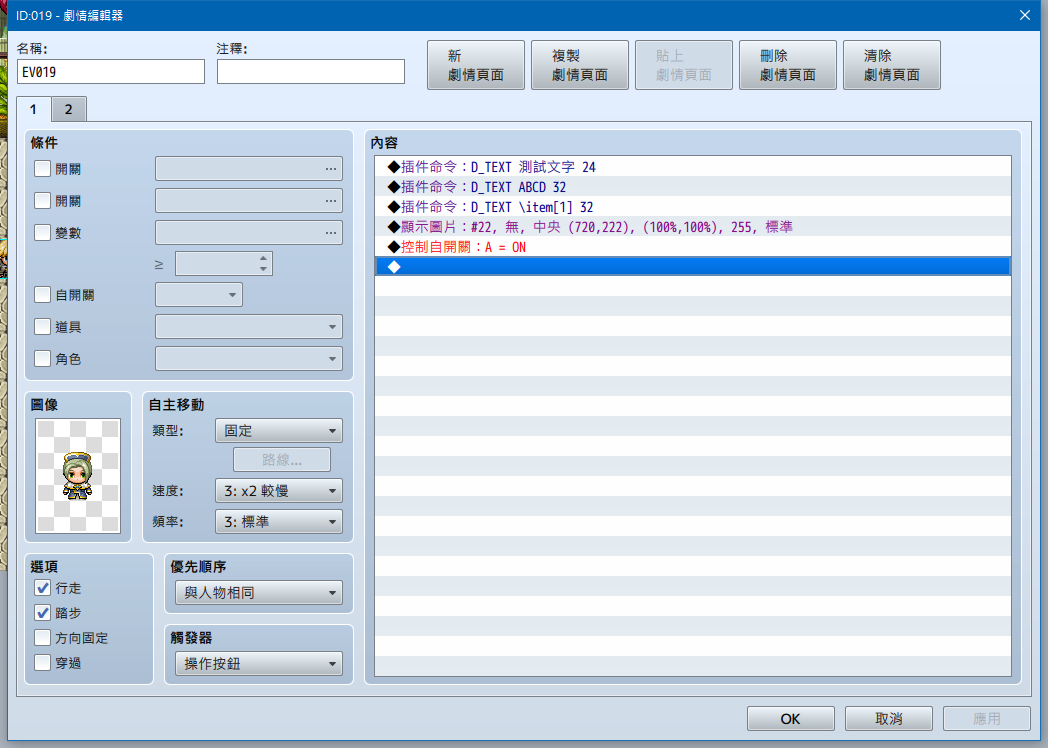
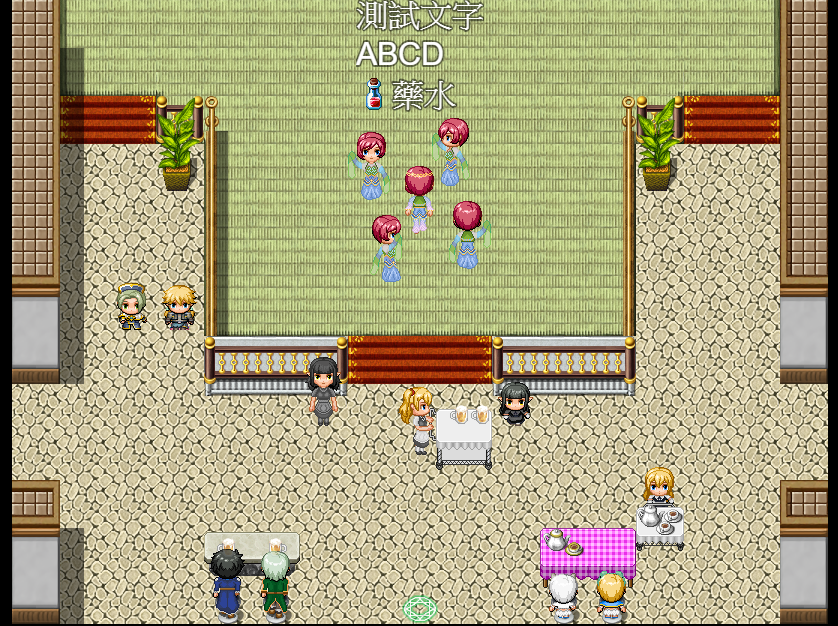
沒有前置插件,下載新版可以.
DTextPicture.js//=============================================================================
// DTextPicture.js
// ----------------------------------------------------------------------------
// (C) 2015 Triacontane
// This software is released under the MIT License.
// http://opensource.org/licenses/mit-license.php
// ----------------------------------------------------------------------------
// Version
// 1.13.0 2018/11/25 背景色のグラデーションを設定できる機能を追加
// 1.12.0 2018/11/08 背景ウィンドウの透明度と文字列ピクチャの透明度を連動させるよう仕様変更
// 1.11.1 2018/10/20 プラグイン等でGame_Variables.prototype.setValueを呼んだとき、変数の添え字に文字列型の数値を渡した場合も変数のリアルタイム表示が効くよう修正
// 1.11.0 2018/10/13 公式プラグイン「TextDecoration.js」の設定を動的文字列に適用できる機能を追加
// 1.10.1 2018/05/30 アウトラインカラー取得で0およびその他の文字列を指定したときに正しく色が設定されない問題を修正(by奏ねこまさん)
// 1.10.0 2017/02/12 アウトラインカラーをウィンドウカラー番号から指定できる機能を追加
// 1.9.0 2017/08/20 ウィンドウつきピクチャが重なったときにウィンドウがピクチャの下に表示される問題を修正
// 1.8.6 2017/06/28 フォント変更機能のヘルプが抜けていたので追加
// 1.8.5 2017/06/12 変数がマイナス値のときのゼロ埋め表示が正しく表示されない問題を修正
// 1.8.4 2017/05/10 プラグインを未適用のデータを読み込んだとき、最初の一回のみ動的文字列ピクチャが作成されない問題を修正
// 1.8.3 2017/04/19 自動翻訳プラグインに一部対応
// 1.8.2 2017/04/05 ピクチャの消去時にエラーが発生していた問題を修正
// 1.8.1 2017/03/30 拡大率と原点に対応していなかった問題を修正
// 1.8.0 2017/03/30 背景にウィンドウを表示できる機能を追加
// 1.7.1 2017/03/20 1.7.0で末尾がイタリック体の場合に、傾き部分が見切れてしまう問題を修正
// 1.7.0 2017/03/20 動的文字列を太字とイタリックにできる機能を追加
// 複数行表示かつ制御文字でアイコンを指定した場合に高さが余分に計算されてしまう問題の修正
// 1.6.2 2016/12/13 動的ピクチャに対して、ピクチャの表示とピクチャの色調変更を同フレームで行うと画像が消える問題の修正
// 1.6.1 2016/11/03 一通りの競合対策
// 1.6.0 2016/11/03 インストールされているフォントをピクチャのフォントとして利用できる機能を追加
// 1.5.1 2016/10/27 1.5.0でアウトラインカラーを指定するとエラーになっていた現象を修正
// 1.5.0 2016/10/23 制御文字で表示した変数の内容をリアルタイム更新できる機能を追加
// 1.4.2 2016/07/02 スクリプトからダイレクトで実行した場合も制御文字が反映されるよう修正(ただし余分にエスケープする必要あり)
// 1.4.1 2016/06/29 制御文字「\{」で文字サイズを大きくした際、元のサイズに戻さないと正しいサイズで表示されない問題を修正
// 1.4.0 2016/06/28 D_TEXT実行後に画像を指定してピクチャを表示した場合は画像を優先表示するよう仕様変更
// 1.3.1 2016/06/07 描画文字が半角英数字のみかつフォントを未指定の場合に文字が描画されない不具合を修正
// 1.3.0 2016/06/03 制御文字\oc[c] \ow[n]に対応
// 1.2.2 2016/03/28 データベース情報を簡単に出力する制御文字を追加
// 1.2.1 2016/01/29 コマンド「D_TEXT_SETTING」の実装が「D_TEST_SETTING」になっていたので修正(笑)
// 1.2.0 2016/01/27 複数行表示に対応
// 文字列の揃えと背景色を設定する機能を追加
// 変数をゼロ埋めして表示する機能を追加
// 1.1.3 2015/12/10 戦闘画面でもピクチャを使用できるよう修正
// 描画後にデバッグ画面等を開いて変数を修正した場合、再描画で変更が反映されてしまう問題を修正
// 1.1.2 2015/11/07 描画文字列に半角スペースが含まれていた場合も問題なく実行できるよう修正
// 1.1.0 2015/11/07 制御文字\C[n] \I[n] \{ \} に対応(\$と表示スピード制御系以外全部)
// 1.0.1 2015/11/07 RPGツクールMV(日本語版)に合わせてコメントの表記を変更
// 1.0.0 2015/11/06 初版
// ----------------------------------------------------------------------------
// [Blog] : https://triacontane.blogspot.jp/
// [Twitter]: https://twitter.com/triacontane/
// [GitHub] : https://github.com/triacontane/
//=============================================================================
/*:
* @plugindesc 動的文字列ピクチャ生成プラグイン
* @author トリアコンタン
*
* @help 指定した文字列でピクチャを動的に生成するコマンドを提供します。
* 文字列には各種制御文字(\v[n]等)も使用可能で、制御文字で表示した変数の値が
* 変更されたときにリアルタイムでピクチャの内容を更新できます。
*
* 以下の手順で表示します。
* 1 : プラグインコマンド[D_TEXT]で描画したい文字列と引数を指定(下記の例参照)
* 2 : プラグインコマンド[D_TEXT_SETTING]で背景色や揃えを指定(任意)
* 3 : イベントコマンド「ピクチャの表示」で「画像」を未選択に指定。
* ※ 1の時点ではピクチャは表示されないので必ずセットで呼び出してください。
* ※ ピクチャ表示前にD_TEXTを複数回実行すると、複数行表示できます。
*
* ※ ver1.4.0より、[D_TEXT]実行後に「ピクチャの表示」で「画像」を指定した場合は
* 動的文字列ピクチャ生成を保留として通常通り「画像」ピクチャが表示される
* ように挙動が変更になりました。
*
* プラグインコマンド詳細
* イベントコマンド「プラグインコマンド」から実行。
* (引数の間は半角スペースで区切る)
*
* D_TEXT [描画文字列] [文字サイズ] : 動的文字列ピクチャ生成の準備
* 例:D_TEXT テスト文字列 32
*
* 表示後は通常のピクチャと同様に移動や回転、消去ができます。
* また、変数やアクターの表示など制御文字にも対応しています。
*
* D_TEXT_SETTING ALIGN [揃え] : 揃え(左揃え、中央揃え、右揃え)の設定
* 0:左揃え 1:中央揃え 2:右揃え
*
* 例:D_TEXT_SETTING ALIGN 0
* D_TEXT_SETTING ALIGN CENTER
*
* D_TEXT_SETTING BG_COLOR [背景色] : 背景色の設定(CSSの色指定と同様の書式)
*
* 例:D_TEXT_SETTING BG_COLOR black
* D_TEXT_SETTING BG_COLOR #336699
* D_TEXT_SETTING BG_COLOR rgba(255,255,255,0.5)
*
* 背景色のグラデーションをピクセル数で指定できます。
* D_TEXT_SETTING BG_GRADATION_RIGHT [ピクセル数]
* D_TEXT_SETTING BG_GRADATION_LEFT [ピクセル数]
*
* 例:D_TEXT_SETTING BG_GRADATION_RIGHT 50
* D_TEXT_SETTING BG_GRADATION_LEFT 50
*
* D_TEXT_SETTING REAL_TIME ON : 制御文字で表示した変数のリアルタイム表示
*
* 例:D_TEXT_SETTING REAL_TIME ON
*
* リアルタイム表示を有効にしておくと、ピクチャの表示後に変数の値が変化したとき
* 自動でピクチャの内容も更新されます。
*
* D_TEXT_SETTING WINDOW ON : 背景にウィンドウを表示する
* 例:D_TEXT_SETTING WINDOW ON
*
* D_TEXT_SETTING FONT [フォント名] : 描画で使用するフォントを指定した名称に変更
* 例:D_TEXT_SETTING FONT MS P明朝
*
* これらの設定はD_TEXTと同様、ピクチャを表示する前に行ってください。
*
* 対応制御文字一覧(イベントコマンド「文章の表示」と同一です)
* \V[n]
* \N[n]
* \P[n]
* \G
* \C[n]
* \I[n]
* \{
* \}
*
* 専用制御文字
* \V[n,m](m桁分のゼロ埋めした変数の値)
* \item[n] n 番のアイテム情報(アイコン+名称)
* \weapon[n] n 番の武器情報(アイコン+名称)
* \armor[n] n 番の防具情報(アイコン+名称)
* \skill[n] n 番のスキル情報(アイコン+名称)
* \state[n] n 番のステート情報(アイコン+名称)
* \oc[c] アウトラインカラーを「c」に設定(※1)
* \ow[n] アウトライン幅を「n」に設定(例:\ow[5])
* \f フォントの太字化
* \f フォントのイタリック化
* \f[n] フォントの太字とイタリックを通常に戻す
*
* ※1 アウトラインカラーの指定方法
* \oc[red] 色名で指定
* \oc[rgb(0,255,0)] カラーコードで指定
* \oc[2] 文字色番号\c[n]と同様のもので指定
*
* 利用規約:
* 作者に無断で改変、再配布が可能で、利用形態(商用、18禁利用等)
* についても制限はありません。
* このプラグインはもうあなたのものです。
*/
(function() {
'use strict';
var getCommandName = function(command) {
return (command || '').toUpperCase();
};
var getArgNumber = function(arg, min, max) {
if (arguments.length < 2) min = -Infinity;
if (arguments.length < 3) max = Infinity;
return (parseInt(convertEscapeCharacters(arg.toString())) || 0).clamp(min, max);
};
var getArgString = function(arg, upperFlg) {
arg = convertEscapeCharacters(arg);
return upperFlg ? arg.toUpperCase() : arg;
};
var getArgBoolean = function(arg) {
return (arg || '').toUpperCase() === 'ON';
};
var connectArgs = function(args, startIndex, endIndex) {
if (arguments.length < 2) startIndex = 0;
if (arguments.length < 3) endIndex = args.length;
var text = '';
for (var i = startIndex; i < endIndex; i++) {
text += args;
if (i < endIndex - 1) text += ' ';
}
return text;
};
var convertEscapeCharacters = function(text) {
if (text === undefined || text === null) text = '';
var window = SceneManager.getHiddenWindow();
return window ? window.convertEscapeCharacters(text) : text;
};
var getUsingVariables = function(text) {
var usingVariables = [];
text = text.replace(/\\/g, '\x1b');
text = text.replace(/\x1b\x1b/g, '\\');
text = text.replace(/\x1bV\[(\d+),\s*(\d+)]/gi, function() {
var number = parseInt(arguments[1], 10);
usingVariables.push(number);
return $gameVariables.value(number);
}.bind(this));
text = text.replace(/\x1bV\[(\d+)]/gi, function() {
var number = parseInt(arguments[1], 10);
usingVariables.push(number);
return $gameVariables.value(number);
}.bind(this));
text = text.replace(/\x1bV\[(\d+)]/gi, function() {
var number = parseInt(arguments[1], 10);
usingVariables.push(number);
return $gameVariables.value(number);
}.bind(this));
return usingVariables;
};
/**
* Create plugin parameter. param[paramName] ex. param.commandPrefix
* @param pluginName plugin name(EncounterSwitchConditions)
* @returns {Object} Created parameter
*/
var createPluginParameter = function(pluginName) {
var paramReplacer = function(key, value) {
if (value === 'null') {
return value;
}
if (value[0] === '"' && value[value.length - 1] === '"') {
return value;
}
try {
return JSON.parse(value);
} catch (e) {
return value;
}
};
var parameter = JSON.parse(JSON.stringify(PluginManager.parameters(pluginName), paramReplacer));
PluginManager.setParameters(pluginName, parameter);
return parameter;
};
var textDecParam = createPluginParameter('TextDecoration');
//=============================================================================
// Game_Interpreter
// プラグインコマンド[D_TEXT]を追加定義します。
//=============================================================================
var _Game_Interpreter_pluginCommand = Game_Interpreter.prototype.pluginCommand;
Game_Interpreter.prototype.pluginCommand = function(command, args) {
_Game_Interpreter_pluginCommand.apply(this, arguments);
this.pluginCommandDTextPicture(command, args);
};
Game_Interpreter.textAlignMapper = {
LEFT: 0, CENTER: 1, RIGHT: 2, 左: 0, 中央: 1, 右: 2
};
Game_Interpreter.prototype.pluginCommandDTextPicture = function(command, args) {
switch (getCommandName(command)) {
case 'D_TEXT' :
if (isNaN(args[args.length - 1]) || args.length === 1) args.push($gameScreen.dTextSize || 28);
var fontSize = getArgNumber(args.pop());
$gameScreen.setDTextPicture(connectArgs(args), fontSize);
break;
case 'D_TEXT_SETTING':
switch (getCommandName(args[0])) {
case 'ALIGN' :
$gameScreen.dTextAlign = isNaN(args[1]) ?
Game_Interpreter.textAlignMapper[getArgString(args[1], true)] : getArgNumber(args[1], 0, 2);
break;
case 'BG_COLOR' :
$gameScreen.dTextBackColor = getArgString(connectArgs(args, 1));
break;
case 'BG_GRADATION_LEFT' :
$gameScreen.dTextGradationLeft = getArgNumber(args[1], 0);
break;
case 'BG_GRADATION_RIGHT' :
$gameScreen.dTextGradationRight = getArgNumber(args[1], 0);
break;
case 'FONT':
args.shift();
$gameScreen.setDtextFont(getArgString(connectArgs(args)));
break;
case 'REAL_TIME' :
$gameScreen.dTextRealTime = getArgBoolean(args[1]);
break;
case 'WINDOW':
$gameScreen.dWindowFrame = getArgBoolean(args[1]);
break;
}
break;
}
};
//=============================================================================
// Game_Variables
// 値を変更した変数の履歴を取得します。
//=============================================================================
var _Game_Variables_setValue = Game_Variables.prototype.setValue;
Game_Variables.prototype.setValue = function(variableId, value) {
variableId = parseInt(variableId);
if (this.value(variableId) !== value) {
this._changedVariables = this.getChangedVariables();
if (!this._changedVariables.contains(variableId)) {
this._changedVariables.push(variableId);
}
}
_Game_Variables_setValue.apply(this, arguments);
};
Game_Variables.prototype.getChangedVariables = function() {
return this._changedVariables || [];
};
Game_Variables.prototype.clearChangedVariables = function() {
return this._changedVariables = [];
};
//=============================================================================
// Game_Screen
// 動的ピクチャ用のプロパティを追加定義します。
//=============================================================================
var _Game_Screen_clear = Game_Screen.prototype.clear;
Game_Screen.prototype.clear = function() {
_Game_Screen_clear.call(this);
this.clearDTextPicture();
};
Game_Screen.prototype.clearDTextPicture = function() {
this.dTextValue = null;
this.dTextOriginal = null;
this.dTextRealTime = null;
this.dTextSize = 0;
this.dTextAlign = 0;
this.dTextBackColor = null;
this.dTextFont = null;
this.dUsingVariables = null;
this.dWindowFrame = null;
this.dTextGradationRight = 0;
this.dTextGradationLeft = 0;
};
Game_Screen.prototype.setDTextPicture = function(value, size) {
if (typeof TranslationManager !== 'undefined') {
TranslationManager.translateIfNeed(value, function(translatedText) {
value = translatedText;
});
}
this.dUsingVariables = (this.dUsingVariables || []).concat(getUsingVariables(value));
this.dTextValue = (this.dTextValue || '') + getArgString(value, false) + '\n';
this.dTextOriginal = (this.dTextOriginal || '') + value + '\n';
this.dTextSize = size;
};
Game_Screen.prototype.getDTextPictureInfo = function() {
return {
value : this.dTextValue,
size : this.dTextSize || 0,
align : this.dTextAlign || 0,
color : this.dTextBackColor,
font : this.dTextFont,
usingVariables: this.dUsingVariables,
realTime : this.dTextRealTime,
originalValue : this.dTextOriginal,
windowFrame : this.dWindowFrame,
gradationLeft : this.dTextGradationLeft,
gradationRight: this.dTextGradationRight,
};
};
Game_Screen.prototype.isSettingDText = function() {
return !!this.dTextValue;
};
Game_Screen.prototype.setDtextFont = function(name) {
this.dTextFont = name;
};
var _Game_Screen_updatePictures = Game_Screen.prototype.updatePictures;
Game_Screen.prototype.updatePictures = function() {
_Game_Screen_updatePictures.apply(this, arguments);
$gameVariables.clearChangedVariables();
};
//=============================================================================
// Game_Picture
// 動的ピクチャ用のプロパティを追加定義し、表示処理を動的ピクチャ対応に変更します。
//=============================================================================
var _Game_Picture_initBasic = Game_Picture.prototype.initBasic;
Game_Picture.prototype.initBasic = function() {
_Game_Picture_initBasic.call(this);
this.dTextValue = null;
this.dTextInfo = null;
};
var _Game_Picture_show = Game_Picture.prototype.show;
Game_Picture.prototype.show = function(name, origin, x, y, scaleX,
scaleY, opacity, blendMode) {
if ($gameScreen.isSettingDText() && !name) {
arguments[0] = Date.now().toString();
this.dTextInfo = $gameScreen.getDTextPictureInfo();
$gameScreen.clearDTextPicture();
} else {
this.dTextInfo = null;
}
_Game_Picture_show.apply(this, arguments);
};
var _Game_Picture_update = Game_Picture.prototype.update;
Game_Picture.prototype.update = function() {
_Game_Picture_update.apply(this, arguments);
if (this.dTextInfo && this.dTextInfo.realTime) {
this.updateDTextVariable();
}
};
Game_Picture.prototype.updateDTextVariable = function() {
$gameVariables.getChangedVariables().forEach(function(variableId) {
if (this.dTextInfo.usingVariables.contains(variableId)) {
this._name = Date.now().toString();
this.dTextInfo.value = getArgString(this.dTextInfo.originalValue, false);
}
}, this);
};
//=============================================================================
// SceneManager
// 文字描画用の隠しウィンドウを取得します。
//=============================================================================
SceneManager.getHiddenWindow = function() {
if (!this._hiddenWindow) {
this._hiddenWindow = new Window_Hidden(1, 1, 1, 1);
}
return this._hiddenWindow;
};
SceneManager.getSpriteset = function() {
return this._scene._spriteset;
};
//=============================================================================
// Window_Base
// 文字列変換処理に追加制御文字を設定します。
//=============================================================================
var _Window_Base_convertEscapeCharacters = Window_Base.prototype.convertEscapeCharacters;
Window_Base.prototype.convertEscapeCharacters = function(text) {
text = _Window_Base_convertEscapeCharacters.call(this, text);
text = text.replace(/\x1bV\[(\d+),\s*(\d+)]/gi, function() {
return this.getVariablePadZero($gameVariables.value(parseInt(arguments[1], 10)), arguments[2]);
}.bind(this));
text = text.replace(/\x1bITEM\[(\d+)]/gi, function() {
var item = $dataItems[getArgNumber(arguments[1], 1, $dataItems.length)];
return item ? '\x1bi[' + item.iconIndex + ']' + item.name : '';
}.bind(this));
text = text.replace(/\x1bWEAPON\[(\d+)]/gi, function() {
var item = $dataWeapons[getArgNumber(arguments[1], 1, $dataWeapons.length)];
return item ? '\x1bi[' + item.iconIndex + ']' + item.name : '';
}.bind(this));
text = text.replace(/\x1bARMOR\[(\d+)]/gi, function() {
var item = $dataArmors[getArgNumber(arguments[1], 1, $dataArmors.length)];
return item ? '\x1bi[' + item.iconIndex + ']' + item.name : '';
}.bind(this));
text = text.replace(/\x1bSKILL\[(\d+)]/gi, function() {
var item = $dataSkills[getArgNumber(arguments[1], 1, $dataSkills.length)];
return item ? '\x1bi[' + item.iconIndex + ']' + item.name : '';
}.bind(this));
text = text.replace(/\x1bSTATE\[(\d+)]/gi, function() {
var item = $dataStates[getArgNumber(arguments[1], 1, $dataStates.length)];
return item ? '\x1bi[' + item.iconIndex + ']' + item.name : '';
}.bind(this));
return text;
};
Window_Base.prototype.getVariablePadZero = function(value, digit) {
return (value < 0 ? '-' : '') + Math.abs(value).padZero(digit);
};
//=============================================================================
// Sprite_Picture
// 画像の動的生成を追加定義します。
//=============================================================================
var _Sprite_Picture_update = Sprite_Picture.prototype.update;
Sprite_Picture.prototype.update = function() {
_Sprite_Picture_update.apply(this, arguments);
if (this._frameWindow) {
this.updateFrameWindow();
}
};
Sprite_Picture.prototype.updateFrameWindow = function() {
var padding = this._frameWindow.standardPadding();
this._frameWindow.x = this.x - (this.anchor.x * this.width * this.scale.x) - padding;
this._frameWindow.y = this.y - (this.anchor.y * this.height * this.scale.y) - padding;
this._frameWindow.opacity = this.opacity;
if (!this.visible) {
this.removeFrameWindow();
return;
}
if (!this._addFrameWindow) {
this.addFrameWindow();
}
if (Graphics.frameCount % 2 === 0) {
this.adjustScaleFrameWindow();
}
};
Sprite_Picture.prototype.adjustScaleFrameWindow = function() {
var padding = this._frameWindow.standardPadding();
var newFrameWidth = Math.floor(this.width * this.scale.x + padding * 2);
var newFrameHeight = Math.floor(this.height * this.scale.x + padding * 2);
if (this._frameWindow.width !== newFrameWidth || this._frameWindow.height !== newFrameHeight) {
this._frameWindow.move(this._frameWindow.x, this._frameWindow.y, newFrameWidth, newFrameHeight);
}
};
Sprite_Picture.prototype.addFrameWindow = function() {
var parent = this.parent;
if (parent) {
var index = parent.getChildIndex(this);
parent.addChildAt(this._frameWindow, index);
this._addFrameWindow = true;
}
};
Sprite_Picture.prototype.removeFrameWindow = function() {
var parent = this.parent;
if (parent) {
parent.removeChild(this._frameWindow);
this._frameWindow = null;
this._addFrameWindow = false;
}
};
var _Sprite_Picture_loadBitmap = Sprite_Picture.prototype.loadBitmap;
Sprite_Picture.prototype.loadBitmap = function() {
this.dTextInfo = this.picture().dTextInfo;
if (this.dTextInfo) {
this.makeDynamicBitmap();
} else {
_Sprite_Picture_loadBitmap.apply(this, arguments);
}
};
Sprite_Picture.prototype.makeDynamicBitmap = function() {
this.textWidths = [];
this.hiddenWindow = SceneManager.getHiddenWindow();
this.hiddenWindow.resetFontSettings(this.dTextInfo);
var bitmapVirtual = new Bitmap_Virtual();
this._processText(bitmapVirtual);
this.hiddenWindow.resetFontSettings(this.dTextInfo);
this.bitmap = new Bitmap(bitmapVirtual.width, bitmapVirtual.height);
this.applyTextDecoration();
this.bitmap.fontFace = this.hiddenWindow.contents.fontFace;
if (this.dTextInfo.color) {
this.bitmap.fillAll(this.dTextInfo.color);
var h = this.bitmap.height;
var w = this.bitmap.width;
var gradationLeft = this.dTextInfo.gradationLeft;
if (gradationLeft > 0) {
this.bitmap.clearRect(0, 0, gradationLeft, h);
this.bitmap.gradientFillRect(0, 0, gradationLeft, h, 'rgba(0, 0, 0, 0)', this.dTextInfo.color, false);
}
var gradationRight = this.dTextInfo.gradationRight;
if (gradationRight > 0) {
this.bitmap.clearRect(w - gradationRight, 0, gradationRight, h);
this.bitmap.gradientFillRect(w - gradationRight, 0, gradationRight, h, this.dTextInfo.color, 'rgba(0, 0, 0, 0)', false);
}
}
this._processText(this.bitmap);
this._colorTone = [0, 0, 0, 0];
if (this._frameWindow) {
this.removeFrameWindow();
}
if (this.dTextInfo.windowFrame) {
var scaleX = this.picture().scaleX() / 100;
var scaleY = this.picture().scaleY() / 100;
this.makeFrameWindow(bitmapVirtual.width * scaleX, bitmapVirtual.height * scaleY);
}
this.hiddenWindow = null;
};
Sprite_Picture.prototype.applyTextDecoration = function() {
if (textDecParam.Mode >= 0) {
this.bitmap.outlineColor =
'rgba(%1,%2,%3,%4)'.format(textDecParam.Red, textDecParam.Green, textDecParam.Blue, textDecParam.Alpha / 255);
this.bitmap.decorationMode = textDecParam.Mode;
}
};
Sprite_Picture.prototype.makeFrameWindow = function(width, height) {
var padding = this.hiddenWindow.standardPadding();
this._frameWindow = new Window_Base(0, 0, width + padding * 2, height + padding * 2);
};
Sprite_Picture.prototype._processText = function(bitmap) {
var textState = {index: 0, x: 0, y: 0, text: this.dTextInfo.value, left: 0, line: -1, height: 0};
this._processNewLine(textState, bitmap);
textState.height = this.hiddenWindow.calcTextHeight(textState, false);
textState.index = 0;
while (textState.text[textState.index]) {
this._processCharacter(textState, bitmap);
}
};
Sprite_Picture.prototype._processCharacter = function(textState, bitmap) {
if (textState.text[textState.index] === '\x1b') {
var code = this.hiddenWindow.obtainEscapeCode(textState);
switch (code) {
case 'C':
bitmap.textColor = this.hiddenWindow.textColor(this.hiddenWindow.obtainEscapeParam(textState));
break;
case 'I':
this._processDrawIcon(this.hiddenWindow.obtainEscapeParam(textState), textState, bitmap);
break;
case '{':
this.hiddenWindow.makeFontBigger();
break;
case '}':
this.hiddenWindow.makeFontSmaller();
break;
case 'F':
switch (this.hiddenWindow.obtainEscapeParamString(textState).toUpperCase()) {
case 'I':
bitmap.fontItalic = true;
break;
case 'B':
bitmap.fontBoldFotDtext = true;
break;
case '/':
case 'N':
bitmap.fontItalic = false;
bitmap.fontBoldFotDtext = false;
break;
}
break;
case 'OC':
var colorCode = this.hiddenWindow.obtainEscapeParamString(textState);
var colorIndex = Number(colorCode);
if (!isNaN(colorIndex)) {
bitmap.outlineColor = this.hiddenWindow.textColor(colorIndex);
} else {
bitmap.outlineColor = colorCode;
}
break;
case 'OW':
bitmap.outlineWidth = this.hiddenWindow.obtainEscapeParam(textState);
break;
}
} else if (textState.text[textState.index] === '\n') {
this._processNewLine(textState, bitmap);
} else {
var c = textState.text[textState.index++];
var w = this.hiddenWindow.textWidth(c);
bitmap.fontSize = this.hiddenWindow.contents.fontSize;
bitmap.drawText(c, textState.x, textState.y, w * 2, textState.height, 'left');
textState.x += w;
}
};
Sprite_Picture.prototype._processNewLine = function(textState, bitmap) {
if (bitmap instanceof Bitmap_Virtual)
this.textWidths[textState.line] = textState.x;
this.hiddenWindow.processNewLine(textState);
textState.line++;
if (bitmap instanceof Bitmap)
textState.x = (bitmap.width - this.textWidths[textState.line]) / 2 * this.dTextInfo.align;
};
Sprite_Picture.prototype._processDrawIcon = function(iconIndex, textState, bitmap) {
var iconBitmap = ImageManager.loadSystem('IconSet');
var pw = Window_Base._iconWidth;
var ph = Window_Base._iconHeight;
var sx = iconIndex % 16 * pw;
var sy = Math.floor(iconIndex / 16) * ph;
bitmap.blt(iconBitmap, sx, sy, pw, ph, textState.x + 2, textState.y + (textState.height - ph) / 2);
textState.x += Window_Base._iconWidth + 4;
};
//=============================================================================
// Bitmap_Virtual
// サイズを計算するための仮想ビットマップクラス
//=============================================================================
function Bitmap_Virtual() {
this.initialize.apply(this, arguments);
}
Bitmap_Virtual.prototype.initialize = function() {
this.window = SceneManager.getHiddenWindow();
this.width = 0;
this.height = 0;
};
Bitmap_Virtual.prototype.drawText = function(text, x, y) {
var baseWidth = this.window.textWidth(text);
var fontSize = this.window.contents.fontSize;
if (this.fontItalic) {
baseWidth += Math.floor(fontSize / 6);
}
if (this.fontBoldFotDtext) {
baseWidth += 2;
}
this.width = Math.max(x + baseWidth, this.width);
this.height = Math.max(y + fontSize + 8, this.height);
};
Bitmap_Virtual.prototype.blt = function(source, sx, sy, sw, sh, dx, dy, dw, dh) {
this.width = Math.max(dx + (dw || sw), this.width);
this.height = Math.max(dy + (dh || sh), this.height);
};
//=============================================================================
// Window_Hidden
// 文字描画用の隠しウィンドウ
//=============================================================================
function Window_Hidden() {
this.initialize.apply(this, arguments);
}
Window_Hidden.prototype.backOpacity = null;
Window_Hidden.prototype = Object.create(Window_Base.prototype);
Window_Hidden.prototype.constructor = Window_Hidden;
Window_Hidden.prototype._createAllParts = function() {
this._windowBackSprite = {};
this._windowSpriteContainer = {};
this._windowContentsSprite = new Sprite();
this.addChild(this._windowContentsSprite);
};
Window_Hidden.prototype._refreshAllParts = function() {};
Window_Hidden.prototype._refreshBack = function() {};
Window_Hidden.prototype._refreshFrame = function() {};
Window_Hidden.prototype._refreshCursor = function() {};
Window_Hidden.prototype._refreshArrows = function() {};
Window_Hidden.prototype._refreshPauseSign = function() {};
Window_Hidden.prototype.updateTransform = function() {};
Window_Hidden.prototype.resetFontSettings = function(dTextInfo) {
if (dTextInfo) {
var customFont = dTextInfo.font ? dTextInfo.font + ',' : '';
this.contents.fontFace = customFont + this.standardFontFace();
this.contents.fontSize = dTextInfo.size || this.standardFontSize();
} else {
Window_Base.prototype.resetFontSettings.apply(this, arguments);
}
};
Window_Hidden.prototype.obtainEscapeParamString = function(textState) {
var arr = /^\[.+?]/.exec(textState.text.slice(textState.index));
if (arr) {
textState.index += arr[0].length;
return arr[0].substring(1, arr[0].length - 1);
} else {
return '';
}
};
//=============================================================================
// Bitmap
// 太字対応
//=============================================================================
var _Bitmap__makeFontNameText = Bitmap.prototype._makeFontNameText;
Bitmap.prototype._makeFontNameText = function() {
return (this.fontBoldFotDtext ? 'bold ' : '') + _Bitmap__makeFontNameText.apply(this, arguments);
};
})();
|
|


 https://rpg.blue/data/attachment/album/202003/28/021323lltgrsvfytfwuya5.gif



 写轮眼
写轮眼

 提升卡
提升卡 沉默号角
沉默号角 喧嚣号角
喧嚣号角 变色卡
变色卡 升龙剑
升龙剑