| 赞 | 17 |
| VIP | |
| 好人卡 | |
| 积分 | 10 |
| 经验 | |
| 最后登录 | 2024-3-18 |
| 在线时间 | 251 小时 |
- 梦石
- 0
- 星屑
- 1044
- 在线时间
- 251 小时
- 注册时间
- 2016-9-2
- 回帖
- 116
|
加入我们,或者,欢迎回来。
您需要 登录 才可以下载或查看,没有账号?注册会员
×
本帖最后由 雪在燃 于 2017-11-5 11:59 编辑
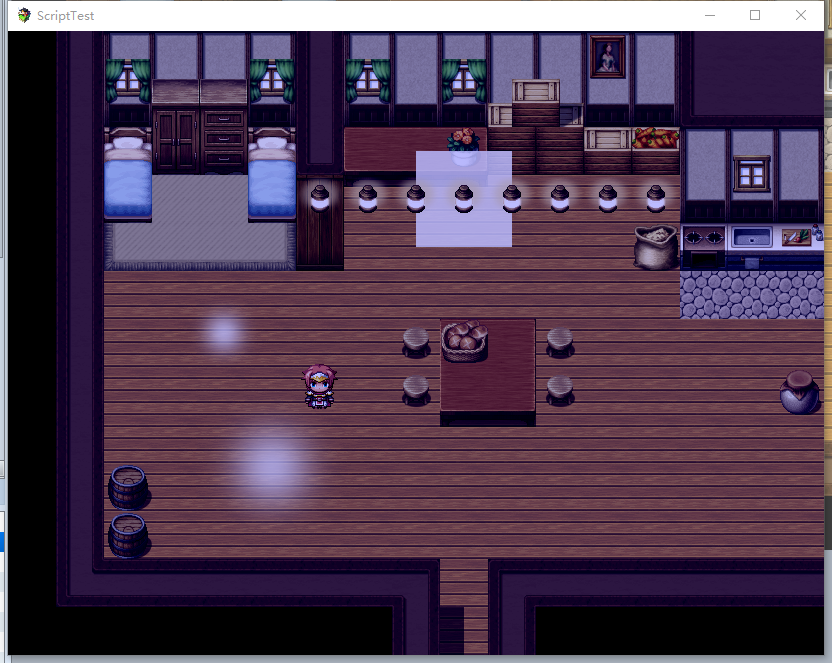
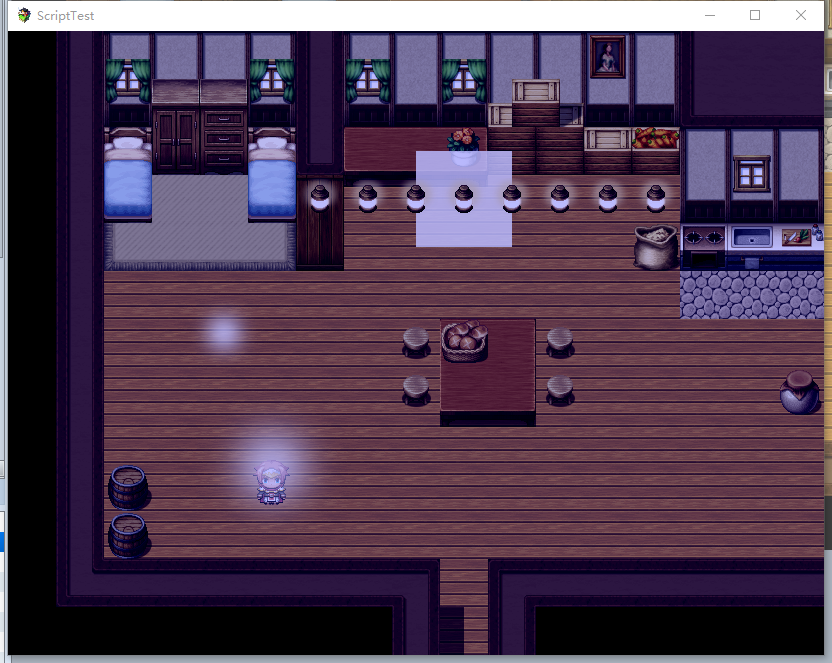
使用区域id作为额外的图片展示,具体代码如下
[pre lang="javascript"]/*:
* @plugindesc 区域图层插件
* @author 雪在燃
* v:1.2
* @help
* 区域图层插件
* 使用地图备注编写<xzr_region:on>打开该功能(注,设置为任意都将打开功能,只有删除该行才会关闭功能)
* 以下是一个事例
* <set_regionID_1:["light",234,5]>
* 代表区域1会将img/system/pictures/light展示出来,并且不透明度为234(0~255,数字越低越不透明),z坐标为5(0~10,越高则越高,降低则会被主角或npc遮盖)
*/
(function () {
var old = Spriteset_Map.prototype.createLowerLayer;
Spriteset_Map.prototype.createLowerLayer = function () {
old.call(this);
if ($dataMap.meta.xzr_region) {
this.createShadowEx();
}
};
Spriteset_Map.prototype.createShadowEx = function () {
var data = null;//JSON.parse($dataMap.mate.set_region);
for (var x = 0; x < $gameMap.width() ; x++) {
for (var y = 0; y < $gameMap.height() ; y++) {
var id = $gameMap.regionId(x, y);
if (id != 0) {
if ($dataMap.meta["set_regionID_" + id]) {
data = JSON.parse($dataMap.meta["set_regionID_" + id]);
var _sprite = new Sprite_Shadow(x, y, id, data);
this._tilemap.addChild(_sprite);
}
}
}
}
}
function Sprite_Shadow(x, y, id) {
this.initialize.apply(this, arguments);
}
Sprite_Shadow.prototype = Object.create(Sprite.prototype);
Sprite_Shadow.prototype.constructor = Sprite_Shadow;
Sprite_Shadow.prototype.initialize = function (x, y, id,data) {
Sprite.prototype.initialize.call(this);
this.bitmap = (ImageManager.loadPicture(data[0]));
this.opacity = data[1];
this._dataZ = data[2];
this._cWidth = 0;
this._cHeight = 0;
this._realX = x;
this._realY = y;
this._isReady = false;
this.z = parseInt(id);
}
Sprite_Shadow.prototype.update = function () {
Sprite.prototype.update.call(this);
if (!this._isReady && ImageManager.isReady()) {
this._cWidth = (this.bitmap.width - 48) / 2;
this._cHeight = (this.bitmap.height - 48) / 2;
this._isReady = true;
}
this.updatePosition();
}
Sprite_Shadow.prototype.updatePosition = function ()
{
this.z = this._dataZ;
this.x = this.screenX();
this.y = this.screenY();
}
Sprite_Shadow.prototype.scrolledX = function () {
return $gameMap.adjustX(this._realX - 0.5);
};
Sprite_Shadow.prototype.scrolledY = function () {
return $gameMap.adjustY(this._realY - 1);
};
Sprite_Shadow.prototype.screenX = function () {
var tw = $gameMap.tileWidth();
return Math.round((this.scrolledX() * tw + tw / 2)-this._cWidth);
};
Sprite_Shadow.prototype.screenY = function () {
var th = $gameMap.tileHeight();
return Math.round((this.scrolledY() * th + th)-this._cHeight);
};
})();[/pre]
初衷是作为光影脚本,如今并没有素材来实现这个功能wwww
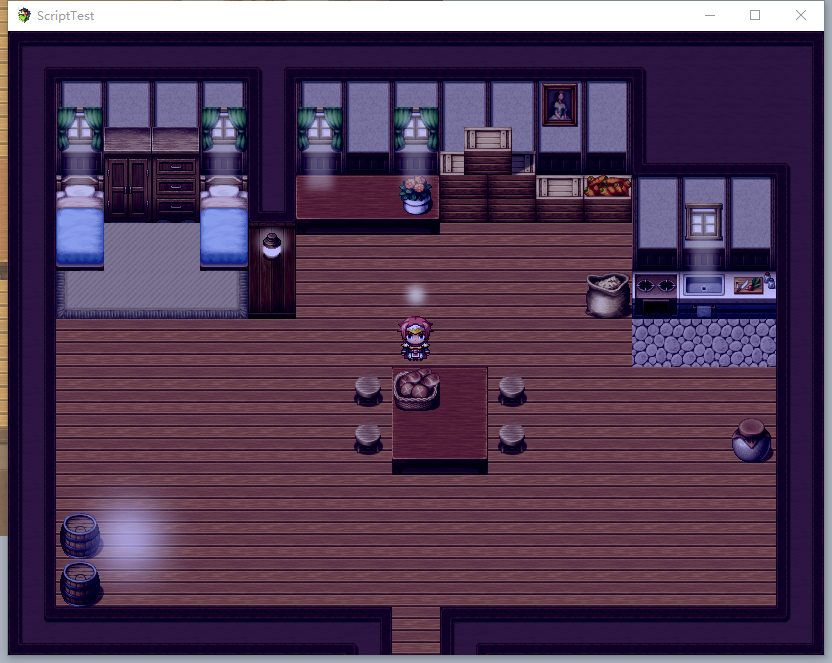
可以把图片作为图层插入到游戏里面,图片要是正方形,并且不能小于48*48,图片会以区域所在位置居中
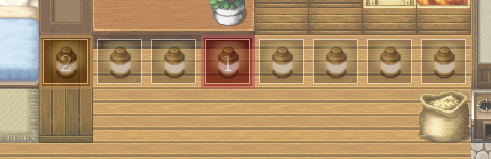
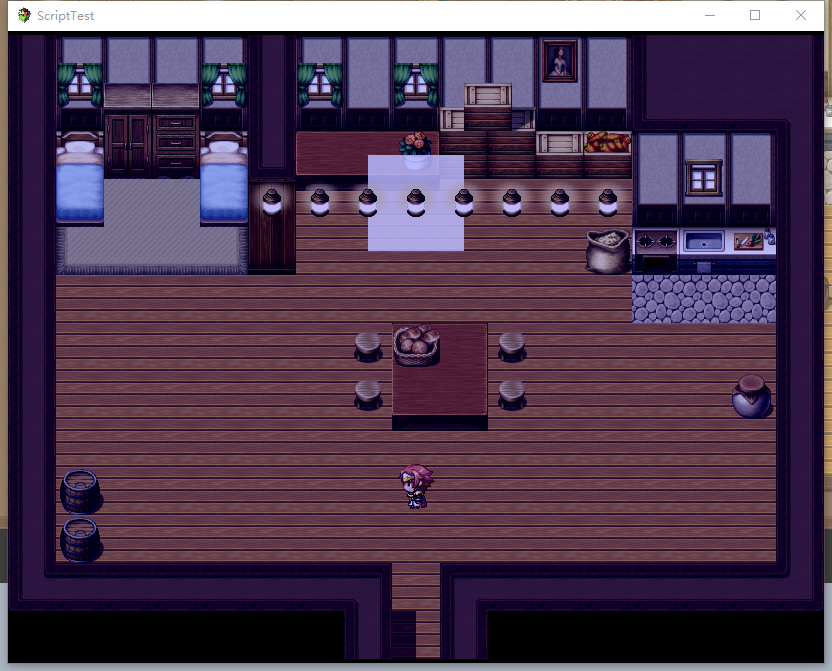
用它来实现影子是个不错的选择!光效勉勉强强应该也可以用它实现,不过需要一个圆形的渐变光图片作为素材,作为额外图层可以用来修饰地图!
对窗户用简单的光源修饰后~
|
评分
-
查看全部评分
|



 写轮眼
写轮眼
 发表于 2017-11-5 00:03:21


 提升卡
提升卡 沉默号角
沉默号角 喧嚣号角
喧嚣号角 变色卡
变色卡 升龙剑
升龙剑