查看: 1996|回复: 4

[已经过期] 关于图书图鉴脚本求帮助

[复制链接]
梦石
0
星屑
50
在线时间
160 小时
注册时间
2010-11-7
回帖
16
发表于 2013-9-4 02:02:39 | 显示全部楼层 |阅读模式

加入我们,或者,欢迎回来。

您需要 登录 才可以下载或查看,没有账号?注册会员

×
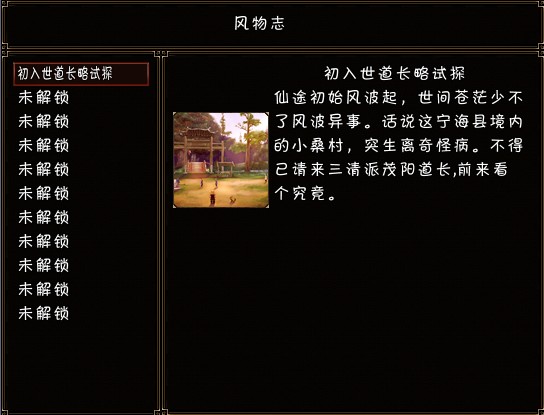
先说下我用这个脚本实现的功能 完成一个任务自动在图鉴里解锁一段介绍 得到一个物品XX风物志 使用后解锁这个物品的介绍
QQ截图20130904011652.jpg
想问怎样可以实现类似敌人图鉴http://rpg.blue/forum.php?mod=viewthread&tid=223640这样的效果 就是有多个分页比如通过任务解锁的介绍放到故事选项里 通过风物志解锁的风景类 放到风景的选项里 一共3个选项就可以了 故事 风景 珍宝 哪位可以帮帮忙非常感谢

QQ截图20130904011859.jpg

[pre lang="ruby" line="1"]#此脚本的关键之处已做了注释,
#请务必仔细阅读
class Window_Information<Window_Base
  TEXTHEIGHT=24                        #信息窗口中文字行高
  
  
  def initialize(x,y,width,height)
    super(x,y,width,height)
  end
  
  def draw_text_bylines(lines,name)
    text_x=100
    text_y=24
    self.contents.clear
    self.contents.draw_text(150,0,354,24,name)
    for i in 0..lines.size-1
      self.contents.draw_text(text_x,text_y,354,24,lines)
      text_y+=24
    end
  end
end

class Window_InforCommand<Window_Command
  def initialize(x,y,name_array,handbook,face,face_index)
    @name_array=name_array
    @handbook=handbook
    @face_visible=face
    @face_index=face_index
    @character_rect=Rect.new(0,0,96,250)
    @now_index=-1
  #--------------------------------------------------------------------------
  # ● 获取窗口的高度
  #--------------------------------------------------------------------------
  def window_height
    fitting_height(14.3)
  end
   p
    super(x,y)
    if @name_array==[]
      self.visible=false
    else
      @information_window=Window_Information.new(160,50,384,366)
    end
  end
  def make_command_list
    for i in 0..@name_array.size-1
      add_command(@name_array,:command)
    end
  end
  def update
    super
    if @now_index!=self.index
       @now_index=self.index
      if @information_window!=nil
        if @name_array[self.index]!="未解锁"
         @information_window.draw_text_bylines(@handbook[@name_array[self.index]],@name_array[self.index])
         if @face_index[self.index]!=9
         @information_window.draw_face(@face_visible[self.index],@face_index[self.index],0,50)
         else
         @information_window.contents.blt(0,50,Cache.battler(@character[self.index],0),@character_rect)
         end
       else
         @information_window.contents.clear
         @information_window.draw_text(100,0,100,24,"未解锁")
       end
     
     end
   end
   
  end
   
   def set_character(character)
     @character=character
   end
end

class Scene_Information<Scene_MenuBase
  
  MAX_ROW_WORDS=14
  def initialize
    super()
    @pages=[]
#--------------------------------------------------------------------------
  # ●以下这是这个脚本关键,按说明填数组中的内容
#--------------------------------------------------------------------------
    name_array=["初入世道长略试探","缘自起黄家祸横生","小娘子求方救夫壹","小娘子寻方救夫贰",
    "小娘子寻方救夫叁","凝香草疗伤显功效","村长愁扰心为乡里","小桑村村外斗野猪","家事多村长寻孙童",
    "传情信妖孽思春情","受嘱托除妖寻灵子"]
    #说明上面一句是设置npc的名字,名字中不要换行,""
   
    set_name_switches={0=>1,1=>4,2=>5,3=>6,4=>8,5=>10,6=>11,7=>12,8=>13,9=>14,10=>15}
    #上面设置每个npc图鉴是否可见所对应的开关,比如把剧毒术士对应7号开关
    #可以这样设置“ 1=>7”左边的1表示7号开关对应名字数组中的1号位置即数组中的
    #第二项。因为数组的0号位置对应数组的第一项,说以以此类推这样设置。
   
    @hand_book={
               "初入世道长略试探"=>"仙途初始风波起,世间苍茫少不了风波异事。话说这宁海县境内的小桑村,突生离奇怪病。不得已请来三清派茂阳道长,前来看个究竟。",
               "缘自起黄家祸横生"=>"那茂阳道长追查线索,发现村外有豺出没,此事并不简单。应与村中黄李两家所得怪病有关。",
               "小娘子求方救夫壹"=>"不出所料,村中黄妻诉说丈夫自从一次外出后便遭横祸,终日昏沉沉卧床不起。只得她心神不宁,寝食难安。",
               "小娘子寻方救夫贰"=>"茂阳子问明缘由,心中变有了计较,于是开出了一个药方,采来小桑村河边的一种凝香草,补气祛毒,活络血脉,救治黄李两家之病。",
               "小娘子寻方救夫叁"=>"黄妻当然得知自己夫君有救,喜不自胜,忙不迭的感谢恩人。",
               "凝香草疗伤显功效"=>"俗话说远亲不如近邻,李家的长贵还昏迷不醒,黄妻将茂阳子道长之药分出了一半给了李家二嫂,足见两家交情深厚。",
               "村长愁扰心为乡里"=>"李二嫂得了药心中欢喜,但想到老村长整日为村里的怪事操心劳神,如今来了能人异士,希望能前去帮他排忧解难。",
               "小桑村村外斗野猪"=>" 村外野猪横行,着实令村长头痛,与其等它们伤了人毁了物,不如趁早将它们除去方能安心。",
               "家事多村长寻孙童"=>"赶走了野猪,罗村长说村里最近怪事频发,一桩挨着一桩,村里的小孩也不知跑去哪里玩了,罗村长就怕他们被野兽,妖精伤着。",
               "传情信妖孽思春情"=>"由于最近怪事连连,村里的孩子都被喝令留在家中。李小瑶本来就胆小,却被罗小虎骗到村外,不成想遇见了妖精,惊慌之中罗小虎跑回了村内,剩下小瑶吉凶未卜。"
               
               }
    #以上数组是设置npc的介绍,里面可以换行,如果有英文字母p,则p以后的
    #内容会令起一段。,""=>""
    face=["RW-01","RW-01","自定义01","自定义01","自定义01","自定义01","自定义01","自定义01","自定义01","自定义01",
    "自定义01"]
    #以上是设置npc的头像文件名,在actor文件夹下。可以自己更改
   
   
    face_index=[0,1,1,0,1,2,3,4,4,5,0]
    #以上是设置每个对应头像的文件中具体头像的编号,应为每个头像文件包含
    #8个头像,所以要设置一下。,如果你不想用默认头像,应自己的图像
   
    character=["asura","bandit","captain","hero_m"]
    #设置人物半身像,半身像文件要放在ballters中,文件名填入以上数组
    #注意半身像文件高度不要超过200,宽度不要超过96.
     #注意以上数组中的项数一定要相同,比如上面填写的数组每个都是4项。
#--------------------------------------------------------------------------
  # ●以上这是这个脚本关键按说明填数组中的内容
#--------------------------------------------------------------------------
   
    @face_visible=[]
    @face_index=[]
    @name_visible_array=[]
    @character_visible=[]
    for i in 0..set_name_switches.size-1
      if $game_switches[set_name_switches]==true
         @name_visible_array.push(name_array)
         @face_visible.push(face)
         @face_index.push(face_index)
         @character_visible.push(character)
       else
         @name_visible_array.push("未解锁")
         @face_visible.push("")
         @face_index.push(9)
         @character_visible.push("")
       end
     end
     @hand_book.each{|key,value|@hand_book[key]=hand_book_tolines(value)}
  end

  def start
    super
    create_title_window
    create_inforcommand_window
  end
  
  def create_title_window
    @title_window=Window_Base.new(0,0,544,50)
    @title_window.draw_text(220,0,150,24,"风物志")
  end
  
  def create_inforcommand_window
    @inforcommand_window=Window_InforCommand.new(0,50,@name_visible_array, @hand_book,@face_visible,@face_index)
    @inforcommand_window.set_handler(:cancel,    method(:return_scene))
    @inforcommand_window.set_character(@character_visible)
  end
  #下面这个函数是脚本关键部分之一,不理解不影响脚本的使用
  #这里说明一下:这个脚本的想法是把每个图鉴的字符串分按字数分为
  #几个数组,每个数组会画成图鉴窗口的一行字符,9个字为一行,
  #所以这个有个问题,即每个图鉴中的文字最好不要超过60个字,否则多余的字会显示
  #不出来。
  def hand_book_tolines(string)
    @inforlines=[]
    inforline=""
    wordCount=0
    lineCount=0
    string.delete!("\n ")
    loop do
      c=string.slice!(/./m)
      if c==nil
        break
      end
      if c!="p"
          if wordCount<MAX_ROW_WORDS
            wordCount+=1
          else
            @inforlines.push(inforline)
            wordCount=1
            inforline=""
          end
            inforline+=c        
      else
          @inforlines.push(inforline)
          wordCount=0
          inforline=""
      end
    end
    @inforlines.push(inforline)
    return @inforlines
  end
end
[/pre]
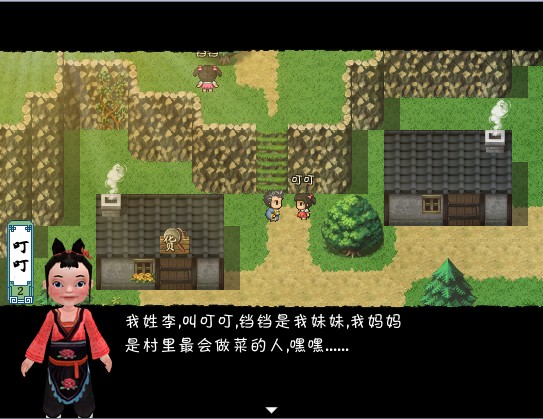
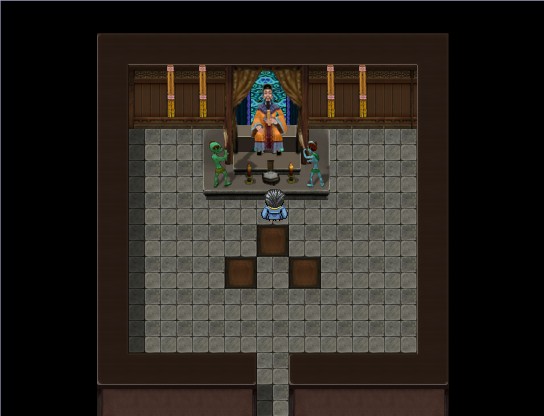
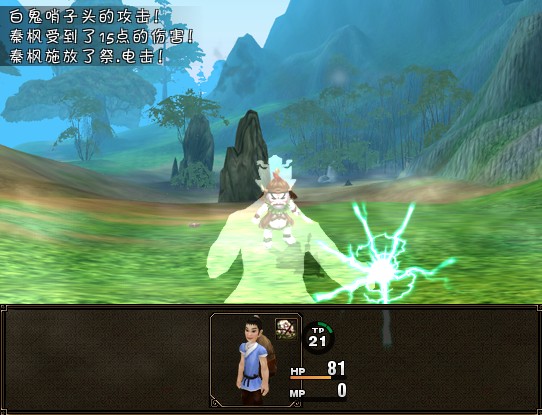
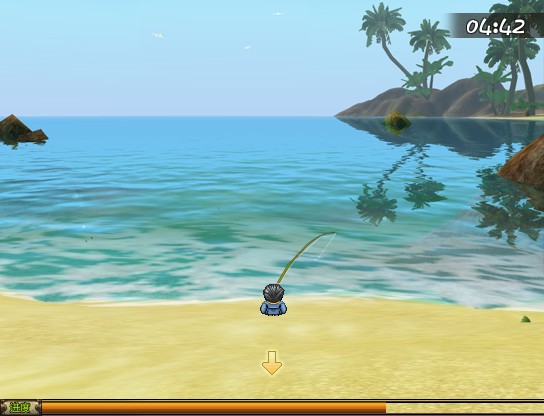
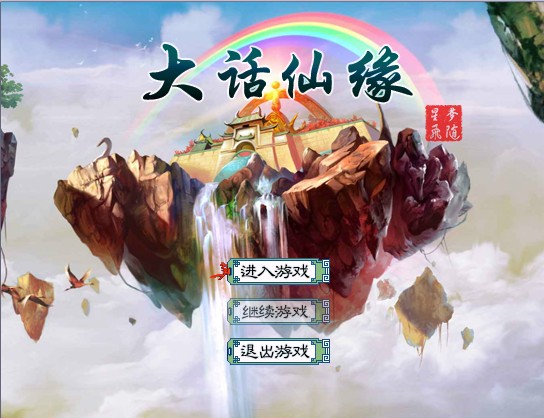
下面是我弄的游戏 基础系统就差这个没弄好了 我脚本盲,哪位能帮帮我{:2_264:}
1.jpg
2.jpg
5.jpg
4.jpg
3.jpg

点评

我的回答更了个新~  发表于 2013-9-4 11:47
梦石
0
星屑
47
在线时间
366 小时
注册时间
2012-10-6
回帖
188
发表于 2013-9-4 09:24:49 | 显示全部楼层
你问了也是没人回答的,因为这个脚本是我写的。但是我这几天找工作,吃饭都成问题,实在是没心情解决这个
回复

使用道具 举报

梦石
0
星屑
47
在线时间
366 小时
注册时间
2012-10-6
回帖
188
发表于 2013-9-4 09:27:39 | 显示全部楼层
你发的链接我看了,你可以用那个脚本啊
回复

使用道具 举报

梦石
0
星屑
50
在线时间
160 小时
注册时间
2010-11-7
回帖
16
 楼主| 发表于 2013-9-4 11:04:04 | 显示全部楼层
{:2_276:}  怪物图鉴那个脚本做这个不太合适(我不会改)

点评

遊戲裡有那些系統卻不會改? 都 用別人腳本/伸手 是沒法進步的  发表于 2013-9-4 11:17
回复

使用道具 举报

梦石
0
星屑
407
在线时间
1291 小时
注册时间
2013-1-12
回帖
3349

贵宾

发表于 2013-9-4 11:20:48 | 显示全部楼层
本帖最后由 76213585 于 2013-9-3 20:44 编辑

http://rpg.blue/thread-216707-1-1.html
可以試試看任務腳本
把相對vacab修改就可以了
然後標題就是日志標題
內容就是文章

選項數量改一下改一下就行了(自己想想看吧!)

然後於是改的新手向一点了 (不是只為了你改的说  所以 用詞 選項數量 那些還是得設定)
[pre lang="ruby" line="1"]=begin
我自己加了一些幫助新手的说明好了.....
用法:
领取任务:$game_party.get_task(任意数字,任务名称,任务描述)
如:前面有事件$game_party.get_task(1,"测试","只是测试")

完成任务:$game_party.finish_task(领取任务时设定的数字)
如:$game_party.finish_task(1)

召唤任务界面:SceneManager.call(Scene_Task)

然後下面可以設定用詞
=end
module Panda
  
  $UNFIN_TASK = "喵"  #未完成任务的用詞
  
  $FIN_TASK = "喵" #已完成任务的用詞
  
  $CANCEL = "取消" #退出界面的用詞
  
  $TASK_NAME = "任務" #菜單內任務的用詞
  
  $MEUN_ON = true #是否在菜單中顯示  要的話true 不要的話 false
end


class Task
  attr_reader :desc
  attr_reader :finished
  def initialize(origin_name,desc)
    @origin_name = origin_name
    @desc = desc
    @finished = false
  end
  def name
    if @finished
      return @origin_name + "(完成)"
    else
      return @origin_name
    end
  end
  def finish
    @finished = true
  end
   
end

class Game_Party < Game_Unit
  alias old_init initialize
  def initialize
    old_init
    @tasks = {}
  end
  def get_task(i,name,desc)
    @tasks=Task.new(name,desc)
  end
  def have_task?(i)
    @tasks != nil
  end
  def finish_task(i)
    @tasks.finish if have_task?(i)
  end
  def unfinished_tasks
    n = []
    for i in @tasks.values
      next if i.finished
      n.push(i)
    end
    return n
  end
  def finished_tasks
    n = []
    for i in @tasks.values
      next unless i.finished
      n.push(i)
    end
    return n
  end
end

class Window_Task_Type < Window_HorzCommand
  #--------------------------------------------------------------------------
  # ● オブジェクト初期化
  #--------------------------------------------------------------------------
  def initialize
    super(0, 0)
    activate
  end
  def window_width
    return Graphics.width
  end
  def col_max
    return 3
  end
  #--------------------------------------------------------------------------
  # ● コマンドリストの作成
  #--------------------------------------------------------------------------
  def make_command_list
    add_command($UNFIN_TASK,  :unfinished_task)
    add_command($FIN_TASK, :finished_task)
    add_command($CANCEL, :cancel)
  end
end

class Window_TaskLeft < Window_Selectable
  attr_reader :finished
  def initialize
    super(0,48,160,Graphics.height - 48)
    create_contents
    @finished = false
    @Index = 0
    refresh
    deactivate
  end
  def set_finish(finish)
    @finished = finish
    set_item_max
  end
  def item_max
    return @item_max != nil ? @item_max : 0
  end
  def set_item_max
    if @finished
      @item_max = $game_party.finished_tasks.size
    else
      @item_max = $game_party.unfinished_tasks.size
    end
  end

  def refresh
    set_item_max
    super
  end
  #--------------------------------------------------------------------------
  # ● 項目の描画
  #--------------------------------------------------------------------------
  def draw_item(index)
    text = ""
    unless @finished
      if $game_party.unfinished_tasks[index] != nil
        text = $game_party.unfinished_tasks[index].name
      end
    else
      if $game_party.finished_tasks[index] != nil
        text = $game_party.finished_tasks[index].name  
      end
    end
    draw_text(item_rect_for_text(index), text)
  end

end

class Window_TaskRight < Window_Base
  attr_reader :left_index
  def initialize
    super(160,48,Graphics.width - 160,Graphics.height - 48)
    create_contents
    @left_index = 0
    @finished = false
    refresh
  end
  def set_index(i)
    @left_index = i
    refresh
  end
  def set_finish(i)
    @finished = i
  end
  
  def refresh
    contents.clear
    draw_desc
  end
  def draw_desc
    if @finished
      if $game_party.finished_tasks[@left_index] != nil
        draw_text_ex(0,0,$game_party.finished_tasks[@left_index].desc)
      end
    else
      if $game_party.unfinished_tasks[@left_index] != nil
        draw_text_ex(0,0,$game_party.unfinished_tasks[@left_index].desc)
      end
    end
  end
  
end

class Scene_Task < Scene_Base
  def start
    super
    create_task_type_window
    create_left_window
    create_right_window
  end
  def update
    super
    if @left_window.active
      if Input.trigger?(:B)
        @left_window.deactivate
        @task_type_window.activate
      end
      if Input.trigger?(:UP) || Input.trigger?(:DOWN)
        @right_window.set_finish(@left_window.finished)
        @right_window.set_index(@left_window.index)
      end
    end
  end
  
  def terminate
    super
  end
  def create_task_type_window
    @task_type_window = Window_Task_Type.new
    @task_type_window.set_handler(:unfinished_task,method(:view_unfinished_task))
    @task_type_window.set_handler(:finished_task,method(:view_finished_task))
    @task_type_window.set_handler(:cancel,method(:return_scene))
  end
  def create_left_window
    @left_window = Window_TaskLeft.new
    @left_window.set_finish(false)
    @left_window.refresh
  end
  def create_right_window
    @right_window = Window_TaskRight.new
    @right_window.refresh
  end
  def view_unfinished_task
    @left_window.set_finish(false)
    @left_window.refresh
    @left_window.activate
    @task_type_window.deactivate
    @right_window.set_finish(false)
    @right_window.set_index(@left_window.index)
  end
  def view_finished_task
    @left_window.set_finish(true)
    @left_window.refresh
    @left_window.activate
    @task_type_window.deactivate
    @right_window.set_finish(true)
    @right_window.set_index(@left_window.index)
  end
  
end

  if $MEUN_ON == true
        class Window_MenuCommand < Window_Command
          alias task_add_main_commands add_main_commands #A
          def add_main_commands
              task_add_main_commands#A
              add_command($TASK_NAME, :task, main_commands_enabled)#B
          end
        end   
        class Scene_Menu < Scene_MenuBase
           alias task_create_command_window create_command_window#C
           def create_command_window
               task_create_command_window  #C
               @command_window.set_handler(:task,     method(:task))#B 跟 後面是 D
           end
           def task #D
               SceneManager.call(Scene_Task)
           end
        end   
    else
  end
[/pre]

点评

这个脚本无法翻页超过一定数量无法显示名字。。。。。。  发表于 2013-9-4 21:03

回复

使用道具 举报

您需要登录后才可以回帖 登录 | 注册会员

本版积分规则

Powered by Discuz! X5.0 © 2001-2026 Discuz! Team.

在本版发帖返回顶部