| 赞 | 0 |
| VIP | |
| 好人卡 | |
| 积分 | 1 |
| 经验 | |
| 最后登录 | 2017-1-25 |
| 在线时间 | 80 小时 |
- 梦石
- 0
- 星屑
- 50
- 在线时间
- 80 小时
- 注册时间
- 2009-10-11
- 回帖
- 16
|
加入我们,或者,欢迎回来。
您需要 登录 才可以下载或查看,没有账号?注册会员
×
本帖最后由 笑傲天 于 2014-4-4 12:14 编辑
有ace用的战斗菜单栏轮盘脚本么,求个。
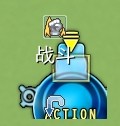 像这样的,
像这样的,
逛了一圈论坛在图书馆里找到个解密游戏里带个环形菜单脚本,
使用时出了个问题,提示我238行 WLH 错误 求解。
脚本在下面
[pre lang="ruby" line="1"]# ★ バトルレイアウト変更 (ヘルプウィンドウ通常版、少しだけ互換性が高い)
# バトルのレイアウトを変更します
# 素材『ステートアイコンのアニメーション表示』の使用をお奨めします
# ▲ 入れるフォルダは Graphics/System へ
#==============================================================================
# ■ Ziifee
#==============================================================================
module Zii
# ▼ 图标编号 (縦 × 16 + 横 - 1)
FIGHT = 132 # 战斗
ESCAPE = 143 # 逃跑
ATTACK = 116 # 攻撃 (基本)
GUARD = 139 # 防御
SKILL = 115 # 战技
SKILL2 = 14 # 技能
SKILL3 = 119 # 魔法
SKILL4 = 143 # 源术
ITEM = 260 # 项目
ESCAPE = 121
# ▼ 回転方向 ( "正" "逆" 相反 )
TURN = "正"
# ▼ 脸图 (使用場合 "使用" / 不使用 "")
STATUS_FACE = "使用"
# ▼ 表示設定 ( "名前" "" にすると 名前を非表示)
STATUS_LINE = "名前"
# ▼ △大小 ( VX 標準大小是 20)
LINE_SIZE = 14
#--------------------------------------------------------------------------
# ● 通常回転 の判定
#--------------------------------------------------------------------------
def self.turn_normal?
return false if TURN == "逆"
return true if TURN == "正"
return true
end
#--------------------------------------------------------------------------
# ● バトルオプション [顔グラフィック] の判定
#--------------------------------------------------------------------------
def self.battle_face?
return true if STATUS_FACE == "使用"
return false
end
#--------------------------------------------------------------------------
# ● バトルステートオプション [名前] の判定
#--------------------------------------------------------------------------
def self.line_name?
return true if STATUS_LINE == "名前"
return false
end
end
#==============================================================================
# ■ Window_SpinCommand
#------------------------------------------------------------------------------
# 回転用コマンド選択を行うウィンドウです。
#==============================================================================
class Window_SpinCommand < Window_Command
#--------------------------------------------------------------------------
# ● 公開インスタンス変数
#--------------------------------------------------------------------------
attr_reader :index # カーソル位置
attr_reader :help_window # ヘルプウィンドウ
#--------------------------------------------------------------------------
# ● オブジェクト初期化
# cx / cy : 中心の X座標 / Y座標
# commands : コマンド配列 (内容 は [name, kind, pull, enabled?])
# setting : 設定ハッシュ ("R"=>半径 "S"=>速さ "G"=>背景 "L"=>文字)
#--------------------------------------------------------------------------
def initialize(cx, cy, commands, setting = {})
@radius = 40#setting.has_key?("R") ? setting["R"] : 40 # 描画半径
@speed = setting.has_key?("S") ? setting["S"] : 36 # 回転速さ
@spin_back = setting.has_key?("G") ? setting["G"] : "" # 背景画像
@spin_line = setting.has_key?("L") ? setting["L"] : nil # 文字位置
x = cx - @radius - 28
y = cy - @radius - 28
width = height = @radius * 2 + 56 + 120
# super(x, y, width, height)
super(x, y)
self.opacity = 0
@Index = 0
@commands = commands # コマンド
@spin_right = true
@spin_count = 0
update_cursor
end
def window_height
fitting_height(visible_line_number) + 120
end
def window_width
return 196
end
#--------------------------------------------------------------------------
# ▽ スピン画像を描画する (描画内容 強化用)
# i : インデックス
# cx : 表示 中心位置 X座標
# cy : 表示 中心位置 Y座標
#--------------------------------------------------------------------------
def draw_spin_graphic(i, cx, cy)
case command_kind(i)
when "icon"
draw_icon(command_pull(i), cx - 17, cy - 52, command_enabled?(i))
end
end
#--------------------------------------------------------------------------
# ★ リフレッシュ バグ回避用
#--------------------------------------------------------------------------
def refresh
set_spin
end
def refresh2(cx, cy, commands, setting = {})
@radius = 44#setting.has_key?("R") ? setting["R"] : 40 # 描画半径
@speed = setting.has_key?("S") ? setting["S"] : 36 # 回転速さ
@spin_back = setting.has_key?("G") ? setting["G"] : "" # 背景画像
@spin_line = setting.has_key?("L") ? setting["L"] : nil # 文字位置
x = cx - @radius - 12
y = cy - @radius - 28
width = height = @radius * 2 + 56
#super(x, y)
self.opacity = 0
@index = 0
@commands = commands # コマンド
@spin_right = true
@spin_count = 0
update_cursor
end
#--------------------------------------------------------------------------
# ★ 項目の描画 バグ回避用
#--------------------------------------------------------------------------
def draw_item(index, enabled = true)
@commands[index][3] = enabled
set_spin
end
#--------------------------------------------------------------------------
# ● 現在のコマンド名を取得する
#--------------------------------------------------------------------------
def command_name(index = @index)
return "" if index < 0
if @commands != nil
name = @commands[index][0]
end
return name != nil ? name : ""
end
#--------------------------------------------------------------------------
# ● コマンドの種類を取得
#--------------------------------------------------------------------------
def command_kind(index)
if @commands != nil
result = @commands[index][1]
end
return result != nil ? result : ""
end
#--------------------------------------------------------------------------
# ● コマンドの引数 を取得
#--------------------------------------------------------------------------
def command_pull(index)
if @commands != nil
result = @commands[index][2]
end
return result != nil ? result : ""
end
#--------------------------------------------------------------------------
# ● コマンドの有効フラグを取得
#--------------------------------------------------------------------------
def command_enabled?(index)
if @commands != nil
result = @commands[index][3]
end
return result != nil ? result : true
end
#--------------------------------------------------------------------------
# ● 名前の位置に index を設定する
#--------------------------------------------------------------------------
def set_index(name)
n = -1
for i in 0...@commands.size
n = i if @commands[0] == name
end
@index = n if n >= 0
update_cursor
call_update_help
set_spin
end
#--------------------------------------------------------------------------
# ● カーソル位置の設定
# index : 新しいカーソル位置
#--------------------------------------------------------------------------
def index=(index)
@index = index
update_cursor
call_update_help
set_spin
end
#--------------------------------------------------------------------------
# ● 中心のX座標を取得
#--------------------------------------------------------------------------
def center_x
return contents.width / 2
end
#--------------------------------------------------------------------------
# ● 中心のY座標を取得
#--------------------------------------------------------------------------
def center_y
return contents.height / 2
end
#--------------------------------------------------------------------------
# ● 項目数の取得
#--------------------------------------------------------------------------
def item_max
if @commands != nil
return @commands.size
else
return 1
end
end
#--------------------------------------------------------------------------
# ● 背景の設定 (再定義 向き)
#--------------------------------------------------------------------------
def set_background
return if @spin_back == ""
bitmap = Cache.system(@spin_back)
rect = Rect.new(0, 0, bitmap.width, bitmap.height)
self.contents.blt(12 + 16 - 25, 12 + 8 -16, bitmap, rect)
end
#--------------------------------------------------------------------------
# ● 文章の設定 (再定義 向き)
#--------------------------------------------------------------------------
def set_text
return if @spin_line == nil
y = center_y - WLH / 2 + @spin_line
self.contents.draw_text(center_x - 56, y - 26 , 96, WLH, command_name, 1)
end
#--------------------------------------------------------------------------
# ● スピンアイコンの角度の差を取得する
#--------------------------------------------------------------------------
def angle_size
return (Math::PI * 2 / item_max) ###SR
end
#--------------------------------------------------------------------------
# ● スピンアイコン回転時のカウント を設定する
#--------------------------------------------------------------------------
def set_spin_count
@spin_count = angle_size * 360 / @speed
set_spin(true)
end
#--------------------------------------------------------------------------
# ● スピン設定 の実行
# spin : 回転フラグ (true の時回転中)
#--------------------------------------------------------------------------
def set_spin(spin = false)
self.contents.clear
set_background
angle = spin ? @speed * @spin_count / 360 : 0
angle = @spin_right ? angle : -angle
for i in 0...item_max
n = (i - @index) * angle_size + angle ###SR OFFSET
cx = - @radius * Math.cos(n-44.67) + center_x#@radius * Math.sin(n) + center_x
cy = - @radius * Math.sin(n-44.67) + center_y#- @radius * Math.cos(n) + center_y
draw_spin_graphic(i, cx, cy)
end
set_text
end
#--------------------------------------------------------------------------
# ● フレーム更新
#--------------------------------------------------------------------------
def update
super
update_cursor
if @spin_count > 0
@spin_count -= 1
set_spin(@spin_count >= 1)
return
end
update_command
end
#--------------------------------------------------------------------------
# ● コマンドの移動可能判定
#--------------------------------------------------------------------------
def command_movable?
return false if @spin_count > 0
return false if (not visible or not active)
return false if (index < 0 or index > item_max or item_max == 0)
return false if (@opening or @closing)
return true
end
#--------------------------------------------------------------------------
# ● コマンドを右に移動
#--------------------------------------------------------------------------
def command_right
@index = (@index ) % item_max#(@index + 1) % item_max
@spin_right = true
set_spin_count
end
#--------------------------------------------------------------------------
# ● コマンドを左に移動
#--------------------------------------------------------------------------
def command_left
@index = (@index + item_max) % item_max#(@index - 1 + item_max) % item_max
@spin_right = false
set_spin_count
end
#--------------------------------------------------------------------------
# ● コマンド選択の更新
#--------------------------------------------------------------------------
def update_command
if command_movable?
if Input.press?(Input::UP)
Sound.play_cursor
Zii.turn_normal? ? command_left : command_right
end
if Input.press?(Input::DOWN)
Sound.play_cursor
Zii.turn_normal? ? command_right : command_left
end
# SR 1.04: 左右键切换菜单
if Input.press?(Input::LEFT)
@index -= 1
@index = 5 if @index == - 1
Sound.play_cursor
Zii.turn_normal? ? command_left : command_right
end
if Input.press?(Input::RIGHT)
@index += 1
@index = 0 if @index == 6
Sound.play_cursor
Zii.turn_normal? ? command_right : command_left
end
###################
end
call_update_help
end
#--------------------------------------------------------------------------
# ● カーソルの更新
#--------------------------------------------------------------------------
def update_cursor
#if @index < 0
# self.cursor_rect.empty
#else
# rect = Rect.new(0, 0, 24, 24)
# rect.x = center_x - rect.width / 2
# rect.y = center_y - rect.height / 2 - @radius
# self.cursor_rect = rect
#end
end
#--------------------------------------------------------------------------
# ● ヘルプウィンドウの設定
# help_window : 新しいヘルプウィンドウ
#--------------------------------------------------------------------------
def help_window=(help_window)
@help_window = help_window
call_update_help
end
#--------------------------------------------------------------------------
# ● ヘルプウィンドウ更新メソッドの呼び出し
#--------------------------------------------------------------------------
def call_update_help
if self.active and @help_window != nil
update_help
end
end
#--------------------------------------------------------------------------
# ● ヘルプウィンドウの更新 (内容は継承先で定義する)
#--------------------------------------------------------------------------
def update_help
end
end
#==============================================================================
# ■ Window_LineHelp
#------------------------------------------------------------------------------
# スキルやアイテムの説明、アクターのステータスなどを表示するウィンドウです。
#==============================================================================
class Window_LineHelp < Window_Base
#--------------------------------------------------------------------------
# ● オブジェクト初期化
#--------------------------------------------------------------------------
def initialize
super(-16, 0, 576, WLH + 32)
self.opacity = 0
end
#--------------------------------------------------------------------------
# ● テキスト設定
# text : ウィンドウに表示する文字列
# align : アラインメント (0..左揃え、1..中央揃え、2..右揃え)
#--------------------------------------------------------------------------
def set_text(text, align = 0)
if text != @text or align != @align
self.contents.clear
back_color = Color.new(0, 0, 0, 80)
self.contents.fill_rect(0, y = 12, contents.width, WLH - y, back_color)
self.contents.font.color = normal_color
self.contents.draw_text(20, 0, self.width - 72, WLH, text, align)
@text = text
@align = align
end
end
end
#==============================================================================
# ■ Window_PartyCommand
#==============================================================================
class Window_PartyCommand2 < Window_SpinCommand
#--------------------------------------------------------------------------
# ● オブジェクト初期化
#--------------------------------------------------------------------------
def initialize
s1 = [Vocab::fight, "icon", Zii::FIGHT, true]
s2 = [Vocab::escape, "icon", Zii::ESCAPE, $game_troop.can_escape]
setting = {"R"=>40, "S"=>52, "G"=>"Spin40", "L"=>-12}
super(72, 356, [s1, s2], setting)
self.active = false
set_spin
end
end
#==============================================================================
# ■ Window_ActorCommand
#==============================================================================
class Window_ActorCommand2 < Window_SpinCommand
#--------------------------------------------------------------------------
# ● オブジェクト初期化
#--------------------------------------------------------------------------
def initialize
s1 = [Vocab::attack, "icon", Zii::ATTACK, true]
s2 = [Vocab::skill, "icon", Zii::SKILL, true]
s3 = [Vocab::guard, "icon", Zii::GUARD, true]
s4 = [Vocab::item, "icon", Zii::ITEM, true]
s5 = [Vocab::escape, "icon", Zii::ESCAPE, true]
setting = {"R"=>40, "S"=>52, "G"=>"Spin40", "L"=>-12}
super(72 , 356, [s1, s2, s3, s4, s5], setting)
self.active = false
set_spin
end
def refresh2
case @actor.id
when 1
s1 = [Vocab::attack, "icon", Zii::ATTACK, true]
s2 = ["战技", "icon", Zii::SKILL, true]
s3 = ["技能", "icon", Zii::SKILL2, true]
s4 = [Vocab::guard, "icon", Zii::GUARD, true]
s5 = [Vocab::item, "icon", Zii::ITEM, true]
s6 = [Vocab::escape, "icon", Zii::ESCAPE, true]
setting = {"R"=>40, "S"=>52, "G"=>"Spin40", "L"=>-12}
super(72, 356, [s1, s2, s3, s4, s5, s6], setting)
self.active = false
set_spin
when 2
s1 = [Vocab::attack, "icon", Zii::ATTACK, true]
s2 = ["战技", "icon", Zii::SKILL, true]
s3 = ["魔法", "icon", Zii::SKILL3, true]
s4 = [Vocab::guard, "icon", Zii::GUARD, true]
s5 = [Vocab::item, "icon", Zii::ITEM, true]
s6 = [Vocab::escape, "icon", Zii::ESCAPE, true]
setting = {"R"=>40, "S"=>52, "G"=>"Spin40", "L"=>-12}
super(72, 356, [s1, s2, s3, s4, s5, s6], setting)
self.active = false
set_spin
when 3
s1 = [Vocab::attack, "icon", Zii::ATTACK, true]
s2 = ["战技", "icon", Zii::SKILL, true]
s3 = ["技能", "icon", Zii::SKILL2, true]
s4 = [Vocab::guard, "icon", Zii::GUARD, true]
s5 = [Vocab::item, "icon", Zii::ITEM, true]
s6 = [Vocab::escape, "icon", Zii::ESCAPE, true]
setting = {"R"=>40, "S"=>52, "G"=>"Spin40", "L"=>-12}
super(72, 356, [s1, s2, s3, s4, s5, s6], setting)
self.active = false
set_spin
when 4
s1 = [Vocab::attack, "icon", Zii::ATTACK, true]
s2 = ["魔法", "icon", Zii::SKILL3, true]
s3 = ["源术", "icon", Zii::SKILL4, true]
s4 = [Vocab::guard, "icon", Zii::GUARD, true]
s5 = [Vocab::item, "icon", Zii::ITEM, true]
s6 = [Vocab::escape, "icon", Zii::ESCAPE, true]
setting = {"R"=>40, "S"=>52, "G"=>"Spin40", "L"=>-12}
super(72, 356, [s1, s2, s3, s4, s5, s6], setting)
self.active = false
set_spin
else
s1 = [Vocab::attack, "icon", Zii::ATTACK, true]
s2 = [Vocab::skill, "icon", Zii::SKILL, true]
s3 = [Vocab::guard, "icon", Zii::GUARD, true]
s4 = [Vocab::item, "icon", Zii::ITEM, true]
s5 = [Vocab::escape, "icon", Zii::ESCAPE, true]
setting = {"R"=>40, "S"=>52, "G"=>"Spin40", "L"=>-12}
super(72, 356, [s1, s2, s3, s4, s5], setting)
self.active = false
set_spin
end
end
#--------------------------------------------------------------------------
# ● 按下取消键时的处理
#--------------------------------------------------------------------------
def process_cancel
#Sound.play_cancel
#Input.update
#deactivate
#call_cancel_handler
end
#--------------------------------------------------------------------------
# ● 调用“取消”的处理方法
#--------------------------------------------------------------------------
def call_cancel_handler
#call_handler(:cancel)
end
def clear_command_list
@list = []
end
def add_command(name, symbol, enabled = true, ext = nil)
@list.push({:name=>name, :symbol=>symbol, :enabled=>enabled, :ext=>ext})
end
#--------------------------------------------------------------------------
# ● 获取显示行数
#--------------------------------------------------------------------------
def visible_line_number
return 5#4
end
#--------------------------------------------------------------------------
# ● 生成指令列表
#--------------------------------------------------------------------------
def make_command_list
return unless @actor
add_attack_command
add_skill_commands
add_guard_command
add_item_command
add_escape_command
end
#--------------------------------------------------------------------------
# ☆ 添加逃跑指令
#--------------------------------------------------------------------------
def add_escape_command
add_command(Vocab::escape, :escape, BattleManager.can_escape?)
end
#--------------------------------------------------------------------------
# ● 添加攻击指令
#--------------------------------------------------------------------------
def add_attack_command
add_command(Zii::ATTACK, :attack, @actor.attack_usable?)
end
#--------------------------------------------------------------------------
# ● 添加技能指令
#--------------------------------------------------------------------------
def add_skill_commands
@actor.added_skill_types.sort.each do |stype_id|
name = $data_system.skill_types[stype_id]
add_command(name, :skill, true, stype_id)
refresh2
end
end
#--------------------------------------------------------------------------
# ● 添加防御指令
#--------------------------------------------------------------------------
def add_guard_command
add_command(Vocab::guard, :guard, @actor.guard_usable?)
end
#--------------------------------------------------------------------------
# ● 添加物品指令
#--------------------------------------------------------------------------
def add_item_command
add_command(Vocab::item, :item)
end
#--------------------------------------------------------------------------
# ● 设置
#--------------------------------------------------------------------------
def setup(actor)
@actor = actor
clear_command_list
make_command_list
refresh
#select(0)
activate
open
self.index = 0
set_spin
end
#--------------------------------------------------------------------------
# ● セットアップ
# actor : アクター
#--------------------------------------------------------------------------
#def setup(actor)
# @commands[0][2] = Zii::ATTACK
# @commands[1][0] = Vocab::skill
# if actor.weapons[0] != nil
# n = actor.weapons[0].icon_index
# @commands[0][2] = n if n > 0
# end
# #@commands[1][0] = actor.class.skill_name if actor.class.skill_name_valid
# add_skill_commands
# self.index = 0
# set_spin
#end
end[/pre] |
|


 写轮眼
写轮眼
 发表于 2014-4-1 00:35:29
 提升卡
提升卡 沉默号角
沉默号角 喧嚣号角
喧嚣号角 变色卡
变色卡 升龙剑
升龙剑
