| 赞 | 91 |
| VIP | |
| 好人卡 | |
| 积分 | 105 |
| 经验 | |
| 最后登录 | 2024-6-24 |
| 在线时间 | 5019 小时 |
无限の剣制
- 梦石
- 0
- 星屑
- 10450
- 在线时间
- 5019 小时
- 注册时间
- 2013-2-28
- 回帖
- 4942
 
|
 发表于 2015-1-4 22:15:22
|
显示全部楼层
发表于 2015-1-4 22:15:22
|
显示全部楼层
本帖最后由 VIPArcher 于 2015-1-5 23:11 编辑
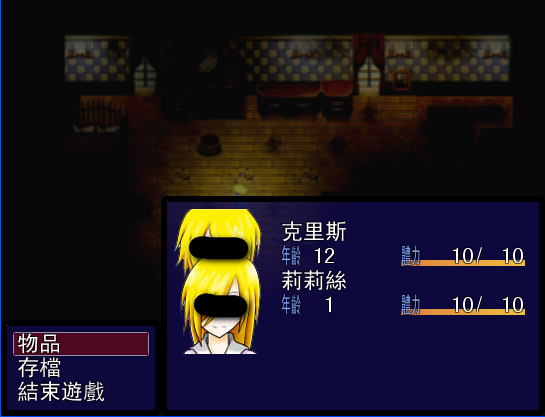
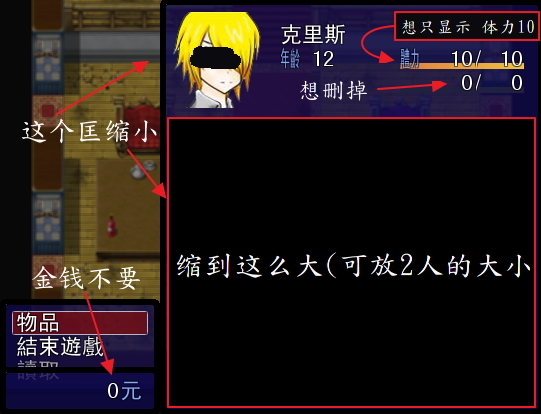
那个条是可以改变颜色的。可以修改Window_Base#draw_actor_hp方法。例如:
[pre lang="ruby" line="1"]class Window_MenuStatus < Window_Selectable
#--------------------------------------------------------------------------
# ● 绘制 HP
#--------------------------------------------------------------------------
#修改这个句脚本里的 hp_gauge_color1, hp_gauge_color2 两个参数,Color类
#例如
def draw_actor_hp(actor, x, y, width = 124)
draw_gauge(x, y, width, actor.hp_rate,Color.new(0,200,0),Color.new(100,0,0))
change_color(system_color)
draw_text(x, y, 30, line_height, Vocab::hp_a)
change_color(normal_color)
draw_text(x, y, width,line_height, actor.hp.to_s , 2)
end
#~ 原方法对照一下你自己看看吧
#~ def draw_actor_hp(actor, x, y, width = 124)
#~ draw_gauge(x, y, width, actor.hp_rate, hp_gauge_color1, hp_gauge_color2)
#~ change_color(system_color)
#~ draw_text(x, y, 30, line_height, Vocab::hp_a)
#~ draw_current_and_max_values(x, y, width, actor.hp, actor.mhp,
#~ hp_color(actor), normal_color)
#~ end
end[/pre]
修改后[pre lang="ruby" line="1"]class Window_MenuCommand < Window_Command
def initialize
super(0, Graphics.height - fitting_height(3))
select_last
end
def make_command_list
add_command(Vocab::item, :item, main_commands_enabled)
add_command(Vocab::save, :save, save_enabled)
add_command(Vocab::game_end, :game_end)
end
end
class Window_MenuStatus < Window_Selectable
def draw_actor_simple_status(actor, x, y)
draw_actor_name(actor, x, y)
draw_actor_level(actor, x, y + line_height * 1)
draw_actor_icons(actor, x, y + line_height * 2)
draw_actor_class(actor, x + 120, y) #绘制职业
draw_actor_hp(actor, x + 120, y + line_height * 1)
end
def draw_item(index)
actor = $game_party.members[index]
enabled = $game_party.battle_members.include?(actor)
rect = item_rect(index)
draw_item_background(index)
draw_actor_face(actor, rect.x + 1, rect.y + 1, enabled)
draw_actor_simple_status(actor, rect.x + 108, rect.y + line_height / 2)
end
end
class Scene_Menu < Scene_MenuBase
def start
super
create_command_window
create_status_window
@status_window.arrows_visible = false
@status_window.height = Graphics.height / 2 + 12
@status_window.y = Graphics.height - @status_window.height
end
end[/pre] |
评分
-
查看全部评分
|


 写轮眼
写轮眼
 发表于 2015-1-4 21:32:11
 提升卡
提升卡 沉默号角
沉默号角 喧嚣号角
喧嚣号角 变色卡
变色卡 升龙剑
升龙剑