| 赞 | 168 |
| VIP | |
| 好人卡 | |
| 积分 | 229 |
| 经验 | |
| 最后登录 | 2025-4-1 |
| 在线时间 | 8598 小时 |
- 梦石
- 0
- 星屑
- 22879
- 在线时间
- 8598 小时
- 注册时间
- 2011-12-31
- 回帖
- 3270
|
 发表于 2015-8-6 13:08:54
|
显示全部楼层
发表于 2015-8-6 13:08:54
|
显示全部楼层
本帖最后由 tseyik 于 2015-8-6 13:17 编辑
試試
Basic Modules[pre lang="ruby"]# =============================================================================
# TheoAllen - Basic Modules
# Version : 1.5d
# Contact : www.rpgmakerid.com (or) http://theolized.blogspot.com
# By : TheoAllen (Original Scripter)
# =============================================================================
$imported = {} if $imported.nil?
# =============================================================================
# This basic modules means to be my personal module to develop script or system.
# It's to facilitate me on everything I do. Whether is just a little experiment
# or make a big system.
#
# However, not all of my scripts needs this basic modules. Mostly not, but some
# other requires.
# -----------------------------------------------------------------------------
# This module contains :
# =============================================================================
$imported[:Theo_BasicFuntions] = true # Basic Funtions
$imported[:Theo_BitmapAddons] = true # Bitmap Extra Addons
$imported[:Theo_CoreDamage] = true # Core Damage Processing
$imported[:Theo_CoreResult] = true # Core Damage Result
$imported[:Theo_Movement] = true # Object Core Movement
$imported[:Theo_CoreFade] = true # Object Core Fade
$imported[:Theo_Circular] = true # Object Circular Movement
$imported[:Theo_CloneImage] = true # Clone Image. For Afterimage Base
$imported[:Theo_RotateImage] = true # To rotate sprite
$imported[:Theo_SmoothMove] = true # Object Smooth Movement
# =============================================================================
# Note to users:
# -----------------------------------------------------------------------------
# Categorize this script as core script. It means that you have to put this
# script above all custom scripts.
#
# I know sometimes basic modules provides incompatibility among others. In fact,
# not all of these functions are being used in my scripts. I always mentioned
# in any script that requires this basic modules which methods I use. So, to
# provide more compatibility, you may disable unused functions by set it to
# false.
#
# =============================================================================
# Note to scripters :
# -----------------------------------------------------------------------------
# The documentation of each division is written below.
#
# You may edit this basic modules if you think you could make it better. And
# please tell me what have you edited. I glad if there is any scripter who
# willing to contribute to this basic modules to make it better.
#
# You may put your name to credit list if you have contributed to this basic
# module. But please keep in mind. This basic module shouldn't affect default
# script so much. It's only provides basic functions which will be used in
# other script.
# =============================================================================
# Known incompatibility :
# >> Modern Algebra - Bitmap Addons (Disable the Bitmap Addon)
# >> Tsukihime - Core Damage (Disable the Core Damage processing)
# >> YEA - Lunatic Damage (Disable the Core Damage processing)
# >> Enu - Tankentai (I just heard. Haven't tried it yet)
# =============================================================================
# ChangeLogs :
# =============================================================================
# Version 1.0 : - Initial Release
# Version 1.2 : - Add Bitmap Entire Fill
# - Add Bitmap Border Fill
# - Add To Center window position
# - Add more description
# Version 1.3 : - Added Clone Sprite function and afterimagebase
# Version 1.3b : - Added TSBS basic function
# - Greatly reduced lag for afterimage effect
# Version 1.4 : - Added rotate image basic module
# - Fixed bug at Object Core Fade
# Version 1.5 : - Added Smooth movement
# - Fixed bug on circle movement
# - Fixed bug on movement module where float may causes endless
# moving
# - Fixed wrong parameter in drawing eclipse / circle
# - Fixed color parameter on drawing arrow
# - Added Plane_Mask on basic functions
# - Added step parameter on draw circle
# - Fixed wrong target opacity in object core fade for Window
# - Dispose afterimages from Sprite_Base
# Version 1.5b - Afterimage now followed by flashing sprite
# Version 1.5c - Fixed bug on object core fade.
# - Remove core fade from window since it's absurb :v
# - Compatibility with nickle's core
# Version 1.5d - Allow you to jump in same place
# =============================================================================
# RGSS3 ~ Bug Fixes (Taken from RMWeb.com)
# forums.rpgmakerweb.com/index.php?/topic/1131-rgss3-unofficial-bugfix-snippets
# =============================================================================
# Screen shake bugfix
# -----------------------------------------------------------------------------
class Game_Interpreter
def command_225
screen.start_shake(@params[0], @params[1], @params[2])
wait(@params[2]) if @params[3]
end
end
# -----------------------------------------------------------------------------
# Enemy targeting bugfix
# -----------------------------------------------------------------------------
class Game_Action
def targets_for_friends
if item.for_user?
[subject]
elsif item.for_dead_friend?
if item.for_one?
[friends_unit.smooth_dead_target(@target_index)]
else
friends_unit.dead_members
end
elsif item.for_friend?
if item.for_one?
if @target_index < 0
[friends_unit.random_target]
else
[friends_unit.smooth_target(@target_index)]
end
else
friends_unit.alive_members
end
end
end
end
# -----------------------------------------------------------------------------
# process normal char bugfix
# -----------------------------------------------------------------------------
class Window_Base < Window
alias :process_normal_character_theolized :process_normal_character
def process_normal_character(c, pos)
return unless c >= ' '
process_normal_character_theolized(c, pos)
end
end
# -----------------------------------------------------------------------------
# Disable Japanese input name
# -----------------------------------------------------------------------------
class Game_System
def japanese?
false
end
end
#==============================================================================
# ** Basic Functions ~
#------------------------------------------------------------------------------
# These are just basic functions. It will not do anything in script mechanics.
# I only provide these functions to be used later in upcoming script or just
# simply for experimental.
#------------------------------------------------------------------------------
if $imported[:Theo_BasicFuntions] # Activation flag
#==============================================================================
module Math
# Convert degree to radian
def self.radian(degree)
return (degree.to_f/180) * Math::PI
end
# Convert radian to degree
def self.degree(radian)
return (radian.to_f/Math::PI) * 180
end
end
class Object
# Generate number with range from minimum to maximum
unless method_defined?(:rand_range)
def rand_range(min,max,float = false)
range = max - min
return float ? (min + (rand*range)) : min + rand(range)
end
end
# ---------------------------------------------------------------------------
# Iterate instance variables one by one.
#
# Example usage :
# each_var do |ivar|
# ivar.update if ivar.is_a?(Sprite)
# end
# ---------------------------------------------------------------------------
def each_var
instance_variables.each do |varsymb|
yield instance_variable_get(varsymb)
end
end
end
#==============================================================================
# ** Sprite_Screen
#------------------------------------------------------------------------------
# Sprite that same size as the screen. It can be used to draw anything on
# screen. I believe sometime you need it
#
# Example usage :
# - http://goo.gl/E88ufV ( Event Pointer )
#==============================================================================
class Sprite_Screen < Sprite
def initialize(viewport = nil)
super(viewport)
self.bitmap = Bitmap.new(Graphics.width,Graphics.height)
end
def dispose
self.bitmap.dispose
super
end
end
#==============================================================================
# ** Plane_Mask
#------------------------------------------------------------------------------
# Sprite that same size as the map size. It's also scrolled alongside the map
# if it's updated. It can be used to draw anything on map. Can be used as base
# class of parallax lock actually
#==============================================================================
class Plane_Mask < Plane
def initialize(vport)
super(vport)
@width = 1
@height = 1
end
def update
if $game_map
if @width != $game_map.width || @height != $game_map.height
@width = $game_map.width
@height = $game_map.height
update_bitmap
end
self.ox = $game_map.display_x * 32
self.oy = $game_map.display_y * 32
end
end
def update_bitmap
bmp = Bitmap.new(@width * 32, @height * 32)
self.bitmap = bmp
end
end
#==============================================================================
# ** Window_Confirmation
#------------------------------------------------------------------------------
# Window command class that holds yes and no command. Used to make
# confirmation function. If you want some alteration of this class, just make
# inheritance.
#
# This is for my personal development. I mean, if there is a simple script
# that display window yes/no confirmation, it will not require this basic
# module. I prefer to duplicate this class to my script instead. You know,
# most people hates Core Script / Basic Modules
#==============================================================================
class Window_Confirmation < Window_Command
def window_width
return 100
end
def make_command_list
add_command(ok_vocab, :ok, ok_condition)
add_command(cancel_vocab, :cancel, cancel_condition)
end
# Vocab yes
def ok_vocab
return "Yes"
end
# Vocab cancel
def cancel_vocab
return "No"
end
# Overwrite this method in child class
def ok_condition
return true
end
# Overwrite this method in child class
def cancel_condition
return true
end
def alignment
return 1
end
end
#==============================================================================
# ** Coordinate
#------------------------------------------------------------------------------
# Coordinate class that holds x dan y point. Can be used to calculate point
# operation such as vector
#
# Example usage :
# - http://goo.gl/E88ufV ( Event Pointer )
#==============================================================================
class Coordinate
attr_accessor :x,:y
def initialize(x,y)
@x = x
@y = y
end
def + (other)
other = other.to_c unless other.is_a?(Coordinate)
Coordinate.new(self.x + other.x, self.y + other.y)
end
def - (other)
other = other.to_c unless other.is_a?(Coordinate)
Coordinate.new(self.x - other.x, self.y - other.y)
end
def == (other)
other = other.to_c unless other.is_a?(Coordinate)
return self.x == other.x && self.y == other.y
end
# To String function
def to_s
return "(#{self.x},#{self.y})"
end
end
#==============================================================================
# ** Vector
#------------------------------------------------------------------------------
# Vector class that handles all vector functions. Note that some of these
# methods and variable terms are named in Indonesian terms. Because I don't
# really know what is in English terms
#
# Example usage :
# - http://goo.gl/E88ufV ( Event Pointer )
#==============================================================================
class Vector
attr_accessor :pangkal # Starting point
attr_accessor :ujung # End point
def initialize(pangkal,ujung,radius = 0)
@pangkal = pangkal.is_a?(Coordinate) ? pangkal : pangkal.to_c
if ujung.is_a?(Numeric)
x_pos = @pangkal.x + (Math.cos(Math.radian(ujung)) * radius)
y_pos = @pangkal.y + (Math.sin(Math.radian(ujung)) * radius)
@ujung = Coordinate.new(x_pos,y_pos)
return
end
@ujung = ujung.is_a?(Coordinate) ? ujung : ujung.to_c
end
# Get scalar value
def skalar
Math.sqrt(jarak_x**2 + jarak_y**2)
end
def + (other)
if other.is_a?(Coordinate)
return Vector.new(pangkal + other, ujung + other)
end
Vector.new(pangkal, ujung + other.satuan)
end
def - (other)
if other.is_a?(Coordinate)
return Vector.new(pangkal - other, ujung - other)
end
Vector.new(pangkal, ujung - other.satuan)
end
# Get degree upon two different point
def degree
Math.degree(Math.atan2(jarak_y,jarak_x)) rescue 0
end
# Get distance X
def jarak_y
ujung.y - pangkal.y
end
# Get distance Y
def jarak_x
ujung.x - pangkal.x
end
# Convert vector to coordinate
def satuan
Coordinate.new(jarak_x, jarak_y)
end
# To string format
def to_s
return @pangkal.to_s + " ---> " + @ujung.to_s
end
end
#==============================================================================
# ** VectorObject
#------------------------------------------------------------------------------
# This class handles two objects that their vector is later will be used.
#
# Example usage :
# - http://goo.gl/E88ufV ( Event Pointer )
#==============================================================================
class VectorObject
attr_accessor :pangkal # Starting object
attr_accessor :ujung # End object
attr_accessor :color # Color value (to draw lines)
attr_accessor :offset_x # Offset value X
attr_accessor :offset_y # Offset value Y
# Basically, offset value is a increment value upon a new vector that created
# using to_v vector. I don't really know if 'offset' is the right word. I'm
# suck at english afterall
def initialize(pangkal,ujung,color = Color.new(255,255,255))
@pangkal = pangkal
@ujung = ujung
@color = color
@offset_x = 0
@offset_y = 0
end
# Two object converted into vector
def to_v
a = @pangkal.to_c
b = @ujung.to_c
a.x += @offset_x
b.x += @offset_x
a.y += @offset_y
b.y += @offset_y
Vector.new(a,b)
end
end
#==============================================================================
# ** Bitmap
#------------------------------------------------------------------------------
# Built in class that handles bitmap
#==============================================================================
class Bitmap
# Fill entire bitmap with color
def entire_fill(color = Color.new(0,0,0,150))
fill_rect(self.rect,color)
end
# Fill bitmap edge only
def border_fill(color = Color.new(255,255,255))
fill_rect(0,0,width,1,color)
fill_rect(0,0,1,height,color)
fill_rect(width-1,0,1,height,color)
fill_rect(0,height-1,width,1,color)
end
end
#==============================================================================
# ** Window_Base
#------------------------------------------------------------------------------
# This is a super class of all windows within the game.
#==============================================================================
class Window_Base < Window
# Same as bitmap entire fill
def entire_fill(color = Color.new(0,0,0,150))
contents.entire_fill(color)
end
# Set window to center position of the screen
def to_center
self.x = Graphics.width/2 - self.width/2
self.y = Graphics.height/2 - self.height/2
end
end
#==============================================================================
# ** Color
#------------------------------------------------------------------------------
# Built in class that handles color
#==============================================================================
class Color
# Is color same as other?
def same?(*args)
args = args.select {|color| color.is_a?(Color)}
return false if args.empty?
return args.any?{|color| self.red == color.red &&
self.green == color.green && self.blue == color.blue &&
self.alpha == color.alpha}
end
# Is color empty?
def empty?
return self.alpha <= 0
end
end
# -----------------------------------------------------------------------------
# New Method : To Coordinate Conversion
# -----------------------------------------------------------------------------
class Object
def to_c
return Coordinate.new(0,0)
end
end
class Numeric
def to_c
return Coordinate.new(self,self)
end
end
class Sprite
def to_c
return Coordinate.new(self.x,self,y)
end
end
class Window
def to_c
return Coordinate.new(self.x,self,y)
end
end
class Game_Enemy < Game_Battler
def to_c
return Coordinate.new(self.screen_x,self,screen_y)
end
end
class Game_CharacterBase
def to_c(map = false)
if map
return Coordinate.new(self.real_x,self.real_y)
end
return Coordinate.new(self.screen_x,self.screen_y)
end
end
# -----------------------------------------------------------------------------
# Added TSBS basic function. To calculate sprite anim cell
# -----------------------------------------------------------------------------
module TSBS
def self.cell(row, col)
result = (MaxCol * (row - 1)) + (col - 1)
return result
end
end
end
#==============================================================================
# ** Bitmap Extra addons v2.1
#------------------------------------------------------------------------------
# This bitmap extra addons provide basic function of drawing shapes. It could
# be drawing polygon, line, arrow, elipse or such.
#
# The code may look messy. Even myself forget how it works. To be note that
# even this current version is 2.1, the draw filled polygon is imperfect. Do
# not use at this moment.
#
# Some functions may need my Basic Functions to be activated. So I suggest you
# to also activate it
#
# Example usage :
# - http://goo.gl/E88ufV ( Event Pointer )
# - http://goo.gl/DlrPuR ( Simple Polygon Status )
#------------------------------------------------------------------------------
if $imported[:Theo_BitmapAddons] # Activation flag
# =============================================================================
class Bitmap
attr_accessor :start_degree
# ------------------------------------------------------------------------
# Static Members
# ------------------------------------------------------------------------
@@default_color = Color.new(255,255,255)
@@arrow_degree = 30
def self.default_color=(color)
@@default_color = color
end
def self.arrow_degree=(degree)
@@arrow_degree = degree
end
def self.default_color
@@default_color
end
def self.arrow_degree
@@arrow_degree
end
alias theo_bitmap_init initialize
def initialize(*args)
theo_bitmap_init(*args)
@start_degree = 270
end
# ------------------------------------------------------------------------
# Bitmap draw line. The avalaible arguments to put are
# - draw_line(x1,x2,y1,y2,[color])
# - draw_line(coordinate1, coordinate2, [color])
# - draw_line(vector, [color])
#
# coordinate must be Coordinate object from this basic module.
# So do the vector
# ------------------------------------------------------------------------
def draw_line(x1, y1=0, x2=0, y2=0, color=@@default_color.dup,
color_set_skip = false)
# ----------------------------------------------------------------------
# If the argument is a vector
# ----------------------------------------------------------------------
if x1.is_a?(Vector)
new_color = (y1.is_a?(Color) ? y1 : color)
draw_line(x1.pangkal,x1.ujung,new_color) # Recursive
return # Exit
# ----------------------------------------------------------------------
# If two arguments are coordinates
# ----------------------------------------------------------------------
elsif x1.is_a?(Coordinate) && y1.is_a?(Coordinate)
pangkal = x1
ujung = y1
new_color = (x2.is_a?(Color) ? x2 : color)
draw_line(pangkal.x,pangkal.y,ujung.x,ujung.y,new_color) # Recursive
return # Exit
end
# ----------------------------------------------------------------------
# If two coordinate is same
# ----------------------------------------------------------------------
if x1 == x2 && y1 == y2
set_pixel(x1,y1,color)
yield [x1,x2] if block_given?
return # Exit
end
# ----------------------------------------------------------------------
# Calculate distance X dan Y
# ----------------------------------------------------------------------
jarak_x = (x2-x1)
jarak_y = (y2-y1)
# ----------------------------------------------------------------------
# If line is horz line or vert line
# ----------------------------------------------------------------------
if jarak_y == 0 || jarak_x == 0
# Horizontal
if jarak_y == 0
draw_horz(x1,y1,jarak_x,color)
for j in 0..jarak_x
yield [x1,y1]
x1 += 1
end if block_given?
# Vertikal
elsif jarak_x == 0
draw_vert(x1,y1,jarak_y,color)
for k in 0..jarak_y
yield [x1,y1]
y1 += 1
end if block_given?
end
return # Exit
end
# ----------------------------------------------------------------------
# If line is diagonal
# ----------------------------------------------------------------------
maximum = [jarak_x.abs,jarak_y.abs].max
rasio_x = jarak_x / maximum.to_f
rasio_y = jarak_y / maximum.to_f
real_x = x1.to_f
real_y = y1.to_f
for i in 0..maximum
set_pixel(x1,y1,color) unless get_pixel(x1,y1).same?(color) ||
color_set_skip ? !get_pixel(x1,y1).empty? : false
real_x += rasio_x
real_y += rasio_y
yield [x1,y1] if block_given?
x1 = real_x.round
y1 = real_y.round
end
end
# ------------------------------------------------------------------------
# Gradient line
# ------------------------------------------------------------------------
def gradient_line(x1,y1=0,x2=0,y2=0,color1=@@default_color.dup,
color2 = color1)
if x1.is_a?(Vector)
warna_pangkal = (y1.is_a?(Color) ? y1 : color1)
warna_ujung = (x2.is_a?(Color) ? x2 : color2)
gradient_line(x1.pangkal, x1.ujung, warna_pangkal, warna_ujung)
return
elsif x1.is_a?(Coordinate) && y1.is_a?(Coordinate)
pangkal = x1
ujung = y1
warna_pangkal = (x2.is_a?(Color) ? x2 : color1)
warna_ujung = (y2.is_a?(Color) ? y2 : color2)
gradient_line(pangkal.x,pangkal.y,ujung.x,ujung.y,warna_pangkal,
warna_ujung)
return
end
jarak_x = (x2-x1)
jarak_y = (y2-y1)
radius = Math.sqrt((jarak_x**2) + (jarak_y**2))
red_diff = (color2.red - color1.red) / radius
green_diff = (color2.green - color1.green) / radius
blue_diff = (color2.blue - color1.blue) / radius
alpha_diff = (color2.alpha - color1.alpha) / radius
red = color1.red
green = color1.green
blue = color1.blue
alpha = color1.alpha
if jarak_y.abs == 0 || jarak_x.abs == 0
gradient_fill_rect(x1,y1,1,jarak_y,color1,color2,true) if jarak_y.abs == 0
gradient_fill_rect(x1,y1,jarak_x,1,color1,color2) if jarak_x.abs == 0
return
end
maximum = [jarak_x.abs,jarak_y.abs].max
rasio_x = jarak_x / maximum.to_f
rasio_y = jarak_y / maximum.to_f
real_x = x1.to_f
real_y = y1.to_f
for i in 0..maximum
new_color = Color.new(red,green,blue,alpha)
set_pixel(x1,y1,new_color) unless get_pixel(x1,y1).same?(new_color)
real_x += rasio_x
real_y += rasio_y
x1 = real_x.round
y1 = real_y.round
red += red_diff
blue += blue_diff
green += green_diff
alpha += alpha_diff
end
end
# Draw horizontal line
def draw_horz(x,y,width,color = Color.new(255,255,255))
if width < 0
fill_rect(x+width+1,y,width.abs,1,color)
return
end
fill_rect(x,y,width,1,color)
end
# Draw vertical line
def draw_vert(x,y,height,color = Color.new(255,255,255))
if height < 0
fill_rect(x,y+height+1,1,height.abs,color)
return
end
fill_rect(x,y,1,height,color)
end
# --------------------------------------------------------------------------
# Drawing ellipse.
#
# The parameters are :
# - x >> Center coordinate X
# - y >> Center coordinate Y
# - horz >> Horizontal Radius value
# - vert >> Vertical Radius value
# - color >> Line color
# - thick >> Thickness of line
# - step >> Dot step. Greater number may causes ellipse being drawn
# imperfect. But may perform better
# --------------------------------------------------------------------------
def draw_ellipse(x,y=0,horz=1,vert=1,color=Color.new(255,255,255),thick=1,
step=0.1)
return if thick < 1
ori_x = x
ori_y = y
x += horz
degree = 0.0
while degree <= 360
yield [x,y] if block_given?
set_pixel(x,y,color) unless get_pixel(x,y).same?(color)
x = Math.cos(Math.radian(degree)) * horz + ori_x
y = Math.sin(Math.radian(degree)) * vert + ori_y
degree = [degree+step,361].min
end
if thick > 1
draw_ellipse(ori_x+1,ori_y+1,horz,vert,color,thick-1,step)
draw_ellipse(ori_x-1,ori_y-1,horz,vert,color,thick-1,step)
draw_ellipse(ori_x+1,ori_y-1,horz,vert,color,thick-1,step)
draw_ellipse(ori_x-1,ori_y+1,horz,vert,color,thick-1,step)
end
end
# --------------------------------------------------------------------------
# Draw circle. Similar of drawing ellipse. But only have one radius parameter
# --------------------------------------------------------------------------
def draw_circle(x,y,radius,color=Color.new(255,255,255),step=0.1,thick=1)
draw_ellipse(x,y,radius,radius,color,thick,step) {|coordinate|
yield coordinate if block_given?
}
end
# Do not use ~ !
def fill_circle(x,y,radius,color1,color2=color1,step=0.1)
fill_ellipse(x,y,radius,radius,color1,color2,step)
end
# Do not use ~ !
def fill_ellipse(x,y,horz,vert,color1,color2=color1,step=0.1)
draw_ellipse(x,y,horz,vert,1,color1,0.5) {|cor|
draw_line(x,y,cor[0],cor[1],color2,true)
}
for i in 0..1
for baris in 0..horz*2
for kolom in 0..vert*2
pos_x = baris-horz+x
pos_y = kolom-vert+y
syarat = (get_pixel(pos_x+1,pos_y).same?(color1,color2) &&
get_pixel(pos_x-1,pos_y).same?(color1,color2)) ||
(get_pixel(pos_x,pos_y-1).same?(color1,color2) &&
get_pixel(pos_x,pos_y+1).same?(color1,color2)) ||
(get_pixel(pos_x+1,pos_y+1).same?(color1,color2) &&
get_pixel(pos_x-1,pos_y-1).same?(color1,color2)) ||
(get_pixel(pos_x-1,pos_y+1).same?(color1,color2) &&
get_pixel(pos_x+1,pos_y-1).same?(color1,color2))
if syarat && !get_pixel(pos_x,pos_y).same?(color1,color2)
set_pixel(pos_x,pos_y,color2)
end
end
end
end
end
# ---------------------------------------------------------------------------
# Drawing polygon
#
# The parameters are :
# - x >> Center coordinate X
# - y >> Center coordinate Y
# - corner >> Number of corner. The mininmal value is 3 (Triangle)
# - length >> Radius range from center
# - color1 >> Edge line color
# - bone >> Drawing bone? (true/false)
# - color2 >> Bone Color
# ---------------------------------------------------------------------------
def draw_polygon(x,y,corner,length,color1,bone=true,color2=color1)
return unless corner.is_a?(Numeric)
draw_shape(x,y,Array.new(corner){1},length,color1,bone,false,color2)
end
# Do not use ~ !
def fill_polygon(x,y,corner,length,color1,color2=color1)
return unless corner.is_a?(Numeric)
draw_shape(x,y,Array.new(corner),length,color1,false,true,color2)
end
# Draw polygon parameter
def draw_shape_params(x,y,params,length,color1,bone=true,color2=color1)
draw_shape(x,y,params,length,color1,bone,false,color2)
end
# Do not use ~ !
def fill_shape_params(x,y,params,length,color1,color2=color1)
draw_shape(x,y,params,length,color1,false,true,color2)
end
# Core function of drawing shape
def draw_shape(x,y,params,length,color1 = Color.new(255,255,255),
include_bone = true ,fill=false,color2 = color1)
return unless params.is_a?(Array) # Corner lenght should be array
return unless params.size >= 3 # At the size should have min 3
degree_plus = 360 / params.size
degree = @start_degree
coordinate = []
edge = []
params.each do |i|
x_des = x + Math.cos(Math.radian(degree)) * (length*(i.to_f/params.max))
y_des = y + Math.sin(Math.radian(degree)) * (length*(i.to_f/params.max))
draw_line(x,y,x_des,y_des,color2) if include_bone
degree += degree_plus
coordinate.push(Coordinate.new(x_des,y_des))
end
for i in -1..coordinate.size-2
c = coordinate
draw_line(c.x,c.y,c[i+1].x,c[i+1].y,color1) {|cor| edge.push(cor)}
end
return unless fill
# -------------------------------------------------------------------------
# Yes, it should return. Because the code below this point is sooo much
# messy.
# -------------------------------------------------------------------------
edge.each do |line|
draw_line(x,y,line[0],line[1],color2,true)
end
for i in 0..1
for baris in 0..length*2
for kolom in 0..length*2
pos_x = baris-length+x
pos_y = kolom-length+y
syarat = (get_pixel(pos_x+1,pos_y).same?(color1,color2) &&
get_pixel(pos_x-1,pos_y).same?(color1,color2)) ||
(get_pixel(pos_x,pos_y-1).same?(color1,color2) &&
get_pixel(pos_x,pos_y+1).same?(color1,color2)) ||
(get_pixel(pos_x+1,pos_y+1).same?(color1,color2) &&
get_pixel(pos_x-1,pos_y-1).same?(color1,color2)) ||
(get_pixel(pos_x-1,pos_y+1).same?(color1,color2) &&
get_pixel(pos_x+1,pos_y-1).same?(color1,color2))
if syarat && !get_pixel(pos_x,pos_y).same?(color1,color2)
set_pixel(pos_x,pos_y,color2)
end
end
end
end
end
# ---------------------------------------------------------------------------
# Bitmap drawing arrows. It's similar as draw line actually
# - draw_arrow(x1,x2,y1,y2,[color])
# - draw_arrow(coordinate1, coordinate2, [color])
# - draw_arrow(vector, [color])
#
# coordinate must be Coordinate object from this basic module.
# So do the vector
# ---------------------------------------------------------------------------
def draw_arrow(x1,y1=0,x2=0,y2=0,color=@@default_color.dup)
if x1.is_a?(Vector)
new_color = (y1.is_a?(Color) ? y1 : color)
# Recursive call. Split a vector to two coordinate.
draw_arrow(x1.pangkal,x1.ujung,new_color)
# Return
return
elsif x1.is_a?(Coordinate) && y1.is_a?(Coordinate)
pangkal = x1
ujung = y1
new_color = (x2.is_a?(Color) ? x2 : color)
# Recursive call. Split each coordinate into two primitive x,y value
draw_arrow(pangkal.x,pangkal.y,ujung.x,ujung.y,new_color)
# Return
return
end
# Draw basic line
draw_line(x1,y1,x2,y2,color)
# Get reversed degree
degree = Vector.new(Coordinate.new(x1,y1),Coordinate.new(x2,y2)).degree-180
# Draw arrow
draw_line(Vector.new(Coordinate.new(x2,y2),degree + @@arrow_degree,10),
color)
draw_line(Vector.new(Coordinate.new(x2,y2),degree - @@arrow_degree,10),
color)
end
end
# -----------------------------------------------------------------------------
# Draw Polygon status
# -----------------------------------------------------------------------------
class Game_Battler < Game_BattlerBase
def params_array
return [self.atk,self.def,self.mat,self.mdf,self.agi,self.luk]
end
end
class Window_Base < Window
def draw_polygon_params(x,y,actor,inner,outer,color1,color2)
contents.draw_shape_params(x,y,actor.params_array,inner,color1)
contents.draw_polygon(x,y,actor.params_array.size,outer,color2)
end
end
end
#==============================================================================
# ** Core Damage Processing
# -----------------------------------------------------------------------------
# I altered the way how damage calculation to provide more flexibility. Any
# scripts that also overwrite make_damage_value will highly incompatible.
#
# However, I don't have any script implements this module right now. So you
# may disable it
# -----------------------------------------------------------------------------
if $imported[:Theo_CoreDamage] # Activation flag
#==============================================================================
class Game_Battler < Game_BattlerBase
# ---------------------------------------------------------------------------
# *) Overwrite make damage value
# ---------------------------------------------------------------------------
def make_damage_value(user, item)
value = base_damage(user, item)
value = apply_element_rate(user, item, value)
value = process_damage_rate(user, item, value)
value = apply_damage_modifiers(user, item, value)
@result.make_damage(value.to_i, item)
end
# ---------------------------------------------------------------------------
# *) Make base damage. Evaling damage formula
# ---------------------------------------------------------------------------
def base_damage(user, item)
value = item.damage.eval(user, self, $game_variables)
value
end
# ---------------------------------------------------------------------------
# *) Apply element rate
# ---------------------------------------------------------------------------
def apply_element_rate(user, item, value)
value *= item_element_rate(user, item)
value
end
# ---------------------------------------------------------------------------
# *) Apply damage rate. Such as physical, magical, recovery
# ---------------------------------------------------------------------------
def process_damage_rate(user, item, value)
value *= pdr if item.physical?
value *= mdr if item.magical?
value *= rec if item.damage.recover?
value
end
# ---------------------------------------------------------------------------
# *) Apply damage modifier. Such as guard, critical, variance
# ---------------------------------------------------------------------------
def apply_damage_modifiers(user, item, value)
value = apply_critical(value, user) if @result.critical
value = apply_variance(value, item.damage.variance)
value = apply_guard(value)
value
end
# ---------------------------------------------------------------------------
# *) Applying critical
# ---------------------------------------------------------------------------
def apply_critical(damage, user)
damage * 3
end
end
end
#=============================================================================
# ** Core Damage Result ~
#-----------------------------------------------------------------------------
# I altered how action result is being handled. It's used within my sideview
# battle system.
#-----------------------------------------------------------------------------
if $imported[:Theo_CoreResult] # Activation flag
#=============================================================================
class Game_Battler < Game_BattlerBase
def item_apply(user, item)
make_base_result(user, item)
apply_hit(user, item) if @result.hit?
end
def make_base_result(user, item)
@result.clear
@result.used = item_test(user, item)
@result.missed = (@result.used && rand >= item_hit(user, item))
@result.evaded = (!@result.missed && rand < item_eva(user, item))
end
def apply_hit(user, item)
unless item.damage.none?
determine_critical(user, item)
make_damage_value(user, item)
execute_damage(user)
end
apply_item_effects(user, item)
end
def determine_critical(user, item)
@result.critical = (rand < item_cri(user, item))
end
def apply_item_effects(user, item)
item.effects.each {|effect| item_effect_apply(user, item, effect) }
item_user_effect(user, item)
end
end
end
#==============================================================================
# ** Object Core Movement
#------------------------------------------------------------------------------
# This basic module allow you to move objects like Window or Sprite to a
# certain position in a given time duration. The object must be updated in each
# frame. It could also applied to any classes that contains x,y and allow it to
# be modified
#
# Avalaible methods :
# - goto(x, y, duration, [jump])
# Tells the object to move to specified x,y coordinate in a given time
# duration in frame. By default, the jump value is zero.
#
# - slide(x, y, duration, jump)
# Tells the object to slide in x,y coordinate from original position in a
# given time duration in frame. By default, the jump value is zero.
#
# I use this module within my sideview battle system movement sequences
#------------------------------------------------------------------------------
if $imported[:Theo_Movement] # Activation flag
#==============================================================================
module THEO
module Movement
# =========================================================================
# Exclusive class move object. To prevent adding to many instance variable
# in object that implements this module
# -------------------------------------------------------------------------
class Move_Object
attr_reader :obj # Reference object
# -----------------------------------------------------------------------
# *) Initialize
# -----------------------------------------------------------------------
def initialize(obj)
@obj = obj
clear_move_info
end
# -----------------------------------------------------------------------
# *) Clear move info
# -----------------------------------------------------------------------
def clear_move_info
@to_x = -1
@to_y = -1
@real_x = 0.0
@real_y = 0.0
@x_speed = 0.0
@y_speed = 0.0
@jump = 0.0
@jump_interval = 0.0
@offset = 0
@duration = 0
end
# -----------------------------------------------------------------------
# *) Tells the object to move
# -----------------------------------------------------------------------
def move_to(x,y=0,jump=0,duration=0)
# You can also put the coordinate
if x.is_a?(Coordinate)
target = x
move_to(target.x, target.y, y, jump)
return
end
@to_x = x.to_i
@to_y = y.to_i
@real_x = @obj.x.to_f
@real_y = @obj.y.to_f
determine_speed(duration,jump)
end
# -----------------------------------------------------------------------
# *) Determine traveling speed
# -----------------------------------------------------------------------
def determine_speed(duration,jump)
@x_speed = (@to_x - @obj.x) / duration.to_f
@y_speed = (@to_y - @obj.y) / duration.to_f
@jump = jump.to_f
@jump_interval = @jump/(duration/2.0)
@duration = duration
end
# -----------------------------------------------------------------------
# *) Is object currently moving?
# -----------------------------------------------------------------------
def moving?
return false if @to_x == -1 && @to_y == -1
result = @obj.x != @to_x || @obj.y != @to_y
return result || @duration > 0
end
# -----------------------------------------------------------------------
# *) Update movement
# -----------------------------------------------------------------------
def update_move
@duration -= 1
@real_x += @x_speed
@real_y += @y_speed
@obj.x = @real_x.round
@obj.y = @real_y.round + @offset.round
@jump -= @jump_interval
@offset -= @jump
clear_move_info unless moving?
end
end
#==========================================================================
# -------------------------------------------------------------------------
# *) Set the movement object
# -------------------------------------------------------------------------
def set_obj(obj)
# I just added only one instance variable
@move_obj = Move_Object.new(obj)
end
# -------------------------------------------------------------------------
# *) Tells the object to move
# -------------------------------------------------------------------------
def goto(x,y,duration = Graphics.frame_rate,jump = 0.0)
@move_obj.move_to(x,y,jump,duration)
end
# -------------------------------------------------------------------------
# *) Tells the object to slide
# -------------------------------------------------------------------------
def slide(x,y,duration = Graphics.frame_rate,jump = 0.0)
slide_x = 0
slide_y = 0
if x.is_a?(Coordinate)
target = x
slide_x = @move_obj.obj.x + target.x
slide_y = @move_obj.obj.y + target.y
else
slide_x = @move_obj.obj.x + x
slide_y = @move_obj.obj.y + y
end
goto(slide_x,slide_y,duration,jump) unless moving?
end
# -------------------------------------------------------------------------
# *) Update movement
# -------------------------------------------------------------------------
def update_move
@move_obj.update_move if moving?
end
# -------------------------------------------------------------------------
# *) Is object moving?
# -------------------------------------------------------------------------
def moving?
@move_obj.moving?
end
# -------------------------------------------------------------------------
# *) Slide up
# -------------------------------------------------------------------------
def up(range,duration = Graphics.frame_rate,jump = 0.0)
slide(0,-range,duration,jump)
end
# -------------------------------------------------------------------------
# *) Slide down
# -------------------------------------------------------------------------
def down(range,duration = Graphics.frame_rate,jump = 0.0)
slide(0,range,duration,jump)
end
# -------------------------------------------------------------------------
# *) Slide to right
# -------------------------------------------------------------------------
def right(range,duration = Graphics.frame_rate,jump = 0.0)
slide(range,0,duration,jump)
end
# -------------------------------------------------------------------------
# *) Slide to left
# -------------------------------------------------------------------------
def left(range,duration = Graphics.frame_rate,jump = 0.0)
slide(-range,0,duration,jump)
end
# -------------------------------------------------------------------------
# *) Slide to upright
# -------------------------------------------------------------------------
def upright(range,duration = Graphics.frame_rate,jump = 0.0)
slide(range,-range,duration,jump)
end
# -------------------------------------------------------------------------
# *) Slide to upleft
# -------------------------------------------------------------------------
def upleft(range,duration = Graphics.frame_rate,jump = 0.0)
slide(-range,-range,duration,jump)
end
# -------------------------------------------------------------------------
# *) Slide to downright
# -------------------------------------------------------------------------
def downright(range,duration = Graphics.frame_rate,jump = 0.0)
slide(range,-range,duration,jump)
end
# -------------------------------------------------------------------------
# *) Slide to downleft
# -------------------------------------------------------------------------
def downleft(range,duration = Graphics.frame_rate,jump = 0.0)
slide(-range,range,duration,jump)
end
end
end
# -----------------------------------------------------------------------------
# Implemented to Sprite
# -----------------------------------------------------------------------------
class Sprite
include THEO::Movement
alias theolized_sprite_init initialize
def initialize(*args)
theolized_sprite_init(*args)
set_obj(self)
end
alias theolized_move_update update
def update
theolized_move_update
update_move
end
end
# -----------------------------------------------------------------------------
# Implemented to Window
# -----------------------------------------------------------------------------
class Window
include THEO::Movement
alias theolized_move_window_init initialize
def initialize(x, y, width, height)
theolized_move_window_init(x, y, width, height)
set_obj(self)
end
alias theolized_move_update update
def update
theolized_move_update
update_move
end
end
end
#==============================================================================
# ** Object Core Fade
#------------------------------------------------------------------------------
# Same as core movement. But this one is dealing with opacity. It can be
# implemented to any object that has opacity value. Such as Window or Sprite
#
# Avalaible methods :
# - fade(target_opacity, duration)
# - fadeout(duration)
# - fadein(duration)
#
# I use this module within my sideview battle system
#------------------------------------------------------------------------------
if $imported[:Theo_CoreFade] # Activation flag
#==============================================================================
module THEO
module FADE
# Default duration of fading
DEFAULT_DURATION = 60
# -------------------------------------------------------------------------
# *) Init core fade instance variables
# -------------------------------------------------------------------------
def init_fade_members
@obj = nil
@target_opacity = -1
@fade_speed = 0.0
@pseudo_opacity = 0
end
# -------------------------------------------------------------------------
# *) Set object
# -------------------------------------------------------------------------
def setfade_obj(obj)
@obj = obj
@pseudo_opacity = @obj.opacity
end
# -------------------------------------------------------------------------
# *) Fade function
# -------------------------------------------------------------------------
def fade(opacity, duration = DEFAULT_DURATION)
@target_opacity = opacity
make_fade_speed(duration)
end
# -------------------------------------------------------------------------
# *) Determine fade speed
# -------------------------------------------------------------------------
def make_fade_speed(duration)
@fade_speed = (@target_opacity - @obj.opacity)/duration.to_f
@pseudo_opacity = @obj.opacity.to_f
end
# -------------------------------------------------------------------------
# *) Fadeout function
# -------------------------------------------------------------------------
def fadeout(duration = DEFAULT_DURATION)
fade(0, duration)
end
# -------------------------------------------------------------------------
# *) Fadein function
# -------------------------------------------------------------------------
def fadein(duration = DEFAULT_DURATION)
fade(255, duration)
end
# -------------------------------------------------------------------------
# *) Update fade
# -------------------------------------------------------------------------
def update_fade
if fade?
@pseudo_opacity += @fade_speed
@obj.opacity = @pseudo_opacity
else
@target_opacity = -1
end
end
# -------------------------------------------------------------------------
# *) Is performing fade?
# -------------------------------------------------------------------------
def fade?
return false if @target_opacity == -1
@target_opacity != @pseudo_opacity.round
end
end
end
# -----------------------------------------------------------------------------
# Implements to Sprite
# -----------------------------------------------------------------------------
class Sprite
include THEO::FADE
alias pre_fade_init initialize
def initialize(*args)
pre_fade_init(*args)
init_fade_members
setfade_obj(self)
end
alias pre_fade_update update
def update
pre_fade_update
update_fade
end
end
end
#==============================================================================
# ** Object Circular Movement
#------------------------------------------------------------------------------
# This is the most troublesome basic module I have ever made. I wrote this
# documentation after I made this modules months ago. So I little bit forgot
# how it works, why I did this, why I did that.
#
# Well, this basic module is deal with circular movement of object. Like our
# Moon and Earth. You can set which coordinate/object that will be the center
# rotation. Then tells the object to surround. I'm aware this module is far
# from perfect. I'm open mind if anyone want to edit to make it better
#
# Avalaible Methods :
# - circle_move(degree, duration)
# - center_coordinate(x,y)
# - center_object(obj)
# - endless_circle(speed)
#------------------------------------------------------------------------------
if $imported[:Theo_Circular] # Activation flag
#==============================================================================
module THEO
module Circular
class Circular_Obj
attr_reader :ox # Center coordinate X
attr_reader :oy # Center coordinate Y
attr_reader :center_obj # Center object
attr_reader :obj # Object
# -----------------------------------------------------------------------
# *) Initialize
# -----------------------------------------------------------------------
def initialize(obj,ox,oy,center_obj)
@obj = obj
@center_obj = center_obj if can_move?(center_obj)
@ox = ox
@oy = oy
@speed = 0
@endless = false
@freeze = false
refresh_info
end
# -----------------------------------------------------------------------
# *) Refresh information
# -----------------------------------------------------------------------
def refresh_info
@radius = radius
@degree_dest = @current_degree = get_degree
end
# -----------------------------------------------------------------------
# *) Set center object
# -----------------------------------------------------------------------
def center_obj=(center)
return unless can_move?(center)
@center_obj = center
refresh_info
end
# -----------------------------------------------------------------------
# *) Set center coordinate X
# -----------------------------------------------------------------------
def ox=(ox)
@ox = ox
refresh_info
end
# -----------------------------------------------------------------------
# *) Set center coordinate Y
# -----------------------------------------------------------------------
def oy=(oy)
@oy = oy
refresh_info
end
# -----------------------------------------------------------------------
# *) Is object can move?
# -----------------------------------------------------------------------
def can_move?(obj)
obj.respond_to?("x") && obj.respond_to?("y")
end
# -----------------------------------------------------------------------
# *) Circle move
# -----------------------------------------------------------------------
def circle_move(degree,duration)
return if endless?
@degree_dest = (@current_degree + degree)
@speed = (@degree_dest - @current_degree) / duration.to_f
end
# -----------------------------------------------------------------------
# *) Go to specified degree
# -----------------------------------------------------------------------
def circle_goto(degree,duration)
return if endless?
@degree_dest = degree
@speed = (@degree_dest - @current_degree) / duration.to_f
end
# -----------------------------------------------------------------------
# *) Endless circle movement
# -----------------------------------------------------------------------
def endless_circle(speed)
@speed = speed
@endless = true
end
# -----------------------------------------------------------------------
# *) Get current degree from center point
# -----------------------------------------------------------------------
def get_degree
Math.degree(Math.atan2(range_y,range_x)) rescue 0
end
# -----------------------------------------------------------------------
# *) Get distance X from center point
# -----------------------------------------------------------------------
def range_x
@obj.x - center_x
end
# -----------------------------------------------------------------------
# *) Get distance Y from center point
# -----------------------------------------------------------------------
def range_y
@obj.y - center_y
end
# -----------------------------------------------------------------------
# *) Get coordinate X from center point
# -----------------------------------------------------------------------
def center_x
@center_obj.nil? ? @ox : @center_obj.x
end
# -----------------------------------------------------------------------
# *) Get coordinate Y from center point
# -----------------------------------------------------------------------
def center_y
@center_obj.nil? ? @oy : @center_obj.y
end
# -----------------------------------------------------------------------
# *) Get radius value from center point
# -----------------------------------------------------------------------
def radius
Math.sqrt((range_x**2) + (range_y**2))
end
# -----------------------------------------------------------------------
# *) Update circle movement
# -----------------------------------------------------------------------
def update_circle
return if circle_frozen?
return unless rotate? || @endless
@current_degree += @speed
update_x
update_y
@degree_dest = @current_degree if @endless
end
# -----------------------------------------------------------------------
# *) Object is moving?
# -----------------------------------------------------------------------
def rotate?
return @current_degree.round != @degree_dest.round
end
# -----------------------------------------------------------------------
# *) Update X position
# -----------------------------------------------------------------------
def update_x
@obj.x = center_x + (@radius *
Math.cos(Math.radian(@current_degree))).round
end
# -----------------------------------------------------------------------
# *) Update Y position
# -----------------------------------------------------------------------
def update_y
@obj.y = center_y + (@radius *
Math.sin(Math.radian(@current_degree))).round
end
# -----------------------------------------------------------------------
# *) Freeze circle
# -----------------------------------------------------------------------
def circle_freeze
@freeze = true
end
# -----------------------------------------------------------------------
# *) Unfreeze circle
# -----------------------------------------------------------------------
def circle_unfreeze
@freeze = false
end
# -----------------------------------------------------------------------
# *) Is frozen?
# -----------------------------------------------------------------------
def circle_frozen?
@freeze
end
# -----------------------------------------------------------------------
# *) Stop circling
# -----------------------------------------------------------------------
def stop
@endless = false
end
# -----------------------------------------------------------------------
# *) Continue circling
# -----------------------------------------------------------------------
def continue
@endless = true
end
# -----------------------------------------------------------------------
# *) Endless circle?
# -----------------------------------------------------------------------
def endless?
@endless
end
end
# =========================================================================
# These methods below aren't necessary to comment
# -------------------------------------------------------------------------
def set_circle(obj,ox = 0,oy = 0,center_obj = nil)
@circle = Circular_Obj.new(obj,ox,oy,center_obj)
end
def stop
@circle.stop
end
def continue
@circle.continue
end
def endless?
@circle.endless?
end
def circle_move(degree, dur = Graphics.frame_rate)
@circle.circle_move(degree,dur)
end
def endless_circle(speed)
@circle.endless_circle(speed)
end
def circle_freeze
@circle.circle_freeze
end
def circle_unfreeze
@circle.circle_unfreeze
end
def circle_frozed?
@circle.circle_frozen?
end
def update_circle
@circle.update_circle
end
def rotating?
@circle.rotate?
end
def center_coordinate(ox,oy)
@circle.ox = ox
@circle.oy = oy
end
def center_distance(ox,oy)
@circle.ox = @circle.obj.x + ox
@circle.oy = @circle.obj.y + oy
end
def center_obj(obj)
@circle.center_obj = obj
end
def refresh_info
@circle.refresh_info
end
end
end
# -----------------------------------------------------------------------------
# Implements to window
# -----------------------------------------------------------------------------
class Window
include THEO::Circular
alias theolized_circle_window_init initialize
def initialize(*args)
theolized_circle_window_init(*args)
set_circle(self,x,y)
end
alias window_circle_update update
def update
window_circle_update
update_circle
end
end
# -----------------------------------------------------------------------------
# Implements to sprite
# -----------------------------------------------------------------------------
class Sprite
include THEO::Circular
alias theolized_circle_init initialize
def initialize(*args)
theolized_circle_init(*args)
set_circle(self,x,y)
end
alias sprite_circle_update update
def update
sprite_circle_update
update_circle
end
end
end
#==============================================================================
# ** Clone Image / Afterimage Base
#------------------------------------------------------------------------------
# This basic modules is purposely to make sprite can be cloned / duplicated.
# In more complex concept, it could be used as base of afterimage. It's used
# within my sideview battle system
#------------------------------------------------------------------------------
if $imported[:Theo_CloneImage] # Activation flag
#==============================================================================
class Sprite
attr_reader :clone_bitmap
# ---------------------------------------------------------------------------
# *) Aliased Initialize
# ---------------------------------------------------------------------------
alias theo_clonesprites_init initialize
def initialize(*args)
@cloned_sprites = []
@color_flash = Color.new(0,0,0,0)
@alpha_val = 0.0
@alpha_ease = 0.0
@dur_flash = 0
theo_clonesprites_init(*args)
end
# ---------------------------------------------------------------------------
# *) Base function to clone sprite
# ---------------------------------------------------------------------------
def clone(z_pos = 0, clone_bitmap = false)
@cloned_sprites.delete_if {|spr| spr.disposed? }
cloned = clone_class.new(viewport)
cloned.x = x
cloned.y = y
cloned.bitmap = bitmap
cloned.bitmap = bitmap.clone if clone_bitmap
if z_pos != 0
cloned.z = z + z_pos
else
@cloned_sprites.each do |spr|
spr.z -= 1
end
cloned.z = z - 1
end
cloned.src_rect.set(src_rect)
cloned.zoom_x = zoom_x
cloned.zoom_y = zoom_y
cloned.angle = angle
cloned.mirror = mirror
cloned.opacity = opacity
cloned.blend_type = blend_type
cloned.color.set(color)
cloned.tone.set(tone)
cloned.visible = visible
cloned.bush_depth = bush_depth
cloned.bush_opacity = bush_opacity
cloned.ox = ox
cloned.oy = oy
on_after_cloning(cloned)
@cloned_sprites.push(cloned)
cloned
end
def on_after_cloning(cloned)
cloned.theo_clonesprites_flash(@color_flash, @dur_flash)
# Abstract method. Overwrite it as you want
end
# Sprite class for cloned sprite
def clone_class
Sprite
end
alias theo_clonesprites_flash flash
def flash(color, duration)
theo_clonesprites_flash(color, duration)
@dur_flash = duration
@color_flash = color.clone
@alpha_val = color.alpha.to_f
@alpha_ease = @alpha_val / duration
end
alias theo_clonesprites_update update
def update
theo_clonesprites_update
@dur_flash = [@dur_flash - 1,0].max
@alpha_val = [@alpha_val - @alpha_ease,0.0].max
@color_flash.alpha = @alpha_val
end
end
# =============================================================================
# Afterimages basic module for all sprite base instance object. Any classes
# that inherited from Sprite_Base will highly possible to make afterimage
# effect.
#
# How to setup :
# - Make sure "def afterimage" should return to true
# - Set rate and opacity easing
# - Higher rate means the higher delay between displayed afterimage
# - Higher opac means the faster afterimage will fadeout
# =============================================================================
class Sprite_Base < Sprite
attr_accessor :afterimage # Afterimage flag
attr_accessor :afterimage_opac # Afterimage opacity easing
attr_accessor :afterimage_rate # Afterimage thick rate
# ---------------------------------------------------------------------------
# *) Aliased initialize
# ---------------------------------------------------------------------------
alias theo_afterimagebase_init initialize
def initialize(*args)
init_afterimage_base
theo_afterimagebase_init(*args)
end
# ---------------------------------------------------------------------------
# *) Initialize afterimage variables
# ---------------------------------------------------------------------------
def init_afterimage_base
@afterimage = false
@afterimage_count = 0
@afterimage_rate = 3
@afterimage_opac = 5
@afterimages = []
end
# ---------------------------------------------------------------------------
# *) Aliased update method
# ---------------------------------------------------------------------------
alias theo_afterimagebase_update update
def update
theo_afterimagebase_update
update_afterimage_effect
end
# ---------------------------------------------------------------------------
# *) Update afterimage
# ---------------------------------------------------------------------------
def update_afterimage_effect
# Update and delete afterimage once its opacity has reached zero
@afterimages.delete_if do |image|
image.opacity -= afterimage_opac
image.update if updating_afterimages?
if image.opacity == 0
image.dispose
end
image.disposed?
end
return unless afterimage
@afterimage_count += 1
if @afterimage_count % afterimage_rate == 0
@afterimages.push(clone)
end
end
# ---------------------------------------------------------------------------
# *) Is afterimages are need to be updated?
# ---------------------------------------------------------------------------
def updating_afterimages?
return false
end
# ---------------------------------------------------------------------------
# *) Disposes sprite alongside the afterimage to prevent RGSS3 crash
# ---------------------------------------------------------------------------
alias theo_afterimagebase_dispose dispose
def dispose
theo_afterimagebase_dispose
@afterimages.each do |afimg|
afimg.dispose
end
end
end
end
#==============================================================================
# ** Sprite Rotate Basic module
#------------------------------------------------------------------------------
# This basic module only dealing with sprite angle. It's used within my
# sideview battle system to rotate weapon icon.
#------------------------------------------------------------------------------
if $imported[:Theo_RotateImage]
#==============================================================================
module Theo
module Rotation
# -------------------------------------------------------------------------
# *) Init rotate function
# -------------------------------------------------------------------------
def init_rotate
@degree = self.angle.to_f
@target_degree = 0
@rotating = false
@rotate_speed = 0.0
end
# -------------------------------------------------------------------------
# *) Change to specific angle
# -------------------------------------------------------------------------
def change_angle(target_degree, duration)
@degree = self.angle.to_f
@target_degree = target_degree.to_f
if duration == 0
@rotate_speed = target_degree
else
@rotate_speed = (target_degree - @degree) / duration
end
@rotating = true
end
# -------------------------------------------------------------------------
# *) Update rotation
# -------------------------------------------------------------------------
def update_rotation
return unless @rotating
@degree += @rotate_speed
new_angle = @degree.round
self.angle = new_angle
if new_angle == @target_degree
init_rotate
end
end
# -------------------------------------------------------------------------
# *) Start rotate to additional degree
# -------------------------------------------------------------------------
def start_rotate(degree_plus, duration)
change_angle(@degree + degree_plus, duration)
end
end
end
# -----------------------------------------------------------------------------
# Implements on sprite
# -----------------------------------------------------------------------------
class Sprite
include Theo::Rotation
alias theo_spr_rotate_init initialize
def initialize(viewport = nil)
theo_spr_rotate_init(viewport)
init_rotate
end
alias theo_spr_rotate_update update
def update
theo_spr_rotate_update
update_rotation
end
end
end
#==============================================================================
# ** Smooth_Slide
#------------------------------------------------------------------------------
# This module provides basic module for smooth sliding. It can be implemented
# to any classes as long as they have x and y.
#
# Avalaible methods :
# - smooth_move(x,y,dur,[reverse])
# Tells the object to move to specific x,y coordinate in given time duration
# in frame. If reverse set to true, object will start with maximum speed
#
# - smooth_slide(x,y,dur,[reverse])
# Tells the object to slide to specific x,y coordinate from original position
# in given time duration in frame. If reverse set to true, object will start
# with maximum speed
#------------------------------------------------------------------------------
if $imported[:Theo_SmoothMove] # Activation Flag
#==============================================================================
module Smooth_Slide
# ---------------------------------------------------------------------------
# Initialize smooth movement data
# ---------------------------------------------------------------------------
def init_smove
@smooth_dur = 0 # Travel duration
@accel_x = 0.0 # Acceleration X
@accel_y = 0.0 # Acceleration Y
@vel_x = 0.0 # Velocity X
@vel_y = 0.0 # Velocity Y
@sreal_x = self.x # Real position X
@sreal_y = self.y # Real Position Y
@starget_x = 0.0 # Target X
@starget_y = 0.0 # Target Y
@srev = false # Reverse Flag
@smove = false # Moving Flag
# The reason why I give 's' in front of most instance variables is for
# uniqueness. Well, if there is any basic module / script out there that
# also use same instance name, it may causes incompatibility
end
# ---------------------------------------------------------------------------
# Do smooth movement
# ---------------------------------------------------------------------------
def smooth_move(x,y,dur,reverse = false)
init_smove
@srev = reverse
@smove = true
@smooth_dur = dur
@sreal_x = self.x.to_f
@sreal_y = self.y.to_f
@starget_x = x.to_i
@starget_y = y.to_i
calc_accel
end
# ---------------------------------------------------------------------------
# Do smooth slide
# ---------------------------------------------------------------------------
def smooth_slide(x,y,dur,reverse = false)
tx = x + self.x
ty = y + self.y
smooth_move(tx,ty,dur,reverse)
end
# ---------------------------------------------------------------------------
# Calculate acceleration
# ---------------------------------------------------------------------------
def calc_accel
# Get travel distance
dist_x = @starget_x - @sreal_x
dist_y = @starget_y - @sreal_y
# Calculate acceleration
@accel_x = (dist_x/((@smooth_dur**2)/2.0))
@accel_y = (dist_y/((@smooth_dur**2)/2.0))
# If reverse, velocity started on max speed
if @srev
@vel_x = (@accel_x * (@smooth_dur.to_f - 0.5))
@vel_y = (@accel_y * (@smooth_dur.to_f - 0.5))
end
end
# ---------------------------------------------------------------------------
# Execute end smooth
# ---------------------------------------------------------------------------
def end_smooth_slide
init_smove
end
# ---------------------------------------------------------------------------
# Update Smooth movement
# ---------------------------------------------------------------------------
def update_smove
if @smove
# If not reversed. Increase velocity on the first time executed
if !@srev
@vel_x += @accel_x
@vel_y += @accel_y
end
# Give increment / decrement upon real position
@sreal_x = (@starget_x > @sreal_x ?
[@sreal_x + @vel_x, @starget_x].min :
[@sreal_x + @vel_x, @starget_x].max)
@sreal_y = (@starget_y > @sreal_y ?
[@sreal_y + @vel_y, @starget_y].min :
[@sreal_y + @vel_y, @starget_y].max)
# Rounded real position
self.x = @sreal_x.round
self.y = @sreal_y.round
# If reversed, decrease velocity after make a change to real position
if @srev
@vel_x -= @accel_x
@vel_y -= @accel_y
end
# If target has reach it's destination, call end execution
if (self.x == @starget_x && self.y == @starget_y)
end_smooth_slide
end
end
end
# ---------------------------------------------------------------------------
# Get smooth moving flag
# ---------------------------------------------------------------------------
def smoving?
@smove
end
end
# -----------------------------------------------------------------------------
# Implemented on sprite
# -----------------------------------------------------------------------------
class Sprite
include Smooth_Slide
alias smooth_init initialize
def initialize(v=nil)
smooth_init(v)
init_smove
end
alias smooth_update update
def update
smooth_update
update_smove
end
end
# -----------------------------------------------------------------------------
# Implemented on window
# -----------------------------------------------------------------------------
class Window
include Smooth_Slide
alias smooth_init initialize
def initialize(*args)
smooth_init(*args)
init_smove
end
alias smooth_update update
def update
smooth_update
update_smove
end
end
end
# =============================================================================
# Below this line are just miscellaneous functions
# -----------------------------------------------------------------------------
# Debug print line
# -----------------------------------------------------------------------------
def debug
puts "This line is executed"
end
# -----------------------------------------------------------------------------
# Debug print frame
# -----------------------------------------------------------------------------
def debugc
puts Graphics.frame_count
end
# -----------------------------------------------------------------------------
# Copy object. Because calling clone/dup sometimes is not enough
# -----------------------------------------------------------------------------
def copy(object)
Marshal.load(Marshal.dump(object))
end
[/pre]
点击展开/收起- module THEO
- module STATUS
- # =========================================================================
- Outline_Polygon_color = Color.new(255,255,255)
- Outline_Polygon_radius = 70
- # -------------------------------------------------------------------------
- # Options for the inside of the Polygon.
- # Color >> Color of the lines of the polygon (red,green,blue)
- # Radius >> radius from the center of the polygon
- # =========================================================================
-
- # =========================================================================
- Params_Polygon_color = Color.new(0,255,0)
- Params_Polygon_radius = 60
- # -------------------------------------------------------------------------
- # Options for the outside of the Polygon.
- # Color >> Color of the lines of the polygon (red,green,blue)
- # Radius >> radius from the center of the polygon
- # =========================================================================
-
- end
- end
- # =============================================================================
- # End of Configuration
- # =============================================================================
- class Game_Battler < Game_BattlerBase
-
- def params_array
- return [self.atk,self.def,self.mat,self.mdf,self.agi,self.luk]
- end
-
- end
- class Window_Status < Window_Selectable
- if $imported[:Theo_BitmapAddons]
- include THEO::STATUS
-
- def draw_parameters(x, y)
- contents.draw_shape_params(x+50,y+70,@actor.params_array,Params_Polygon_radius,
- Params_Polygon_color)
- contents.draw_polygon(x+50,y+70,@actor.params_array.size,Outline_Polygon_radius,
- Outline_Polygon_color)
- 6.times {|i| draw_actor_param(@actor, x+120, y + line_height * i, i + 2) }
- end
-
- def draw_actor_param(actor, x, y, param_id)
- change_color(system_color)
- draw_text(x, y, 120, line_height, Vocab::param(param_id))
- change_color(normal_color)
- draw_text(x + 60, y, 36, line_height, actor.param(param_id), 2)
- end
- end
- end
|
|
 RM-GUI延期。。。最近被黑心老板压迫T_T




 写轮眼
写轮眼
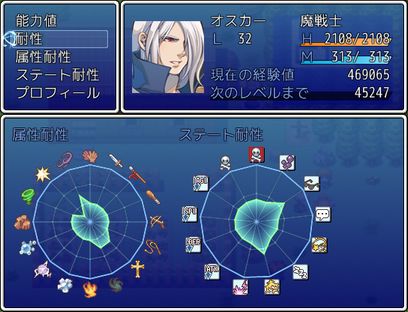


 提升卡
提升卡 沉默号角
沉默号角 喧嚣号角
喧嚣号角 变色卡
变色卡 升龙剑
升龙剑


