| 赞 | 8 |
| VIP | |
| 好人卡 | |
| 积分 | 1 |
| 经验 | |
| 最后登录 | 2016-8-9 |
| 在线时间 | 119 小时 |
- 梦石
- 0
- 星屑
- 50
- 在线时间
- 119 小时
- 注册时间
- 2015-1-5
- 回帖
- 118
|
加入我们,或者,欢迎回来。
您需要 登录 才可以下载或查看,没有账号?注册会员
×
本帖最后由 MonsterJohnCN 于 2016-2-13 17:57 编辑
吐槽连续撸了2个月代码(实际上还要撸一个月),基本上没怎么冒泡了OTZ
为了刷刷存在感,把这两个月来的东西慢慢铺出来。
路人A:汉化坑还没填呢!
路人B:说好的图层系统呢!
路人C:半身图对话呢!
路人D:光影系统快拿来!
啊啊啊,别急别急,这些全部都好了,而且用更厉害的形态出现了,不过由于开发需要,暂时无法马上发出来OTZ
那么就在这了,没事我会更新一些常用的基础API(以及使用介绍),任何人都可以在MIT协议之下自由使用它们。
源代码可以在Github查看。
使用说明将“bgpCore.js”放入“js/plugins”目录下,然后将“bgpCore.js”添加到RM的“插件管理器”的顶部。
(这种方法无法即时获取最新版本,但可以在单机状态下运行)
目前纯粹向脚本开发者提供方便,暂不为非脚本开发者提供便利。
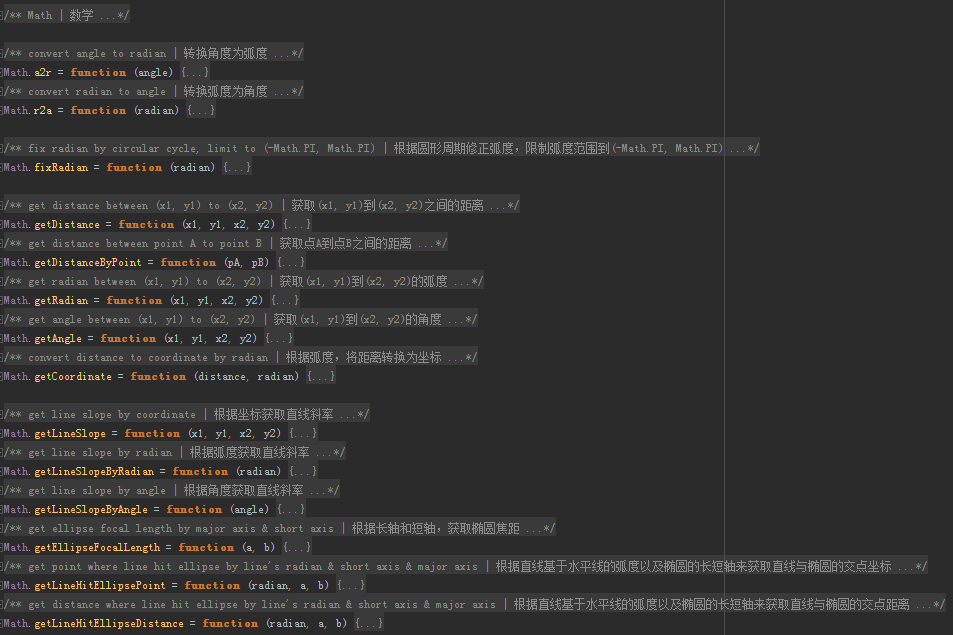
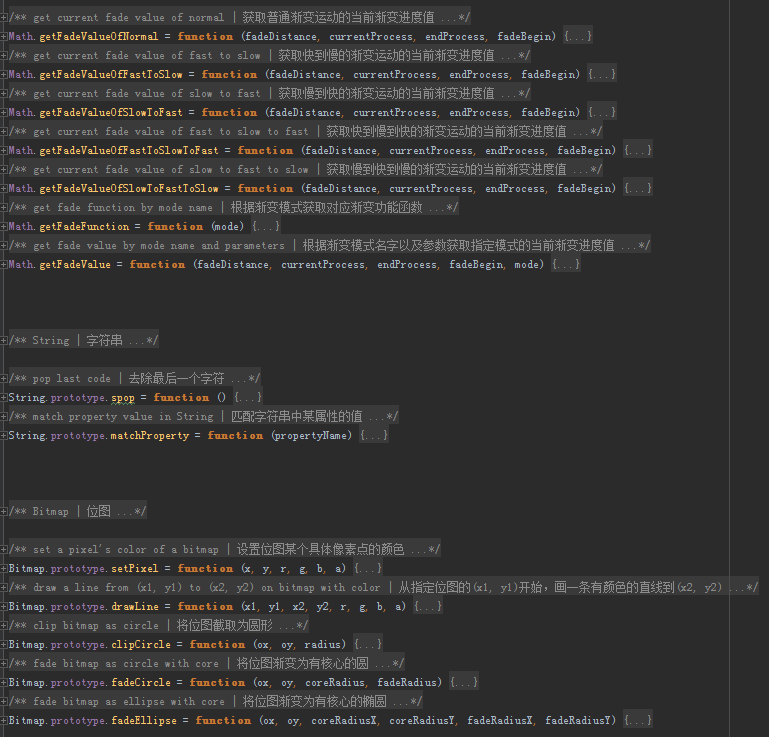
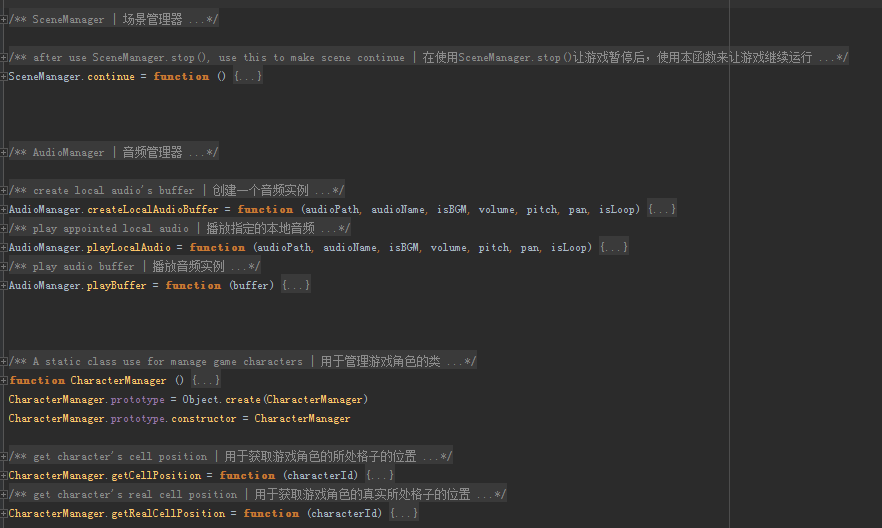
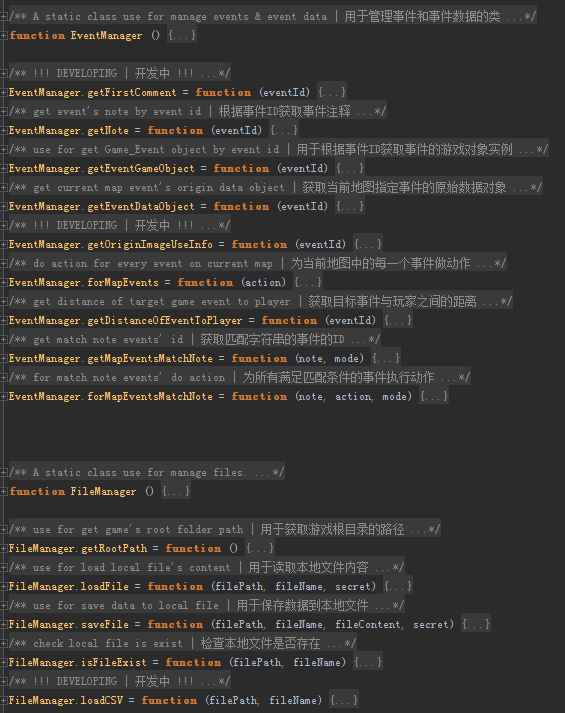
API一览
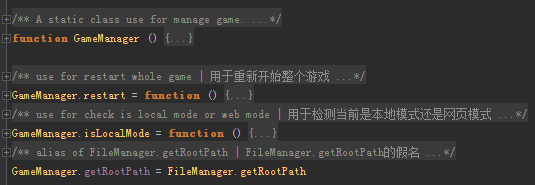
源代码[pre lang="javascript" file="bgpCore.js"]/**
* version: 0.12
* update: 2016-2-13 17:32:38
* license: MIT ( https://raw.githubusercontent.co ... Core/master/LICENSE )
* github: https://github.com/ForeverEver4/bgpCore
* raw:
*
* bgpCore.js is an extend of origin RPG Maker MV's API | bgpCore.js是原有RPG Maker MV的一系列拓展组件
* you could use it under MIT License | 你可以在符合MIT协议的前提下使用它
*
* author: Four | 作者:Four
* email: the@four.moe | 邮箱:the@four.moe
*/
/**
* Math | 数学
*
* A extend of origin JavaScript's Math | 对原有JavaScript的数学类的拓展
**/
/**
* convert angle to radian | 转换角度为弧度
* @author Four
* @version 1.0
* @update 2016-1-29 12:04:34
*
* @param {Number} angle | 实数,角度
* @returns {Number} radian | 实数,弧度
*/
Math.a2r = function (angle) {
return angle / 180 * Math.PI
}
/**
* convert radian to angle | 转换弧度为角度
* @author Four
* @version 1.0
* @update 2016-1-29 12:04:34
*
* @param {Number} radian | 实数,弧度
* @returns {Number} angle | 实数,角度
*/
Math.r2a = function (radian) {
return radian * 180 / Math.PI
}
/**
* fix radian by circular cycle, limit to (-Math.PI, Math.PI) | 根据圆形周期修正弧度,限制弧度范围到(-Math.PI, Math.PI)
* @author Four
* @version 1.0
* @update 2016-2-4 16:53:22
*
* @param {Real} radian need fix radian | 需要被修正的弧度值
* @returns {Real} fixed radian | 修复后的弧度值
*/
Math.fixRadian = function (radian) {
// TODO 考虑结构优化
var cond, fix
if (radian > 0) {
cond = function () {
return radian > Math.PI
}
fix = Math.PI * 2 * -1
}
else {
cond = function () {
return radian < -Math.PI
}
fix = Math.PI * 2
}
while (cond()) {
radian += fix
}
return radian
}
/**
* get distance between (x1, y1) to (x2, y2) | 获取(x1, y1)到(x2, y2)之间的距离
* @author Four
* @version 1.00a
* @update 2016-2-3 21:07:29
*
* @param {Real} x1 point A's x | 点A的X坐标
* @param {Real} y1 point A's y | 点A的Y坐标
* @param {Real} x2 point B's x | 点B的X坐标
* @param {Real} y2 point B's y | 点B的Y坐标
* @returns {Real} distance between (x1, y1) to (x2, y2) | (x1, y1)到(x2, y2)的距离
*/
Math.getDistance = function (x1, y1, x2, y2) {
return Math.sqrt(Math.pow(Math.abs(x2 - x1), 2) + Math.pow(Math.abs(y2 - y1), 2))
}
/**
* get distance between point A to point B | 获取点A到点B之间的距离
* @author Four
* @version 1.00
* @update 2016-2-13 15:07:12
*
* @param {Point} pA point A | 点A
* @param {Point} pB point B | 点B
* @returns {Real} distance between point A to point B | 点A到点B的距离
*/
Math.getDistanceByPoint = function (pA, pB) {
return Math.getDistance(pA.x, pA.y, pB.x, pB.y)
}
/**
* get radian between (x1, y1) to (x2, y2) | 获取(x1, y1)到(x2, y2)的弧度
* @author Four
* @version 1.0
* @update 2016-2-4 11:00:07
*
* @param {Real} x1 point A's x | 点A的X坐标
* @param {Real} y1 point A's y | 点A的Y坐标
* @param {Real} x2 point B's x | 点B的X坐标
* @param {Real} y2 point B's y | 点B的Y坐标
* @returns {Real} radian between (x1, y1) to (x2, y2) | (x1, y1)到(x2, y2)的弧度
*/
Math.getRadian = function (x1, y1, x2, y2) {
return Math.atan2(y2 - y1, x2 - x1)
}
/**
* get angle between (x1, y1) to (x2, y2) | 获取(x1, y1)到(x2, y2)的角度
* @author Four
* @version 1.0
* @update 2016-2-4 11:03:33
*
* @param {Real} x1 point A's x | 点A的X坐标
* @param {Real} y1 point A's y | 点A的Y坐标
* @param {Real} x2 point B's x | 点B的X坐标
* @param {Real} y2 point B's y | 点B的Y坐标
* @returns {Real} angle between (x1, y1) to (x2, y2) | (x1, y1)到(x2, y2)的角度
*/
Math.getAngle = function (x1, y1, x2, y2) {
return Math.r2a(Math.getRadian(x1, y1, x2, y2))
}
/**
* convert distance to coordinate by radian | 根据弧度,将距离转换为坐标
* @author Four
* @version 1.0
* @update 2016-2-4 12:52:52
*
* @param {Real} distance given distance | 传入的距离
* @param {Real} radian given radian | 传入的弧度
* @returns {Point} converted coordinate object, constructor: {x: x, y: y} | 转换后的坐标对象,构造为{x: x, y: y}
*/
Math.getCoordinate = function (distance, radian) {
var x = distance * Math.sin(radian)
var y = distance * Math.cos(radian)
return new Point(x, y)
}
/**
* get line slope by coordinate | 根据坐标获取直线斜率
* @author Four
* @version 1.0
* @update 2016-2-4 17:22:42
*
* @param {Real} x1 point a's x | A点的X坐标
* @param {Real} y1 point a's y | A点的Y坐标
* @param {Real} x2 point b's x | B点的X坐标
* @param {Real} y2 point b's y | B点的Y坐标
* @returns {Number} line slope | 直线斜率
*/
Math.getLineSlope = function (x1, y1, x2, y2) {
return (y2 - y1) / (x2 - x1)
}
/**
* get line slope by radian | 根据弧度获取直线斜率
* @author Four
* @version 1.0
* @update 2016-2-4 17:25:39
*
* @param {Real} radian included radian between line & level | 直线与水平线的夹角弧度
* @returns {Number} line slope | 直线斜率
*/
Math.getLineSlopeByRadian = function (radian) {
var slope = Math.tan(radian)
return slope
}
/**
* get line slope by angle | 根据角度获取直线斜率
* @author Four
* @version 1.0
* @update 2016-2-4 17:26:24
*
* @param {Real} angle included angle between line & level | 直线与水平线的夹角角度
* @returns {Number} line slope | 直线斜率
*/
Math.getLineSlopeByAngle = function (angle) {
var slope = Math.tan(Math.a2r(angle))
return slope
}
/**
* get ellipse focal length by major axis & short axis | 根据长轴和短轴,获取椭圆焦距
* @author Four
* @version 1.0
* @update 2016-2-4 16:37:46
*
* @param {Real} a the major axis | 椭圆的长轴
* @param {Real} b the short axis | 椭圆的短轴
* @returns {Real} ellipse focal length | 椭圆的焦距
*/
Math.getEllipseFocalLength = function (a, b) {
var c = Math.sqrt(Math.abs(Math.pow(a, 2) - Math.pow(b, 2)))
return c * 2
}
/**
* get point where line hit ellipse by line's radian & short axis & major axis | 根据直线基于水平线的弧度以及椭圆的长短轴来获取直线与椭圆的交点坐标
* @author An anonymous (Provided formula) & Four
* @version 1.0
* @update 2016-2-4 19:59:28
*
* @param {Real} radian included radian between line & level | 直线与水平线的夹角弧度
* @param {Real} a x axis of ellipse | 椭圆的X轴上的轴长度
* @param {Real} b y axis of ellipse | 椭圆的Y轴上的轴长度
* @returns {Point} hit point of line & ellipse | 直线与椭圆的交点
*/
Math.getLineHitEllipsePoint = function (radian, a, b) {
// todo need optimization algorithm
var hitPoint = new Point()
if (radian == 0) {
hitPoint.x = a
hitPoint.y = 0
}
else if (radian == Math.PI * 1 / 2) {
hitPoint.x = 0
hitPoint.y = b
}
else if (radian == Math.PI) {
hitPoint.x = -a
hitPoint.y = 0
}
else if (radian == Math.PI * -1 / 2) {
hitPoint.x = 0
hitPoint.y = -b
}
else if (radian == Math.PI * -1) {
hitPoint.x = -a
hitPoint.y = 0
}
else if ((0 < radian && radian < Math.PI * 1 / 2) || (Math.PI * -1 / 2 < radian && radian < 0)) {
hitPoint.x = + (a * b) * Math.sqrt(1 / (Math.pow(b, 2) + Math.pow(a, 2) * Math.pow(Math.tan(radian), 2)))
hitPoint.y = + a * b * Math.tan(radian) * Math.sqrt(1 / (Math.pow(b, 2) + Math.pow(a, 2) * Math.pow(Math.tan(radian), 2)))
}
else if ((Math.PI * 1 / 2 < radian && radian < Math.PI) || (Math.PI * -1 < radian && radian < Math.PI * -1 / 2)) {
hitPoint.x = - (a * b) * Math.sqrt(1 / (Math.pow(b, 2) + Math.pow(a, 2) * Math.pow(Math.tan(radian), 2)))
hitPoint.y = - a * b * Math.tan(radian) * Math.sqrt(1 / (Math.pow(b, 2) + Math.pow(a, 2) * Math.pow(Math.tan(radian), 2)))
}
return hitPoint
//hitPoint.x = +- (b / a) * Math.sqrt(Math.pow(a, 2) - Math.pow(Math.tan(radian), 2)) // 来自某匿名协助者
//hitPoint.y = +- (b / a) * Math.tan(radian) * Math.sqrt(Math.pow(a, 2) - Math.pow(Math.tan(radian), 2)) // 来自某匿名协助者
}
/**
* get distance where line hit ellipse by line's radian & short axis & major axis | 根据直线基于水平线的弧度以及椭圆的长短轴来获取直线与椭圆的交点距离
* @author Four
* @version 1.0
* @update 2016-2-4 20:01:36
*
* @param {Real} radian included radian between line & level | 直线与水平线的夹角弧度
* @param {Real} a x axis of ellipse | 椭圆的X轴上的轴长度
* @param {Real} b y axis of ellipse | 椭圆的Y轴上的轴长度
* @returns {Real} distance between hit point and ellipse's centre point | 直线与椭圆的交点到椭圆圆心的距离
*/
Math.getLineHitEllipseDistance = function (radian, a, b) {
var p = Math.getLineHitEllipsePoint(radian, a, b)
return Math.getDistance(0, 0, p.x, p.y)
}
/**
* get current fade value of normal | 获取普通渐变运动的当前渐变进度值
* @author Four
* @version 1.00
* @update 2016-2-12 20:52:40
*
* @param {Real} fadeDistance distance of begin value to fade target value | 起始值到渐变目标值的距离
* @param {Integer} currentProcess current fade process | 当前渐变进度
* @param {Integer} endProcess end of fade process | 渐变总进度
* @param {Real} fadeBegin begin value of fade | 渐变起始值
* @returns {Real} fade value of current process | 当前进度下的渐变值
*/
Math.getFadeValueOfNormal = function (fadeDistance, currentProcess, endProcess, fadeBegin) {
return fadeDistance * (currentProcess / endProcess) + fadeBegin
}
/**
* get current fade value of fast to slow | 获取快到慢的渐变运动的当前渐变进度值
* @author Four
* @version 1.00
* @update 2016-2-12 21:01:58
*
* @param {Real} fadeDistance distance of begin value to fade target value | 起始值到渐变目标值的距离
* @param {Integer} currentProcess current fade process | 当前渐变进度
* @param {Integer} endProcess end of fade process | 渐变总进度
* @param {Real} fadeBegin begin value of fade | 渐变起始值
* @returns {Real} fade value of current process | 当前进度下的渐变值
*/
Math.getFadeValueOfFastToSlow = function (fadeDistance, currentProcess, endProcess, fadeBegin) {
return fadeBegin + fadeDistance * Math.sin((Math.PI / 2) * (currentProcess / endProcess))
}
/**
* get current fade value of slow to fast | 获取慢到快的渐变运动的当前渐变进度值
* @author Four
* @version 1.00
* @update 2016-2-12 21:02:35
*
* @param {Real} fadeDistance distance of begin value to fade target value | 起始值到渐变目标值的距离
* @param {Integer} currentProcess current fade process | 当前渐变进度
* @param {Integer} endProcess end of fade process | 渐变总进度
* @param {Real} fadeBegin begin value of fade | 渐变起始值
* @returns {Real} fade value of current process | 当前进度下的渐变值
*/
Math.getFadeValueOfSlowToFast = function (fadeDistance, currentProcess, endProcess, fadeBegin) {
return fadeBegin + fadeDistance * (1 - Math.cos((Math.PI / 2) * (currentProcess / endProcess)))
}
/**
* get current fade value of fast to slow to fast | 获取快到慢到快的渐变运动的当前渐变进度值
* @author Four
* @version 1.00
* @update 2016-2-12 21:02:53
*
* @param {Real} fadeDistance distance of begin value to fade target value | 起始值到渐变目标值的距离
* @param {Integer} currentProcess current fade process | 当前渐变进度
* @param {Integer} endProcess end of fade process | 渐变总进度
* @param {Real} fadeBegin begin value of fade | 渐变起始值
* @returns {Real} fade value of current process | 当前进度下的渐变值
*/
Math.getFadeValueOfFastToSlowToFast = function (fadeDistance, currentProcess, endProcess, fadeBegin) {
return fadeBegin + (fadeDistance / 2) * (Math.tan(Math.PI / 4) + Math.tan((currentProcess / endProcess - (1 / 2)) * (Math.PI / 2)))
}
/**
* get current fade value of slow to fast to slow | 获取慢到快到慢的渐变运动的当前渐变进度值
* @author Four
* @version 1.00
* @update 2016-2-12 21:03:15
*
* @param {Real} fadeDistance distance of begin value to fade target value | 起始值到渐变目标值的距离
* @param {Integer} currentProcess current fade process | 当前渐变进度
* @param {Integer} endProcess end of fade process | 渐变总进度
* @param {Real} fadeBegin begin value of fade | 渐变起始值
* @returns {Real} fade value of current process | 当前进度下的渐变值
*/
Math.getFadeValueOfSlowToFastToSlow = function (fadeDistance, currentProcess, endProcess, fadeBegin) {
return fadeBegin + (fadeDistance / 2) * (Math.sin(Math.PI * ((currentProcess / endProcess) - (1 / 2))) + 1)
}
/**
* get fade function by mode name | 根据渐变模式获取对应渐变功能函数
* @author Four
* @version 1.00
* @update 2016-2-12 21:22:21
*
* @param {String=} mode mode of fade, default is "nm" (means normal) | 渐变模式, 默认为"匀速"
* @returns {Function} function of wanted fade mode | 对应渐变模式的渐变功能函数
*/
Math.getFadeFunction = function (mode) {
if (mode == "nm" || mode == "normal" || mode == "匀速" || mode == null) {
return Math.getFadeValueOfNormal
}
else if (mode == "fs" || mode == "fasttoslow" || mode == "快到慢") {
return Math.getFadeValueOfFastToSlow
}
else if (mode == "sf" || mode == "slowtofast" || mode == "慢到快") {
return Math.getFadeValueOfSlowToFast
}
else if (mode == "fsf" || mode == "fasttoslowtofast" || mode == "快到慢到快") {
return Math.getFadeValueOfFastToSlowToFast
}
else if (mode == "sfs" || mode == "slowtofasttoslow" || mode == "慢到快到慢") {
return Math.getFadeValueOfSlowToFastToSlow
}
}
/**
* get fade value by mode name and parameters | 根据渐变模式名字以及参数获取指定模式的当前渐变进度值
* @author Four
* @version 1.00
* @update 2016-2-12 22:04:43
*
* @param {Real} fadeDistance distance of begin value to fade target value | 起始值到渐变目标值的距离
* @param {Integer} currentProcess current fade process | 当前渐变进度
* @param {Integer} endProcess end of fade process | 渐变总进度
* @param {Real} fadeBegin begin value of fade | 渐变起始值
* @param {String=} mode mode of fade, default is "nm" (means normal) | 渐变模式, 默认为"匀速"
* @returns {Real} fade value of current process | 当前进度下的渐变值
*/
Math.getFadeValue = function (fadeDistance, currentProcess, endProcess, fadeBegin, mode) {
return Math.getFadeFunction(mode)(fadeDistance, currentProcess, endProcess, fadeBegin)
}
/**
* String | 字符串
*
* A extend of origin JavaScript's String | 对原有JavaScript的字符串类的拓展
**/
/**
* pop last code | 去除最后一个字符
* @author Four
* @version 1.00
* @update 2016-2-13 17:24:04
*
* @returns {String[]|{0:popString, 1:newString}}
*/
String.prototype.spop = function () {
var popString = this.slice(-1)
var newString = this.slice(0, this.length-1)
return [popString, newString]
}
/**
* match property value in String | 匹配字符串中某属性的值
* @author Four
* @version 1.01
* @update 2016-2-13 17:31:18
*
* @param {String|String[]} propertyName name of property, if include multiple alias name, send an array | 属性名字,如果拥有多个假名,则将这些假名作为一个数组一并传入
* @returns {String} property value | 属性值
*/
String.prototype.matchProperty = function (propertyName) {
var matchString = (this + ",").replace(/[ ]/g, "")
var propertyMatcher
if (typeof propertyName == "string") {
propertyMatcher = new RegExp(propertyName + ":([^,])")
}
else {
var propertiesReg = "[("
propertyName.forEach(function(name){
propertiesReg += name + "|"
})
propertiesReg = propertiesReg.spop()[1] + ")]"
propertyMatcher = new RegExp(propertiesReg + ":([^,])")
}
var value = matchString.match(propertyMatcher)
if (value == null) return
return value[1]
}
/**
* Bitmap | 位图
*
* A extend of origin Bitmap | 对原有位图类的拓展
**/
/**
* set a pixel's color of a bitmap | 设置位图某个具体像素点的颜色
* @author Four
* @version 1.00a
* @update 2016-1-24 21:24:58
*
* @param {Integer} x x-coordinate of bitmap, start at 0, top left of bitmap is (0, 0) | 整数,位图上具体某像素点的X坐标,以0为起点
* @param {Integer} y x-coordinate of bitmap, start at 0, top left of bitmap is (0, 0) | 整数,位图上具体某像素点的Y坐标,以0为起点
* @param {Integer} r red, 0~255, -1 means no modify | 整数,红色,取值为0~255,填写-1则不修改该颜色
* @param {Integer} g green, 0~255, -1 means no modify | 整数,绿色,取值为0~255,填写-1则不修改该颜色
* @param {Integer} b blue, 0~255, -1 means no modify | 整数,蓝色,取值为0~255,填写-1则不修改该颜色
* @param {Integer} a alpha, 0~255, -1 means no modify | 整数,透明度,取值为0~255,填写-1则不修改该颜色
* @returns {Void}
**/
Bitmap.prototype.setPixel = function (x, y, r, g, b, a) {
var context = this._context
var imgData = context.getImageData(x, y, 1, 1)
if (r != -1) imgData.data[0] = r
if (g != -1) imgData.data[1] = g
if (b != -1) imgData.data[2] = b
if (a != -1) imgData.data[3] = a
context.putImageData(imgData, x, y)
this._setDirty()
}
/**
* draw a line from (x1, y1) to (x2, y2) on bitmap with color | 从指定位图的(x1, y1)开始,画一条有颜色的直线到(x2, y2)
* @author Four
* @version 1.00
* @update 2016-1-25 12:02:21
*
* @param {Integer} x1 x-coordinate of bitmap, the begin-x of line | 整数,位图上的X坐标,直线的起始点的X坐标
* @param {Integer} y1 y-coordinate of bitmap, the begin-y of line | 整数,位图上的Y坐标,直线的起始点的Y坐标
* @param {Integer} x2 x-coordinate of bitmap, the end-x of line | 整数,位图上的X坐标,直线的结束点的X坐标
* @param {Integer} y2 y-coordinate of bitmap, the end-y of line | 整数,位图上的Y坐标,直线的结束点的Y坐标
* @param {Integer} r red, 0~255, -1 means no modify, null(default) means 255 | 整数,红色,取值为0~255,填写-1则不修改该颜色,填写null或者不填写则默认取值255
* @param {Integer} g green, 0~255, -1 means no modify, null(default) means 255 | 整数,绿色,取值为0~255,填写-1则不修改该颜色,填写null或者不填写则默认取值255
* @param {Integer} b blue, 0~255, -1 means no modify, null(default) means 255 | 整数,蓝色,取值为0~255,填写-1则不修改该颜色,填写null或者不填写则默认取值255
* @param {Integer} a alpha, 0~255, -1 means no modify, null(default) means 255 | 整数,透明度,取值为0~255,填写-1则不修改该颜色,填写null或者不填写则默认取值255
* @returns {Void}
**/
Bitmap.prototype.drawLine = function (x1, y1, x2, y2, r, g, b, a) {
var x, y, count,
distX = x2 - x1,
distY = y2 - y1,
dist = Math.max(distX, distY),
intervalX = distX / dist,
intervalY = distY / dist
if (r == null) r = 255
if (g == null) g = 255
if (b == null) b = 255
if (a == null) a = 255
for (count = 0; count < dist; count++) {
x = x1 + count * intervalX
y = y1 + count * intervalY
this.setPixel(x, y, r, g, b, a)
}
}
/**
* clip bitmap as circle | 将位图截取为圆形
* @author Four
* @version 1.00
* @update 2016-1-29 20:51:52
*
* @param {Integer} ox the centre x of the circle, default is half of bitmap's width | 整数,圆心的X坐标
* @param {Integer} oy the centre y of the circle, default is half of bitmap's height | 整数,圆心的Y坐标
* @param {Integer} radius clip radius, default is half of bitmap's min in width height | 整数,半径,默认为位图宽度的一半
* @returns {Void}
**/
Bitmap.prototype.clipCircle = function (ox, oy, radius) {
// TODO need make calc less & faster
if (ox == null) ox = this.width / 2
if (oy == null) oy = this.height / 2
if (radius == null) radius = Math.min(this.width, this.height) / 2
var context = this.context
context.beginPath()
context.moveTo(ox, oy + radius) // 顺时针截取,从3点开始
for (var angle = 0; angle < 360; angle++) {
var offsetX = Math.sin(Math.a2r(angle)) * radius
var offsetY = Math.cos(Math.a2r(angle)) * radius
context.lineTo(ox + offsetX, oy + offsetY)
}
context.closePath()
var imgData = context.getImageData(0, 0, this.width, this.height)
for (var y = 0; y < this.height; y++) {
for (var x = 0; x < this.width; x ++) {
if (!context.isPointInPath(x, y)) {
var pos = ((y * this.width) + x) * 4
var alphaPos = pos + 3
imgData.data[alphaPos] = 0
}
}
}
context.putImageData(imgData, 0, 0)
this._setDirty()
}
/**
* fade bitmap as circle with core | 将位图渐变为有核心的圆
* @author Four
* @version 1.00a
* @update 2016-2-3 19:38:53
*
* @param {Integer} ox the centre x of the circle, default is half of bitmap's width | 整数,圆心的X坐标,默认为位图宽度的一半
* @param {Integer} oy the centre y of the circle, default is half of bitmap's height | 整数,圆心的Y坐标,默认为位图高度的一半
* @param {Integer} coreRadius core content radius, core content won't be fade, default is 0 | 整数,核心半径,核心半径内的内容不会受渐变影响,默认为0
* @param {Integer} fadeRadius fade content radius, fade start at core radius and end at fade radius, default is the half of the min of bitmap's width & height | 整数,渐变半径,位于核心半径到渐变半径之间的内容将会被渐变淡化处理,默认为位图的宽度和高度中的较小者的值的一半
* @returns {Void}
*/
Bitmap.prototype.fadeCircle = function (ox, oy, coreRadius, fadeRadius) {
// TODO need make calc less & faster
if (ox == null) ox = this.width / 2
if (oy == null) oy = this.height / 2
if (coreRadius == null) coreRadius = 0
if (fadeRadius == null) fadeRadius = Math.min(this.width, this.height) / 2
var context = this.context
context.beginPath()
context.moveTo(ox, oy + fadeRadius) // 顺时针截取,从3点开始
for (var angle = 0; angle < 360; angle++) {
var offsetX = Math.sin(Math.a2r(angle)) * fadeRadius
var offsetY = Math.cos(Math.a2r(angle)) * fadeRadius
context.lineTo(ox + offsetX, oy + offsetY)
}
context.closePath()
var imgData = context.getImageData(0, 0, this.width, this.height)
for (var y = 0; y < this.height; y++) {
for (var x = 0; x < this.width; x ++) {
var pos, alphaPos, radius, power
if (!context.isPointInPath(x, y)) {
pos = ((y * this.width) + x) * 4
alphaPos = pos + 3
imgData.data[alphaPos] = 0
}
else {
pos = ((y * this.width) + x) * 4
alphaPos = pos + 3
radius = Math.sqrt(Math.pow(Math.abs(x - ox), 2) + Math.pow(Math.abs(y - oy), 2))
if (radius > coreRadius) {
power = 1 - (radius - coreRadius) / (fadeRadius - coreRadius)
}
imgData.data[alphaPos] = Math.round(power * imgData.data[alphaPos])
}
}
}
context.putImageData(imgData, 0, 0)
this._setDirty()
}
/**
* fade bitmap as ellipse with core | 将位图渐变为有核心的椭圆
* @author Four
* @version 1.00
* @update 2016-2-3 18:58:37
*
* @param {Integer} ox the centre x of the circle, default is half of bitmap's width | 整数,圆心的X坐标,默认为位图宽度的一半
* @param {Integer} oy the centre y of the circle, default is half of bitmap's height | 整数,圆心的Y坐标,默认为位图高度的一半
* @param {Integer} coreRadiusX core content radius x, core content won't be fade, default is 0 | 整数,核心半径X,核心半径内的内容不会受渐变影响,默认为0
* @param {Integer} coreRadiusY core content radius y, core content won't be fade, default is 0 | 整数,核心半径Y,核心半径内的内容不会受渐变影响,默认为0
* @param {Integer} fadeRadiusX fade content radius x, fade start at core radius and end at fade radius, default is the half of the min of bitmap's width | 整数,渐变半径X,位于核心半径到渐变半径之间的内容将会被渐变淡化处理,默认为位图的宽度的一半
* @param {Integer} fadeRadiusY fade content radius y, fade start at core radius and end at fade radius, default is the half of the min of bitmap's height | 整数,渐变半径Y,位于核心半径到渐变半径之间的内容将会被渐变淡化处理,默认为位图的高度的一半
* @returns {Void}
*/
Bitmap.prototype.fadeEllipse = function (ox, oy, coreRadiusX, coreRadiusY, fadeRadiusX, fadeRadiusY) {
// TODO need make calc less & faster
if (ox == null) ox = this.width / 2
if (oy == null) oy = this.height / 2
if (coreRadiusX == null) coreRadiusX = 0
if (coreRadiusY == null) coreRadiusY = 0
if (fadeRadiusX == null) fadeRadiusX = this.width / 2
if (fadeRadiusY == null) fadeRadiusY = this.height / 2
var fadeRadius = Math.sqrt(Math.pow(fadeRadiusX, 2) + Math.pow(fadeRadiusY, 2))
var context = this.context
context.beginPath()
context.moveTo(ox, oy + fadeRadiusY) // 顺时针截取,从3点开始
for (var angle = 0; angle < 360; angle++) {
var offsetX = Math.sin(Math.a2r(angle)) * fadeRadiusX
var offsetY = Math.cos(Math.a2r(angle)) * fadeRadiusY
context.lineTo(ox + offsetX, oy + offsetY)
}
context.closePath()
var imgData = context.getImageData(0, 0, this.width, this.height)
for (var y = 0; y < this.height; y++) {
for (var x = 0; x < this.width; x++) {
var pos, alphaPos, radius, power
if (!context.isPointInPath(x, y)) {
pos = ((y * this.width) + x) * 4
alphaPos = pos + 3
imgData.data[alphaPos] = 0
}
else {
pos = ((y * this.width) + x) * 4
alphaPos = pos + 3
var radian = Math.getRadian(ox, oy, x, y)
var coreRealRadius = Math.getLineHitEllipseDistance(radian, coreRadiusX, coreRadiusY)
var fadeRealRadius = Math.getLineHitEllipseDistance(radian, fadeRadiusX, fadeRadiusY)
radius = Math.getDistance(ox, oy, x, y)
if (radius > coreRealRadius) {
power = 1 - (radius - coreRealRadius) / (fadeRealRadius - coreRealRadius)
}
imgData.data[alphaPos] = Math.round(power * imgData.data[alphaPos])
}
}
}
context.putImageData(imgData, 0, 0)
this._setDirty()
}
/**
* SceneManager | 场景管理器
*
* A extend of origin SceneManager | 对原有场景管理器类的拓展
**/
/**
* after use SceneManager.stop(), use this to make scene continue | 在使用SceneManager.stop()让游戏暂停后,使用本函数来让游戏继续运行
* @author Four
* @version 1.00
* @update 2016-1-24 21:25:16
*
* @returns {Void}
**/
SceneManager.continue = function () {
this._stopped = false
requestAnimationFrame(this.update.bind(this))
}
/**
* AudioManager | 音频管理器
*
* An extention of origin AudioManager | 对原有音频管理器的拓展
*/
/**
* create local audio's buffer | 创建一个音频实例
* @author Four
* @version 1.00
* @update 2016-2-9 20:34:37
*
* @param {String} [audioPath] path of local audio file | 本地音频文件的目录
* @param {String} [audioName] name of local audio file | 本地音频文件的名字
* @param {Boolean} [isBGM] rendered as background music | 是否作为背景音乐来渲染
* @param {Integer} [volume] audio's volume | 音频的音量
* @param {Integer} [pitch] audio's pitch | 音频的音调
* @param {Integer} [pan] audio's pan | 音频的偏移(?)
* @param {Boolean} [isLoop] loop play audio | 是否循环播放音频
* @returns {AudioBuffer} audio buffer | 音频实例
*/
AudioManager.createLocalAudioBuffer = function (audioPath, audioName, isBGM, volume, pitch, pan, isLoop) {
var ext, url, buffer
if (audioPath == null) audioPath = "audio/se"
if (audioName == null) audioName = "Machine"
if (isBGM == null) isBGM = false
audioPath += "/"
ext = AudioManager.audioFileExt()
url = audioPath + encodeURIComponent(audioName) + ext
if (AudioManager.shouldUseHtml5Audio() && isBGM === true) {
Html5Audio.setup(url)
buffer = Html5Audio
} else {
buffer = new WebAudio(url)
}
if (volume == null) volume = 100
if (pitch == null) pitch = 100
if (pan == null) pan = 0
if (isLoop == null) isLoop = false
buffer.volume = volume / 100
buffer.pitch = pitch / 100
buffer.pan = pan / 100
buffer.loop = isLoop
AudioManager._seBuffers.push(buffer)
return buffer
}
/**
* play appointed local audio | 播放指定的本地音频
* @author Four
* @version 1.01
* @update 2016-2-9 20:34:43
*
* @param {String} [audioPath] path of local audio file | 本地音频文件的目录
* @param {String} [audioName] name of local audio file | 本地音频文件的名字
* @param {Boolean} [isBGM] rendered as background music | 是否作为背景音乐来渲染
* @param {Integer} [volume] audio's volume | 音频的音量
* @param {Integer} [pitch] audio's pitch | 音频的音调
* @param {Integer} [pan] audio's pan | 音频的偏移(?)
* @param {Boolean} [isLoop] loop play audio | 是否循环播放音频
* @returns {AudioBuffer} audio buffer | 音频实例
*/
AudioManager.playLocalAudio = function (audioPath, audioName, isBGM, volume, pitch, pan, isLoop) {
var buffer = this.createLocalAudioBuffer.apply(this, arguments)
this.playBuffer(buffer)
return buffer
}
/**
* play audio buffer | 播放音频实例
* @author Four
* @version 1.00
* @update 2016-2-9 20:36:16
*
* @param {AudioBuffer} buffer | 音频实例
*/
AudioManager.playBuffer = function (buffer) {
buffer.play(buffer.loop)
}
/**
* A static class use for manage game characters | 用于管理游戏角色的类
*
* characterId is same with eventId, if you want to get player's character data, send id as 0 | 角色ID与事件ID相同,如果想要获取玩家角色的数据,则将ID填写为0
*
* @static
**/
function CharacterManager () {
console.error("This is a static class.")
}
CharacterManager.prototype = Object.create(CharacterManager)
CharacterManager.prototype.constructor = CharacterManager
/**
* get character's cell position | 用于获取游戏角色的所处格子的位置
* @author Four
* @version 1.00a
* @update 2016-2-13 14:51:11
*
* @param {Integer} characterId target character(event/player)'s id, 0 means player | 整数,将要获取所在格子的位置的角色(事件/玩家)ID,填0代表获取玩家的所在格子的位置
* @returns {Point} character's cell position | 对象,角色的所在格子的位置
**/
CharacterManager.getCellPosition = function (characterId) {
var character
if (characterId == 0) {
character = $gamePlayer
}
else {
character = $gameMap.event(characterId)
if (character == null) {
console.error("Trying to get a empty character's cell position")
return
}
}
return new Point(character._x, character._y)
}
/**
* get character's real cell position | 用于获取游戏角色的真实所处格子的位置
* @author Four
* @version 1.00
* @update 2016-2-13 14:51:07
*
* @param {Integer=} characterId target character(event/player)'s id, 0 means player, default is 0 | 整数,将要获取所在格子的位置的角色(事件/玩家)ID,填0代表获取玩家的所在格子的位置,默认为0
* @returns {Point} character's real cell position | 对象,角色的真实所在格子的位置
*/
CharacterManager.getRealCellPosition = function (characterId) {
var character
if (characterId == 0 || characterId == null) {
character = $gamePlayer
}
else {
character = EventManager.getEventGameObject(characterId)
if (character == null) {
console.error("Trying to get a empty character's real cell position")
return
}
}
return new Point(character._realX, character._realY)
}
/**
* A static class use for manage events & event data | 用于管理事件和事件数据的类
*
* @static
**/
function EventManager () {
console.error("This is a static class.")
}
/**
* !!! DEVELOPING | 开发中 !!!
* get first action(comment)'s block content (if exist) wrote at interpreter | 获取位于事件编辑器的执行内容区的第一行的注释动作(如果存在)的第一行内容
* @author Four
* @version 1.01a
* @update 2016-2-13 16:43:22
*
* @param {Integer} eventId target event's id | 整数,将要获取第一行注释的目标事件的ID
* @returns {String} the first comment block's content in the interpreter | 字符串,事件编辑器的执行内容区的第一行的注释动作的内容
**/
EventManager.getFirstComment = function (eventId) {
var event = $dataMap.events[eventId]
if (event == null) return
var page = event.pages[0]
if (page == null) return
var comment = "", currentLine = -1
while (true) {
var currentList = page.list[++currentLine]
if (currentList == null) break
var currentCode = currentList.code
if (currentCode != 108 && currentCode != 408) break
comment += "\n" + currentList.parameters[0]
}
return comment.slice(1)
}
/**
* get event's note by event id | 根据事件ID获取事件注释
* @author Four
* @version 1.00
* @update 2016-2-8 16:48:33
*
* @param {Integer} eventId id of event | 事件ID
* @returns {String} note of event | 事件注释
*/
EventManager.getNote = function (eventId) {
return $dataMap.events[eventId].note
}
/**
* use for get Game_Event object by event id | 用于根据事件ID获取事件的游戏对象实例
* @author Four
* @version 1.00
* @update 2016-1-24 23:28:22
*
* @param {Integer} eventId target event's id | 整数,将要获取游戏对象实例的事件的ID
* @returns {Game_Event} object of game event | 游戏事件对象,事件的游戏对象实例
**/
EventManager.getEventGameObject = function (eventId) {
return $gameMap.event(eventId)
}
/**
* get current map event's origin data object | 获取当前地图指定事件的原始数据对象
* @author Four
* @version 1.00
* @update 2016-2-13 14:36:45
*
* @param {Integer} eventId id of target event | 目标事件的ID
* @returns {Data_Event|Null} object of origin game event data | 游戏事件的原始数据对象
*/
EventManager.getEventDataObject = function (eventId) {
return $dataMap.events[eventId]
}
/**
* !!! DEVELOPING | 开发中 !!!
* get origin info of how event use origin image | 获取事件对源素材图的原始使用信息
* @author Four
* @version 1.00
* @update 2016-2-8 17:38:39
*
* @param {Integer} eventId id of event | 事件ID
* @returns {ImageInfo} {name: String, index: Integer}
*/
EventManager.getOriginImageUseInfo = function (eventId) {
var eventData = $dataMap.events[eventId]
if (eventData == null) return
var imageData = eventData.pages[0].image
return {name: imageData.characterName, index: imageData.characterIndex}
}
/**
* do action for every event on current map | 为当前地图中的每一个事件做动作
* @author Four
* @version 1.00
* @update 2016-2-13 12:51:39
*
* @param {Function|{(Integer eventId)}} action action for every event, first parameter is "eventId" | 当前地图中每一个事件所做的动作, 第一个参数是"eventId"
* @returns {Void}
*/
EventManager.forMapEvents = function (action) {
$dataMap.events.forEach(function(event){
event ? action(event.id) : 0
})
}
/**
* get distance of target game event to player | 获取目标事件与玩家之间的距离
* @author Four
* @version 1.00
* @update 2016-2-13 15:18:35
*
* @param {Integer} eventId id of event | 事件ID
* @returns {Real} distance of target game event to player | 目标事件与玩家之间的距离
*/
EventManager.getDistanceOfEventToPlayer = function (eventId) {
var playerPosition = CharacterManager.getRealCellPosition(0)
var eventPosition = CharacterManager.getRealCellPosition(eventId)
var distance = Math.getDistanceByPoint(playerPosition, eventPosition)
return distance
}
/**
* get match note events' id | 获取匹配字符串的事件的ID
* @author Four
* @version 1.00
* @update 2016-2-13 16:26:39
*
* @param {String=} note match note, default is "" | 匹配字符串,默认为""
* @param {String=} mode mode of match, with "w" (whole) and "p" (part), default is "p" | 匹配模式,选填"w"(全匹配)和"p"(部分匹配),默认为"p"
* @returns {Integer[]} id array of match events | 匹配的所有事件ID
*/
EventManager.getMapEventsMatchNote = function (note, mode) {
if (note == null) note = ""
if (mode == null) mode = "p"
var matchEvents = []
var isMatchNote = null
isMatchNote = mode == "w" ?
function (eventId) {
return EventManager.getNote(eventId) == note
} :
function (eventId) {
return EventManager.getNote(eventId).match(note) != null
}
EventManager.forMapEvents(function(eventId){
isMatchNote(eventId) ? matchEvents.push(eventId) : 0
})
return matchEvents
}
/**
* for match note events' do action | 为所有满足匹配条件的事件执行动作
* @author Four
* @version 1.00
* @update 2016-2-13 16:41:52
*
* @param {String=} note match note, default is "" | 匹配字符串,默认为""
* @param {Function|{(eventId)}} action action for match note events | 为所有满足匹配条件的事件执行的动作
* @param {String=} mode mode of match, with "w" (whole) and "p" (part), default is "p" | 匹配模式,选填"w"(全匹配)和"p"(部分匹配),默认为"p"
* @returns {Void}
*/
EventManager.forMapEventsMatchNote = function (note, action, mode) {
var matchEvents = EventManager.getMapEventsMatchNote(note, mode)
matchEvents.forEach(function(eventId){
action(eventId)
})
}
/**
* A static class use for manage files.
*
* @static
**/
function FileManager () {
console.error("This is a static class.")
}
/**
* use for get game's root folder path | 用于获取游戏根目录的路径
* @author Four
* @version 1.01
* @update 2016-2-7 14:52:19
*
* @returns {String} root path of the game project | 字符串,游戏项目根目录的路径
**/
FileManager.getRootPath = function () {
var path = window.location.pathname.replace(/\/[^\/]*$/, '/')
if (path.match(/^\/([A-Z]\:)/)) {
path = path.slice(1)
}
return decodeURIComponent(path)
}
/**
* use for load local file's content | 用于读取本地文件内容
* @author Four
* @version 1.00
* @update 2016-1-25 12:20:19
*
* @param {String} filePath want load file's path | 字符串,将要读取的文件的目录
* @param {String} fileName want load file's name | 字符串,将要读取的文件的名字
* @param {Boolean} secret does file need decode | 布尔值,是否需要对将要读取的文件进行文本解密
* @returns {String} file's text content | 字符串,文件的文本内容
**/
FileManager.loadFile = function (filePath, fileName, secret) {
var fs = require('fs'), fileContent,
fullPath = this.getRootPath() + filePath + "/" + fileName
if (fs.existsSync(fullPath)) {
fileContent = fs.readFileSync(fullPath, {
encoding: 'utf8'
})
}
if (secret) {
return LZString.decompressFromBase64(fileContent)
} else {
return fileContent
}
}
/**
* use for save data to local file | 用于保存数据到本地文件
* @author Four
* @version 1.00
* @update 2016-1-25 12:41:13
*
* @param {String} filePath want save to file' path | 将要保存到的文件的目录
* @param {String} fileName want save to file' name | 将要保存到的文件的名字
* @param {String} fileContent want save to file's data | 将要保存的数据内容
* @param {Boolean} secret make data secret | 是否对将要保存的数据内容进行加密
* @returns {Void}
**/
FileManager.saveFile = function (filePath, fileName, fileContent, secret) {
var fs = require('fs')
if (secret) {
fileContent = LZString.compressToBase64(fileContent)
}
filePath = this.getRootPath() + filePath
if (!fs.existsSync(filePath)) {
fs.mkdirSync(filePath)
}
return fs.writeFileSync(filePath + "/" + fileName, fileContent)
}
/**
* check local file is exist | 检查本地文件是否存在
* @author Four
* @version 1.00
* @update 2016-2-7 21:43:46
*
* @param {String} filePath want check exist file's path | 想要检查存在性的文件的路径
* @param {String} fileName want check exist file's name | 想要检查存在性的文件的名字
* @returns {Boolean}
*/
FileManager.isFileExist = function (filePath, fileName) {
var fs = require('fs')
return fs.existsSync(FileManager.getRootPath() + filePath + "/" + fileName)
}
/**
* !!! DEVELOPING | 开发中 !!!
* convert csv file content to array[y][x] | 将CSV文件数据转换为 数组[Y][X] 的形式
* @param {String} filePath path of csv file | CSV文件路径
* @param {String} fileName name of csv file | CSV文件名字
* @returns {Array|{Y, X, Data}}
*/
FileManager.loadCSV = function (filePath, fileName) {
var csvFile = this.loadFile(filePath, fileName, false)
if (csvFile == null) return
var csvLine = csvFile.split("\r\n")
csvLine.shift() // 删除第一行
csvLine[csvLine.length - 1] == "" ? csvLine.pop() : 0 // 删除原来最后一行可能的空行
var csv = []
for (i = 0; i <= csvLine.length - 1; i++) {
csv = csvLine.split(",")
}
return csv
}
/**
* A static class use for manage game.
*
* @static
**/
function GameManager () {
console.error("This is a static class.")
}
/**
* use for restart whole game | 用于重新开始整个游戏
* @author Four
* @version 1.00
* @update 2016-2-4 16:33:54
*
* @returns {Void}
*/
GameManager.restart = function () {
location.reload()
}
/**
* use for check is local mode or web mode | 用于检测当前是本地模式还是网页模式
* @author Four
* @version 1.00
* @update 2016-2-7 14:23:25
*
* @returns {Boolean}
*/
GameManager.isLocalMode = function () {
return StorageManager.isLocalMode()
}
/**
* alias of FileManager.getRootPath | FileManager.getRootPath的假名
* @author Four
* @version 1.00
* @update 2016-2-7 15:15:19
*/
GameManager.getRootPath = FileManager.getRootPath[/pre] |
评分
-
查看全部评分
|
 -azogi:




 写轮眼
写轮眼
 发表于 2016-1-24 20:18:41


 提升卡
提升卡 沉默号角
沉默号角 喧嚣号角
喧嚣号角 变色卡
变色卡 升龙剑
升龙剑




