| 赞 | 58 |
| VIP | |
| 好人卡 | |
| 积分 | 12 |
| 经验 | |
| 最后登录 | 2023-5-29 |
| 在线时间 | 1017 小时 |
- 梦石
- 0
- 星屑
- 1232
- 在线时间
- 1017 小时
- 注册时间
- 2011-4-30
- 回帖
- 1464
|
加入我们,或者,欢迎回来。
您需要 登录 才可以下载或查看,没有账号?注册会员
×
本帖最后由 汪汪 于 2016-2-23 22:06 编辑
模仿mv插件管理器功能的插件
通过 config 保存对 插件设置
(结合保存数据脚本可以保存在其他地方....就不提供了)
额,总之大概不可能有 仿mv数据库 了 ,仿mv声音测试大概也不会有......编辑器就更不要说了 ....
[fold=用这个替换main.js]
[pre lang="javascript"]//=============================================================================
// main.js
//=============================================================================
PluginManager.setup1 = function(plugins) {
var ww_PluginManager = false
for (var i=0;i<plugins.length;i++){
var plugin = plugins
if (plugin.parameters["ww_PluginManager"] == "汪汪" ){
this.loadScript(plugin.name + '.js');
this._scripts.push(plugin.name);
ww_PluginManager = true
}
}
if( ww_PluginManager == false ) {
PluginManager.setup($plugins)
}
};
PluginManager.setup1($plugins);
window.onload = function() {
SceneManager.run(Scene_Boot);
};
[/pre]
[/fold]
 【20160223_1.0】ww_PluginManager.zip
(4.67 KB, 下载次数: 115)
【20160223_1.0】ww_PluginManager.zip
(4.67 KB, 下载次数: 115)
[fold=附赠帮助阅读窗口........好像没什么用,当个读书脚本就好]
[pre lang="javascript"]
/* 使用方法
var w = new Window_HelpList()
w._nrlist = ["12321,54665,46,54,6,5,4,56,4","sdfdsaaadfadsfdffdfdsfds"]
w.refresh()
或:
var w = new Window_HelpList()
var text = "aaaaaaaaaaaaaaaaaaaaa\naaaaaaaaaaaaaaaaaaa"
w._nrlist = text..split("\n")
w.refresh()
*/
function Window_HelpList() {
this.initialize.apply(this, arguments);
}
(function() {
//设置原形
Window_HelpList.prototype = Object.create(Window_Selectable.prototype);
//设置创造者
Window_HelpList.prototype.constructor = Window_HelpList;
//初始化
Window_HelpList.prototype.initialize = function(x, y) {
this._nrlist = []
this.clearCommandList();
this.makeCommandList();
var width = this.windowWidth();
var height = this.windowHeight();
Window_Selectable.prototype.initialize.call(this, x, y, width, height);
this.refresh();
this.select(0);
this.activate();
};
//窗口宽
Window_HelpList.prototype.windowWidth = function() {
return Graphics.boxWidth;
};
//窗口高
Window_HelpList.prototype.windowHeight = function() {
return Graphics.boxHeight
};
//可见行数
Window_HelpList.prototype.numVisibleRows = function() {
return 10;
};
//最大项目数
Window_HelpList.prototype.maxItems = function() {
return this._list.length;
};
//清除命令列表
Window_HelpList.prototype.clearCommandList = function() {
this._list = [];
};
//制作命令列表
Window_HelpList.prototype.makeCommandList = function() {
var list = this._nrlist
for (var i =0 ;i < list.length;i++){
this.addCommand(list)
}
};
//SceneManager.push(Scene_PM)
//添加命令
Window_HelpList.prototype.addCommand = function(text) {
var width = this.contentsWidth()
var text = text.rtrim()
var text1 = ""
var text2 = text
var cs = 0
do{
if ( this.textWidth(text) <= width ){
text1 = text
text2 = ""
}else{
if (this.textWidth(text.slice(0,cs)) <= width ){
for (var i= cs ; i<=text.length;i++){
if (this.textWidth(text.slice(0,i)) <= width ){
text1 = text.slice(0,i)
text2 = text.slice(i)
}else{
cs = i
text = text2
break
}
}
}else{
for (var i= cs ; i>=0;i--){
if (this.textWidth(text.slice(0,i)) <= width ){
text1 = text.slice(0,i)
text2 = text.slice(i)
cs = i
text = text2
break
}
}
}
}
this._list.push(text1);
var text1 = ""
}while(text2.length>0)
};
//命令名
Window_HelpList.prototype.commandName = function(index) {
return this._list[index];
};
//绘制项目
Window_HelpList.prototype.drawItem = function(index) {
var rect = this.itemRectForText(index);
var align = this.itemTextAlign();
this.resetTextColor();
this.drawText(this.commandName(index), rect.x, rect.y, rect.width, align);
};
//项目文本排列
Window_HelpList.prototype.itemTextAlign = function() {
return 'left';
};
//呼叫 确定处理
Window_HelpList.prototype.callOkHandler = function() {
this.activate()
};
//刷新
Window_HelpList.prototype.refresh = function() {
this.clearCommandList();
this.makeCommandList();
this.createContents();
Window_Selectable.prototype.refresh.call(this);
};
})();
[/pre]
[/fold]
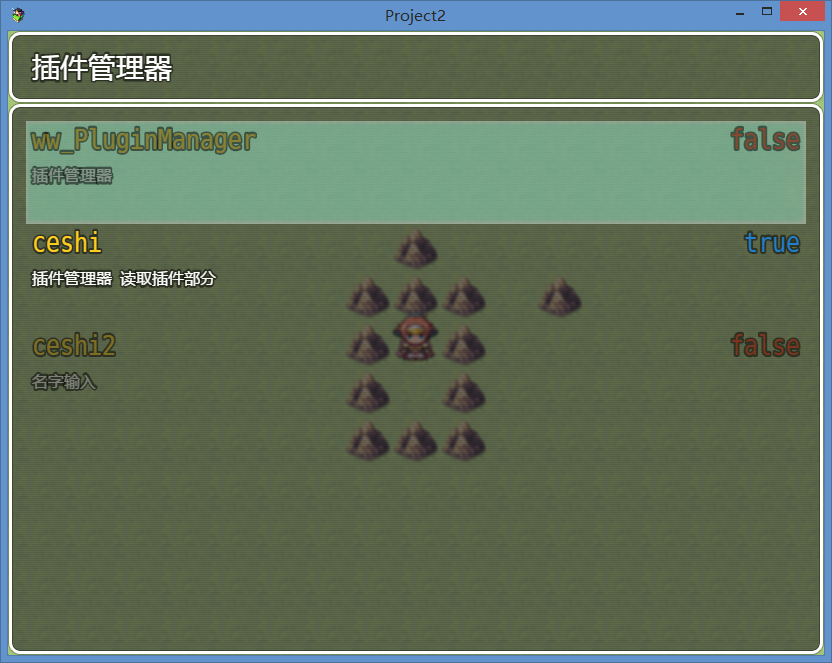
插件列表
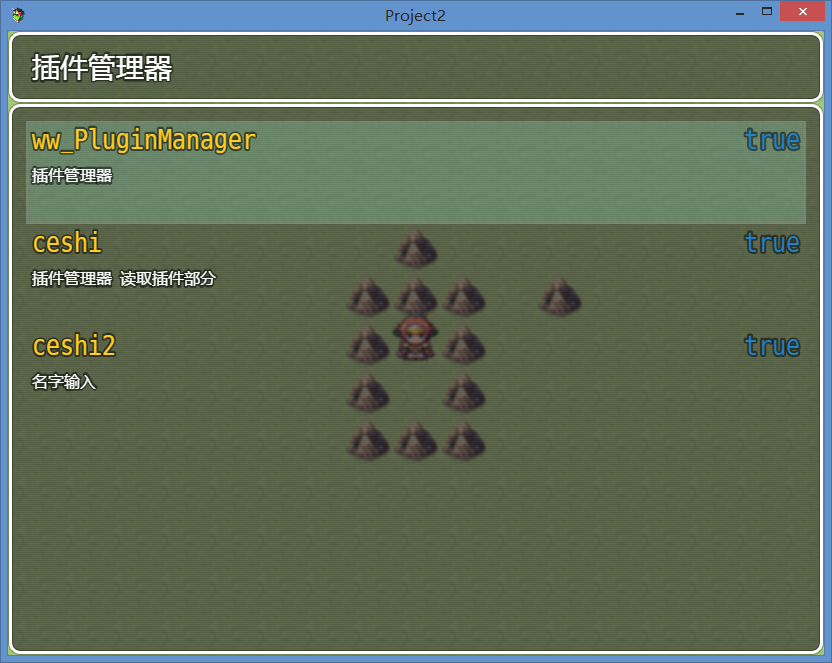
插件信息列表
点击作者一栏开关脚本
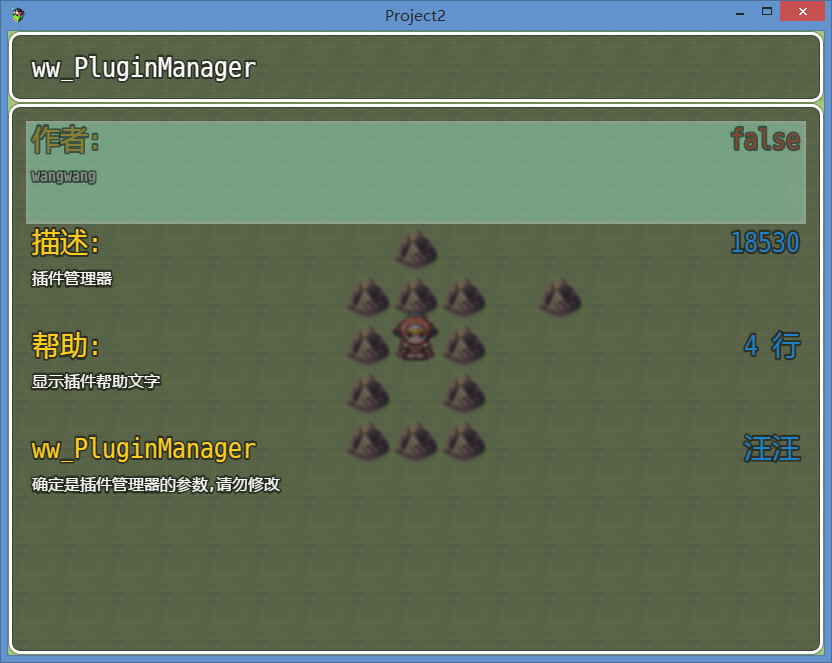
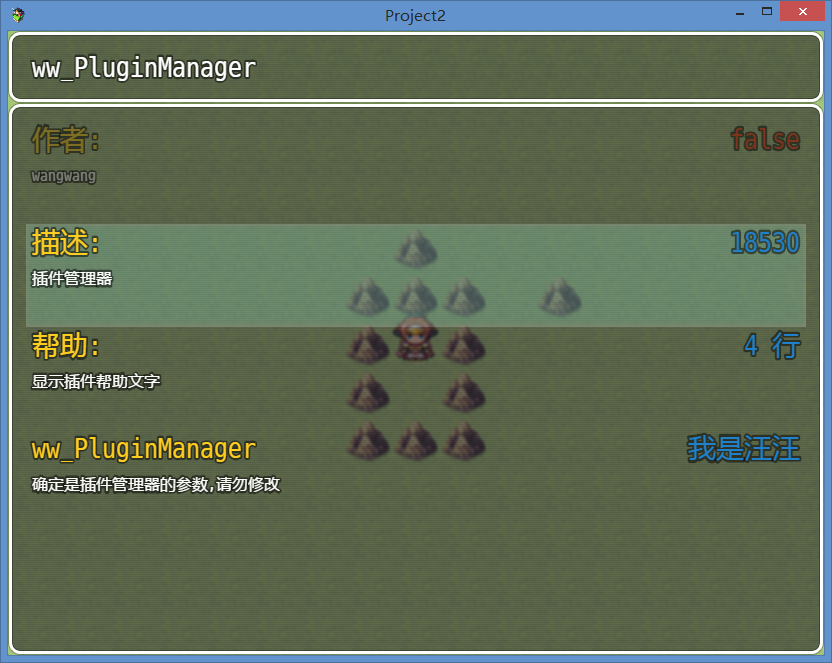
点击描述一栏 阅读脚本
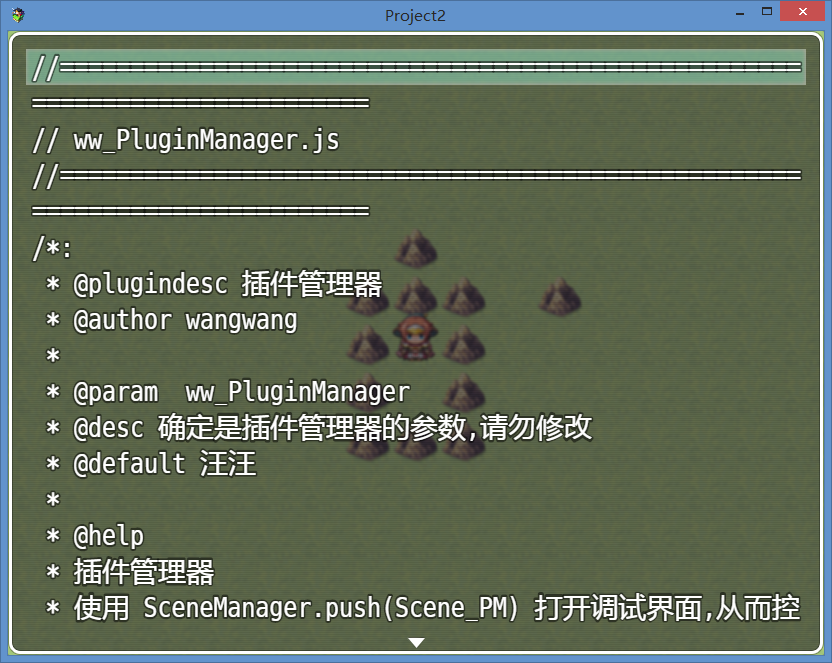
点击帮助一栏 打开帮助
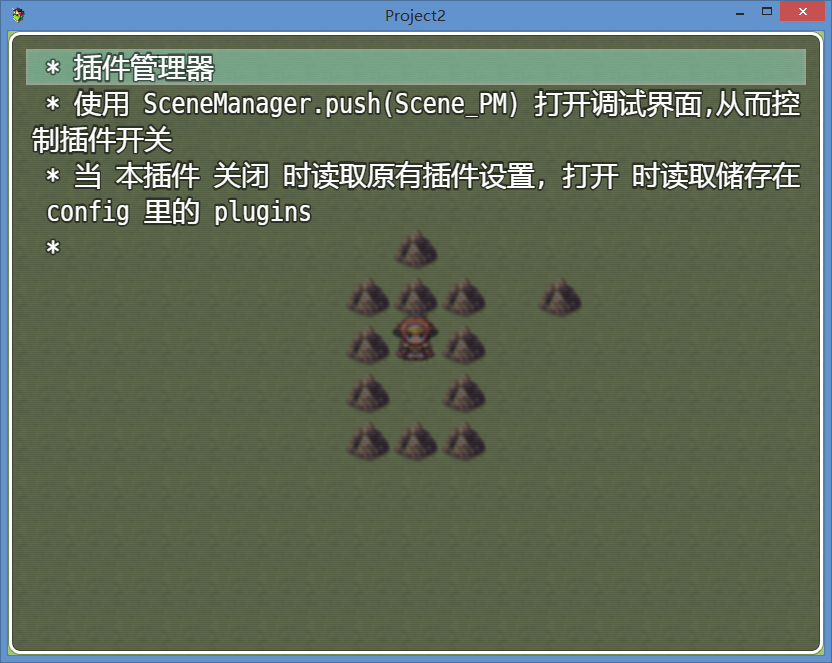
点击参数会弹出窗口提示输入
|
-
|



 写轮眼
写轮眼
 发表于 2016-2-23 19:37:11
 提升卡
提升卡 沉默号角
沉默号角 喧嚣号角
喧嚣号角 变色卡
变色卡 升龙剑
升龙剑


