| 赞 | 0 |
| VIP | |
| 好人卡 | |
| 积分 | 1 |
| 经验 | |
| 最后登录 | 2017-7-10 |
| 在线时间 | 491 小时 |
- 梦石
- 0
- 星屑
- 50
- 在线时间
- 491 小时
- 注册时间
- 2015-1-7
- 回帖
- 110
|
加入我们,或者,欢迎回来。
您需要 登录 才可以下载或查看,没有账号?注册会员
×
本帖最后由 西姐 于 2016-2-27 13:16 编辑
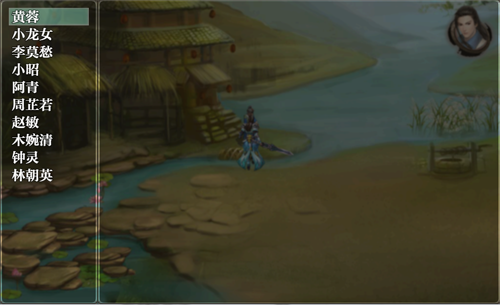
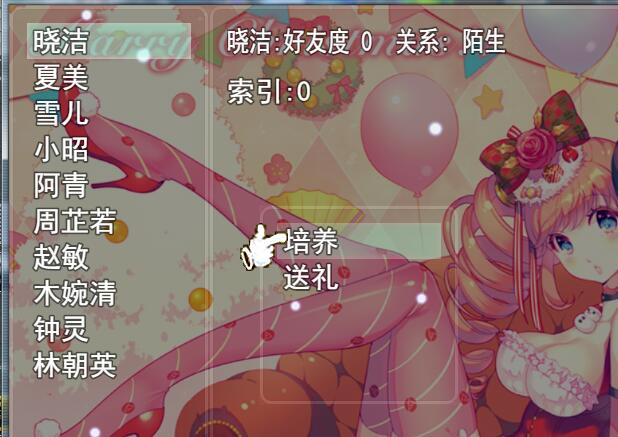
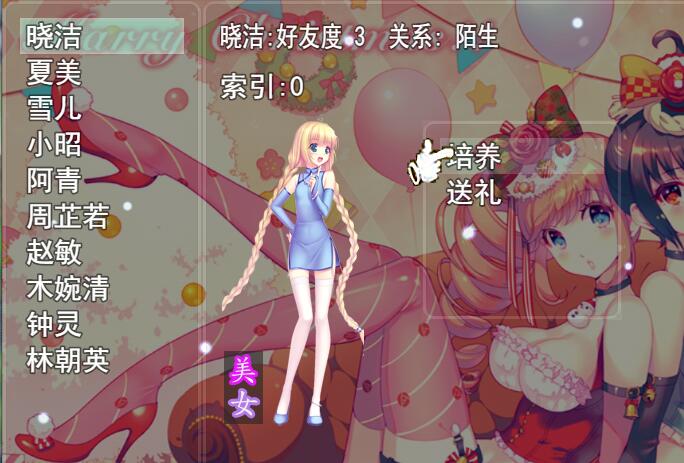
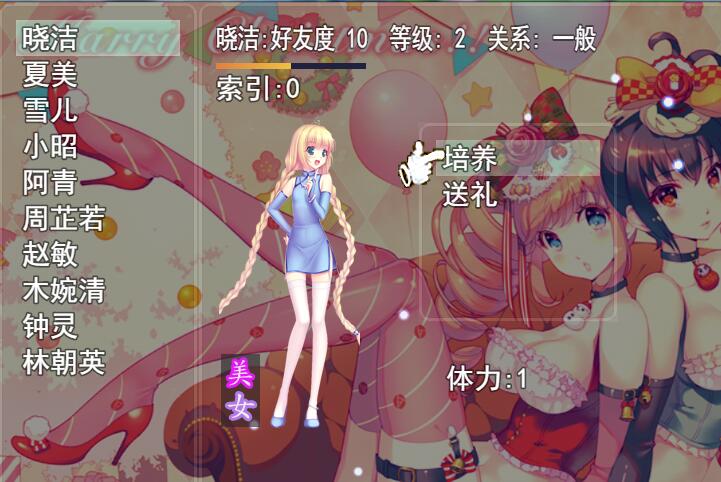
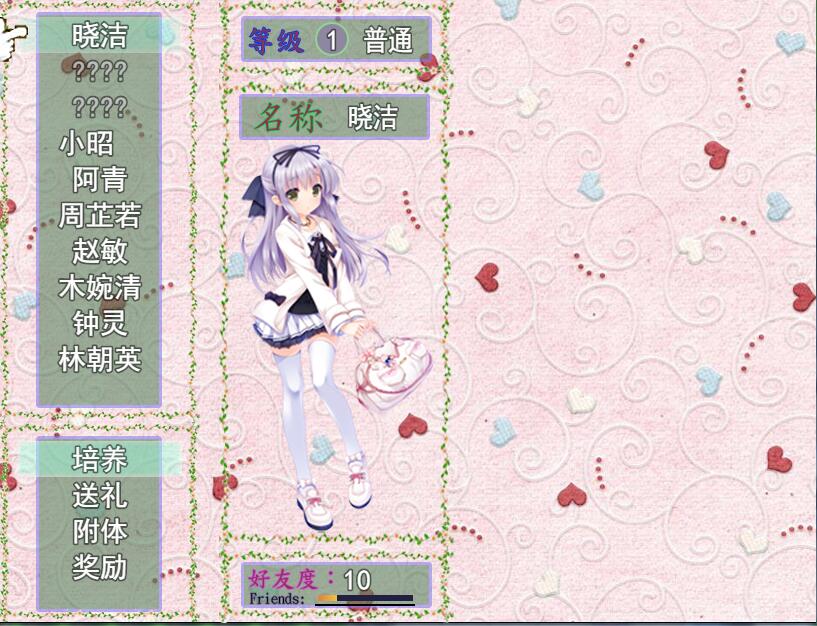
空的,想把它变成这样
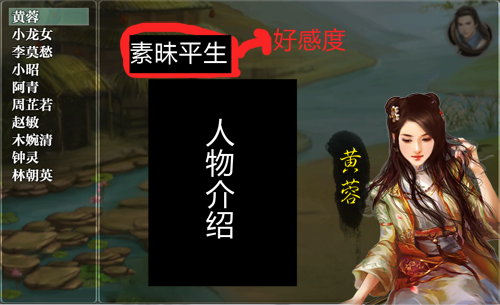
这个想做成一个图,然后把好感度不显示数字,而是数值到了0~100显示素昧平生,101~200显示点头之交,如此类推,插件里应该怎么写
[fold=感谢MV贴吧朋友的教程]//=============================================================================
// 好感查询.js
//=============================================================================
/*:
* @plugindesc 制作一个带有固定选项的窗口
* @author Kai
*/
function LeftWindow(){
this.initialize.apply(this,arguments);
}
LeftWindow.prototype = Object.create(Window_Command.prototype);
LeftWindow.prototype.constructor = LeftWindow;
LeftWindow.prototype.initialize = function(x,y){
Window_Command.prototype.initialize.call(this, x, y);
};
LeftWindow.prototype.windowWidth = function(){
return 200;
};
LeftWindow.prototype.windowHeight = function() {
return 625;
};
LeftWindow.prototype.makeCommandList = function(){
this.addCommand("黄蓉","Dairy1",true);
this.addCommand("小龙女","Dairy2",true);
this.addCommand("李莫愁","Dairy3",true);
this.addCommand("小昭","Dairy4",true);
this.addCommand("阿青","Dairy5",true);
this.addCommand("周芷若","Dairy6",true);
this.addCommand("赵敏","Dairy7",true);
this.addCommand("木婉清","Dairy8",true);
this.addCommand("钟灵","Dairy9",true);
this.addCommand("林朝英","Dairy10",true);
};
function RightWindow(){
this.initialize.apply(this,arguments);
}
RightWindow.prototype = Object.create(Window_Selectable.prototype);
RightWindow.prototype.constructor = RightWindow;
RightWindow.prototype.initialize = function(x,y,width,height){
Window_Selectable.prototype.initialize.call(this,x,y,width,height);
};
function ThirdScene(){
this.initialize.apply(this,arguments);
}
ThirdScene.prototype = Object.create(Scene_MenuBase.prototype);
ThirdScene.prototype.constructor = ThirdScene;
ThirdScene.prototype.initialize = function(){
Scene_MenuBase.prototype.initialize.call(this);
};
ThirdScene.prototype.create = function(){
Scene_MenuBase.prototype.create.call(this);
this._leftWindow = new LeftWindow(0,0);
this._leftWindow.setHandler("Dairy1",this.commandDairy1.bind(this));
this._leftWindow.setHandler("Dairy2",this.commandDairy1.bind(this));
this._leftWindow.setHandler("Dairy3",this.commandDairy1.bind(this));
this._leftWindow.setHandler("Dairy4",this.commandDairy1.bind(this));
this._leftWindow.setHandler("Dairy5",this.commandDairy1.bind(this));
this._leftWindow.setHandler("Dairy6",this.commandDairy1.bind(this));
this._leftWindow.setHandler("Dairy7",this.commandDairy1.bind(this));
this._leftWindow.setHandler("Dairy8",this.commandDairy1.bind(this));
this._leftWindow.setHandler("Dairy9",this.commandDairy1.bind(this));
this._leftWindow.setHandler("Dairy10",this.commandDairy1.bind(this));
this.addWindow(this._leftWindow);
this._rightWindow = new RightWindow(200,0,825,625);
this.addWindow(this._rightWindow);
};
ThirdScene.prototype.commandDairy1 = function(){
this._leftWindow.activate();
this._rightWindow.refresh();
switch (this._leftWindow.currentSymbol()) {
case 'Dairy1':
break;
case 'Dairy2':
break;
case 'Dairy3':
break;
case 'Dairy4':
break;
case 'Dairy5':
break;
case 'Dairy6':
break;
case 'Dairy7':
break;
case 'Dairy8':
break;
case 'Dairy9':
break;
case 'Dairy10':
break;
}
};[/fold] |
|


 写轮眼
写轮眼
 发表于 2016-2-27 13:15:43
 提升卡
提升卡 沉默号角
沉默号角 喧嚣号角
喧嚣号角 变色卡
变色卡 升龙剑
升龙剑