| 赞 | 2 |
| VIP | |
| 好人卡 | |
| 积分 | 18 |
| 经验 | |
| 最后登录 | 2026-5-24 |
| 在线时间 | 1313 小时 |
- 梦石
- 0
- 星屑
- 1788
- 在线时间
- 1313 小时
- 注册时间
- 2012-8-4
- 回帖
- 724
|
 发表于 2016-3-16 15:40:12
|
显示全部楼层
发表于 2016-3-16 15:40:12
|
显示全部楼层
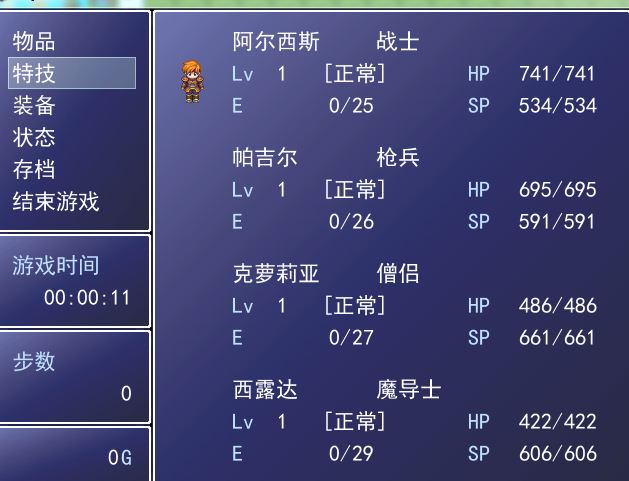
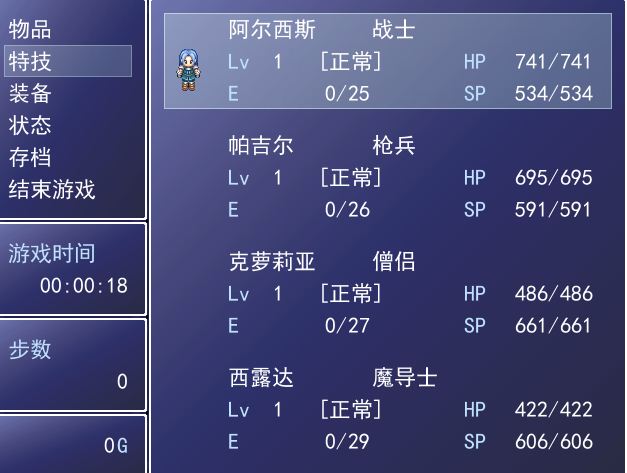
自己改下附件里面的图片名字 没有2号角色的图片
Window_MenuStatus####==============================================================================
# ■ Window_MenuStatus
#------------------------------------------------------------------------------
# 显示菜单画面和同伴状态的窗口。
#==============================================================================
class Window_MenuStatus < Window_Selectable
#--------------------------------------------------------------------------
# ● 初始化目标
#--------------------------------------------------------------------------
def initialize
super(0, 0, 480, 480)
self.contents = Bitmap.new(width - 32, height - 32)
refresh
self.active = false
self.index = -1
end
#--------------------------------------------------------------------------
# ● 刷新
#--------------------------------------------------------------------------
def refresh
self.contents.clear
@item_max = $game_party.actors.size
for i in 0...$game_party.actors.size
x = 64
y = i * 116
actor = $game_party.actors
draw_actor_graphic(actor, x - 40, y + 80)
draw_actor_name(actor, x, y)
draw_actor_class(actor, x + 144, y)
draw_actor_level(actor, x, y + 32)
draw_actor_state(actor, x + 90, y + 32)
draw_actor_exp(actor, x, y + 64)
draw_actor_hp(actor, x + 236, y + 32)
draw_actor_sp(actor, x + 236, y + 64)
end
end
#--------------------------------------------------------------------------
# ● 图形的描绘
# actor : 角色
# x : 描画目标 X 坐标
# y : 描画目标 Y 坐标
#--------------------------------------------------------------------------
def draw_actor_graphic1(actor, x, y)
#actor.character_hue这个可以写个哈希表或数组来保存数据,下面用默认
bitmap = RPG::Cache.character("actor_xz#{actor.id}", actor.character_hue)
cw = bitmap.width / 4
ch = bitmap.height / 4
src_rect = Rect.new(0, 0, cw, ch)
self.contents.blt(x - cw / 2, y - ch, bitmap, src_rect)
end
def refresh1
self.contents.clear
@item_max = $game_party.actors.size
for i in 0...$game_party.actors.size
x = 64
y = i * 116
actor = $game_party.actors
if FileTest.exist?("Graphics/Characters/actor_xz#{actor.id}.png") ==true and i==1 #如果是固定2号角色就判断 ==true and actor.id==2
draw_actor_graphic1(actor, x - 40, y + 80)
else
draw_actor_graphic(actor, x - 40, y + 80)
end
draw_actor_name(actor, x, y)
draw_actor_class(actor, x + 144, y)
draw_actor_level(actor, x, y + 32)
draw_actor_state(actor, x + 90, y + 32)
draw_actor_exp(actor, x, y + 64)
draw_actor_hp(actor, x + 236, y + 32)
draw_actor_sp(actor, x + 236, y + 64)
end
end
#--------------------------------------------------------------------------
# ● 刷新光标矩形
#--------------------------------------------------------------------------
def update_cursor_rect
if @index < 0
refresh
self.cursor_rect.empty
else
self.cursor_rect.set(0, @index * 116, self.width - 32, 96)
refresh1 if @index == 1
end
end
end
|
|


 写轮眼
写轮眼
 提升卡
提升卡 沉默号角
沉默号角 喧嚣号角
喧嚣号角 变色卡
变色卡 升龙剑
升龙剑
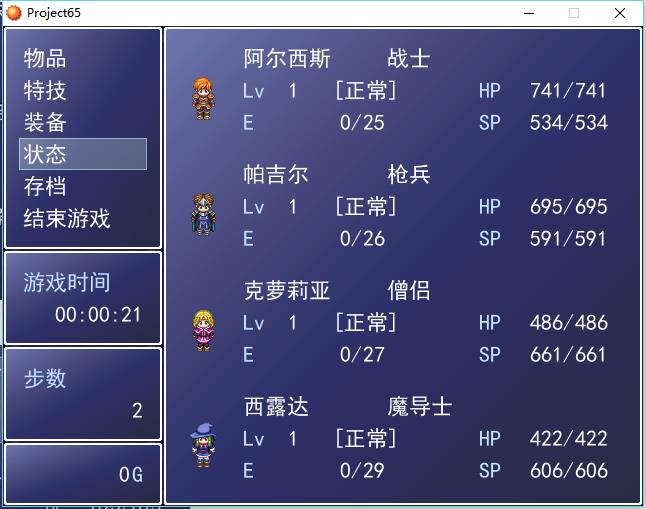
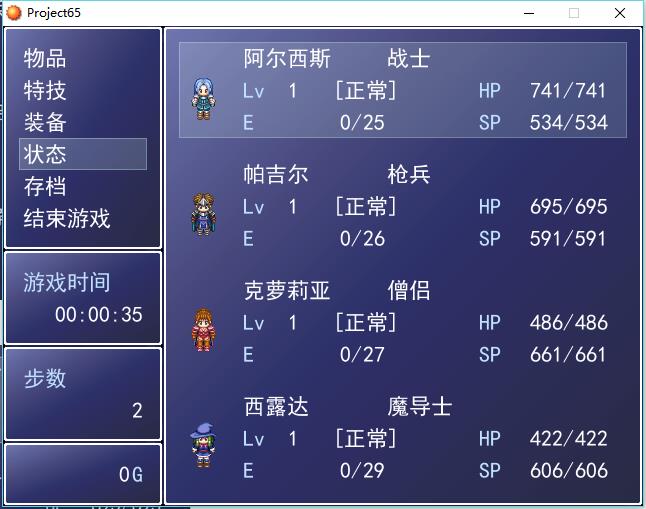


 光际矩形移动到第二个角色时,显示第二种行走图。第一个角色与其他角色显示第一种行走图。我错了。