| 赞 | 63 |
| VIP | |
| 好人卡 | |
| 积分 | 76 |
| 经验 | |
| 最后登录 | 2024-6-8 |
| 在线时间 | 2566 小时 |
- 梦石
- 2
- 星屑
- 5550
- 在线时间
- 2566 小时
- 注册时间
- 2012-2-9
- 回帖
- 947

|
加入我们,或者,欢迎回来。
您需要 登录 才可以下载或查看,没有账号?注册会员
×
本帖最后由 garfeng 于 2017-11-10 21:44 编辑
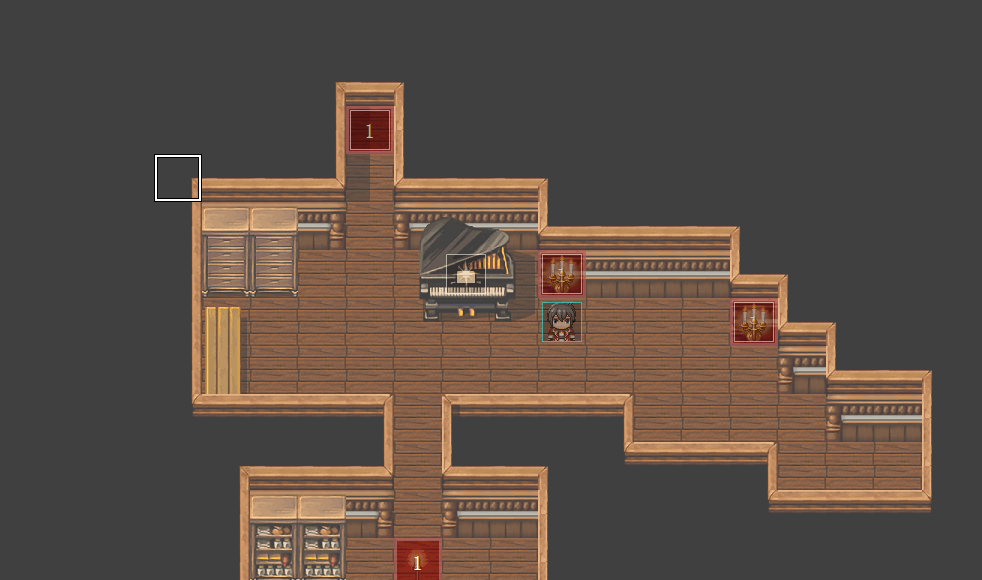
设置方法,用region id标记光源
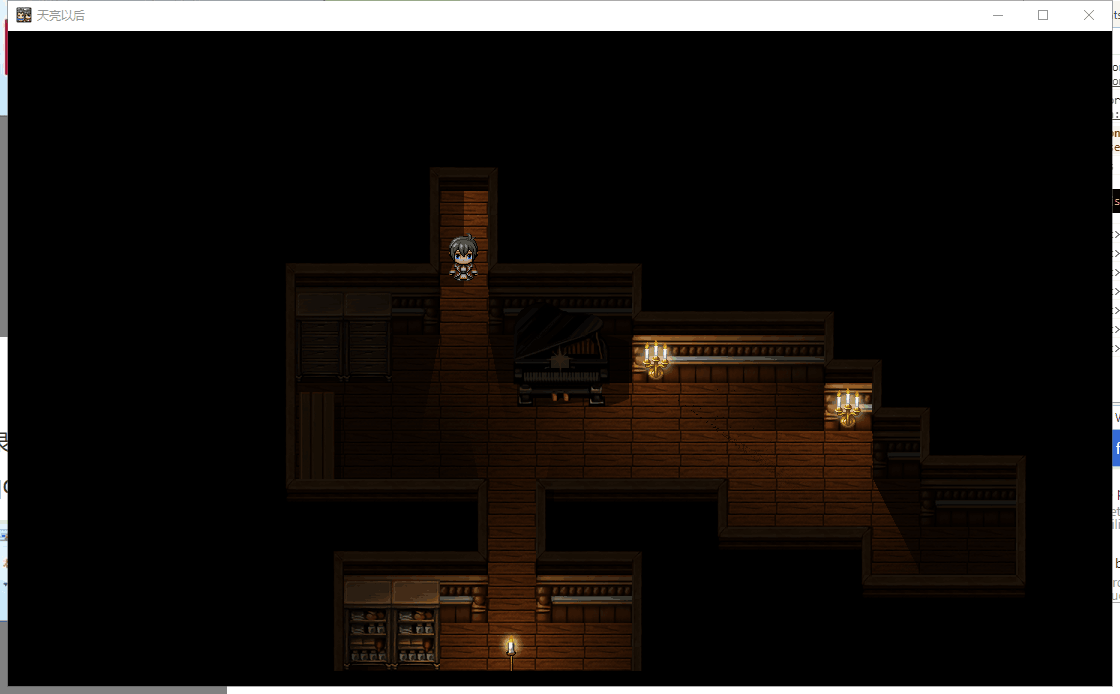
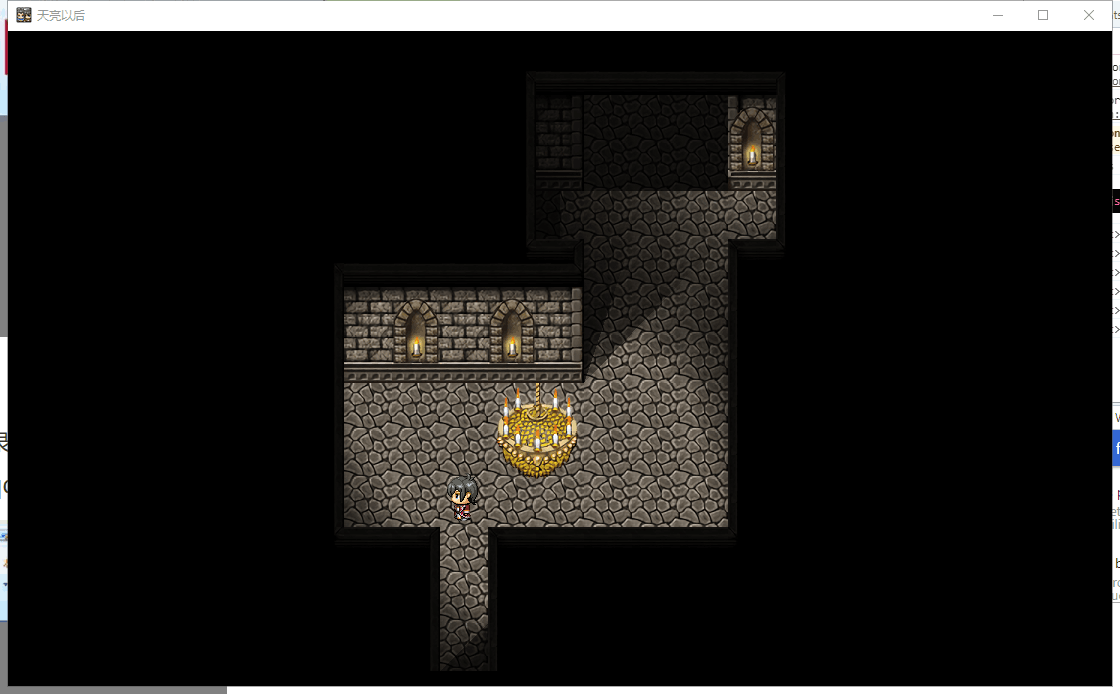
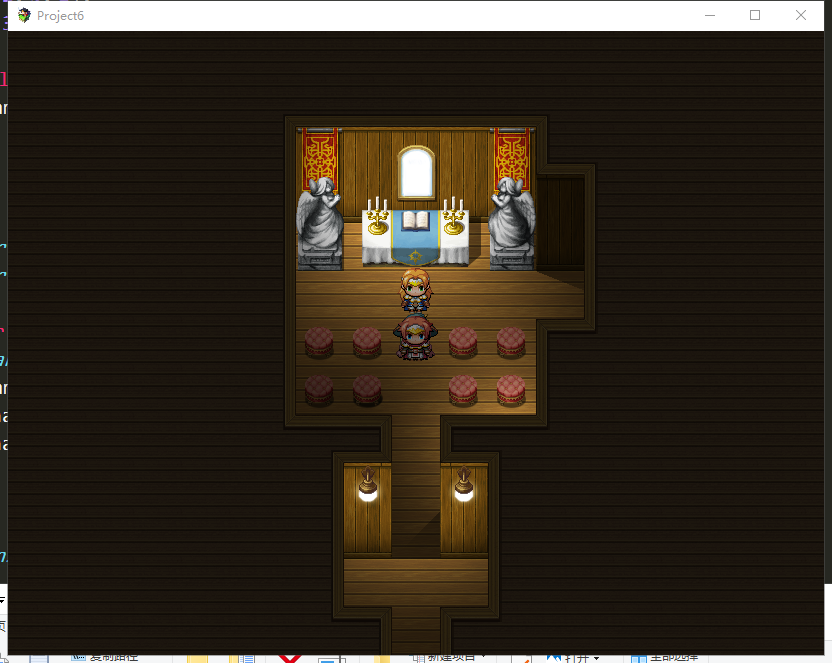
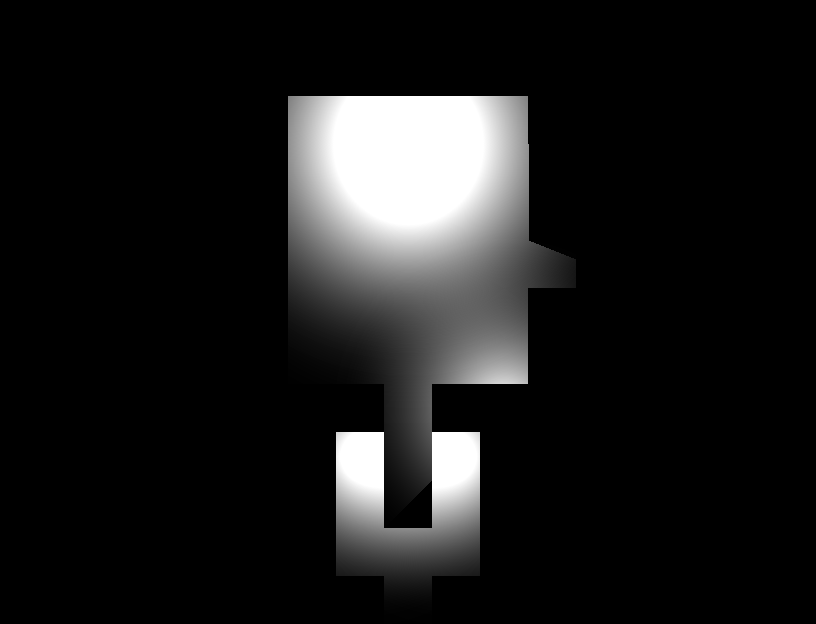
效果和生成的光图:
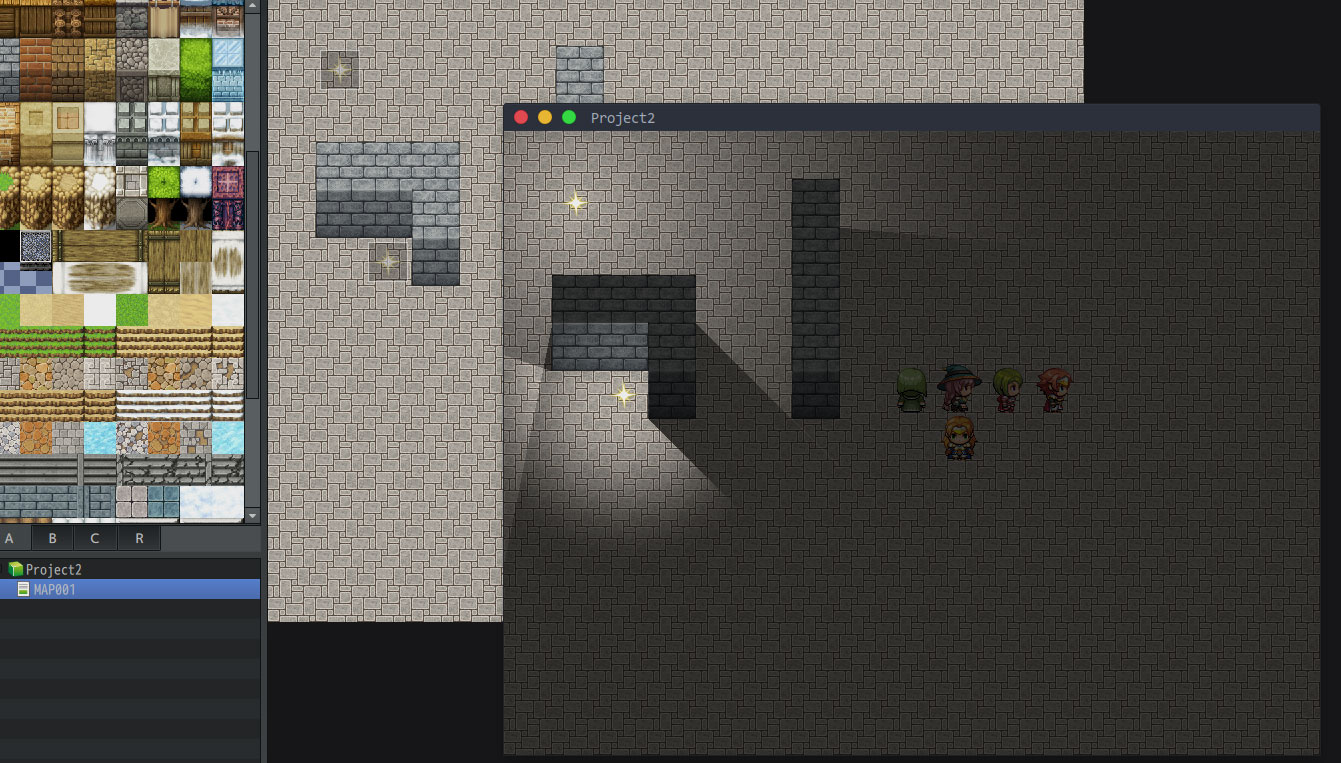
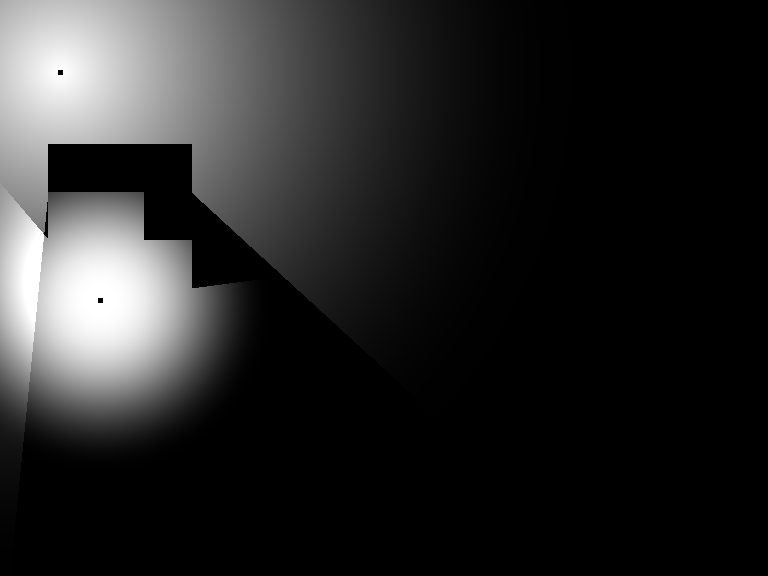
两个黑点是用来测试标记光源位置的,实际没有。
大概就是这种效果。
现在处理的办法是:用另一个编译好的exe算光影图,算完后js会调ulds把图加载进来。
这种办法是第一次载入地图时,把图存起来,以后直接就是显示图片了,可以很快。
但是第一次载入会很慢很慢很慢。
计算方法大概是从每个点到每个光源做直线,然后计算这条线段上有无遮挡。遮挡因为只计算墙壁,所以都是规则的立方体。
不知道有没有其他的更快的算法……求教。
如果能解决好,大的游戏也可以带光影,只是在玩家机器上生成而已
不知道大家对解决这个问题有没有什么办法……
谢谢~
下面是使用方法和相关文件,因为楼下收到Khas Advanced Lighting这个插件的回复,所以本插件不再继续开发,现有的版本使用方法大致如下:
1. 添加下方的脚本:
[fold=js代码]
[pre lang="javascript"]/*: * @plugindesc Auto light.
* @author Garfeng
* @help 关于光源参数:
* 数组,里面每一个条目也是一个数组,
* 第一项是该光源的region id,
* 第二项是该光源的光晕大小,单位:像素
* 第三项是该光源衰减速度,越大,则光源照射范围越小,单位:像素
* 总之,第二项和第三项的乘积,请勿大于255。
* 超过这个光晕范围的,则慢慢衰减(公式忘记了)
* 你可以把生成的图片打包进游戏里,用ulds手动调用,
* 然后把本插件以及附带的exe文件删除。
*
*
* @param path
* @desc 设置图片存放位置,在img目录下,注意,该文件夹必须你自己创建
* @default auto_light
*
* @param opacity
* @desc 透明度:0~255
* @default 150
*
* @param config
* @desc 光源参数设置,
* @default [[1,10,2],[2,5,1],[3,20,3]]
*/
/**
* <autolight>{"wall_height":1}</autolight>
*/
(function() {
var Helper = {
t: 0,
// Converts a coordinate on the map to the corresponding coordinate on the screen.
rx: function(x, scrollRate) {
if (scrollRate == null) {
scrollRate = $gameMap.tileWidth();
}
if (scrollRate === 0) {
return x;
} else {
return $gameMap.adjustX(x / scrollRate) * scrollRate;
}
},
ry: function(y, scrollRate) {
if (scrollRate == null) {
scrollRate = $gameMap.tileHeight();
}
if (scrollRate === 0) {
return y;
} else {
return $gameMap.adjustY(y / scrollRate) * scrollRate;
}
},
rOpacity: function(num, offset, end) {
if ($gameSwitches.value(20)) {
if (num > 0) {
if (this.opacity < end) {
return Math.min(this.opacity + num, end);
} else {
return end;
}
} else {
if (this.opacity > end) {
return Math.max(this.opacity + num, end);
} else {
return end;
}
}
} else {
return offset;
}
},
update: function() {
++this.t;
this._updater(this.t, $gameSwitches, $gameVariables);
},
assignSettings: function(settings) {
var code = '';
for (var key in settings) {
var value = settings[key];
if (typeof(value) === 'string') {
// this.x = (formula);
// this.scale.x = (formula); // key is "scale.x"
code += 'this.' + key + ' = (' + value + ');\n';
} else {
// if key is "scale.x"
// keys is ["scale", "x"]
var keys = key.split('.');
// set key to "x"
key = keys.pop();
var target = this;
keys.forEach(function(k) {
if (typeof(target) !== 'object') {
target[k] = {};
}
target = target[k];
});
target[key] = value;
}
}
// You may log the code for debugging purpose.
// console.log(code);
this._updater = new Function('t', 's', 'v', code);
}
};
var parameters = PluginManager.parameters("auto_light");
var path = parameters["path"] || "auto_light";
var opacity = parseInt(parameters["opacity"], 10) || 150;
var lamp_config_parameter;
if (typeof parameters["config"] == "undefined" || parameters["config"] == null) {
lamp_config_parameter = [
[1, 10, 2],
[2, 5, 1],
[3, 20, 3]
];
} else {
lamp_config_parameter = JSON.parse(parameters["config"]);
}
var note_regexp = /<autolight>([^]*?)<\/autolight>/ig;
var lamp_config = [];
for (var i in lamp_config_parameter) {
var v = lamp_config_parameter;
lamp_config[v[0]] = {
halo_x: v[1],
halo_k: v[2]
};
}
console.log(lamp_config);
var fs = require('fs');
var ph = require('path');
var childProcess = require('child_process');
var base = ph.dirname(process.mainModule.filename);
var complete_path = `${base}/img/${path}`;
var light_cmd = `${base}/light.exe`;
/*
lamp_config[1] = {
halo_x: 10,
halo_k: 2
}
*/
var config = {
path: complete_path,
opacity: opacity,
lamp_config: lamp_config
};
var DEFAULT_SETTINGS = {
z: 10,
path: path,
smooth: true
};
// NOT a class constructor
function ULDS(settings) {
settings = Object.assign({}, DEFAULT_SETTINGS, settings);
var spriteClass = ULDS.Sprite;
var bitmap;
bitmap = ImageManager.loadBitmap('img/' + settings.path + '/',
settings.name, settings.hue, settings.smooth);
var sprite = new spriteClass(bitmap);
delete settings.path;
delete settings.name;
delete settings.loop;
delete settings.hue;
delete settings.smooth;
delete settings.jpeg;
sprite.assignSettings(settings);
return sprite;
}
ULDS.Sprite = function(bitmap) {
Sprite.call(this, bitmap);
};
ULDS.Sprite.prototype = Object.create(Sprite.prototype);
ULDS.Sprite.prototype.constructor = ULDS.Sprite;
Object.assign(ULDS.Sprite.prototype, Helper);
Spriteset_Map.prototype.parseAutoLight = function() {
var filename = `${complete_path}/light_${$dataMap.auto_light_config.mapId}.png`;
var auto_light_settings = {
name: `light_${$dataMap.auto_light_config.mapId}`,
x: "this.rx(0)",
y: "this.ry(0)",
opacity: opacity,
blendMode: 2
};
var config_file = `${complete_path}/light_${$dataMap.auto_light_config.mapId}.json`;
if (fs.existsSync(filename)) {
this._tilemap.addChild(ULDS(auto_light_settings));
} else {
var callback_for_parseReady = function(error, stdout, stderr) {
if (error != null) {
throw error;
}
this._tilemap.addChild(ULDS(auto_light_settings));
}.bind(this);
var callback_for_writeConfig = function(err) {
if (err != null) {
throw err;
}
childProcess.exec(`${light_cmd} ${config_file}`, null, callback_for_parseReady);
}
var config_all = Object.assign({}, $dataMap.auto_light_config);
var tilemap_config = [];
var width = $gameMap.width();
var height = $gameMap.height();
config_all.width = width;
config_all.height = height;
//var tilemap = this._tilemap;
for (var j = 0; j < height; j++) {
for (var i = 0; i < width; i++) {
var tileId0 = $gameMap.tileId(i, j, 0);
var tileId1 = $gameMap.tileId(i, j, 1);
var regionId = $gameMap.regionId(i, j);
var index = j * width + i;
var id = 0;
if (Tilemap.isWallSideTile(tileId0) || Tilemap.isWallSideTile(tileId1)) {
id = 1;
} else if (Tilemap.isGroundTile(tileId0) || Tilemap.isGroundTile(tileId1)) {
id = 2;
} else {
id = 0;
}
if (typeof lamp_config[regionId] != "undefined" && lamp_config[regionId] != null) {
id |= (regionId << 2);
}
tilemap_config[index] = id;
}
}
config_all.tilemap = tilemap_config;
var str = JSON.stringify(config_all);
fs.writeFile(config_file, str, {
flag: "w"
}, callback_for_writeConfig);
}
}
var alias_Spriteset_Map_createTilemap = Spriteset_Map.prototype.createTilemap;
Spriteset_Map.prototype.createTilemap = function() {
alias_Spriteset_Map_createTilemap.call(this);
var match;
$dataMap.auto_light_config = Object.assign({}, config);
$dataMap.auto_light_config.mapId = $gameMap.mapId();
console.log($dataMap.note);
var note = $dataMap.note;
note_regexp.lastIndex = 0;
if ((match = note_regexp.exec(note)) != null) {
try {
var settings = JSON.parse(match[1]);
if (typeof settings !== "object") {
throw "Auto light settings should be object";
}
$dataMap.auto_light_config = Object.assign($dataMap.auto_light_config, settings);
this.parseAutoLight();
} catch (e) {
throw e;
}
}
}
})();[/pre]
[/fold]
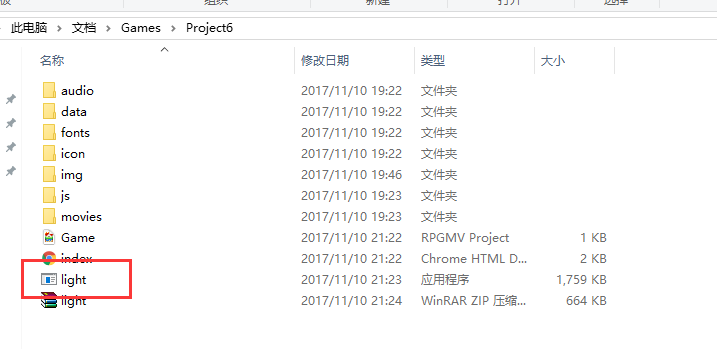
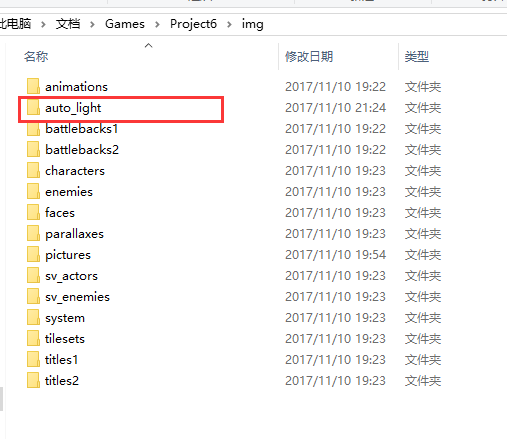
2. 下载下方附件解压,将得到的exe文件放在游戏根目录,且在游戏的img目录下创建一个auto_light文件夹:
 light.zip
(663.65 KB, 下载次数: 142)
light.zip
(663.65 KB, 下载次数: 142)
3. 在rmmv编辑器里添加光源,在地图note里添加墙壁高度:
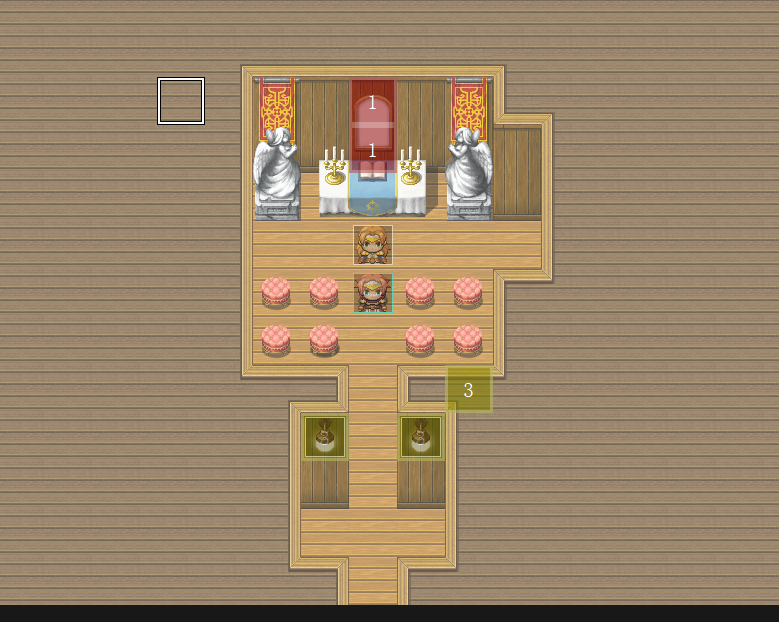
这里的region id 1,3是我在插件参数里设置好的光源。
在地图note里设置墙壁高度:
[pre lang="html"]<autolight>{"wall_height":1}</autolight>[/pre]
4. 运行游戏:
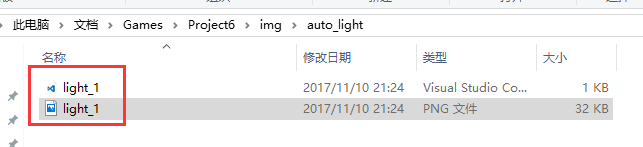
开始后,会检测auto_light目录下的光图片,没有的话就会生成:
生成的光影图:
你可以对它进行一些其他的优化,比如修改色调。
|
评分
-
查看全部评分
|


 https://rpg.blue/data/attachment/album/202003/28/021323lltgrsvfytfwuya5.gif



 写轮眼
写轮眼
 发表于 2017-10-14 02:31:02


 提升卡
提升卡 沉默号角
沉默号角 喧嚣号角
喧嚣号角 变色卡
变色卡 升龙剑
升龙剑






 发表于 2017-10-14 10:09:05
 RGDirect -