| 赞 | 7 |
| VIP | |
| 好人卡 | |
| 积分 | 19 |
| 经验 | |
| 最后登录 | 2022-10-10 |
| 在线时间 | 316 小时 |
- 梦石
- 0
- 星屑
- 1939
- 在线时间
- 316 小时
- 注册时间
- 2018-3-4
- 回帖
- 48
|
加入我们,或者,欢迎回来。
您需要 登录 才可以下载或查看,没有账号?注册会员
×
本帖最后由 真紅樂章 于 2018-3-4 05:45 编辑
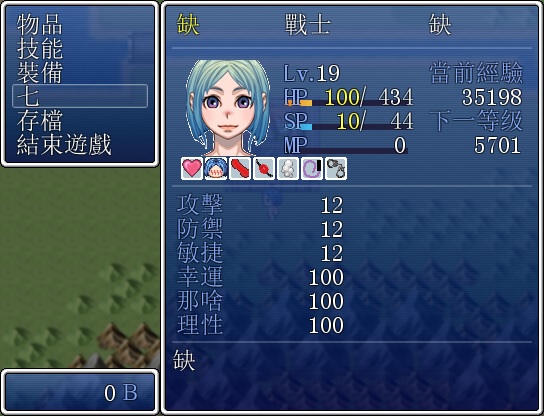
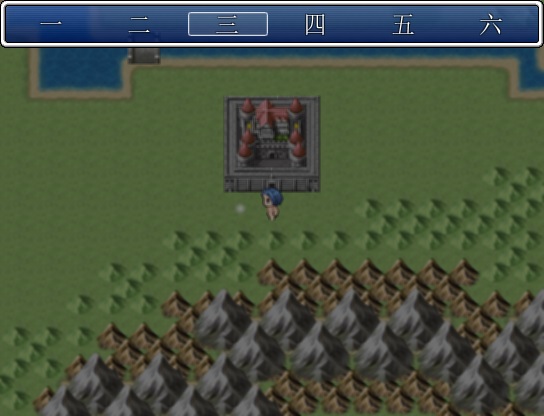
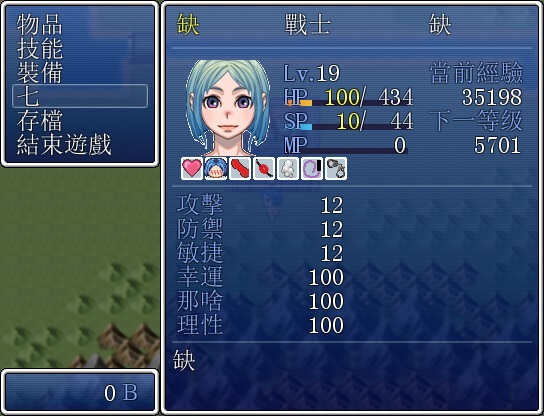
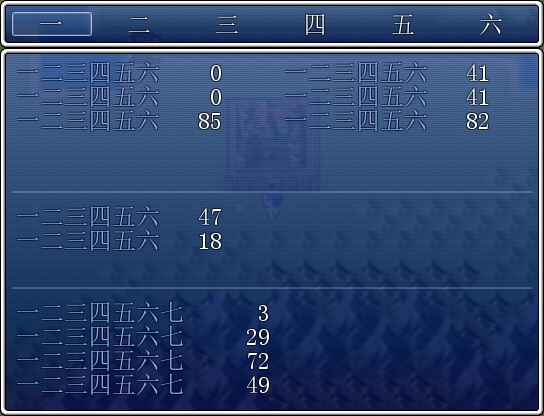
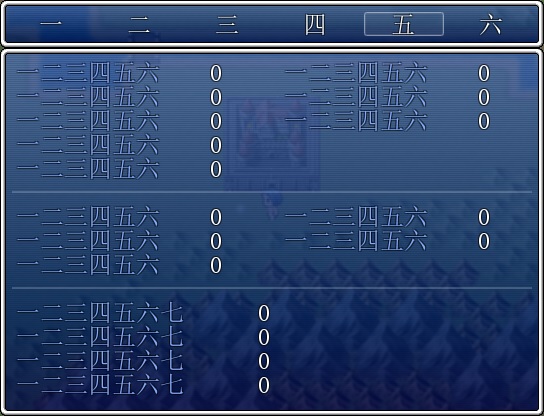
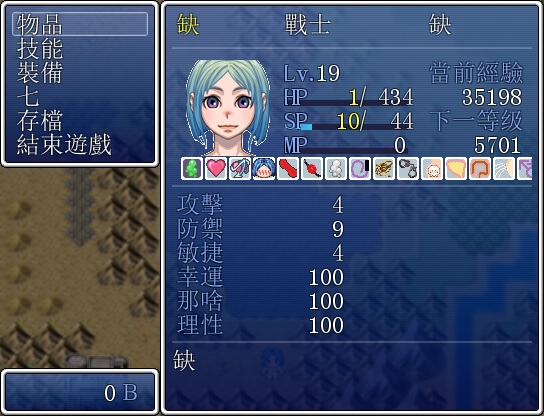
其实想要在选单里再制作一个自制选单来查看一些自制数值的说 
但是教程看了又看还是不太懂呢 
尝试着用默认脚本里的Window_MenuCommand和Scene_Menu勉强改出来了以下这个插件脚本(是叫插件吗?)出来了 
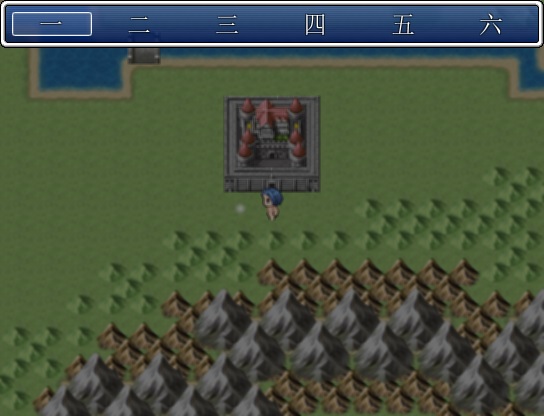
虽然终於能看到自制选单而且也不会报错跳出可是效果始终强差人意嘛 
所以想请教一下改善方法喔 
- #--------------------------------------------------------------------------
- # ● 增设能力值
- #--------------------------------------------------------------------------
- class Scene_Menu < Scene_MenuBase
- #--------------------------------------------------------------------------
- # ● 生成指令窗口(增设「七」窗口)
- #--------------------------------------------------------------------------
- def create_command_window
- @command_window = Window_MenuCommand.new
- @command_window.set_handler(:item, method(:command_item))
- @command_window.set_handler(:skill, method(:command_skill))
- @command_window.set_handler(:equip, method(:command_equip))
- @command_window.set_handler(:scommand, method(:command_scommand))
- @command_window.set_handler(:save, method(:command_save))
- @command_window.set_handler(:game_end, method(:command_game_end))
- @command_window.set_handler(:cancel, method(:return_scene))
- end
- #--------------------------------------------------------------------------
- # ● 生成状态窗口
- #--------------------------------------------------------------------------
- def create_status_window
- @status_window = Window_Status.new(@actor)
- end
- #--------------------------------------------------------------------------
- # ● 指令“七”
- #--------------------------------------------------------------------------
- def command_scommand
- SceneManager.call(Scene_scommand)
- end
- def command_skill
- SceneManager.call(Scene_Skill)
- end
- def command_equip
- SceneManager.call(Scene_Equip)
- end
- end
- class Window_MenuCommand < Window_Command
- #--------------------------------------------------------------------------
- # ● 向指令列表添加主要的指令(增设「七」指令)
- #--------------------------------------------------------------------------
- def add_original_commands
- add_command("七", :scommand, main_commands_enabled)
- end
- end
- #--------------------------------------------------------------------------
- # ● 增设统计
- #--------------------------------------------------------------------------
- class Scene_scommand < Scene_MenuBase
- #--------------------------------------------------------------------------
- # ● 开始处理
- #--------------------------------------------------------------------------
- def start
- super
- create_scommand_window
- end
- #--------------------------------------------------------------------------
- # ● 生成指令窗口
- #--------------------------------------------------------------------------
- def create_scommand_window
- @scommand_window = Window_SuCommand.new
- @scommand_window.set_handler(:aaa, method(:command_aaa))
- @scommand_window.set_handler(:bbb, method(:command_bbb))
- @scommand_window.set_handler(:ccc, method(:command_ccc))
- @scommand_window.set_handler(:ddd, method(:command_ddd))
- @scommand_window.set_handler(:eee, method(:command_eee))
- @scommand_window.set_handler(:fff, method(:command_fff))
- @scommand_window.set_handler(:cancel, method(:return_scene))
- end
- def command_aaa
- SceneManager.call(Scene_aaa_window)
- end
- def command_bbb
- SceneManager.call(Scene_bbb_window)
- end
- def command_ccc
- SceneManager.call(Scene_ccc_window)
- end
- def command_ddd
- SceneManager.call(Scene_ddd_window)
- end
- def command_eee
- SceneManager.call(Scene_eee_window)
- end
- def command_fff
- SceneManager.call(Scene_fff_window)
- end
- end
- class Window_SuCommand < Window_HorzCommand
- #--------------------------------------------------------------------------
- # ● 初始化指令选择位置(类方法)
- #--------------------------------------------------------------------------
- def self.init_command_position
- @@last_command_symbol = nil
- end
- #--------------------------------------------------------------------------
- # ● 初始化对象
- #--------------------------------------------------------------------------
- def initialize
- super(0, 0)
- select_last
- end
- #--------------------------------------------------------------------------
- # ● 获取窗口的宽度
- #--------------------------------------------------------------------------
- def window_width
- return 544
- end
- #--------------------------------------------------------------------------
- # ● 获取窗口的高度
- #--------------------------------------------------------------------------
- def window_height
- return 48
- end
- #--------------------------------------------------------------------------
- # ● 获取列数
- #--------------------------------------------------------------------------
- def col_max
- return 6
- end
- #--------------------------------------------------------------------------
- # ● 生成指令列表
- #--------------------------------------------------------------------------
- def make_command_list
- add_main_commands
- end
- #--------------------------------------------------------------------------
- # ● 向指令列表添加主要的指令
- #--------------------------------------------------------------------------
- def add_main_commands
- add_command("一", :aaa,)
- add_command("二", :bbb,)
- add_command("三", :ccc,)
- add_command("四", :ddd,)
- add_command("五", :eee,)
- add_command("六", :fff,)
- end
- #--------------------------------------------------------------------------
- # ● 按下确定键时的处理
- #--------------------------------------------------------------------------
- def process_ok
- @@last_command_symbol = current_symbol
- super
- end
- #--------------------------------------------------------------------------
- # ● 返回最后一个选项的位置
- #--------------------------------------------------------------------------
- def select_last
- end
- end
- class Scene_aaa_window < Scene_MenuBase
- #--------------------------------------------------------------------------
- # ● 开始处理
- #--------------------------------------------------------------------------
- def start
- super
- @aaa_window = Window_aaa.new(@actor)
- @aaa_window.set_handler(:cancel, method(:return_scene))
- end
- end
- class Scene_bbb_window < Scene_MenuBase
- #--------------------------------------------------------------------------
- # ● 开始处理
- #--------------------------------------------------------------------------
- def start
- super
- @bbb_window = Window_bbb.new(@actor)
- @bbb_window.set_handler(:cancel, method(:return_scene))
- end
- end
- class Scene_ccc_window < Scene_MenuBase
- #--------------------------------------------------------------------------
- # ● 开始处理
- #--------------------------------------------------------------------------
- def start
- super
- @ccc_window = Window_ccc.new(@actor)
- @ccc_window.set_handler(:cancel, method(:return_scene))
- end
- end
- class Scene_ddd_window < Scene_MenuBase
- #--------------------------------------------------------------------------
- # ● 开始处理
- #--------------------------------------------------------------------------
- def start
- super
- @ddd_window = Window_ddd.new(@actor)
- @ddd_window.set_handler(:cancel, method(:return_scene))
- end
- end
- class Scene_eee_window < Scene_MenuBase
- #--------------------------------------------------------------------------
- # ● 开始处理
- #--------------------------------------------------------------------------
- def start
- super
- @eee_window = Window_eee.new(@actor)
- @eee_window.set_handler(:cancel, method(:return_scene))
- end
- end
- class Scene_fff_window < Scene_MenuBase
- #--------------------------------------------------------------------------
- # ● 开始处理
- #--------------------------------------------------------------------------
- def start
- super
- @fff_window = Window_fff.new(@actor)
- @fff_window.set_handler(:cancel, method(:return_scene))
- end
- end
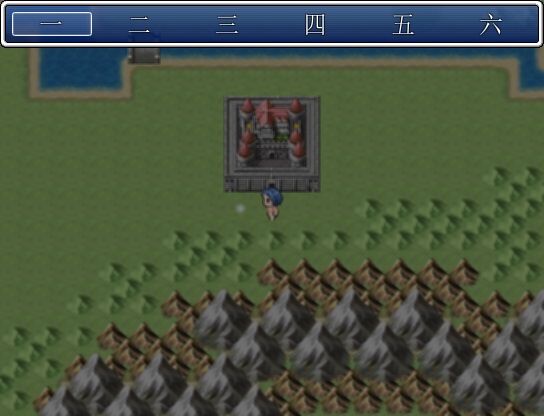
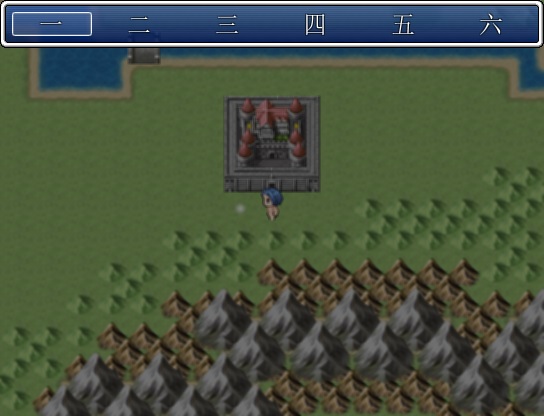
主要问题在於脚本中「● 返回最后一个选项的位置」如果加入「select_symbol(@@last_command_symbol)」这句就会报错呢 
所以删除後会变成按Esc跳出来选项框总会在「一」位置而不会回到之前选项的位置…… 
想请教↓这部份的问题其实是在哪里以及怎麽改善的说 
- #--------------------------------------------------------------------------
- # ● 返回最后一个选项的位置
- #--------------------------------------------------------------------------
- def select_last
- select_symbol(@@last_command_symbol)
- end
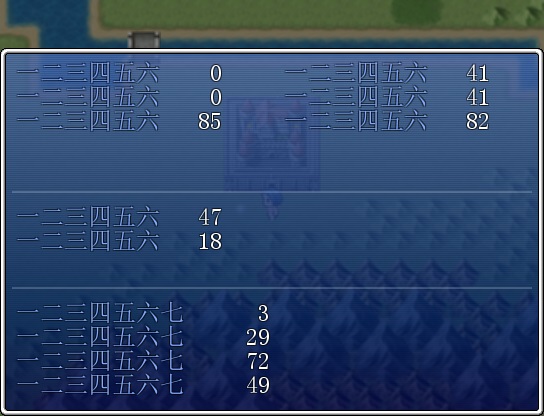
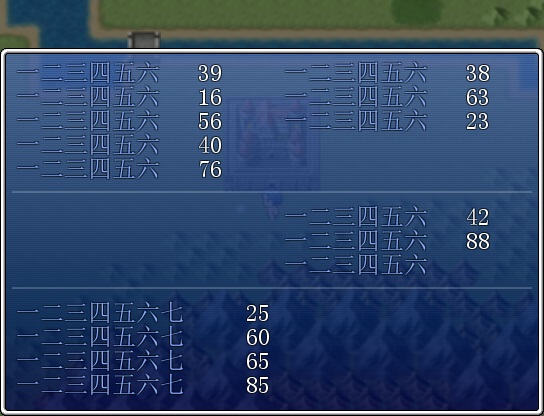
另外其实更想要造成不用按进去就能显示光标圈着的视窗的喔 
然而因为默认脚本中似乎没有类似的东西呢 
於是……
- class Scene_scommand < Scene_MenuBase
- #--------------------------------------------------------------------------
- # ● 开始处理
- #--------------------------------------------------------------------------
- def start
- super
- create_scommand_window
- create_se_window
- end
- def create_se_window
- @se_window = Window_aaa.new(@actor)
- end
- end
勉强只能造成这样了 
虽然在脚本里更改「@se_window = Window_aaa.new(@actor)」这句可以得出想要的效果 
可是不知道该怎样加入判断才能让游戏中能够自动由aaa→bbb→ccc…… 
补充:由於是单角色所以不用考虑转换角色问题的说 
然後由於打算造的小黄游所以以上转换了一些敏感字词了喔……  |
|




 写轮眼

 发表于 2018-3-4 05:43:01
 提升卡
 沉默号角
 喧嚣号角
 变色卡
 升龙剑