| 赞 | 5 |
| VIP | |
| 好人卡 | |
| 积分 | 39 |
| 经验 | |
| 最后登录 | 2026-8-3 |
| 在线时间 | 1899 小时 |
- 梦石
- 0
- 星屑
- 3850
- 在线时间
- 1899 小时
- 注册时间
- 2010-6-19
- 回帖
- 917
|
加入我们,或者,欢迎回来。
您需要 登录 才可以下载或查看,没有账号?注册会员
×
本帖最后由 黑米馒头 于 2022-10-4 18:42 编辑
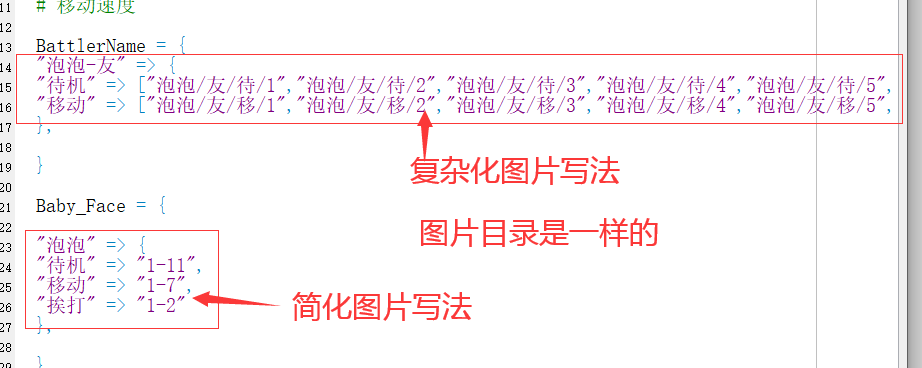
工程里用到很多重复命名的图片,如何简化。。脚本盲看的头晕
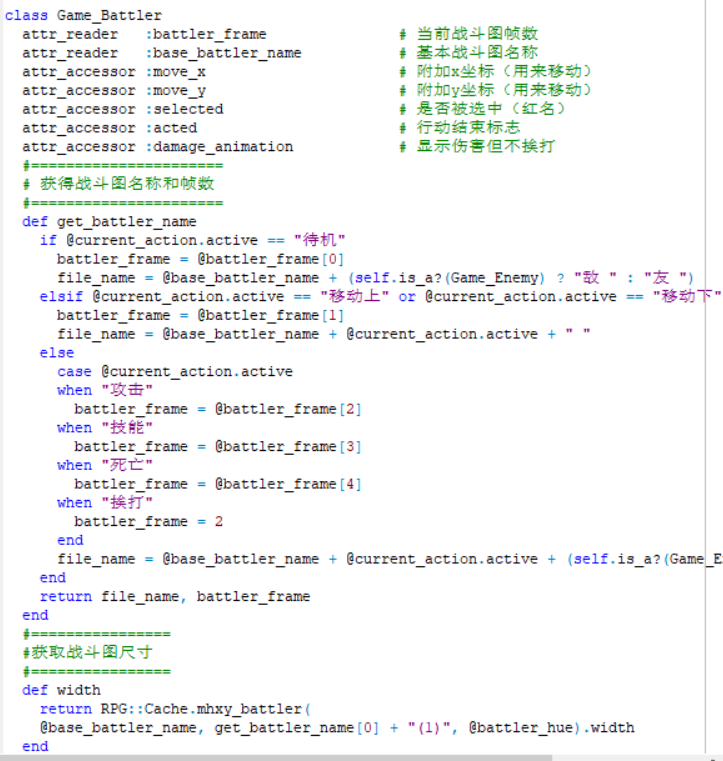
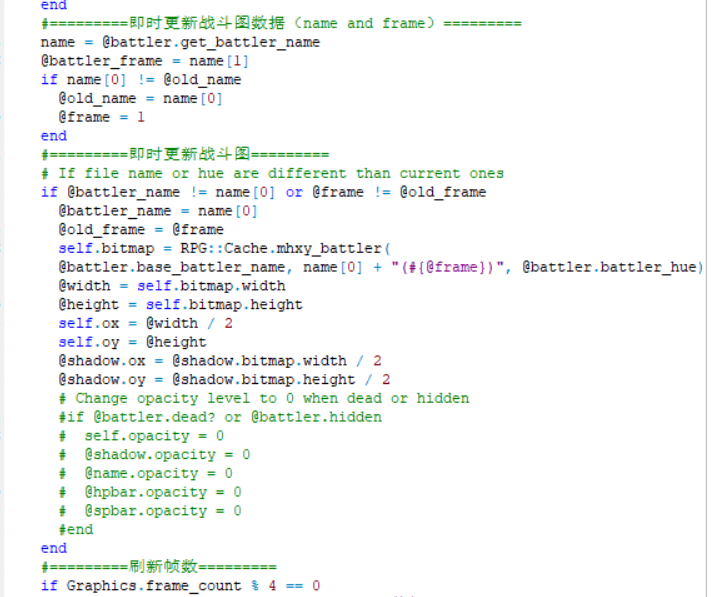
- if @battler.startactive == "移动"
- if Graphics.frame_count % 2 == 0
- unless BattlerName[@battler.name].nil?
- @number = (@number + 1) % BattlerName[@battler.name][@battler.startactive].size
- self.bitmap = RPG::Cache.battler(BattlerName[@battler.name][@battler.startactive][@number], @battler_hue)
- end
- end
- module Scene_BattleName
- BattlerName = {
- "泡泡-友" => {
- "待机" => ["泡泡/友/待/1","泡泡/友/待/2","泡泡/友/待/3","泡泡/友/待/4","泡泡/友/待/5","泡泡/友/待/6","泡泡/友/待/7","泡泡/友/待/8","泡泡/友/待/9","泡泡/友/待/10","泡泡/友/待/11"],
- "移动" => ["泡泡/友/移/1","泡泡/友/移/2","泡泡/友/移/3","泡泡/友/移/4","泡泡/友/移/5","泡泡/友/移/6","泡泡/友/移/7"]
- },
- }
- end
- class Scene_Battle
- include Scene_BattleName
- end
- class Sprite_Battler
- include Scene_BattleName
- end
- #==============================================================================
- # ■ Window_Head
- #------------------------------------------------------------------------------
- # 处理宠物图像画面的类。
- #==============================================================================
- class Window_Head < Window_Base
- def initialize(actor)
- super(100, 42, 400, 390)
- self.opacity = 0
- self.z = 999
- self.contents = Bitmap.new(width - 32, height - 32)
- @bitmap_index = 0
- @rect = Rect.new(0, 0, 1, 1)
- refresh
- end
- #--------------------------------------------------------------------------
- # ● 刷新
- #--------------------------------------------------------------------------
- def refresh
- self.contents.clear
- actor = $baby_index
- return if actor.nil? or Baby_Face[actor.name].nil?
- if @id != actor.id or @face != actor.face
- # 宠物图片类型设定
- actor.face = "待机" or "移动" or "挨打" or "防御" if actor.face.nil?
- @id = actor.id
- @face = actor.face
- @bitmap_index = 0
- str = Baby_Face[actor.name][actor.face]
- @index = [*str.split("-")[0].to_i..str.split("-")[1].to_i]
- end
- filename = sprintf("%d", @index[@bitmap_index])
- # 宠物图片显示格式
- bitmap = Bitmap.new("Graphics/Battlers/#{actor.name}/友/#{actor.face}/"+filename)
- self.contents.blt(0, 0, bitmap, @rect.set(-30, -30, bitmap.width+100, bitmap.height))
- self.x = 100
- self.y = 42
-
- @bitmap_index += 1
- if @bitmap_index >= @index.size
- @bitmap_index = 0
- # 宠物图片类型切换的时间
- if rand(40) < 10
- ar = Baby_Face[actor.name].keys
- actor.face = ar[rand(ar.size)]
- end
- end
- end
- end
- #==============================================================================
- # ■ Scene_BattleName
- #------------------------------------------------------------------------------
- # 设置宠物图像画面的类。
- #==============================================================================
- module Scene_BattleName
-
- Baby_Face = {
- "泡泡" => {
- "待机" => "1-11",
- "移动" => "1-7",
- "挨打" => "1-2"
- },
- }
- end
- #==============================================================================
- # ■ Window_Head
- #------------------------------------------------------------------------------
- # 处理宠物图像画面的类。
- #==============================================================================
- class Window_Head < Window_Base
- include Scene_BattleName
- end
|
|



 写轮眼

 发表于 2022-10-4 18:22:41
 提升卡
 沉默号角
 喧嚣号角
 变色卡
 升龙剑



 发表于 2022-10-8 22:11:40
