查看: 1643|回复: 2

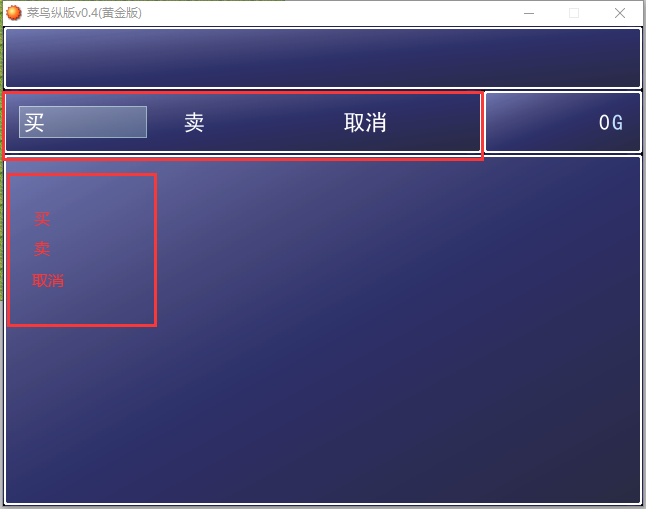
[已经解决] 商店横排买卖取消,怎么变成竖排

[复制链接]
梦石
0
星屑
1442
在线时间
171 小时
注册时间
2019-10-4
回帖
162
发表于 2023-5-7 11:02:04 | 显示全部楼层 |阅读模式

加入我们,或者,欢迎回来。

您需要 登录 才可以下载或查看,没有账号?注册会员

×
商店横排买卖取消,怎么变成竖排如图 QQ截图20230507110037.png
梦石
0
星屑
7296
在线时间
1244 小时
注册时间
2015-8-15
回帖
473
发表于 2023-5-7 13:17:04 | 显示全部楼层
本帖最后由 金芒芒 于 2023-5-7 14:55 编辑

[pre lang="ruby"]class Window_ShopCommand < Window_Selectable
  #--------------------------------------------------------------------------
  # ● 初始化对像
  #--------------------------------------------------------------------------
  def initialize
    super(0, 0, 128, 150)#★★★★★★★★★★★★★★★★★
    self.contents = Bitmap.new(width - 32, height - 32)
    @item_max = 3
    @row_max = 3
    @commands = ["买", "卖", "取消"]
#    @commands.x=0
  #  s1 = "买"
   # s2 = "卖"
  #  s3 = "卖"

  # command = Window_Command.new(90,[s1,s2,s3])
#  command.x = 320-Command.width/2
  # command.y = 240-Command.height/2
    refresh
    self.index = 0
  end
  #--------------------------------------------------------------------------
  # ● 刷新
  #--------------------------------------------------------------------------
  def refresh
    self.contents.clear
    for i in 0...@item_max
      draw_item(i)
    end
  end
  #--------------------------------------------------------------------------
  # ● 描绘项目
  #     index : 项目编号
  #--------------------------------------------------------------------------
  def draw_item(index)
    y = 4 + index * 64
    self.contents.draw_text(x, index * 32, 128, 32, @commands[index])
  end
end[/pre]
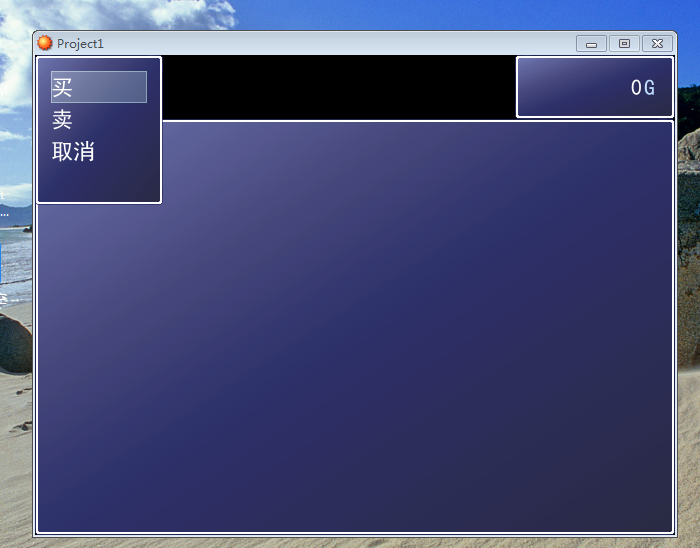
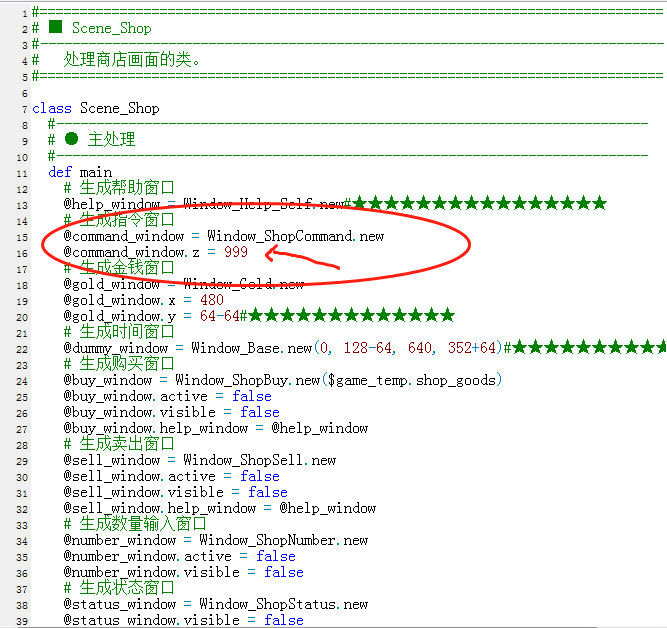
2222.png
333.png

点评

可以的,谢谢大佬  发表于 2023-5-7 23:17

评分

参与人数 1星屑 +50 收起 理由
RyanBern + 50 认可答案

查看全部评分

回复 1 0

使用道具 举报

您需要登录后才可以回帖 登录 | 注册会员

本版积分规则

Powered by Discuz! X5.0 © 2001-2026 Discuz! Team.

在本版发帖返回顶部