| 赞 | 62 |
| VIP | |
| 好人卡 | |
| 积分 | 65 |
| 经验 | |
| 最后登录 | 2025-2-24 |
| 在线时间 | 1275 小时 |
百合控
- 梦石
- 0
- 星屑
- 6548
- 在线时间
- 1275 小时
- 注册时间
- 2013-8-21
- 回帖
- 3522

|
加入我们,或者,欢迎回来。
您需要 登录 才可以下载或查看,没有账号?注册会员
×
本帖最后由 余烬之中 于 2014-6-16 10:36 编辑
[box=Wheat](@taroxd @喵呜喵5 @晴兰 @moy @所有人 这也就是那个moveAE 现在的完成度我已经很满意了)
简述transition方法用来实现对某对象某属性值的随帧渐变
该方法会返回一个signal对象 用该对象对渐变做出进一步的要求
@一下该@的变量@Window @current @lock @UID
使用示例[pre lang="ruby" line="1"]# 已有另一对象@obj 该对象有属性att 值为0
p @obj.att #=> 0
@t = Smomo.transition(@obj, :att)
@t.target(99, 30) # 目标值 耗费的帧数
# 30帧后
p @obj.att #=> 99
# 如果把这个例子特殊化 比如某个Window的x与y
@window= Window_Base.new(0, 0, 100, 100)
@t = [Smomo.transition(@window, :x), Smomo.transition(@window, :y)]
@t[0].target(100, 60)
@t[1].target(100, 120)
# 60帧后
p [@window.x, @window.y]
#=> [100, 50]
# 再过60帧
p [@window.x, @window.y]
#=> [100, 100]
#在屏幕上表现为移动
# 如果不是坐标 而是大小 则表现为缩放
# 如果是不透明度 则表现为淡入淡出
[/pre]
脚本关键[pre lang="ruby" line="1"] # transition
def transition(object, attribute)
::Smomo::Kit.register[:transition].push signal = Object.new
# Class Signal
class << signal
# target
def target(value, duration = 1)
return false if @lock
@targets[-1][0] = (@current= @object.send(@attribute).to_f).to_i if
@targets.size == 1
@targets[-1][1] = @targets[-1][2] =
duration.round == 0 ? 1 : duration.round
@targets.push [value.round]
return true
end
# turn
def turn
@position -= 1 if @direction == 1 && @position == @targets.size - 1
@position += 1 if @direction == -1 && @position == -1
@targets.each{|e| e[2] = e[1] - e[2] unless e[1].nil?}
@direction = -@direction
end
# lock
def lock(state = :switch)
@lock= state == :on ? true : state == :off ? false : !@lock
end
# update
def update
return if @targets.size == 1
return if arrived?
@object.send "#{@attribute}=", @current +=
(@targets[@position + (@direction == 1 ? 1 : 0)][0] - @current).to_f /
@targets[@position][2]
@targets[@position][2] -= 1
if @targets[@position][2] == 0
@position += @direction
@object.send "#{@attribute}=", @current =
@targets[@position + (@direction == 1 ? 0 : 1)][0].to_f
end
rescue RGSSError
kill
end
# clear
def clear
@direction = 1
@targets = [[@position = @current = 0]]
end
# arrived?
def arrived?
@position == (@direction == 1 ? @targets.size - 1 : -1)
end
# kill
def kill
dead = Object.new
class << dead; def method_missing *args; end; end
::Smomo::Kit.register[:transition][@uid] = dead
end
# init
def init object, attribute, uid
clear
@lock, @object, @attribute, @uid = false, object, attribute, uid
end
end # Class Signal
signal.init object, attribute, ::Smomo::Kit.register[:transition].size - 1
class << signal; undef init; end
signal
end[/pre]
实验代码[pre lang="ruby" line="1"]$MOMO = []
$MMMM = []
$OOOO = nil
class Game_Interpreter
# 第一幅图的右边
def test
_ = Window_Base.new(rand * 10, rand * 10, rand * 200, rand * 200)
$MMMM.push Smomo.transition(_, :x), Smomo.transition(_, :y)
$MMMM[-2, 2].each{|k| k.target rand * 100 + 100, rand * 120 + 1}
$MOMO.push _
end
# 第一幅图的左边
def test2
$MMMM.each &:turn
end
# 第二幅图右边
def test3
$MOMO.clear
GC.start
$OOOO = nil if $OOOO && $OOOO[0].disposed?
return if $OOOO
_ = Window_Base.new(rand * 10, rand * 10, rand * 200, rand * 200)
$OOOO = [_, Smomo.transition(_, :x), Smomo.transition(_, :y)]
$OOOO[1, 2].each{|k| k.target rand * 100 + 10, 30}
$OOOO[1, 2].each{|k| k.target rand * 300 + 110, 60}
$OOOO[1, 2].each{|k| k.target rand * 120 + 110, 30}
end
# 第二幅图左边
def test4
$OOOO[1, 2].each &:turn
end
end[/pre]
实验效果(直接看这个吧)可以看到反向的属性渐变
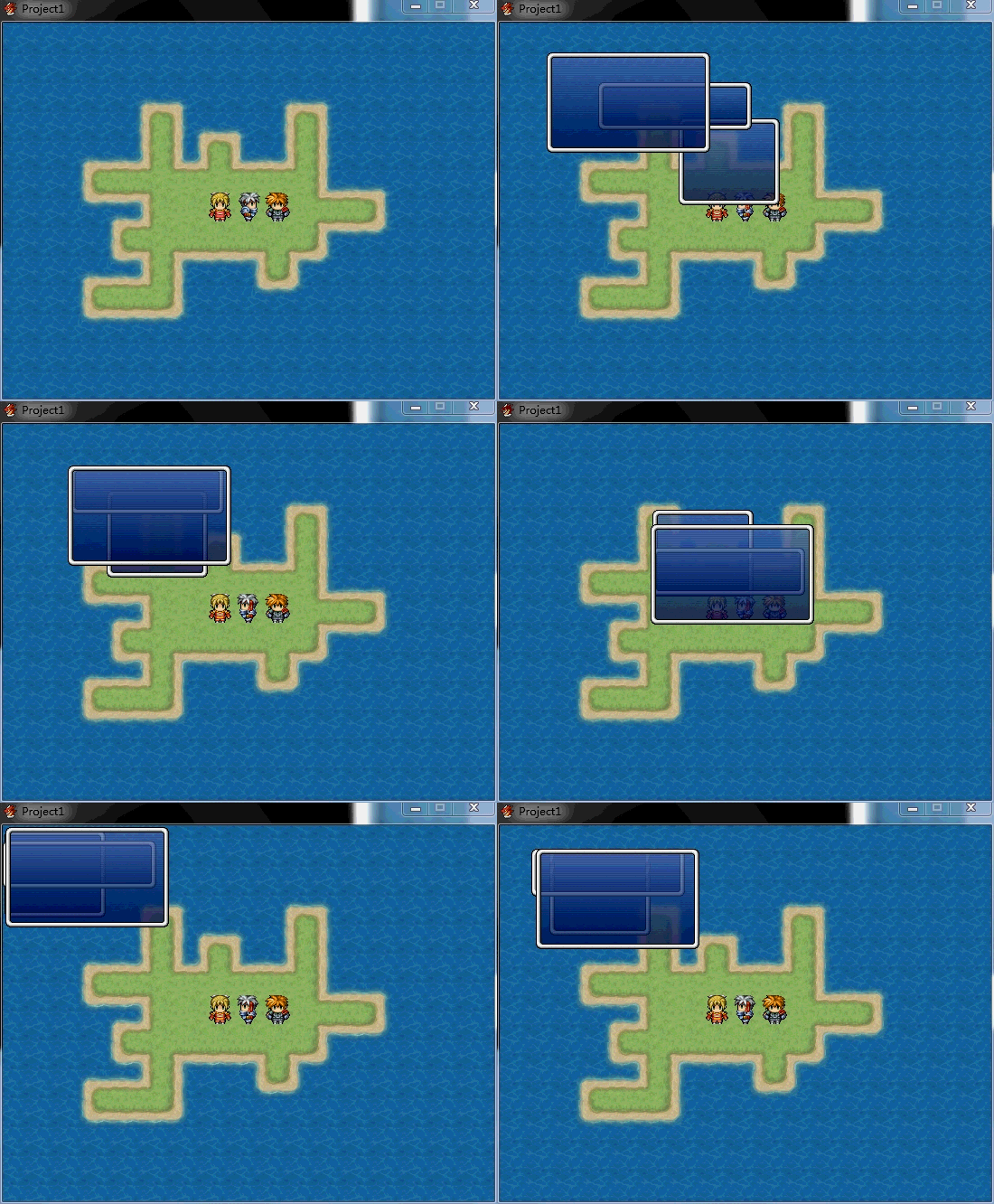
只用一个窗口以便看的清楚些 属性的靶值以路径点的模式存储 返回时原路返回
需要注意的是 如果是二维、三维或更高维的属性渐变 请保证每次变换设置的时间相同
因为这样才能保证同步移动
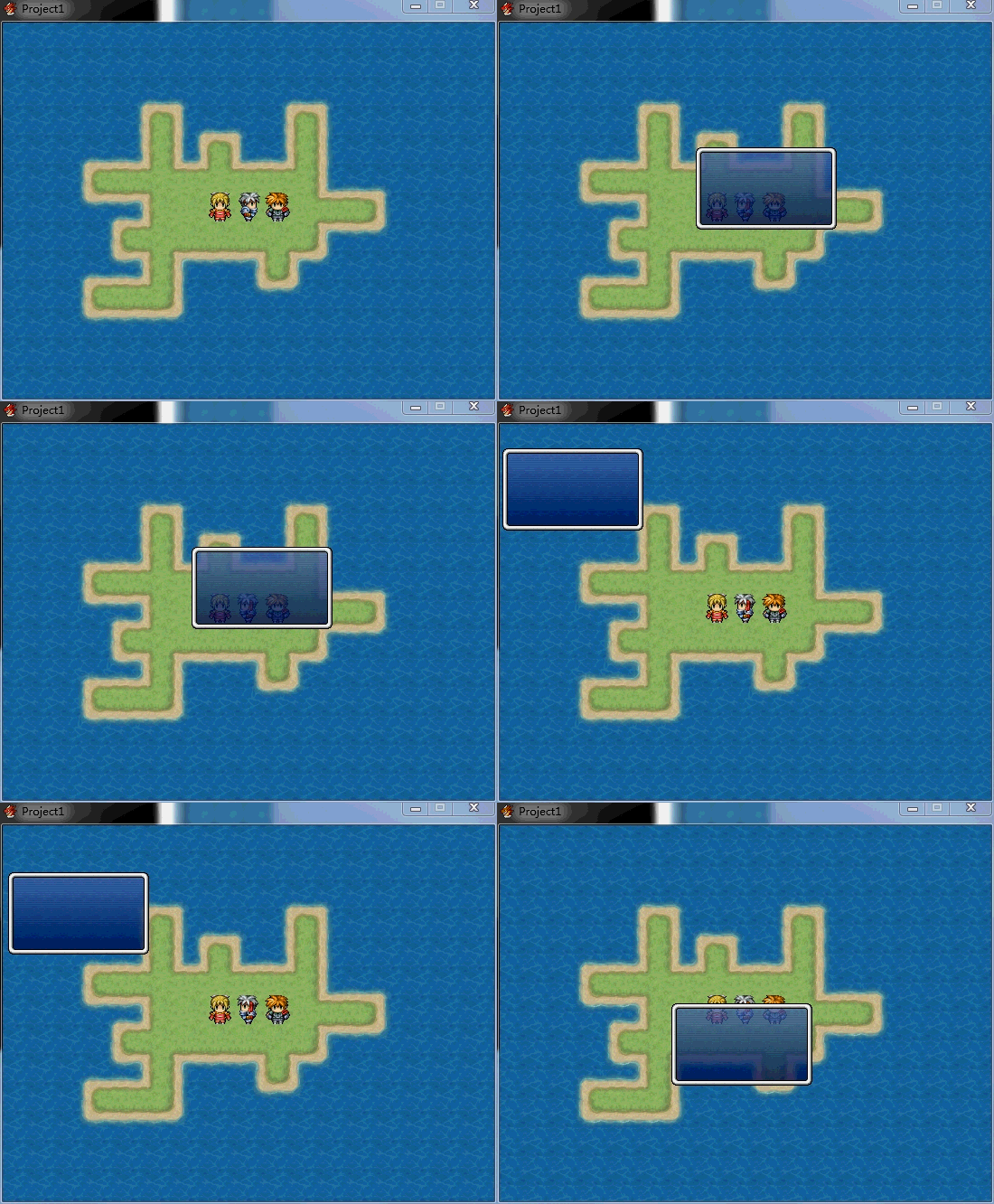
差点忘了
 Project1.zip
(1.32 MB, 下载次数: 88)
[/box]
Project1.zip
(1.32 MB, 下载次数: 88)
[/box] |
评分
-
查看全部评分
|
 萌新瑟瑟发抖


 写轮眼
写轮眼
 发表于 2014-6-16 08:58:53


 提升卡
提升卡 沉默号角
沉默号角 喧嚣号角
喧嚣号角 变色卡
变色卡 升龙剑
升龙剑

