查看: 3436|回复: 3

[原创发布] 【脚本整理】消息框DIY

[复制链接]
梦石
0
星屑
196
在线时间
1037 小时
注册时间
2021-3-24
回帖
548

MZ评测员

发表于 2021-6-6 00:27:47 | 显示全部楼层 |阅读模式

加入我们,或者,欢迎回来。

您需要 登录 才可以下载或查看,没有账号?注册会员

×
本帖最后由 清澈淌漾 于 2021-6-6 00:28 编辑

本帖会逐步拆解我最近在研究的一套全新对话插件的代码与注释,
由于是第一次制作如此底层的脚本。(写的时候也很震惊- - 显示个文字居然能这么复杂。)
写的也比较乱,做完显示文字和立绘后。跟选择项做接口。
代码和脑袋已经是一团浆糊了,急需进行一波整理


QQ图片20210605233105.jpg
供各位有学习脚本意愿的同好参考
你可以在其中找到制作思路与还未接触到的原生方法


插件功能
*该插件目前还在开发阶段,无法投入使用
1.直接读取data下的自定义json文件
2.覆盖了原本的消息框  (目前使用后  事件内的  选项 数字全部失效,会在陆续后续更新)
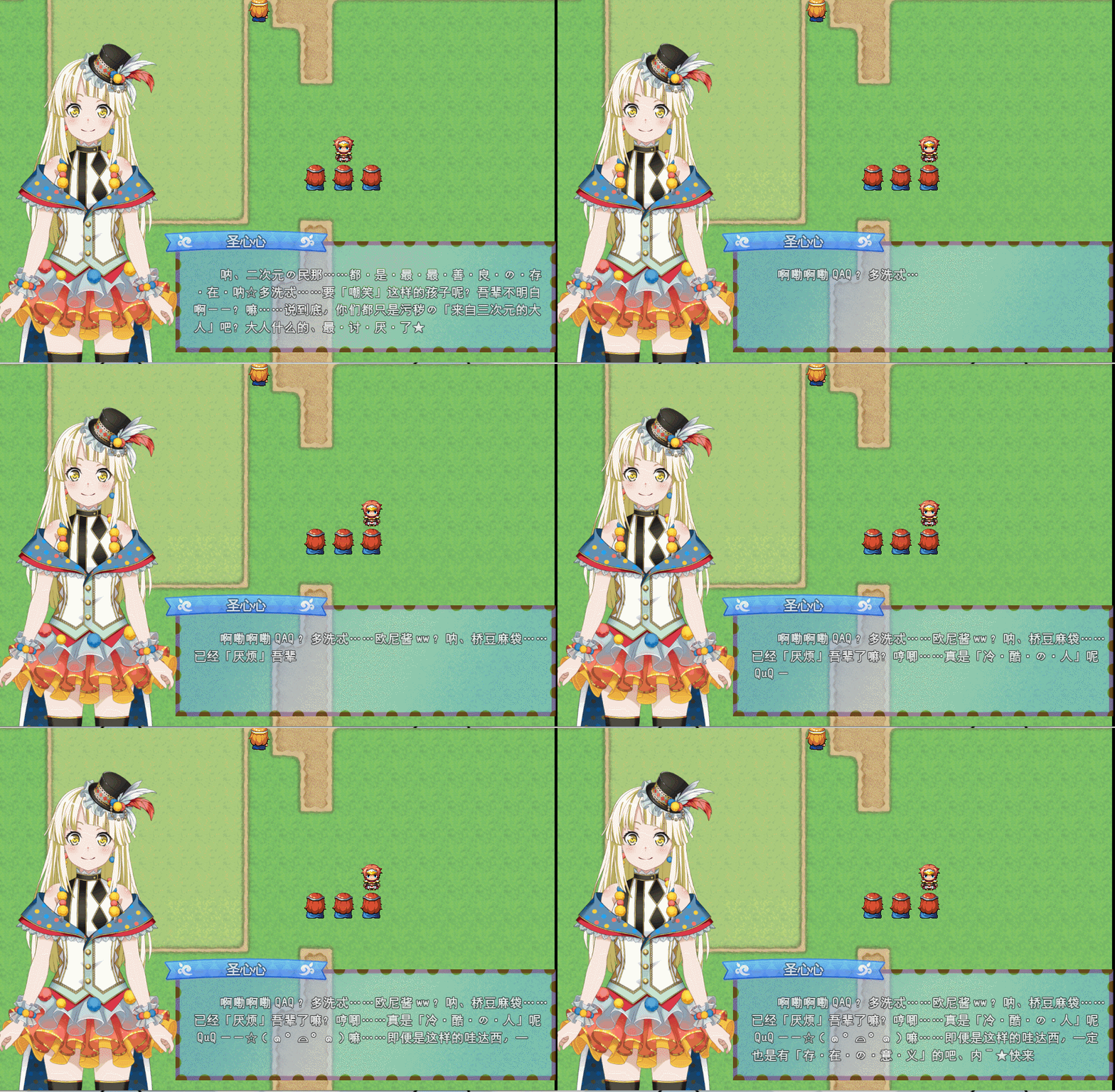
3.粗加工富文本并对文本框进行自适应 json配置后自动替换立绘 更新名称栏。


附上效果图
QQ截图20210605232920.png
QQ截图20210605232812.png
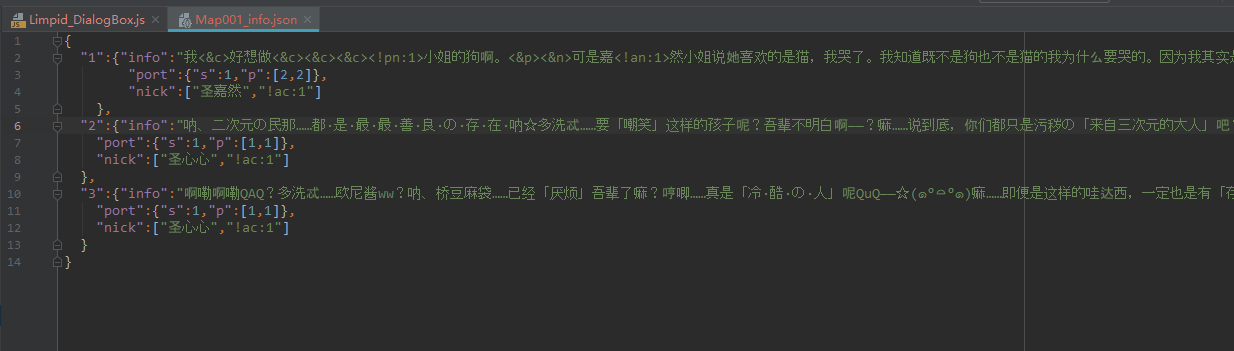
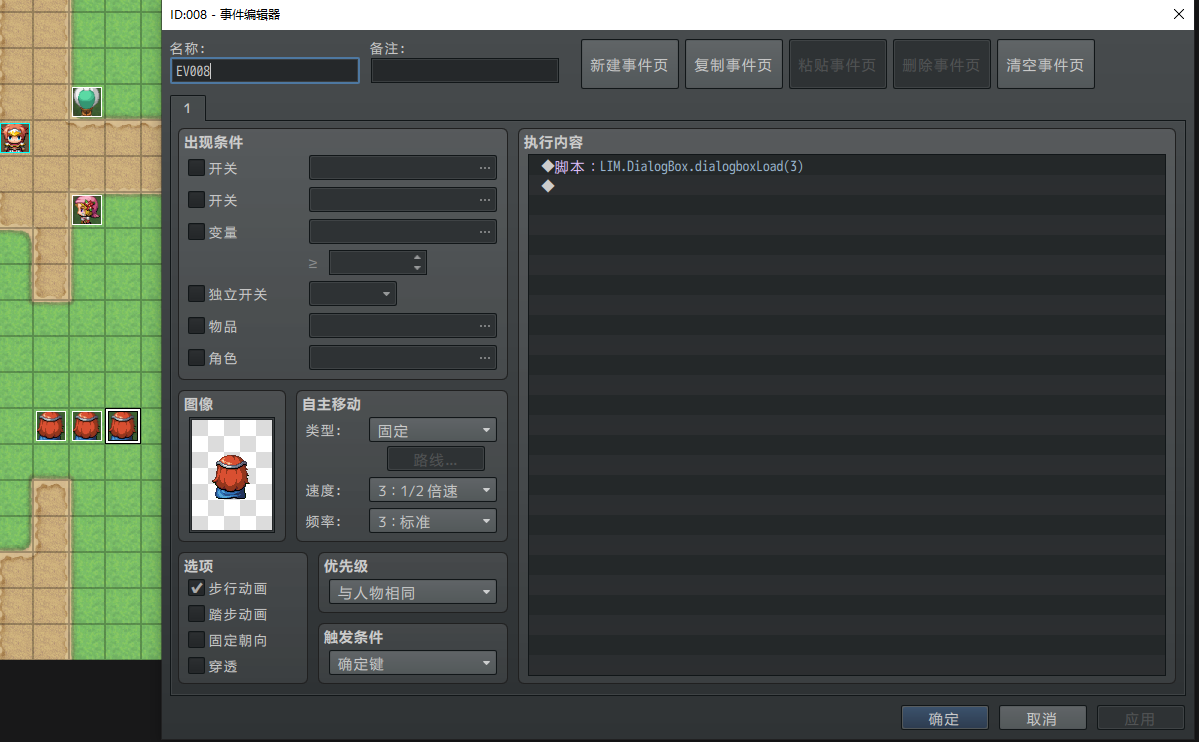
数据源与事件调用


GIF 2021-6-5 23-27-23.gif
效果


一:获得要显示的对话
懒是推进人类文明的基石。
事件内一个个添加文本 对文本进行排版实在是折磨我。
于是我便有了改造文本框的想法。
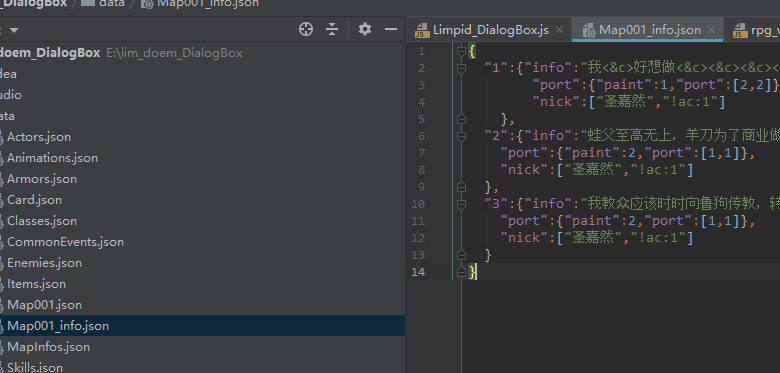
首先要解决的就是怎么通过配表的方式获得一个个对话文本

  1. /**
  2.      * 加载地图中的对话
  3.      * 改方法原生为 角色切换地图时会加载对应的map数据
  4.      * 这里追加读取了 自定义的map[地图编号]_info  用$dataMapinfo存储当前地图的对话信息
  5.      * 之后使用脚本方法InfoLoad() 传入的key值 来显示对话
  6.      * */
  7.     DataManager.loadMapData = function(mapId) {
  8.         if (mapId > 0) {
  9.             let filename = 'Map%1.json'.format(mapId.padZero(3));
  10.             let filename2 = 'Map%1_info.json'.format(mapId.padZero(3));
  11.             this._mapLoader = ResourceHandler.createLoader('data/' + filename, this.loadDataFile.bind(this, '$dataMap', filename));
  12.             this.loadDataFile('$dataMap', filename);
  13.             this.loadDataFile('$dataMapinfo', filename2);
  14.         }
  15.         else {this.makeEmptyMap();}
  16.     };
复制代码


  1.   /**
  2.      * 加载一段文本
  3.      * */
  4.     _.InfoLoad = function(i) {
  5.         let data =$dataMapinfo[i]
  6.         if(!data) return
  7.         let str=data.info.replace(/\s+/g,"")
  8.         console.log(str)
  9.         // if(str.length>0) {
  10.         //     $gameMessage.add(str);
  11.         //     $gameMessage.addport(data.port)
  12.         //     $gameMessage.addnick(data.nick)
  13.         // }
  14.     }
复制代码

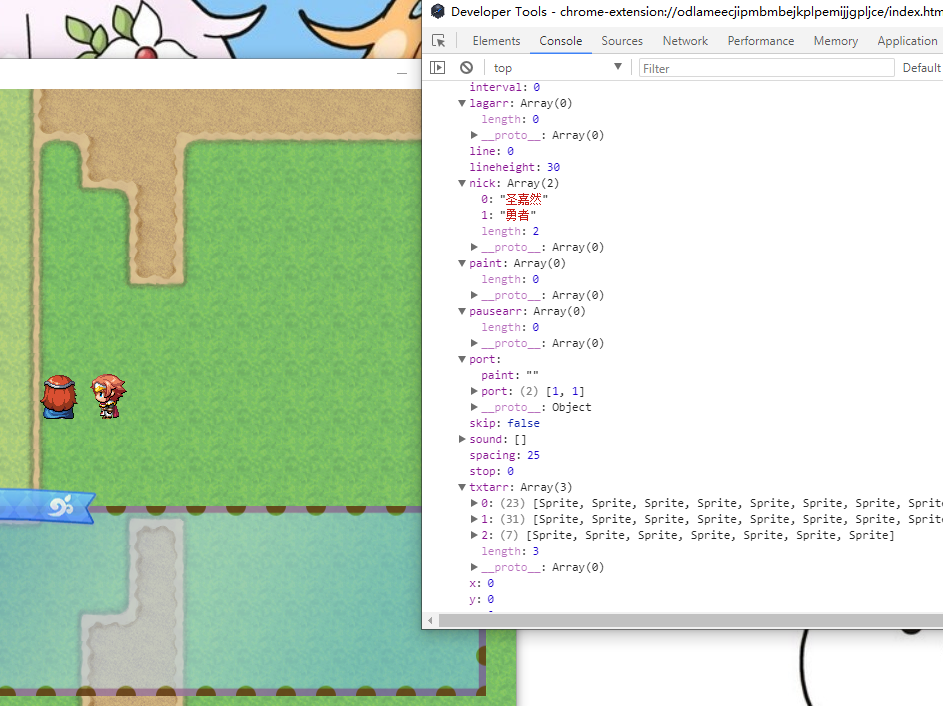
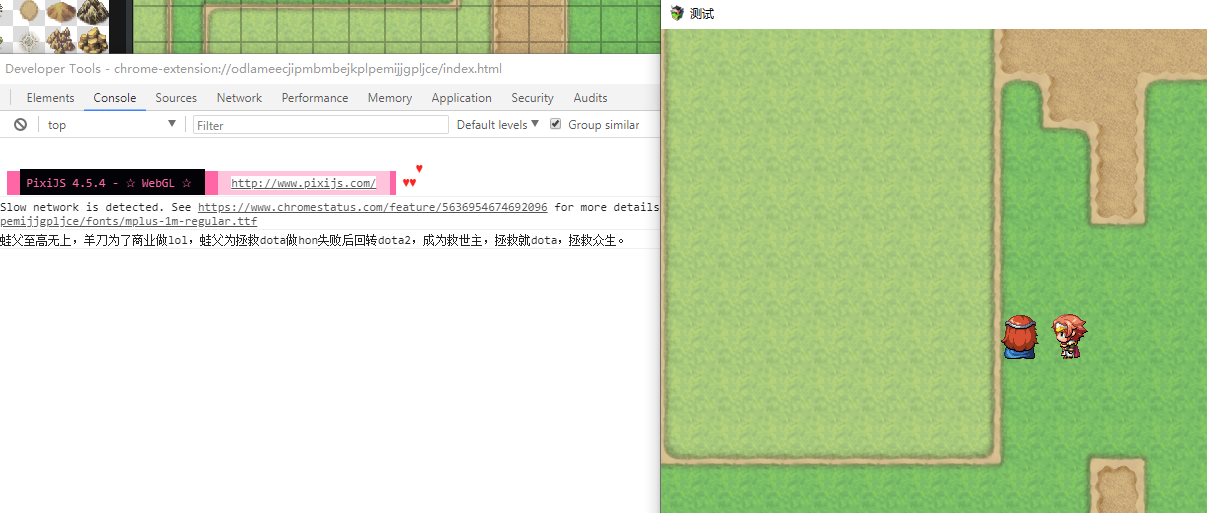
QQ截图20210606002801.png
数据源


打印效果
QQ截图20210606002725.png
全家活光光~
梦石
0
星屑
196
在线时间
1037 小时
注册时间
2021-3-24
回帖
548

MZ评测员

 楼主| 发表于 2021-6-6 08:53:54 | 显示全部楼层
  1. //对话框大小
  2.     _.width = parseInt(params["Width"])||650;
  3.     _.height = parseInt(params["Height"])||190;

  4.     //对话框渐入 渐出帧数
  5.     _.animatime = parseInt(params["AnimaTime"])||15;

  6.     //换行缩进
  7.     _.indent = parseInt(params["Indent"])||45;
  8.     _.firstline = parseInt(params["Firstline"])||25;

  9.     //默认字体大小
  10.     _.fontsize = parseInt(params["Fontsize"])||19;

  11.     //边距
  12.     _.padding1 = parseInt(params["Padding1"])||30;
  13.     _.padding2 = parseInt(params["Padding2"])||20;

  14.     //行距
  15.     _.lineheight = parseInt(params["Lineheight"])||30;
  16.     //字距
  17.     _.spacing = parseInt(params["Spacing"])||22;

  18.     //每个字出现帧数
  19.     _.outframe = parseInt(params["Outframe"])||3;

  20.     //逗号标点后间隔帧数
  21.     _.commaframe = parseInt(params["Commaframe"])||8;

  22.     //对话框动画每帧的偏移
  23.     _.anima_y=(_.height-_.padding2)/_.animatime-_.padding2


  24.     /**
  25.      * 更换对话框
  26.      * */
  27.     _.F_scene_map_createmessagewindow = Scene_Map.prototype.createMessageWindow
  28.     Scene_Map.prototype.createMessageWindow = function() {
  29.         //新 窗口消息()
  30.         this._messageWindow = new Window_Limpid_DialogBox();
  31.         //添加窗口
  32.         this.addWindow(this._messageWindow);
  33.         //添加立绘精灵
  34.         this.createPort()
  35.     };

  36.     /**创建场景立绘*/
  37.     Scene_Map.prototype.createPort = function() {
  38.         
  39.         //静态立绘
  40.         _.paint=new Sprite();
  41.         this.addChild(_.paint);
  42.         _.paint.scale.x=0.7
  43.         _.paint.scale.y=0.7
  44.         _.paint.x=190
  45.         _.paint.y=640

  46.         _.paint.use=false


  47.         //动态立绘
  48.         _.port=new Sprite();
  49.         this.addChild(_.port);
  50.         _.port.scale.x=0.7
  51.         _.port.scale.y=0.7
  52.         _.port.x=190
  53.         _.port.y=640

  54.     }


  55.     /**文本框*/
  56.     Window_Limpid_DialogBox= function () {this.initialize.apply(this, arguments);}
  57.     Window_Limpid_DialogBox.prototype = Object.create(Window_Base.prototype);
  58.     Window_Limpid_DialogBox.prototype.constructor = Window_Limpid_DialogBox;
  59.     Window_Limpid_DialogBox.prototype.initialize = function()
  60.     {
  61.         //精灵回收
  62.         this.dustbin();
  63.         Window_Base.prototype.initialize.call(this, (Graphics.boxWidth -_.width-_.padding1),  Graphics.boxHeight+30 , _.width, _.height);
  64.         this.stressing();
  65.         _.window_Limpid_DialogBox=this;

  66.         //名称
  67.         this.namebox = new Window_Limpid_NameBox();
  68.         this.addChild(this.namebox);
  69.     };
  70.     Window_Limpid_DialogBox.prototype.stressing = function()
  71.     {

  72.         this._active=false;
  73.         this._anime=0;
  74.         this.opacity=0

  75.         //背景图
  76.         this.back=new Sprite(ImageManager.loadDialog("box"));
  77.         this.addChild(this.back);
  78.     };


  79.     /**名称框*/
  80.     Window_Limpid_NameBox= function () {this.initialize.apply(this, arguments);}
  81.     Window_Limpid_NameBox.prototype = Object.create(Window_Base.prototype);
  82.     Window_Limpid_NameBox.prototype.constructor = Window_Limpid_NameBox;
  83.     Window_Limpid_NameBox.prototype.initialize = function()
  84.     {
  85.         Window_Base.prototype.initialize.call(this, -20,  -20 , 282, 41);
  86.         this.stressing();

  87.     }
  88.     Window_Limpid_NameBox.prototype.stressing = function()
  89.     {
  90.         this.opacity=0;

  91.         this.back=new Sprite(ImageManager.loadDialog("boxname"));
  92.         this.addChild(this.back);

  93.         this.nick=new Sprite(new Bitmap(282, 41));
  94.         this.nick.bitmap.fontSize = 22
  95.         this.addChild(this.nick);
  96.     };
  97.     /**绘制名称*/
  98.     Window_Limpid_NameBox.prototype.drawname = function(name)
  99.     {
  100.         this.nick.bitmap.clear()
  101.         this.nick.bitmap.drawText(name, 0, 0, 282, 41, "center");
  102.     };


  103.     /*一段文本结束后 从数组中删除*/
  104.     Game_Message.prototype.endText = function() {
  105.         this._texts.splice(0,1)
  106.         // this._port.splice(0,1)
  107.         // this._nick.splice(0,1)
  108.     };


  109. /**
  110. * 工具类
  111. * */
  112.     Window_Base.prototype.dustbin = function () {this.clear_Arr = new Array()};
  113.     Window_Base.prototype.clear = function () {
  114.         if (this.clear_Arr.length > 0) {
  115.             for (var i = 0; i < this.children.length; i++)
  116.                 if (this.clear_Arr.indexOf(this.children[i].spriteId) > -1)
  117.                     this.children.splice(i--, 1);
  118.             this.clear_Arr = new Array()
  119.         }
  120.         this.contents.clear();
  121.     };

  122.     /*图片加载*/
  123.     ImageManager.loadDialog = function (filename, hue) {return this.loadBitmap('img/dialog/', filename, hue, true);}
  124.     ImageManager.loadDialogPort = function (filename, hue) {return this.loadBitmap('img/dialog/port/s_', filename, hue, true);}
  125.     ImageManager.reserveDialogPort = function (filename, hue) {return this.reserveBitmap('img/dialog/port/s_', filename, hue, true);};
复制代码


脚本大框


  1. /**
  2.      * 帧事件
  3.      * 重点
  4.      * 每帧更新 判断有没有文本输入
  5.      * */
  6.     Window_Limpid_DialogBox.prototype.update = function() {
  7.         //没有要处理的文本
  8.         if (!$gameMessage.hasText()) {
  9.             if (!this._show) return
  10.             //淡出
  11.             else if (this._anime > 0) {
  12.                 this.y = (Graphics.boxHeight - _.height) + (_.animatime - (--this._anime)) * _.anima_y;
  13.                 this.alpha = this._anime / _.animatime
  14.             } else this._show = false;
  15.         }
  16.         //存在要处理的文本
  17.         else {
  18.             if (this._show) {
  19.                 $gameMessage.endText()
  20.                 //进入这里时表示有文本输入进来
  21.                 //之后这里会大量处理逻辑
  22.                 //这里先立即排出文本 测试文本框淡入淡出效果
  23.             }
  24.             //淡入  -2是为了让文本框与底部留出一部分边距
  25.             else if (this._anime < _.animatime-2) {
  26.                 this.y = (Graphics.boxHeight - _.height) + (_.animatime - (++this._anime)) * _.anima_y;
  27.                 this.alpha = this._anime / _.animatime
  28.             }
  29.             else this._show = true
  30.         }
  31.     };
复制代码


GIF 2021-6-6 0-46-43.gif
全家活光光~
回复

使用道具 举报

梦石
0
星屑
196
在线时间
1037 小时
注册时间
2021-3-24
回帖
548

MZ评测员

 楼主| 发表于 2021-6-6 11:25:54 | 显示全部楼层
初始化要处理的文字

  1.   /**
  2.      * 文本控制器
  3.      * */
  4.     Window_Limpid_DialogBox.prototype.textHandler = function() {
  5.         if(!this._Info||this._Info.end==2)
  6.         {
  7.             this._Info= _.Text_template_init()
  8.             _.Text_template_load($gameMessage.getData(),this._Info);
  9.             this._Info.x=0;
  10.             this._Info.y=0;
  11.             this._Info.z=0
  12.             return false
  13.         }
  14.         else {console.log(this._Info)}

  15.     }
复制代码

上段的逻辑处 调用该方法 this.Info 初始化如下
  1.    /**
  2.      * 初始一段对话的信息
  3.      * */
  4.     _.Text_template_init = function() {
  5.         return {
  6.             txtarr:new Array()
  7.             //记录文字走到哪行
  8.             ,line:0
  9.             //字体大小
  10.             ,fs:_.fontsize
  11.             //第一行缩进
  12.             ,x:0
  13.             ,y:0
  14.             ,z:0
  15.             ,spacing:_.spacing
  16.             ,lineheight:_.lineheight
  17.             ,color:"fff"


  18.             //延迟点
  19.             ,lagarr:[]
  20.             //停顿点
  21.             ,pausearr:[]

  22.             //记录停顿点
  23.             ,index:0
  24.             ,index_old:-1
  25.             ,index_skip:0


  26.             //静态图像
  27.             ,paint:[]
  28.             //每个停顿点出现的动态图像
  29.             ,port:[]
  30.             //每个停顿点使用的名称
  31.             ,nick:[]
  32.             //每个停顿点播放的声音
  33.             ,sound:[]


  34.             //等待帧
  35.             ,interval:0
  36.             //加速显示到下一停顿点
  37.             ,fast:false
  38.             //等待点击
  39.             ,stop:0
  40.             //本文本全显示
  41.             ,skip:false

  42.             //下一文本判断
  43.             // 执行中  ---0
  44.             // 等待输入 ---1
  45.             // 等待填充 ---2
  46.             ,end:0
  47.         }
  48.     }
复制代码


info加载
  1. /**
  2.      * 信息加载
  3.      * */
  4.     _.Text_template_load = function(filling,vessel) {

  5.         //文本框的宽
  6.         let boxwidth= _.width-_.padding1
  7.         //段落首字缩进
  8.         let indent=_.indent+_.padding1
  9.         vessel.x= indent

  10.         //标记
  11.         let x=0,y=0

  12.         //预加载立绘
  13.         let portset = new Set(filling.port.port)
  14.         if (filling.port.paint&&filling.port.paint.length>0) portset.add(filling.port.paint)
  15.         portset.forEach(function (item) {ImageManager.reserveDialogPort(item)})


  16.         //填入 立绘 声音 名称
  17.         vessel.port=filling.port
  18.         vessel.sound=filling.sound
  19.         for(let i=0;i<filling.nick.length;i++)
  20.         {

  21.             if(filling.nick[i][0]=="!") vessel.nick.push(_.Sign_process(filling.nick[i]).mes)
  22.             else   vessel.nick.push(filling.nick[i])
  23.         }


  24.         //开关 表示进入指令标记
  25.         let sign=false
  26.         //处理的指令
  27.         let instruct=""

  28.         //半角填充数
  29.         let uate = 2

  30.         //循环每个字符
  31.         for(var i=0;i<filling.text.length;i++) {
  32.             
  33.             if (sign) {
  34.                 //标记开关开启并遇到">" 处理该段标记
  35.                 if(filling.text[i] == ">")
  36.                 {
  37.                     let data=_.Sign_process(instruct,filling)
  38.                     switch (data.code) {
  39.                     //换行
  40.                     case 0:
  41.                         filling.x = _.padding1+_.indent;y++;x = 0;break
  42.                     //文本替换
  43.                     case 1:
  44.                         filling.text=filling.text.slice(0,i)+data.mes+filling.text.slice(i+1);i--;break
  45.                 }
  46.                     instruct="";sign=false
  47.                 }
  48.                 //记录后续指令
  49.                 else instruct+=filling.text[i];
  50.             }
  51.             //遇到"<" 开启标记开关
  52.             else if (filling.text[i] == "<") {sign = true}
  53.             //读取普通文字
  54.             else {
  55.                 //文本索引
  56.                 vessel.z++
  57.                 /*绘制精灵*/
  58.                 let fs=vessel.fs + 5
  59.                 let sprite = new Sprite(new Bitmap(fs, fs));
  60.                 sprite.x = vessel.x
  61.                 sprite.bitmap.fontSize = vessel.fs
  62.                 sprite.bitmap.outlineWidth = 3
  63.                 sprite.bitmap.outlineColor = 'rgba(36, 36, 36, 0.88)'
  64.                 sprite.bitmap.drawText(filling.text[i], 0, 0, fs, fs, "center")


  65.                 //放入数组
  66.                 //x为0  每行的第一个字
  67.                 if (x == 0) {vessel.txtarr.push(new Array(sprite));}
  68.                 else {vessel.txtarr[y].push(sprite);}


  69.                 //检查下一个字
  70.                 if (i < filling.text.length - 1) {
  71.                     //下个字是全角半角
  72.                     var nat = filling.text[i + 1].charCodeAt() < 256 ? true : false
  73.                     //当前字是全角半角
  74.                     var at = filling.text[i].charCodeAt() < 256 ? true : false
  75.                     //以字距对下一字的x进行位移
  76.                     vessel.x += vessel.spacing * (at&&nat?0.5:1)
  77.                     //如果下一字的x大于文本框 并且(他是全角 或者半角填充数已经为0)进行自动换行
  78.                     if (vessel.x >= boxwidth && (!at || uate-- == 0)) {vessel.x = _.padding1;y++;x=0;uate = 2}
  79.                     else {x++}
  80.                 }
  81.             }
  82.         }
  83.     }
复制代码


其余辅助方法

  1.    /**
  2.      *标记 处理
  3.      */
  4.     _.Sign_process = function(sign,vessel)
  5.     {
  6.         let sign_s=sign.split(':')
  7.         switch (sign_s[0]) {
  8.             case "&p":vessel.pausearr.push(vessel.z-1);break
  9.             case "&c":vessel.lagarr.push(vessel.z-1);break
  10.             case "&n":return {code:0};break
  11.             case "!v":return {code:1,mes:$gameVariables.value(sign_s[1])};break
  12.             case "!an":return {code:1,mes:_.getAName(sign_s[1])};break
  13.             case "!ac":return {code:1,mes:_.getAClassName(sign_s[1])};break
  14.             case "!ai":return {code:1,mes:_.getANickname(sign_s[1])};break
  15.             case "!pn":return {code:1,mes:_.getPName(sign_s[1])};break
  16.             case "!pc":return {code:1,mes:_.getPClassName(sign_s[1])};break
  17.             case "!pi":return {code:1,mes:_.getPNickname(sign_s[1])};break
  18.         }
  19.         return {code:-1}
  20.     }

  21.    
  22.     /**
  23.      * 字符转文字
  24.      * */
  25.     _.getAName = function(n) {
  26.         let actor = n >= 1 ? $gameActors.actor(n) : null;
  27.         return actor ? actor.name() : '';
  28.     };
  29.     _.getAClassName = function(n) {
  30.         let actor = n >= 1 ? $gameActors.actor(n) : null;
  31.         return actor ? actor.currentClass().name : '';
  32.     };
  33.     _.getANickname = function(n) {
  34.         let actor = n >= 1 ? $gameActors.actor(n) : null;
  35.         return actor ? actor.nickname() : '';
  36.     };
  37.     _.getPName = function(n) {
  38.         let actor = n >= 1 ? $gameParty.members()[n - 1] : null;
  39.         return actor ? actor.name() : '';
  40.     };
  41.     _.getPClassName = function(n) {
  42.         let actor = n >= 1 ? $gameParty.members()[n - 1] : null;
  43.         return actor ? actor.currentClass().name : '';
  44.     };
  45.     _.getPNickname = function(n) {
  46.         let actor = n >= 1 ? $gameParty.members()[n - 1] : null;
  47.         return actor ? actor.nickname() : '';
  48.     };
复制代码


  1.     /*传入立绘*/
  2.     Game_Message.prototype.addPort=function(port) {this._port.push(port);}
  3.     /*传入名称*/
  4.     Game_Message.prototype.addNick=function(nick) {this._nick.push(nick);}
  5.     /*传入声音*/
  6.     Game_Message.prototype.addSound=function(sound) {this._sound.push(sound);}
  7.     /*获得文本信息*/
  8.     Game_Message.prototype.getData = function(i) {
  9.         return i&&!i<this._texts.length?
  10.             {text:this._texts[i],nick:this._nick[i],port:this._port[i],sound:this._sound[i]}:
  11.             {text:this._texts[0],nick:this._nick[0],port:this._port[0],sound:this._sound[0]}
  12.     };

复制代码


打印效果
QQ截图20210606112711.png
全家活光光~
回复

使用道具 举报

梦石
0
星屑
196
在线时间
1037 小时
注册时间
2021-3-24
回帖
548

MZ评测员

 楼主| 发表于 2021-6-6 13:48:58 | 显示全部楼层
  1.   /**
  2.      * 帧事件
  3.      * 重点
  4.      * 每帧更新 判断有没有文本输入
  5.      * */
  6.     Window_Limpid_DialogBox.prototype.update = function() {
  7.         //没有要处理的文本
  8.         if (!$gameMessage.hasText()) {
  9.             if (!this._show) return
  10.             //淡出
  11.             else if (this._anime > 0) {
  12.                 this.y = (Graphics.boxHeight - _.height) + (_.animatime - (--this._anime)) * _.anima_y;
  13.                 this.alpha = this._anime / _.animatime
  14.                 this.showSport(false)
  15.             } else this._show = false;
  16.         }
  17.         //存在要处理的文本
  18.         else {
  19.             if (this._show) this.textHandler();
  20.             //淡入  -2是为了让文本框与底部留出一部分边距
  21.             else if (this._anime < _.animatime-2) {
  22.                 this.y = (Graphics.boxHeight - _.height) + (_.animatime - (++this._anime)) * _.anima_y;
  23.                 this.alpha = this._anime / _.animatime
  24.                 this.showSport(true)
  25.             }
  26.             else this._show = true
  27.         }
  28.     };


  29.     /**
  30.      * 文本控制器
  31.      * */
  32.     Window_Limpid_DialogBox.prototype.textHandler = function() {
  33.         if(!this._Info||this._Info.end==2)
  34.         {
  35.             this._Info= _.Text_template_init()
  36.             _.Text_template_load($gameMessage.getData(),this._Info);
  37.             this._Info.x=0;
  38.             this._Info.y=0;
  39.             this._Info.z=0
  40.             return false
  41.         }
  42.         else {
  43.             if( this._Info.index_old!=this._Info.index)
  44.             {
  45.                 this._Info.index_old=this._Info.index
  46.                 /*更新立绘*/
  47.                 this.updatePort(this._Info.index)
  48.                 /*更新名称*/
  49.                 this.updateNick(this._Info.index)
  50.             }

  51.         }

  52.     }

  53.     /**
  54.      * 更新动态立绘
  55.      */
  56.     Window_Limpid_DialogBox.prototype.updatePort=function(index)
  57.     {
  58.         //隐藏动态立绘
  59.         if(index==-1||this._Info.port.length==0)  {_.port.bitmap=new Bitmap();return}

  60.         //更新动态立绘
  61.         var Portdata = this._Info.port.length>index?this._Info.port[index]:this._Info.port[this._Info.port.length-1]
  62.         _.port.bitmap=ImageManager.loadDialogPort(Portdata)
  63.         _.port.anchor.x = 0.5
  64.         _.port.anchor.y = 0.5

  65.         /*用静态立绘充当过度*/
  66.         if( _.paint._active){_.paint.alpha=0;_.paint._active=false}
  67.         else {
  68.             _.paint.bitmap = ImageManager.loadDialogPort(Portdata)
  69.             _.paint.anchor.x = 0.5
  70.             _.paint.anchor.y = 0.5
  71.         }
  72.     }
  73.     /**
  74.      * 更新名称框
  75.      */
  76.     Window_Limpid_DialogBox.prototype.updateNick=function(index)
  77.     {
  78.         if(index==-1||this._Info.nick.length==0)  {this.namebox.drawName("");return}
  79.         this.namebox.drawName(this._Info.nick.length>index?this._Info.nick[index]:this._Info.nick[this._Info.nick.length-1])
  80.     }

  81.     /***
  82.      * 显示静态立绘
  83.      */
  84.     Window_Limpid_DialogBox.prototype.showSport=function(show){
  85.         _.paint.alpha = this._anime / _.animatime
  86.         if(_.paint._active!=show)
  87.         {
  88.             _.paint._active=show
  89.             if (show)
  90.             {
  91.                 _.paint.bitmap=ImageManager.loadDialogPort($gameMessage.getPort().paint)
  92.                 _.paint.anchor.x = 0.5
  93.                 _.paint.anchor.y = 0.5
  94.             }
  95.         }
  96.     }
复制代码


覆盖帧更新  文本控制器  
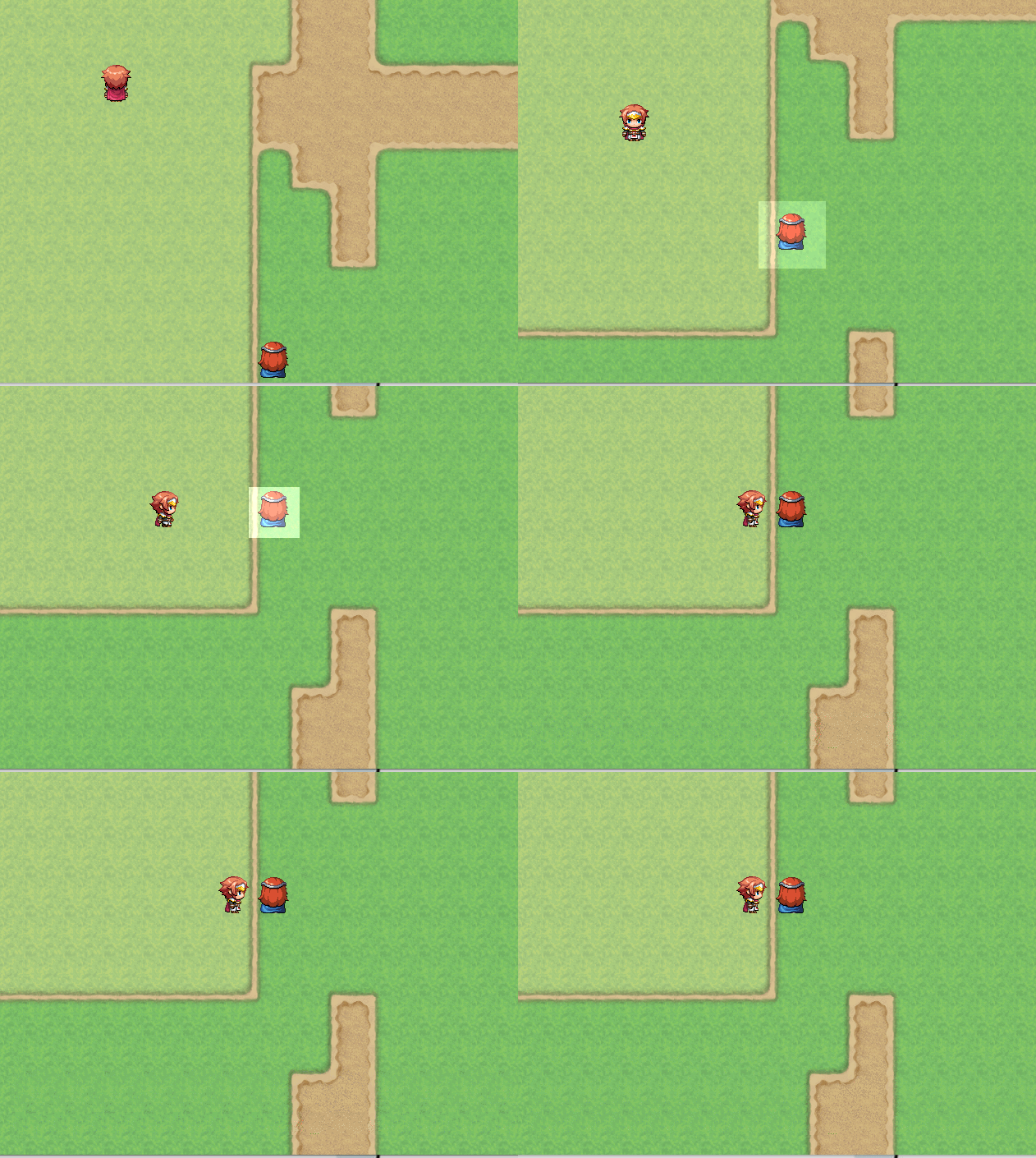
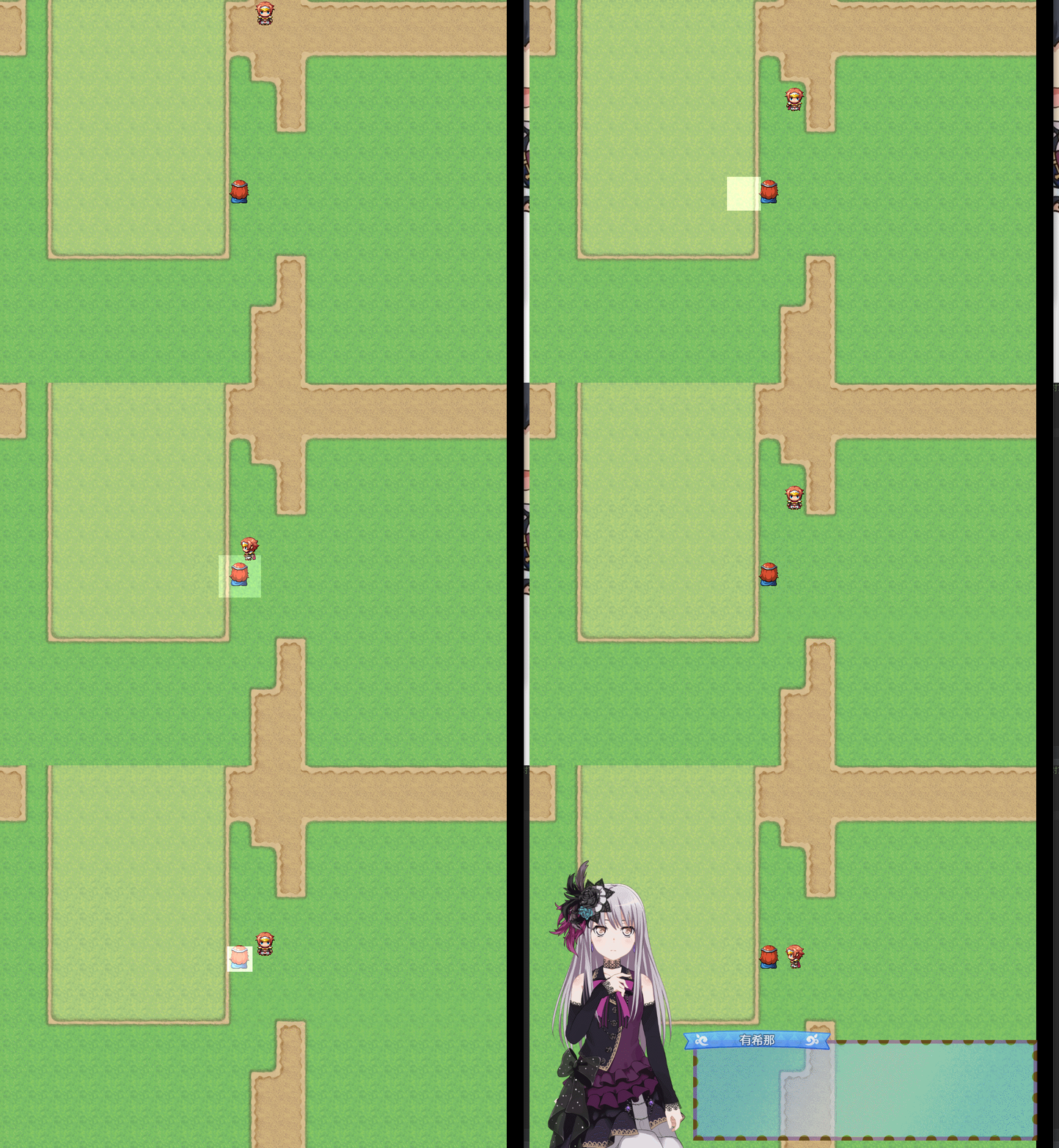
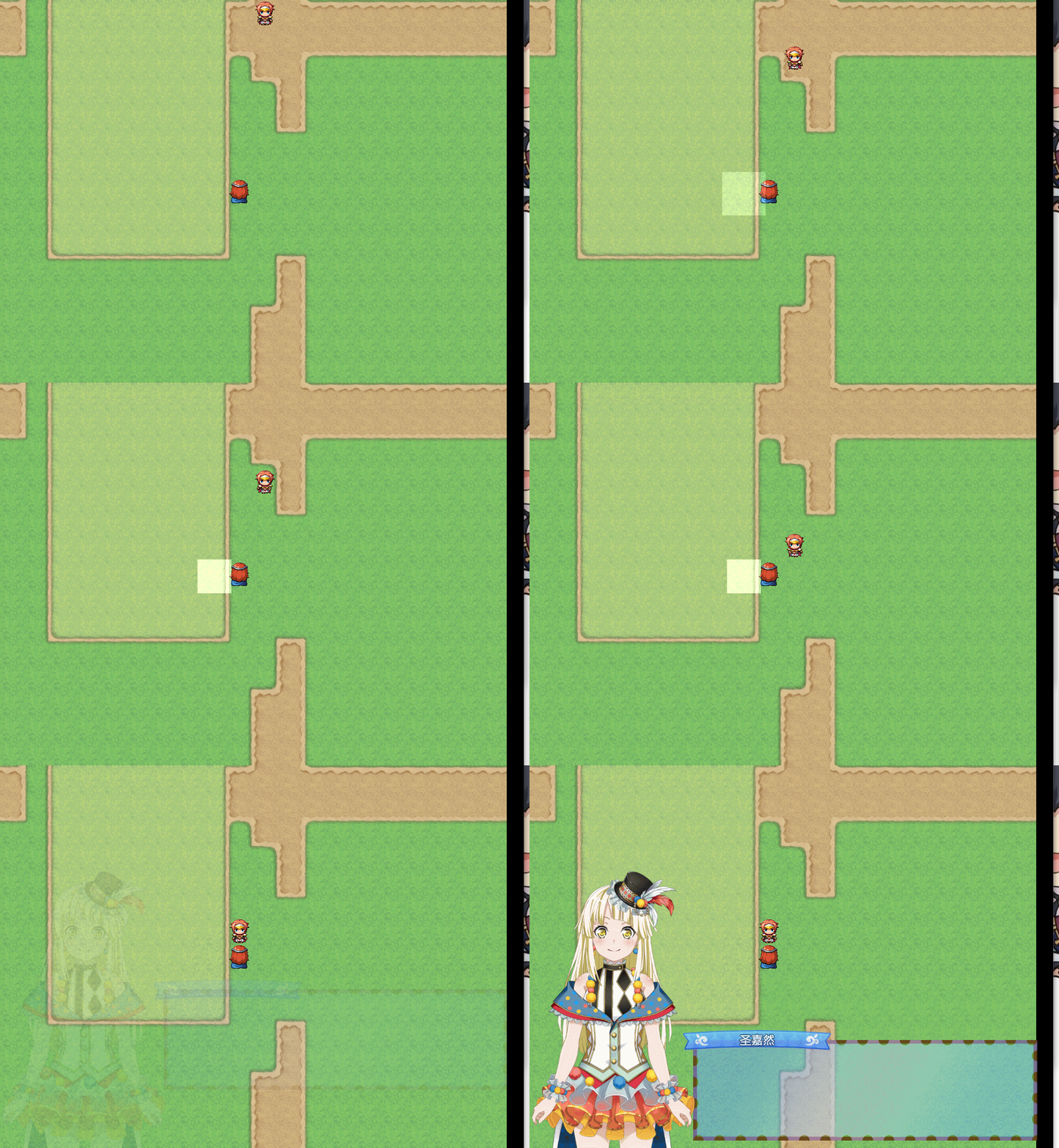
效果如下


GIF 2021-6-6 12-56-42.gif
QQ截图20210606125621.png

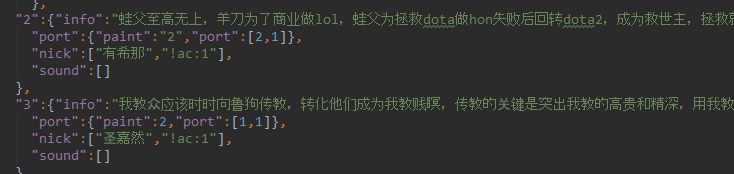
更改下json配置 便可控制 名称 立绘 显示

GIF 2021-6-6 12-55-41.gif
全家活光光~
回复

使用道具 举报

您需要登录后才可以回帖 登录 | 注册会员

本版积分规则

Powered by Discuz! X5.0 © 2001-2026 Discuz! Team.

在本版发帖返回顶部