| 赞 | 1 |
| VIP | |
| 好人卡 | |
| 积分 | 92 |
| 经验 | |
| 最后登录 | 2026-1-3 |
| 在线时间 | 466 小时 |
- 梦石
- 0
- 星屑
- 9160
- 在线时间
- 466 小时
- 注册时间
- 2015-5-8
- 回帖
- 704
|
加入我们,或者,欢迎回来。
您需要 登录 才可以下载或查看,没有账号?注册会员
×
本帖最后由 taeckle 于 2022-8-14 10:54 编辑
刚才那个帖子过期了,那咱就重开一个帖子来描述这个问题。
我找到了一个“状态图标化”脚本还有一个“脚下显示HPSP”脚本, 可以把状态用图标显示在敌人身上, 但是我把这两个脚本移植到新开的默认工程里就会出现了一个问题:
敌人使用普通攻击后, 自身实际已经消失的状态(比如第1号状态)对应的状态图标却不消失
更神奇的是, 用了这个状态图标化脚本还有脚下显示HPSP脚本后敌人使用技能后自身消失的状态(比如第1号状态)对应的图标却能正常消失,
此外我方队员使用普通攻击后, 自身消失的状态(比如第1号状态)对应的状态图标也能正常消失。。
这是什么原因呢?
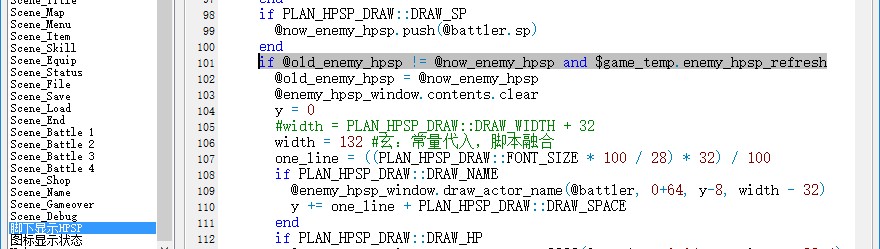
这是“脚下显示HPSP”脚本:
[pre lang="ruby"]#==============================================================================
# 本脚本来自www.66RPG.com,使用和转载请保留此信息
#==============================================================================
# ■ エネミーHP&SP(ver 0.98)
# □ カスタマイズポイント
#==============================================================================
module PLAN_HPSP_DRAW
FONT_NAME = ["黑体", "楷体", "宋体"] # フォント
FONT_SIZE = 14 # フォントサイズ
FONT_BOLD = true # 太字
FONT_ITALIC = false # 斜体
DRAW_NAME = true # 名前の描画
DRAW_HP = true # HP の描画
DRAW_SP = true # SP の描画
DRAW_WIDTH = 240 # 描画幅
DRAW_HEIGHT = 5 * 32 # 描画高さ
DRAW_SPACE = 4 # 行間
DRAW_Y = 36 # Y 座標修正値
end
#==============================================================================
# ■ Sprite_Battler
#==============================================================================
class Sprite_Battler < RPG::Sprite
#--------------------------------------------------------------------------
# ● オブジェクト初期化
#--------------------------------------------------------------------------
alias plan_enemy_hpsp_draw_initialize initialize
def initialize(viewport, battler = nil)
# 元のメソッドに戻す
plan_enemy_hpsp_draw_initialize(viewport, battler)
# エネミーの場合
if @battler.is_a?(Game_Enemy)
width = PLAN_HPSP_DRAW::DRAW_WIDTH + 32
height = PLAN_HPSP_DRAW::DRAW_HEIGHT + 32
x = @battler.screen_x - width / 2
y = @battler.screen_y - height + 32 + PLAN_HPSP_DRAW::DRAW_Y
@enemy_hpsp_window = Window_Base.new(x, y, width, height)
@enemy_hpsp_window.contents = Bitmap.new(width - 32, height - 32)
@enemy_hpsp_window.contents.font.name = PLAN_HPSP_DRAW::FONT_NAME
@enemy_hpsp_window.contents.font.size = PLAN_HPSP_DRAW::FONT_SIZE
@enemy_hpsp_window.contents.font.bold = PLAN_HPSP_DRAW::FONT_BOLD
@enemy_hpsp_window.contents.font.italic = PLAN_HPSP_DRAW::FONT_ITALIC
y = 0
@old_enemy_hpsp = []
one_line = ((PLAN_HPSP_DRAW::FONT_SIZE * 100 / 28) * 32) / 100
if PLAN_HPSP_DRAW::DRAW_NAME
@enemy_hpsp_window.draw_actor_name(@battler, 0+64, y-8, 100)
y += one_line + PLAN_HPSP_DRAW::DRAW_SPACE
@old_enemy_hpsp.push(@battler.name)
end
if PLAN_HPSP_DRAW::DRAW_HP
@enemy_hpsp_window.draw_actor_hp2222(@battler, 0+64, y, 100,4)
y += one_line + PLAN_HPSP_DRAW::DRAW_SPACE
@old_enemy_hpsp.push(@battler.hp)
end
if PLAN_HPSP_DRAW::DRAW_SP
@enemy_hpsp_window.draw_actor_sp2222(@battler, 0+64, y, 100,4)
@old_enemy_hpsp.push(@battler.sp)
end
@enemy_hpsp_window.opacity = 0
@enemy_hpsp_window.contents_opacity = 0
@enemy_hpsp_window.z = -2
end
end
#--------------------------------------------------------------------------
# ● 解放
#--------------------------------------------------------------------------
alias plan_enemy_hpsp_draw_dispose dispose
def dispose
# エネミーの場合
if @battler.is_a?(Game_Enemy)
@enemy_hpsp_window.dispose
end
# 元のメソッドに戻す
plan_enemy_hpsp_draw_dispose
end
#--------------------------------------------------------------------------
# ● フレーム更新
#--------------------------------------------------------------------------
alias plan_enemy_hpsp_draw_update update
def update
# 元のメソッドに戻す
plan_enemy_hpsp_draw_update
# エネミーの場合
if @battler.is_a?(Game_Enemy)
@enemy_hpsp_window.visible = @battler_visible
# スプライトの座標を設定
width = PLAN_HPSP_DRAW::DRAW_WIDTH + 32
@enemy_hpsp_window.x = self.x - width / 2
@now_enemy_hpsp = []
if PLAN_HPSP_DRAW::DRAW_NAME
@now_enemy_hpsp.push(@battler.name)
end
if PLAN_HPSP_DRAW::DRAW_HP
@now_enemy_hpsp.push(@battler.hp)
end
if PLAN_HPSP_DRAW::DRAW_SP
@now_enemy_hpsp.push(@battler.sp)
end
if @old_enemy_hpsp != @now_enemy_hpsp and $game_temp.enemy_hpsp_refresh
@old_enemy_hpsp = @now_enemy_hpsp
@enemy_hpsp_window.contents.clear
y = 0
#width = PLAN_HPSP_DRAW::DRAW_WIDTH + 32
width = 132 #常量代入,脚本融合
one_line = ((PLAN_HPSP_DRAW::FONT_SIZE * 100 / 28) * 32) / 100
if PLAN_HPSP_DRAW::DRAW_NAME
@enemy_hpsp_window.draw_actor_name(@battler, 0+64, y-8, width - 32)
y += one_line + PLAN_HPSP_DRAW::DRAW_SPACE
end
if PLAN_HPSP_DRAW::DRAW_HP
@enemy_hpsp_window.draw_actor_hp2222(@battler, 0+64, y, width - 32,4)
y += one_line + PLAN_HPSP_DRAW::DRAW_SPACE
end
if PLAN_HPSP_DRAW::DRAW_SP
@enemy_hpsp_window.draw_actor_sp2222(@battler, 0+64, y, width - 32,4)
end
Graphics.frame_reset
end
end
end
#--------------------------------------------------------------------------
# ● visible の設定
#--------------------------------------------------------------------------
if !method_defined?("plan_enemy_hpsp_draw_visible=")
alias plan_enemy_hpsp_draw_visible= visible=
end
def visible=(bool)
# エネミーの場合
if @battler.is_a?(Game_Enemy)
@enemy_hpsp_window.visible = bool
end
# 元のメソッドに戻す
self.plan_enemy_hpsp_draw_visible=(bool)
end
#--------------------------------------------------------------------------
# ● 不透明度の設定
#--------------------------------------------------------------------------
if !method_defined?("plan_enemy_hpsp_draw_opacity=")
alias plan_enemy_hpsp_draw_opacity= opacity=
end
def opacity=(n)
# 元のメソッドに戻す
self.plan_enemy_hpsp_draw_opacity=(n)
# エネミーの場合
if @battler.is_a?(Game_Enemy)
@enemy_hpsp_window.contents_opacity = n
end
end
#--------------------------------------------------------------------------
# ● ダメージ
#--------------------------------------------------------------------------
def damage(value, critical)
super(value, critical)
bitmap = @_damage_sprite.bitmap
@_damage_sprite.dispose
@_damage_sprite = ::Sprite.new(Viewport.new(0, 0, 640, 480))
@_damage_sprite.bitmap = bitmap
@_damage_sprite.ox = 80
@_damage_sprite.oy = 20
@_damage_sprite.x = self.x
@_damage_sprite.y = self.y - self.oy / 2
@_damage_sprite.viewport.z = self.viewport.z + 1
@_damage_sprite.z = 3000
@_damage_duration = 40
end
#--------------------------------------------------------------------------
# ● ダメージ解放
#--------------------------------------------------------------------------
def dispose_damage
if @_damage_sprite != nil
@_damage_sprite.viewport.dispose
end
super
end
end
#==============================================================================
# ■ Game_Temp
#==============================================================================
class Game_Temp
#--------------------------------------------------------------------------
# ● 公開インスタンス変数
#--------------------------------------------------------------------------
attr_accessor :enemy_hpsp_refresh
#--------------------------------------------------------------------------
# ● オブジェクト初期化
#--------------------------------------------------------------------------
alias plan_enemy_hpsp_draw_initialize initialize
def initialize
# 元のメソッドに戻す
plan_enemy_hpsp_draw_initialize
@enemy_hpsp_refresh = false
end
end
#==============================================================================
# ■ Scene_Battle
#==============================================================================
class Scene_Battle
#--------------------------------------------------------------------------
# ● プレバトルフェーズ開始 (エネミー名+アルファベット用)
#--------------------------------------------------------------------------
alias plan_enemy_hpsp_draw_start_phase1 start_phase1
def start_phase1
$game_temp.enemy_hpsp_refresh = true
# 元のメソッドに戻す
plan_enemy_hpsp_draw_start_phase1
end
#--------------------------------------------------------------------------
# ● パーティコマンドフェーズ開始 (エネミー名+アルファベット用)
#--------------------------------------------------------------------------
alias plan_enemy_hpsp_draw_start_phase2 start_phase2
def start_phase2
$game_temp.enemy_hpsp_refresh = false
# 元のメソッドに戻す
plan_enemy_hpsp_draw_start_phase2
end
#--------------------------------------------------------------------------
# ● フレーム更新 (メインフェーズ ステップ 5 : ダメージ表示)
#--------------------------------------------------------------------------
alias plan_enemy_hpsp_draw_update_phase4_step5 update_phase4_step5
def update_phase4_step5
# 元のメソッドに戻す
plan_enemy_hpsp_draw_update_phase4_step5
$game_temp.enemy_hpsp_refresh = true
end
#--------------------------------------------------------------------------
#--------------------------------------------------------------------------
alias plan_enemy_hpsp_draw_update_phase4_step6 update_phase4_step6
def update_phase4_step6
# 元のメソッドに戻す
plan_enemy_hpsp_draw_update_phase4_step6
$game_temp.enemy_hpsp_refresh = true
end
#--------------------------------------------------------------------------
#--------------------------------------------------------------------------
alias plan_enemy_hpsp_draw_update_phase4_step1 update_phase4_step1
def update_phase4_step1
# 元のメソッドに戻す
plan_enemy_hpsp_draw_update_phase4_step1
$game_temp.enemy_hpsp_refresh = true
end
alias plan_enemy_hpsp_draw_update_phase4_step2 update_phase4_step2
def update_phase4_step2
# 元のメソッドに戻す
plan_enemy_hpsp_draw_update_phase4_step2
$game_temp.enemy_hpsp_refresh = false
end
alias plan_enemy_hpsp_draw_update_phase4_step4 update_phase4_step4
def update_phase4_step4
# 元のメソッドに戻す
plan_enemy_hpsp_draw_update_phase4_step4
$game_temp.enemy_hpsp_refresh = false
end
#--------------------------------------------------------------------------
#原理: step1:T;step2,F,3,F,4:F;step5:T;step6:T
#--------------------------------------------------------------------------
end
#==============================================================================
# ■ Window_Base
#==============================================================================
class Window_Base < Window
#--------------------------------------------------------------------------
# ● 名前の描画
#--------------------------------------------------------------------------
def draw_actor_name(actor, x, y, width = 120, align = 0)
self.contents.font.color = Color.new(30,255,0)
self.contents.font.name = ["黑体", "楷体", "宋体"]
self.contents.font.italic = false
self.contents.font.bold = true
#self.contents.font.size = 22
align = 1 if $scene.is_a?(Scene_Battle)
if actor.is_a?(Game_Enemy)
self.contents.draw_text(x-64, y, width+120, 32, actor.name, align)
elsif $scene.is_a?(Scene_Battle)
self.contents.draw_text(x-64, y, width+120, 32, actor.name, align)
else
self.contents.draw_text(x, y, width, 32, actor.name, align)
end
if actor.is_a?(Game_Enemy)
state_size = 0
#debuff_idx = 0
#buff_idx = 0
for state in actor.states
# 图标数量超出宽度就中断循环
if state_size >= 12
break
end
# 此状态不带图标就跳过
if !ICON_STATE_IDS.include?(state)
next
end
bitmap = RPG::Cache.icon($data_states[state].animation_id.to_s)
if actor.states_turn[state] >= $data_states[state].hold_turn/2
opacity = 255
else
opacity = 100
end
#if $data_states[state].name.include?"☆"
# if debuff_idx <= 5
# self.contents.blt(x + 24 * debuff_idx, y + 64 - 108, bitmap, Rect.new(0, 0, 24, 24), opacity)
#else
#self.contents.blt(x + 24 * (debuff_idx-5), y + 64 - 86, bitmap, Rect.new(0, 0, 24, 24), opacity)
#end
#debuff_idx += 1
#else
# if buff_idx <= 5
# self.contents.blt(x + 24 * buff_idx, y + 64, bitmap, Rect.new(0, 0, 24, 24), opacity)
#else
#self.contents.blt(x + 24 * (buff_idx-5), y + 64+32, bitmap, Rect.new(0, 0, 24, 24), opacity)
#end
#buff_idx += 1
#end
if state_size <= 5
self.contents.blt(64+24 * state_size, 64, bitmap, Rect.new(0, 0, 24, 24), opacity)
else
self.contents.blt(64+24 * (state_size-5), 64+30, bitmap, Rect.new(0, 0, 24, 24), opacity)
end
state_size += 1
end
end
#========================================================================
end
#--------------------------------------------------------------------------
# ● ステートの描画
#--------------------------------------------------------------------------
def draw_actor_state(actor, x, y, width = 120)
# 元のメソッドに戻す
text = make_battler_state_text(actor, width, true)
self.contents.draw_text(x, y, width, 32, text, 1)
end
end
#==============================================================================
# 本脚本来自www.66RPG.com,使用和转载请保留此信息
#==============================================================================
class Window_Base < Window
def draw_actor_hp2222(actor, x, y, width = 100, height=8)
y+=3
olx = x
oly = y
#w = width * actor.hp / [actor.maxhp,1].max
w = 100 * actor.hp / [actor.maxhp,1].max
hp_color_1 = Color.new(255, 0, 0, 192)
hp_color_2 = Color.new(255, 255, 0, 192)
self.contents.fill_rect(x+8, y+4, width, (height/4).floor, Color.new(0, 0, 0, 128))
draw_line(x, y, x + w, y, hp_color_1, (height/4).floor, hp_color_2)
x -= 1
y += (height/4).floor
self.contents.fill_rect(x+8, y+4, width, (height/4).ceil , Color.new(0, 0, 0, 128))
draw_line(x, y, x + w, y, hp_color_1, (height/4).ceil , hp_color_2)
x -= 1
y += (height/4).ceil
self.contents.fill_rect(x+8, y+4, width, (height/4).ceil , Color.new(0, 0, 0, 128))
draw_line(x, y, x + w, y, hp_color_1, (height/4).ceil , hp_color_2)
x -= 1
y += (height/4).ceil
self.contents.fill_rect(x+8, y+4, width, (height/4).floor, Color.new(0, 0, 0, 128))
draw_line(x, y, x + w, y, hp_color_1, (height/4).floor, hp_color_2)
x = olx
y = oly-14
# 描绘字符串 "HP"
self.contents.font.color = system_color
self.contents.draw_text(x, y, 32, 32, $data_system.words.hp)
# 计算描绘 MaxHP 所需的空间
if width - 32 >= 108
hp_x = x + width - 108
flag = true
elsif width - 32 >= 48
hp_x = x + width - 48
flag = false
end
# 描绘 HP
self.contents.font.color = actor.hp == 0 ? knockout_color :
actor.hp <= actor.maxhp / 4 ? crisis_color : normal_color
self.contents.draw_text(hp_x, y, 48, 32, actor.hp.to_s, 2)
# 描绘 MaxHP
if flag
self.contents.font.color = normal_color
self.contents.draw_text(hp_x + 48, y, 12, 32, "/", 1)
self.contents.draw_text(hp_x + 60, y, 48, 32, actor.maxhp.to_s)
end
end
def draw_actor_sp2222(actor, x, y, width = 100, height = 8)
y+=3
olx = x
oly = y
#w = width * actor.sp / [actor.maxsp,1].max
w = 100 * actor.sp / [actor.maxsp,1].max
hp_color_1 = Color.new( 0, 0, 255, 192)
hp_color_2 = Color.new( 0, 255, 255, 192)
self.contents.fill_rect(x+8, y+4, width, (height/4).floor, Color.new(0, 0, 0, 128))
draw_line(x, y, x + w, y, hp_color_1, (height/4).floor, hp_color_2)
x -= 1
y += (height/4).floor
self.contents.fill_rect(x+8, y+4, width, (height/4).ceil , Color.new(0, 0, 0, 128))
draw_line(x, y, x + w, y, hp_color_1, (height/4).ceil , hp_color_2)
x -= 1
y += (height/4).ceil
self.contents.fill_rect(x+8, y+4, width, (height/4).ceil , Color.new(0, 0, 0, 128))
draw_line(x, y, x + w, y, hp_color_1, (height/4).ceil , hp_color_2)
x -= 1
y += (height/4).ceil
self.contents.fill_rect(x+8, y+4, width, (height/4).floor, Color.new(0, 0, 0, 128))
draw_line(x, y, x + w, y, hp_color_1, (height/4).floor, hp_color_2)
x = olx
y = oly-14
# 描绘字符串 "SP"
self.contents.font.color = system_color
self.contents.draw_text(x, y, 32, 32, $data_system.words.sp)
# 计算描绘 MaxSP 所需的空间
if width - 32 >= 108
sp_x = x + width - 108
flag = true
elsif width - 32 >= 48
sp_x = x + width - 48
flag = false
end
# 描绘 SP
self.contents.font.color = actor.sp == 0 ? knockout_color :
actor.sp <= actor.maxsp / 4 ? crisis_color : normal_color
self.contents.draw_text(sp_x, y, 48, 32, actor.sp.to_s, 2)
# 描绘 MaxSP
if flag
self.contents.font.color = normal_color
self.contents.draw_text(sp_x + 48, y, 12, 32, "/", 1)
self.contents.draw_text(sp_x + 60, y, 48, 32, actor.maxsp.to_s)
end
end
#--------------------------------------------------------------------------
# ● ライン描画 by 桜雅 在土
#--------------------------------------------------------------------------
def draw_line(start_x, start_y, end_x, end_y, start_color, width = 1, end_color = start_color)
# 描写距離の計算。大きめに直角時の長さ。
distance = (start_x - end_x).abs + (start_y - end_y).abs
# 描写開始
if end_color == start_color
for i in 1..distance
x = (start_x + 1.0 * (end_x - start_x) * i / distance).to_i
y = (start_y + 1.0 * (end_y - start_y) * i / distance).to_i
if width == 1
self.contents.set_pixel(x, y, start_color)
else
self.contents.fill_rect(x, y, width, width, start_color)
end
end
else
for i in 1..distance
x = (start_x + 1.0 * (end_x - start_x) * i / distance).to_i
y = (start_y + 1.0 * (end_y - start_y) * i / distance).to_i
r = start_color.red * (distance-i)/distance + end_color.red * i/distance
g = start_color.green * (distance-i)/distance + end_color.green * i/distance
b = start_color.blue * (distance-i)/distance + end_color.blue * i/distance
a = start_color.alpha * (distance-i)/distance + end_color.alpha * i/distance
if width == 1
self.contents.set_pixel(x, y, Color.new(r, g, b, a))
else
self.contents.fill_rect(x, y, width, width, Color.new(r, g, b, a))
end
end
end
end
end
#==============================================================================
# 本脚本来自www.66RPG.com,使用和转载请保留此信息
#============================================================================== [/pre]
这是那个“图标显示状态”脚本:
[pre lang="ruby"]#==============================================================================
# 本脚本来自www.66RPG.com,使用和转载请保留此信息
# 欢迎访问www.66RPG.com
# 梦想世界,在你手中
#==============================================================================
#==============================================================================
# 图标显示状态 v1.1
# By 叶子
# 9-30-2007 v1.1
# 修正了描绘状态的一个致命BUG
# 12-31-2005 v1.0
# 重定义类:Window_Base, Window_Help
#==============================================================================
# 脚本功能:
# 实现战斗中和菜单中用图标显示状态,代替原来的文字显示。
# 默认最多同时显示5个状态 108行定义,已改为8
#------------------------------------------------------------------------------
# 设置方法:
# 一个状态对应的图标文件名为“状态的动画ID”
# 例如某状态的动画ID为50,那么它的图标就是“Icons\50.png”或“Icons\50.jpg”
# 如果找不到对应的文件,会报错 ◎_◎
#==============================================================================
# 注意,在ICON_STATE_IDS中写上需要带图标的状态ID
# ICON_STATE_IDS是一个数组,数组的方法请参考帮助文件
# 例如:
# 只要1,5,8号状态带图标,就这样:ICON_STATE_IDS = [1,5,8]
# 要20到50号状态带图标:ICON_STATE_IDS = 20..50
ICON_STATE_IDS = 1..999
#==============================================================================
# ■ Window_Base
#------------------------------------------------------------------------------
# 游戏中全部窗口的超级类。
#==============================================================================
class Window_Base < Window
#--------------------------------------------------------------------------
# ● 描绘状态
# actor : 角色
# x : 描画目标 X 坐标
# y : 描画目标 Y 坐标
# width : 描画目标的宽
#--------------------------------------------------------------------------
def draw_actor_state(actor, x, y, width = 120) #改动了一下
text = make_battler_state_text(actor, width, true)
text.gsub!(/\[/) { "" }
text.gsub!(/\]/) { "" }
s = text.split("/")
sp = 0
s.each do |i|
bitmap = RPG::Cache.icon("#{i}")
cw = bitmap.width
ch = bitmap.height
src_rect = Rect.new(0, 0, cw, ch)
self.contents.blt(x + sp, y, bitmap, src_rect)
sp += cw + 10
end
end
end
class Window_Base < Window
#--------------------------------------------------------------------------
# ● 描绘状态
# actor : 角色
# x : 描画目标 X 坐标
# y : 描画目标 Y 坐标
# width : 描画目标的宽
#--------------------------------------------------------------------------
def draw_actor_state(actor, x, y, width = 240)
state_size = 0
#buff_idx = 0
#debuff_idx = 0
for state in actor.states
# 图标数量超出宽度就中断循环
if state_size >= 24
break
end
# 此状态不带图标就跳过
if !ICON_STATE_IDS.include?(state)
next
end
bitmap = RPG::Cache.icon($data_states[state].animation_id.to_s)
if actor.states_turn[state] >= $data_states[state].hold_turn/2
opacity = 255
else
opacity = 100
end
#这里的图标大小默认是24x24,要改就改下面那个Rect.new(0, 0, 24, 24)
#if $data_states[state].name.include?"☆"
# if debuff_idx <= 5
# self.contents.blt(x + 24 * debuff_idx, y + 56, bitmap, Rect.new(0, 0, 24, 24), opacity)
# else
# self.contents.blt(x + 24 * (debuff_idx-5), y +88, bitmap, Rect.new(0, 0, 24, 24), opacity)
# end
# debuff_idx += 1
#else
# if buff_idx <= 5
# self.contents.blt(x + 24 * buff_idx, y + 4, bitmap, Rect.new(0, 0, 24, 24), opacity)
# else
# self.contents.blt(x + 24 * (buff_idx-5), y + 30, bitmap, Rect.new(0, 0, 24, 24), opacity)
#end
# buff_idx += 1
#end
if state_size <= 5
self.contents.blt(x+24 * state_size, y+4, bitmap, Rect.new(0, 0, 24, 24), opacity)
else
self.contents.blt(x+24 * (state_size-5), y+4+30, bitmap, Rect.new(0, 0, 24, 24), opacity)
end
state_size += 1
end
end
end
#==============================================================================
# ■ Window_Help
#------------------------------------------------------------------------------
# 特技及物品的说明、角色的状态显示的窗口。
#==============================================================================
class Window_Help < Window_Base
#--------------------------------------------------------------------------
# ● 设置敌人
# enemy : 要显示名字和状态的敌人
#--------------------------------------------------------------------------
def set_enemy(enemy)
@text = ""
# 描绘敌人名字
set_text(enemy.name, 1)
# 描绘状态图标
state_size = 0
for state in enemy.states
# 图标数量超出宽度就中断循环
if state_size >= 10
break
end
#此状态不带图标就跳过
#if !ICON_STATE_IDS.include?(state)
#next
#end
#bitmap = RPG::Cache.icon($data_states[state].animation_id.to_s)
#if enemy.states_turn[state] >= $data_states[state].hold_turn/2
#opacity = 255
#else
#opacity = 100
#end
#if state_size <= 5
# self.contents.blt(64+24 * state_size, 64, bitmap, Rect.new(0, 0, 24, 24), opacity)
#else
# self.contents.blt(64+24 * (state_size-5), 64+30, bitmap, Rect.new(0, 0, 24, 24), opacity)
#end
#state_size += 1
@text +=" "
if $data_states[state].id < 400 or ($data_states[state].id > 800 && $data_states[state].id < 900)
@text += $data_states[state].name.to_s
end
@text +=" "
end # of for
set_text(@text, 0)
#========================================================================
end
end
class Game_Battler
attr_reader :states_turn # 声明状态剩余回合
end
#==============================================================================
# 本脚本来自www.66RPG.com,使用和转载请保留此信息
# 欢迎访问www.66RPG.com
# 梦想世界,在你手中
#==============================================================================[/pre]
我把这个问题整合到新开的一个默认工程里了,脚本编辑器里面main上面的“脚下显示HPSP”、“图标显示状态”就是那个状态图标代码,
大家用数据库队伍里的“测试战斗_火狼”测试一下就清楚啦,敌人火狼设定的是只会普通攻击,然后其被附加的状态图标就一直不会消失了,但是敌人火狼被设定为技能攻击时期被附加的状态图标则会正常消失:
还请大家指点一二,多谢了!
|
|


 写轮眼
写轮眼
 发表于 2022-8-11 05:13:55

 提升卡
提升卡 沉默号角
沉默号角 喧嚣号角
喧嚣号角 变色卡
变色卡 升龙剑
升龙剑