查看: 1269|回复: 1

[原创发布] 选项框的位置 / 替换选项框的背景色

[复制链接]
梦石
0
星屑
110
在线时间
11 小时
注册时间
2025-4-29
回帖
7
发表于 2025-5-11 02:21:39 | 显示全部楼层 |阅读模式

加入我们,或者,欢迎回来。

您需要 登录 才可以下载或查看,没有账号?注册会员

×
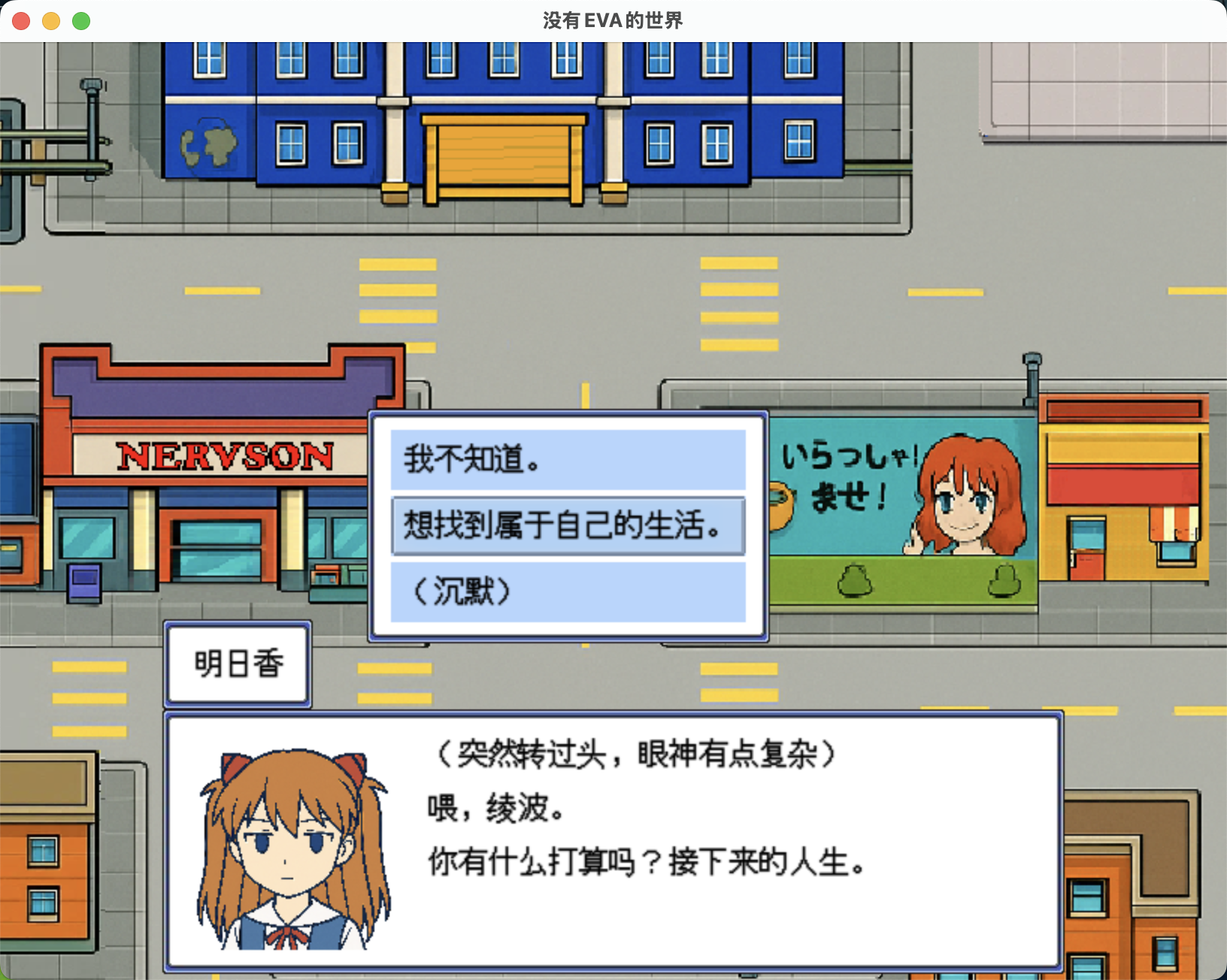
第一次发贴,写了两个简单的插件。


1. 选项框的位置
2. 选项框的非选择项背景色默认是灰色,想做一些修改可以直接在插件管理器里设置色号。


WechatIMG228.jpg

https://github.com/SekiShiyo/RMMZ/blob/main/NonSelectedChoiceBG.js

https://github.com/SekiShiyo/RMMZ/blob/main/ChoiceBoxPosition.js
梦石
0
星屑
110
在线时间
11 小时
注册时间
2025-4-29
回帖
7
 楼主| 发表于 2025-5-11 02:24:44 | 显示全部楼层
  1. /*:
  2. * @target MZ
  3. * @plugindesc Lets you customize the X and Y position of the choice list window (Window_ChoiceList) in RPG Maker MZ.
  4. * @author SekiShiyo
  5. *
  6. * @param ChoiceX
  7. * @text Choice Window X
  8. * @desc X position of the choice window
  9. * @default 240
  10. *
  11. * @param ChoiceY
  12. * @text Choice Window Y
  13. * @desc Y position of the choice window
  14. * @default 360
  15. */

  16. (() => {
  17.     const params = PluginManager.parameters("ChoiceBoxPosition");
  18.     const choiceX = Number(params["ChoiceX"] || 240);
  19.     const choiceY = Number(params["ChoiceY"] || 360);
  20.   
  21.     const _Window_ChoiceList_updatePlacement = Window_ChoiceList.prototype.updatePlacement;
  22.     Window_ChoiceList.prototype.updatePlacement = function () {
  23.       _Window_ChoiceList_updatePlacement.call(this);
  24.       this.x = choiceX;
  25.       this.y = choiceY;
  26.     };
  27.   })();
  28.   
复制代码
回复

使用道具 举报

您需要登录后才可以回帖 登录 | 注册会员

本版积分规则

Powered by Discuz! X5.0 © 2001-2026 Discuz! Team.

在本版发帖返回顶部