| 赞 | 49 |
| VIP | |
| 好人卡 | |
| 积分 | 85 |
| 经验 | |
| 最后登录 | 2026-2-12 |
| 在线时间 | 403 小时 |
- 梦石
- 5
- 星屑
- 3525
- 在线时间
- 403 小时
- 注册时间
- 2016-6-25
- 回帖
- 217
|
楼主 |
发表于 2018-2-28 17:18:38
|
显示全部楼层
本帖最后由 零教授 于 2018-2-28 17:24 编辑
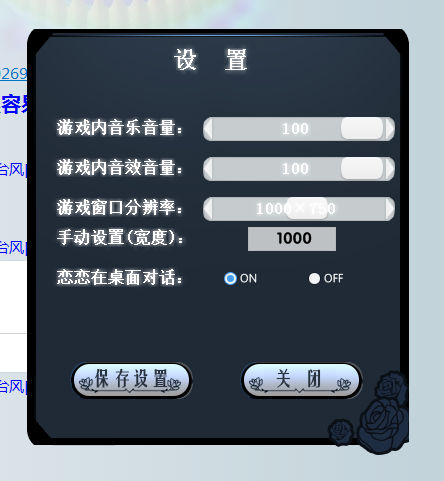
分辨率WIN32AI是用论坛的
光修改分辨率非常容易,但是要修改地图图块元件和人物元件,以及场景窗口就需要自适应
除开修改分辨率外还必须修改Scene_Battle、Spriteset_Battle、Scene_Map、Spriteset_Map、Game_Battler、Sprite_Battler、RPG::Weather这些主要的图片处理的类
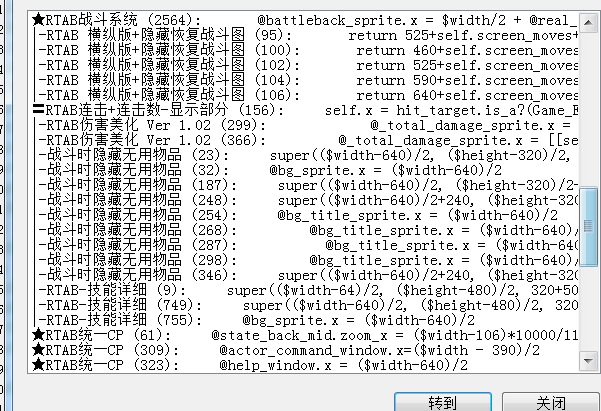
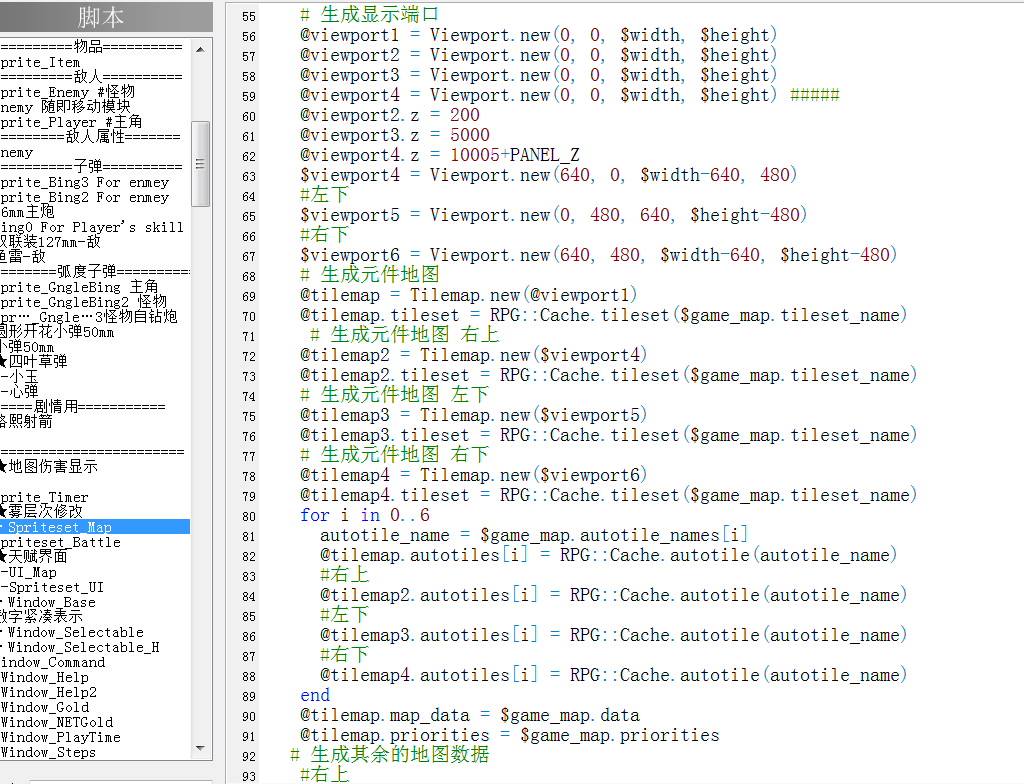
- #==============================================================================
- # 本脚本来自[url]www.66RPG.com[/url],使用和转载请保留此信息
- #==============================================================================
- # ————————————————————————————————————
- # 本脚本来自[url]www.66rpg.com[/url],转载请保留此信息
- # ————————————————————————————————————
- #ウィンドウサイズの変更(v1.00)
- module THNDJ
- GAME_INI_FILE = ".\\Game.ini"
- #--------------------------------------------------------------------------
- # ● 读取配置文件
- #--------------------------------------------------------------------------
- def THNDJ.GetPrivateProfileString(section, key)
- val = "\0"*256
- gps = Win32API.new('kernel32', 'GetPrivateProfileString',%w(p p p p l p), 'l')
- gps.call(section, key, "", val, 256, GAME_INI_FILE)
- val.delete!("\0")
- return val
- end
-
- #--------------------------------------------------------------------------
- # ● 写入配置文件
- #--------------------------------------------------------------------------
- def THNDJ.WritePrivateProfileString(section, key, val)
- gps = Win32API.new('kernel32', 'WritePrivateProfileString',%w(p p p p), 'i')
- return gps.call(section, key, val.to_s , GAME_INI_FILE)
- end
-
-
-
-
- #--------------------------------------------------------------------------
- #--------------------------------------------------------------------------
- def THNDJ.FindWindow(class_name, title)
- fw = Win32API.new('user32', 'FindWindow', %(p, p), 'i')
- hWnd = fw.call(class_name, title)
- return hWnd
- end
- HWND_TOP = 0
- HWND_TOPMOST = -1
- SWP_NOMOVE = 0
-
- #--------------------------------------------------------------------------
- #--------------------------------------------------------------------------
- def THNDJ.SetWindowPos(hWnd, w, h)
- system_metrics = Win32API.new('user32', 'GetSystemMetrics', %(i), 'i')
- sw = system_metrics.call(0)
- sh = system_metrics.call(1)
- # if sw <= 800 or sh <=600
- # return false
- # end
- x_alias = (sw - w)/2
- y_alias = (sh - h)/2
- swp = Win32API.new('user32', 'SetWindowPos', %(l, l, i, i, i, i, i), 'i')
- ok = swp.call(hWnd, HWND_TOP, x_alias, y_alias, w, h, SWP_NOMOVE)
- # 下の行を有効にすると、常に前面に表示されるウィンドウになる。
- #ok = swp.call(hWnd, HWND_TOPMOST, 0, 0, w, h, SWP_NOMOVE)
- #SetWindowPos(const CWnd* pWndInsertAfter, int x, int y, int cx, int cy, UINT nFlags );
- #参数1是在屏幕显示的层次优先级(最上最下);后四个决定窗口四个角的坐标;最后一个指定显示的状态。具体可以参阅MSDN.
- return ok
- end
- end
- title = THNDJ.GetPrivateProfileString("THNDJ", "NormalTitle")
- $hWnd = THNDJ.FindWindow("RGSS Player", title)
- def resize_window
-
- # 幅320、高さ480に変更
- $width = [[THNDJ.GetPrivateProfileString("THNDJ","$width").to_i,640].max,1280].min
- $height = [[THNDJ.GetPrivateProfileString("THNDJ","$height").to_i,480].max,960].min
- ok = THNDJ.SetWindowPos($hWnd, $width, $height)
- $XRXS65AX = ($width-546)/2
- $XRXS65AY = $height-90
- if(ok == 0)
- p "サイズ変更失敗"
- $width = 640
- $height = 480
- $XRXS65AX = ($width-546)/2
- $XRXS65AY = $height-90
- return false
- end
- return true
- end
- module KOISHI
- @player_id = THNDJ.GetPrivateProfileString("THNDJ", "player_id")
- KOISHI_FILE = ".\"+@player_id+".ini"
- #--------------------------------------------------------------------------
- # ● 读取配置文件
- #--------------------------------------------------------------------------
- def KOISHI.GetPrivateProfileString(section, key)
- val = "\0"*256
- gps = Win32API.new('kernel32', 'GetPrivateProfileString',%w(p p p p l p), 'l')
- gps.call(section, key, "", val, 256, KOISHI_FILE)
- val.delete!("\0")
- return val
- end
-
- #--------------------------------------------------------------------------
- # ● 写入配置文件
- #--------------------------------------------------------------------------
- def KOISHI.WritePrivateProfileString(section, key, val)
- gps = Win32API.new('kernel32', 'WritePrivateProfileString',%w(p p p p), 'i')
- return gps.call(section, key, val.to_s , KOISHI_FILE)
- end
- end
- #==============================================================================
- # 本脚本来自[url]www.66RPG.com[/url],使用和转载请保留此信息
- #==============================================================================
|
评分
-
查看全部评分
|





 写轮眼

 发表于 2018-2-28 06:29:34



 提升卡
 沉默号角
 喧嚣号角
 变色卡
 升龙剑


 发表于 2018-2-28 12:44:23


 发表于 2018-2-28 23:24:46

 RGDirect -

